It Goes Down in the DMs: How to Grow Your Audience on Instagram

Instagram may be a decade-plus into its influencer era, but it’s far from irrelevant. Today, you can still do some wheeling and dealing on the platform, but keeping your follower count trending upwards requires some finesse.
Fortunately, you don't need to rely on viral posts or algorithm hacks to grow. You just need good content and a solid DM strategy to build relationships, boost engagement, and close some sales.
Ahead, we’ll cover everything there is to know about Instagram DM, from how they work to privacy policies, growth tactics, and automation tips that will help you keep the conversation(s) going around the clock.
TL;DR
- Instagram DMs are a private messaging channel. Meta removed end-to-end encryption from Instagram DMs, so "private" now comes with an asterisk.
- For creators and brands, DMs are one of Instagram's strongest algorithm signals; content shared in DMs gets pushed harder publicly.
- You can automate DM replies, lead capture, and follow-ups with Manychat to grow your audience without living in your inbox.
How Instagram DMs Work
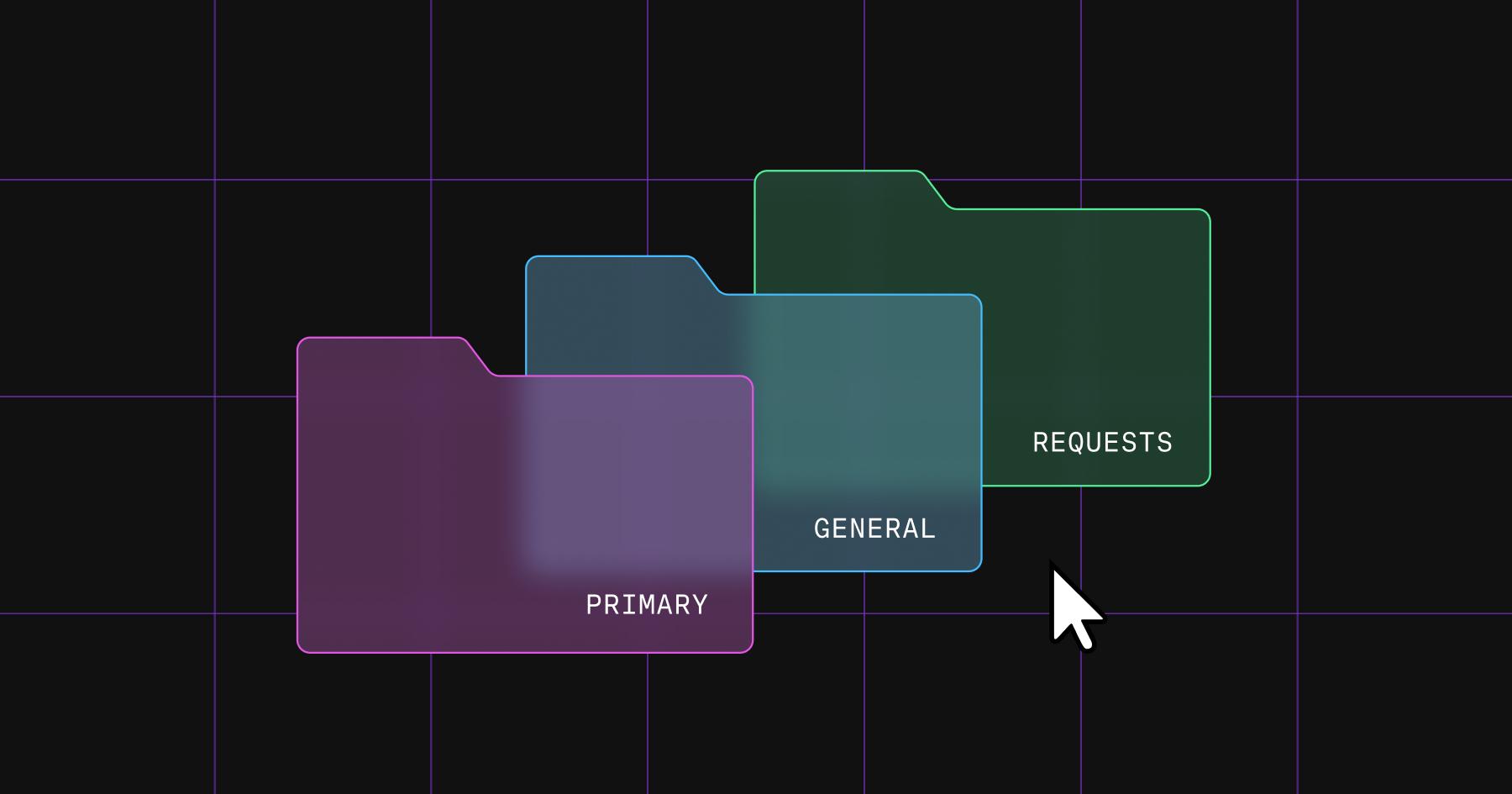
Instagram Direct Messages (DMs) let you communicate privately, separate from public posts or comments. You can send text, images, videos, links, voice notes, and even music or stickers to another account or in group chats. For creators and brands, DMs offer a unique opportunity to engage followers personally, answer questions, coordinate collaborations, and even convert casual scrollers into loyal fans.
If you have a Professional Instagram account, your inbox splits into three folders:
- Primary: messages you want to see first
- General: stuff you'll get to later
- Requests: messages you haven't accepted yet
Notifications are on for primary and off for general by default, but you can flip either in your settings.
DMs from accounts you don't follow land in your message requests folder, not your main chats. And messages in requests aren't marked as "seen" until you accept them — so a collab pitch or customer question can sit there for days while you have no idea it exists. If a DM seems to have vanished into thin air, it's usually not gone. It's just hiding in requests.
Want the full deep dive? How to Manage Your Instagram Inbox Like a Pro
Every DM feature worth knowing about
Instagram DM features have grown into a full-blown communication hub. Whether you're replying to a flood of comments after a viral post or coordinating a collab with five different creators, the Instagram inbox offers tools designed to make your messaging life easier (and a lot less chaotic).
Feature | Purpose | How to use it |
|---|---|---|
Quick replies | Save time replying to frequently asked questions (FAQs) or common comments | Go to your professional inbox, then create a saved reply with a shortcut keyword |
FAQs | Let followers get instant answers to common questions without you manually replying | Add questions and automated answers in your business settings |
Saved replies | Reuse longer, templated messages for things like collabs or giveaways | Hold down a message you've sent, tap More, then Save to create a shortcut |
Voice messages | Add a personal, human touch to your responses — great for building trust | In a chat, hold the microphone icon next to the message bar to record and send your voice |
Group chats | Coordinate with multiple creators or manage audience challenges in one thread | Tap compose, tap group chat, add two or more people, then start chatting |
Message scheduling | Plan outreach or replies in advance | Tap and hold next to your message, then choose the date and time to send |
Pinned messages | Keep key info (event links, instructions, reminders) visible at the top of a chat | Long-press on a message, then select "Pin" |
Message editing | Correct typos or update info in sent messages | Tap and hold your message, then select "Edit" |
Keyword search in DMs | Quickly find past messages using search terms | Use the search bar in the DM tab and enter any keyword |
Pinned chats | Keep priority conversations at the top of your inbox | Swipe right on a conversation, then tap the pin icon |
Are your Instagram DMs actually private?
Short answer: not as private as they used to be. As of May 8, 2026, Meta no longer supports end-to-end encryption on Instagram DMs — a change that took effect 11 days before the Take It Down Act compliance deadline.
Practically, that means Meta can access message content for safety and compliance reasons; a Meta spokesperson told The Guardian that very few people opted in to encrypted DMs.
WhatsApp still offers an end-to-end encrypted option, so if you genuinely need encrypted messaging, that's your best option.
A few tips for keeping your inbox (and identity) safe
Instagram gives you a lot of control over who can reach you and how much they can see via message controls, which let you adjust who can send you messages or add you to group chats. A couple of useful options include:
- Restricted accounts let you limit interactions with specific users without blocking them — they won't see when you're online or whether you've read their messages.
- Hidden words filter out offensive or unwanted terms in messages and comments using a custom list you set.
You should also turn on two-factor authentication (2FA) for an extra layer of protection. It's the single most effective step to keep hackers out, which is why Instagram turns on 2FA for creator accounts by default.
Finally, stay alert for phishing: be cautious of unsolicited messages that ask for personal information or push you toward unfamiliar links, especially when they rely on urgency, flattery, or emotional connection.
How to Use The DMs to Drive Reach and Sales

If you're serious about growing your audience on Instagram, don't sleep on your DMs.
Head of Instagram, Adam Mosseri, has said that content being shared via DMs is one of the platform's strongest algorithm signals. Meaning, the more your content sparks private conversations, the more the algorithm will push it publicly.
How do you actually use DMs to drive visibility, boost engagement, and grow your following? Let's break it down.
Find collaborators who can expand your reach
DMs are the perfect channel for building relationships with other creators, brands, or collaborators, especially if you're looking to expand your visibility without pouring money into paid promotion.
Instagram's collab feature (which lets two or more accounts co-author a post or reel) is one of the most underrated growth tools on the platform. Instead of your content reaching only your followers, it appears across all collaborators' feeds, instantly multiplying your exposure.
Pitching a collaboration doesn't have to be awkward or overly formal. DMs are made for exactly this kind of casual, friendly outreach. Just:
- Introduce yourself and explain why you love their content.
- Point out the overlap between your audiences or brands.
- Share a clear idea of what you'd like to create together, even if it's just a rough concept.
- Make it easy to say yes by keeping the message short and low-pressure.
Once a collab is in motion, group chats make it easy to keep everyone aligned, which is perfect for coordinating multi-person campaigns, giveaways, or co-hosted content series.
If you’re a creator, check out: How to Land Your First Brand Deal (And Keep ‘Em Coming)
Respond, react, and keep the convo going
As Mosseri said, Instagram's algorithm rewards content that sparks conversation. When someone shares your post privately, it signals to Instagram that your content is valuable enough to pass along. Sharing via DMs — AKA sends per reach — is often a stronger signal than likes, saves, or even comments.
But how do you capitalize on that momentum?
It really comes down to being present in your inbox. Responding to DMs quickly, especially after going live, posting a reel, or running a poll, helps reinforce the connection and keep engagement flowing.
Don't wait for someone to start the conversation. Be the one to initiate by:
- Sending a quick thank-you to someone who voted on a story poll.
- Following up with someone who reacted to your reel.
- Circling back to a DM thread that went quiet but had potential.
You can also nudge shares directly by ending a post or reel with something like "Send this to a friend who needs it."
Deliver lead magnets via DMs
One of the highest-converting moves in DM marketing is the classic "comment a keyword to get X" play. You post a reel, ask people to comment "guide" (or "promo," or "quiz"), and then deliver the goods straight to their inbox. It's simple, it works, and it pulls passive scrollers into active contacts.
This tactic stacks engagement signals (it leads to comments and DMs). You can use it to deliver lead magnets like free guides or discount codes, capture email addresses, or route people into a quiz that recommends the right product.
If you’re interested in setting up automations like the one mentioned above (comment to DM), keep reading, because that’s where Manychat comes in.
Automate Your Instagram DMs With Manychat

By automating your DMs, you can launch meaningful conversations from your posts, reels, and stories. That's just the tip of the iceberg, though. You can also use Manychat to capture leads, deliver links, and have some fun with your followers.
Always-on automations
Always-on automations are a perfect place to start. Always-on automations are Manychat flows that run continuously in the background, replying to mentions and keeping conversations moving. Some of the most popular Instagram always-on automations include:
- Default Reply: Ensure no message goes unanswered by sending an automated response when no other trigger applies.
- Story Mention Reply: Instantly respond with a thank-you, offer, or message whenever someone tags your account in a story.
- Conversation Starters: Display pre-set prompts in your DMs to help users begin conversations with your brand.
- Main Menu: Provide a persistent menu in DMs that gives followers quick access to key links, products, or support.
Comment automation and story keyword replies
Comment automation is another easy way to boost your content’s engagement and drive people to the DMs. In fact, comment-to-DM, a Manychat Quick Automation, is one of the platform's most popular features.
It works like this: When someone comments a predefined keyword (like "link," "promo," or "quiz") on one of your Instagram posts, Manychat sends an automated DM to that user with whatever you want — like a link or a request for their email address.
Story keyword replies follow the same logic: When someone replies to your story with a specific keyword (like "gift" or "yes"), Manychat recognizes it and immediately kicks off a DM flow. Since story viewers are often your most engaged audience, this gives you a direct line to deliver offers, route people into quizzes, or guide them toward a product finder.
Conversation funnels
If you’re feeling ambitious, you can use Manychat's Flow Builder to create custom conversation funnels — multi-step DM experiences like quizzes, lead capture forms, product finders, or welcome sequences. These can include buttons, conditions, images, and text, so you deliver value-driven engagement rather than one-off replies.
Learn more: How to Let Your DMs Qualify Leads While You Sleep
Go Ahead, Slide Into Those DMs

If you're serious about growing your audience, don't leave DMs as an afterthought. Whether you're manually following up or running automated flows with Manychat, these one-on-one interactions are how you get more reach, grow stronger relationships, and attract a steady stream of new followers.
Ready to try out some of those automation techniques we talked about? The good news is you don't even need to open your wallet to get started. Manychat's free plan gives you access to Instagram DM features like keyword triggers, comment automation, and custom flows.
Jump in: Sign up for Manychat
Frequently asked questions
Your Instagram DMs live behind the paper airplane icon (or chat bubble, depending on your app version) in the top-right corner of your home screen. On desktop, you'll find Messages in the left-hand menu. If you have a professional account, your inbox is split into primary, general, and requests folders. If a message seems missing, check requests.
Not entirely. Meta removed end-to-end encryption from Instagram DMs as of May 8, 2026, which means the content of your messages can be accessed by Meta for safety and compliance purposes. For anything genuinely sensitive, use email or an encrypted channel like WhatsApp instead.
Yes. Tools like Manychat let you set up automated DM replies triggered by comments, keywords, story mentions, and new follows, so you can respond instantly without doing it manually. Just keep it personal so it doesn't read like a bot.
If you're not following each other, your message likely landed in their message requests folder, which is a separate inbox that doesn't send push notifications. They'll need to open requests and accept your message before it shows up in their main chats.



Originally published: Aug 11, 2025, Updated: Jul 29, 2026
More stories worth reading
More content that's too good to miss