
How many times has someone slid into your DMs, only to be met by…nothing?
You might be thinking “zero!” *finger guns*
Well, think again, because there are all kinds of subtle interest signals scrollers send that you could be cashing out on: reactions, replies, sticker taps, and those questions buried deep in your Hidden Requests folder.
But it’s okay, because today is the day you stop asking “What could have been?” and start automating instead. And if the word ‘automation’ just sent a wave of fear through your body, don’t worry: This is going to be easier than planning your next round of posts.
The DMs are More Important Than You Might Think

A whopping 73% of social media users will switch to a competitor if a business doesn’t respond to their inquiries.
That’s pretty wild, but the fallout is even worse for creators who don’t respond.
Because sure, scrollers might go off and engage with another creator’s content if you don’t reply to them. But what’s even more concerning is that they might stop seeing your content altogether. 😬
Instagram’s algorithm considers accounts’ relationships when ranking content in the feed and Stories. The more you react and respond to your followers, the stronger the relationship is between you in Meta’s eyes…and the more likely they are to see your stuff in the future.
The easiest way to keep your DMs active is to sign up for Manychat and set loose some automations. But before you haul off and do that, let’s talk about the DM triggers you can use to turn chats into cha-ching.
We’re passionate about this topic: It Goes Down in the DMs: How to Grow Your Audience on Instagram
5 DM Triggers that Can Turn Engagement into Sales

If you’re automating your DMs for the first time, the five triggers below offer a simple starting point. They’ll help you spend less time in your inbox while guiding your followers to
1. Follow to DM
Follow to DM is a newish Manychat feature that automatically sends a welcome message to new followers.
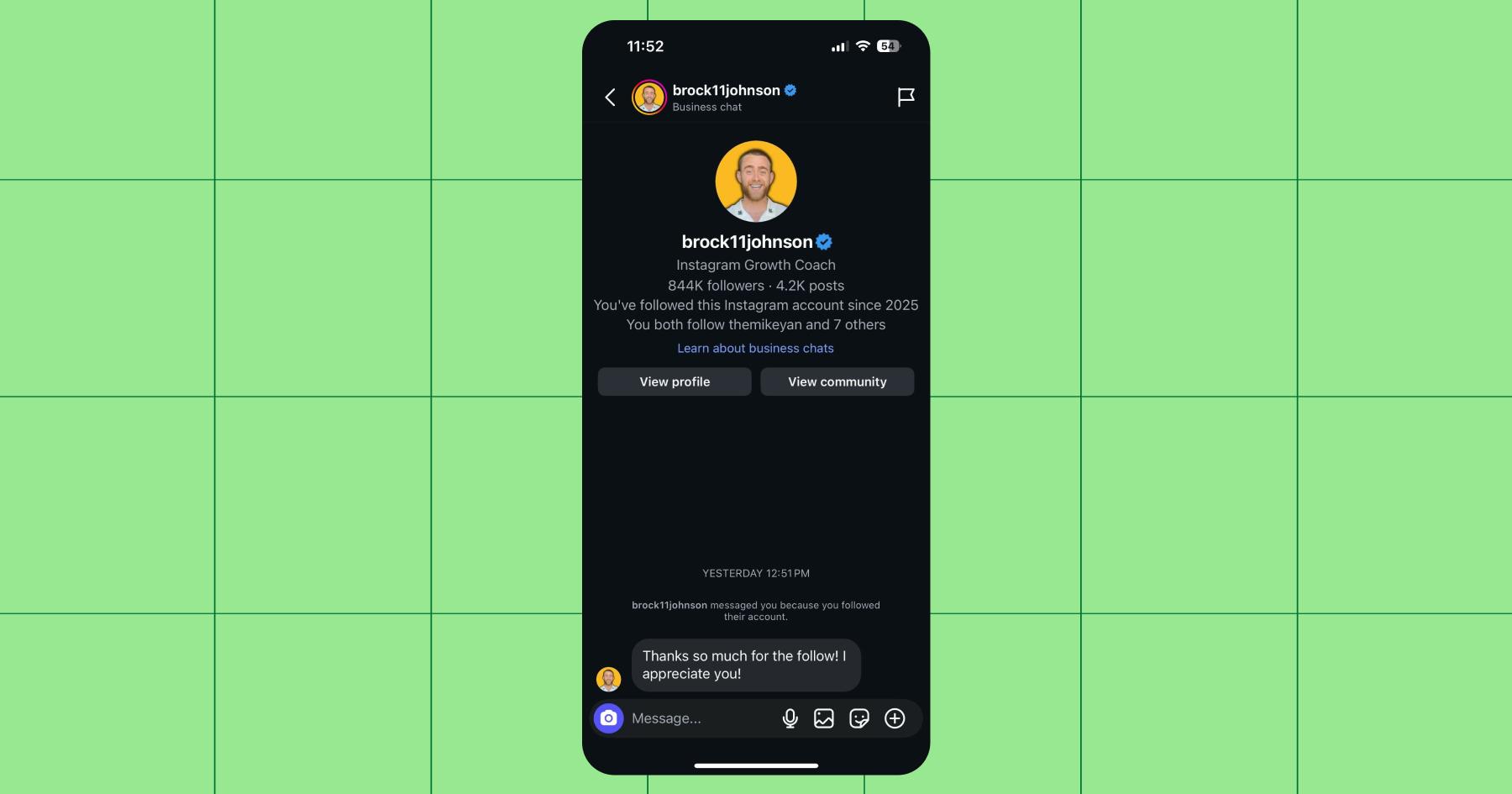
Setting up Follow to DM helps you to start establishing a relationship with followers from the very moment they’ve decided they want to see more of your content. It’s best used to say hello and welcome people to your little corner of the internet.
You can add a button or link to your Follow to DM automation, but we recommend turning off the welcome DM and continuing without buttons. A simple “hello” or “thanks for following” is preferred over an advanced flow here.
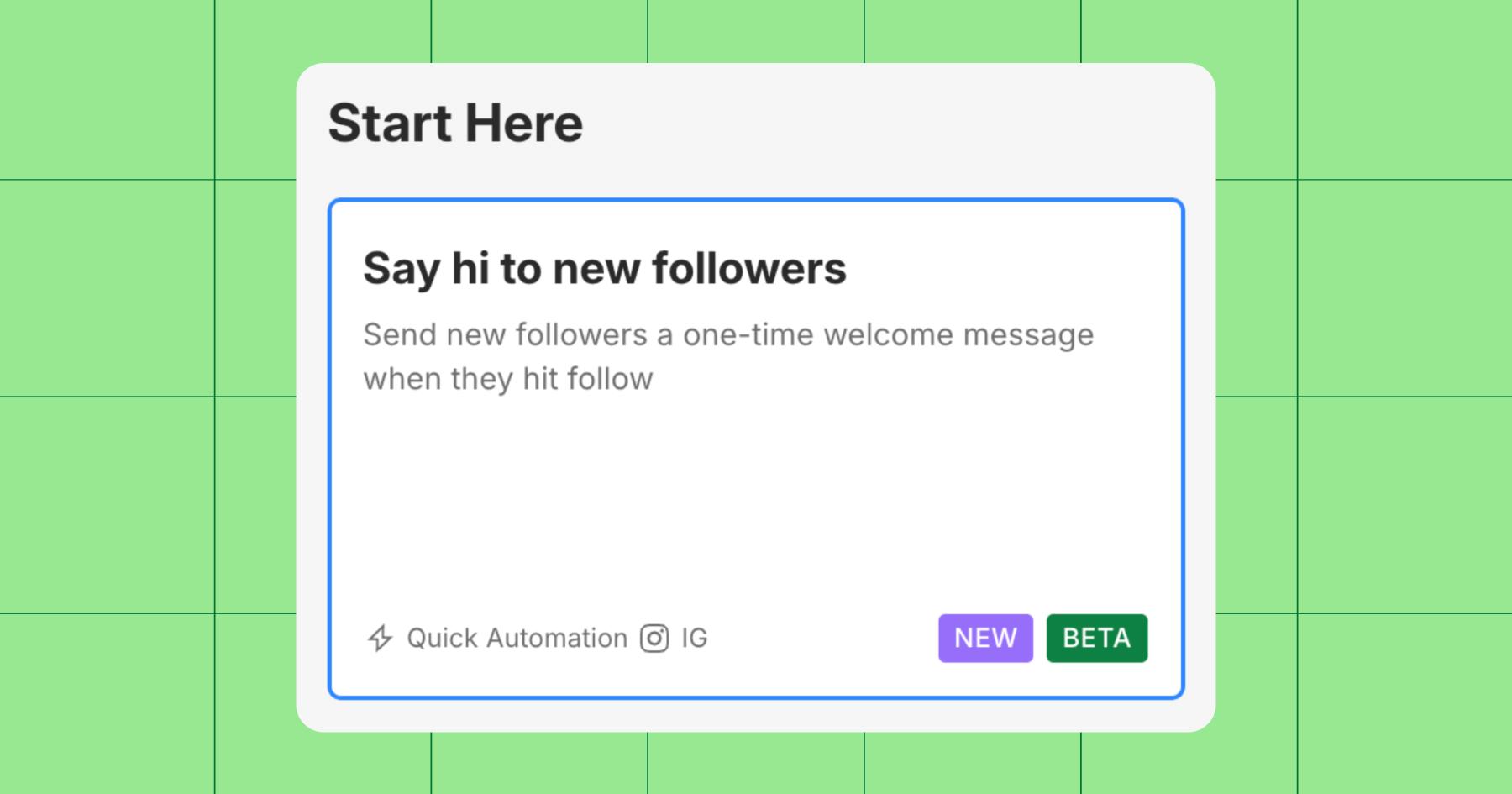
Also, Follow to DM is a Quick Automation, which makes it incredibly easy to set up. Just open Manychat, click Say hi to new followers, and follow the prompts.
Learn more: Don’t Let Fresh Followers Go Cold: How Follow to DM Sends the Perfect Automatic Welcome
2. Comment to DM
Comment to DM is Manychat’s magnum opus (or at least, one of them).
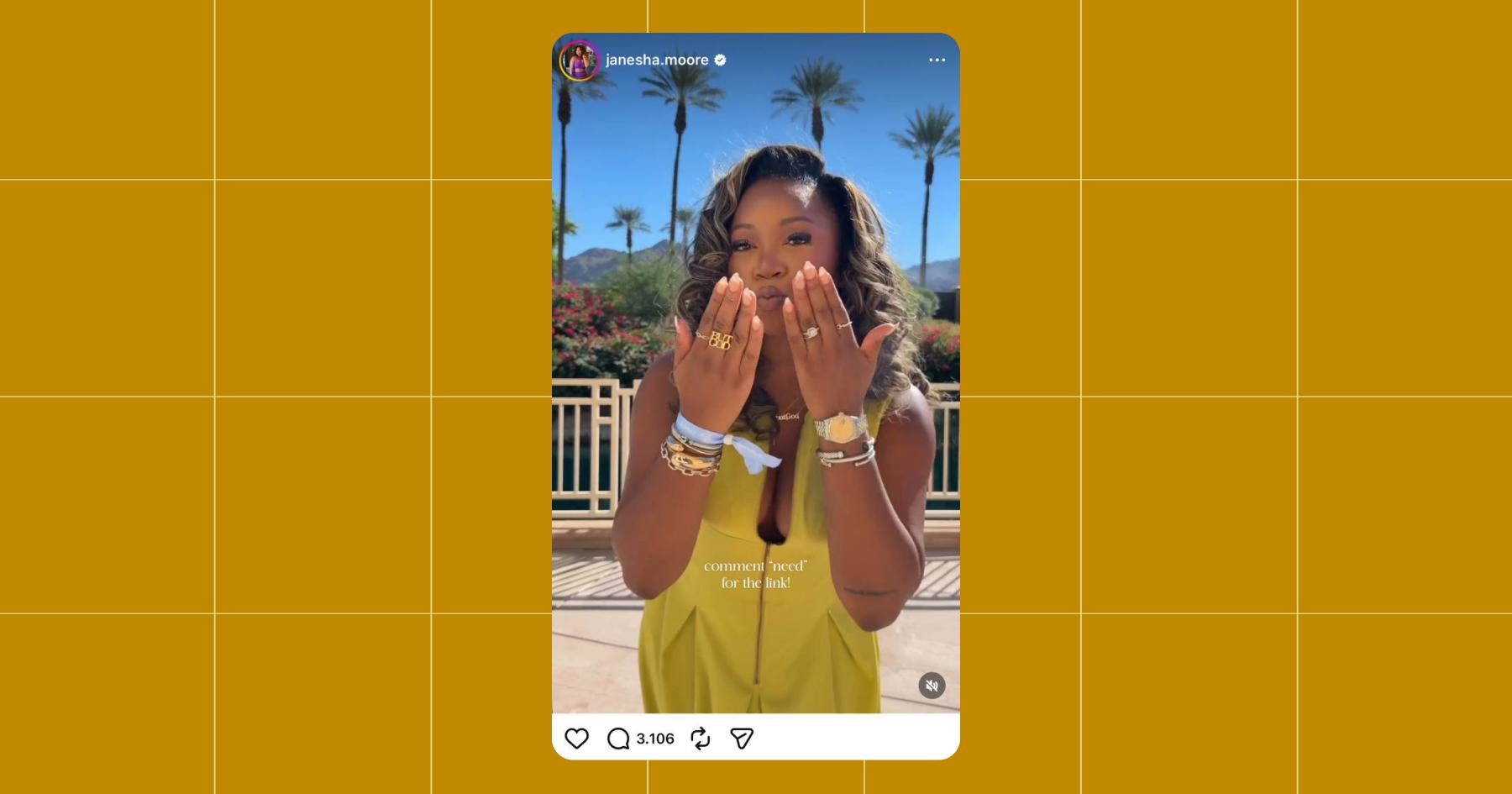
If you’ve ever seen someone say, “Comment X and I’ll DM you the link,” you’ve seen Comment to DM in action. And yes, sending links is one of the main reasons why people set up Comment to DM.
Comment to DM automatically sends a message when someone comments on one of your posts or Reels. You can trigger it with a specific keyword or let it fire on any and every comment.
Aside from sending links, you can use Comment to DM to:
- Deliver freebies (checklists, templates, trainings)
- Run quizzes or mini games
- Collect emails or phone numbers
- Offer personalized product recommendations
- Distribute discount codes
- Book appointments or consultations
Comment to DM is versatile and easy to tailor to your offerings and audience, which is why it’s one of the most popular Manychat use cases. Affiliate marketers often use Comment to DM to share affiliate links with their audience, like in this example from @janesha.moore:
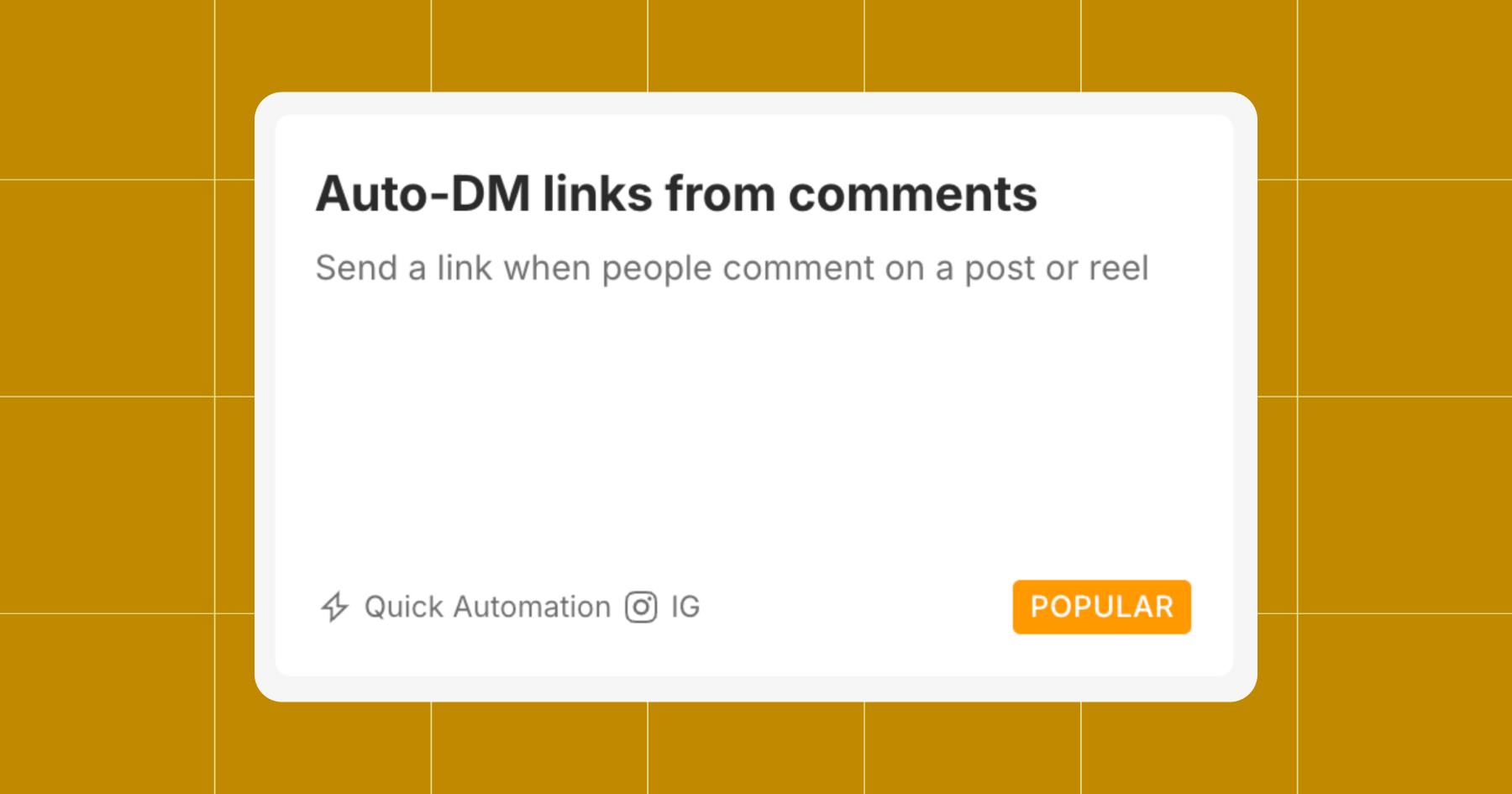
If you want to give it a try, you can use the Auto-DM links from comments, Quick Automation, or build something from scratch in the Flow Builder.
If you need help understanding how building a Comment to DM automation from scratch works, check out this (very short) video:
3. Share to DM
Share to DM is triggered when someone shares your post or Reel to their Instagram Story. It works exactly as you would imagine: When a user shares one of your posts, Manychat sends them a DM.
This trigger is powerful because shares are more meaningful than casual comments. When someone shares your content, they’re putting it in front of their audience. (Yay, more reach!)
Creators use Share to DM to acknowledge that gesture and guide users to the next step. Instead of the share being the end of the interaction, it becomes the start of a conversation. You can thank them, use tags to segment them (“top fan” or something like that), or give them an exclusive discount.
Share to DM can be used on specific posts or on every post, but if you’re going to do the latter, keep your message evergreen, i.e., “Thank you so much for sharing! 🥹Here’s a discount code to show our appreciation.”
For more on Share to DM (and bonus info on Follow to DM):
4. Story Replies
Story Replies are one of the most underrated DM triggers, which is a pity, because Instagram users spend a lot of time watching Stories: 70% watch them daily.
This trigger activates when someone replies or reacts to your Instagram Story. Instead of letting them fade into the algorithmic abyss, you engage — either by sending a thank you message, a link to your website, or a special offer just for people who mention your account.
Psst! We have a full guide on the Story Reply trigger for you to check out: Instagram Story Going Stupid? 🫨 Use Manychat to Automate Replies
Stories are generally only seen by people already following you, which means your chances of converting someone through the Story Reply trigger are high. They’re already following you and watching your content enough to get served your Stories, so when they make a move (even if it’s just tapping the ❤️), you should return the favor.
5. Ice Breakers/Conversation Starters
For those of you who were just triggered, don’t worry — this isn’t the kind of awkward ice breaker you have to do in group settings. This is the kind of ice breaker that gives people the answers and links they need as soon as they hit your inbox.
In Manychat, Conversation Starters are an always-on automation you can use to create a menu in your Instagram DMs. (Ice Breakers are the same concept, but for WhatsApp.)
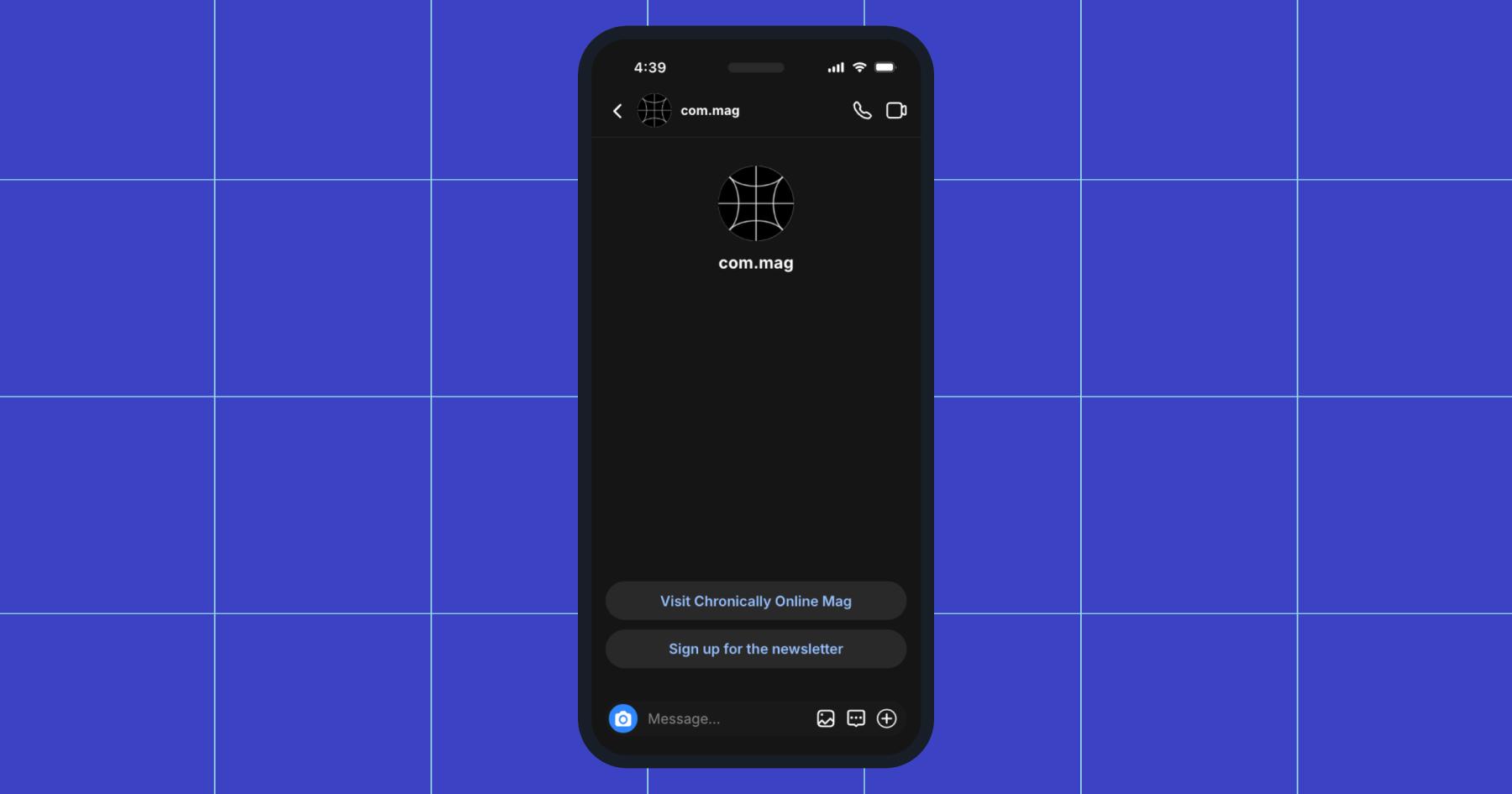
When a user opens Instagram and goes to start a message with you, they’ll see options like:
- Book an appointment 📆
- Get my freebie 🆓
- Browse merch 🛍️
- Sign up for the newsletter 📧
Or whatever you want. The beauty of Conversation Starters is that you don’t have to ask your followers to do anything (comment a keyword, visit your profile, etc.). Instead, they’re getting the concierge experience right in the DMs.
The Monetization Station: How to Make Money with DM Automation

Not all creators monetize the same way, and that’s a beautiful thing. But whether you’re landing brand deals, selling digital products, running a paid community, or offering some sort of service, DM triggers can help turn the engagement you get into real revenue.
Let’s break down how.
Brand deals
Partnering with a brand is a great way for creators to earn some cash. Every deal is different, but they usually involve sponsored posts and/or affiliate links.
For link sharing, you can set up Comment to DM or Story reply automations to automatically deliver those links. For sponsored posts, the best approach is to keep the comments section active.
Psst, open this in another tab: How to Land Your First Brand Deal (And Keep ‘Em Coming)
Digital products and subscription content
Selling a digital good, like a course, ebook, template, or tool, is another monetization option. Oftentimes, creators will use a tool like Stan Store or Teachable to host this content, then drive followers to it through their DMs.
Obviously, Comment to DM is a good option here, but so are Conversation Starters. With Conversation Starters, your digital good can be one of the first things a user sees when they go to message you.
Learn more: How to Make and Sell Digital Goods (Without Losing Your Soul or Sanity)
Related, you can make exclusive content that’s only available for purchase. Patreon, YouTube, and TikTok all offer features that let creators sell subscriptions or series.
Follow to DM, which sends an automated welcome message to new followers, is one of the perfect ways to let people know about exclusive content. They’ve likely found you from a reel and are ready to see more of your content, so you can customize the message to say something along the lines of “Hi! So glad you’re here. If you’re looking for more, check out my Patreon.”
Services and physical goods
If you’re an expert or you have a skill to ply (marketers, artists, designers, Etsy witches, etc.), you can promote it on social and sell it through the DMs. If you want to learn how to use Manychat to make it so that followers can book appointments with you through Instagram, watch this:
Similar story with physical goods, but you will need a third-party tool — Etsy, Stan Store, Shopify — to host the product listing. The benefit here is that you’ll have a link to the product you can share with interested users with a Comment to DM flow, i.e., “Comment birdhouse for the link.
The gist: There is a moment with every income stream where you have someone’s attention. 👀 DM triggers make sure you never miss it.
Need more direction? Start here ⬇️
You’re here because you want to make money on Instagram. I’m here to help you do that. So, let’s get to the helpful stuff.
First of all, our very own Sarah Gavilla took five creator monetization methods for a spin to see which ones are worth the effort. She tried:
- Platform monetization
- Affiliate marketing
- Brand deals
- UGC (User-generated content)
- Digital products
And you don’t have to go anywhere to figure out the results of her experiment:
Next, if you want to sell digital products, check out:
- How to Make and Sell Digital Goods (Without Losing Your Soul or Sanity)
- How Creators Make $10K/month with Digital Products (feat. Paridhi Pandey)
Or, if you want to go for brand deals:
- How to Land Your First Brand Deal (And Keep ‘Em Coming)
- How to Get Paid Brand Deals (with under 10k followers)
Finally, we’ve got details on some affiliate programs — more to come soon:
- How Much Do Amazon Affiliates Make? The Full Scoop from Real Affiliates
- He Built a Business Selling Amazon Products | Just Send It Ep. 6 with Simply Sal Finds
- Manychat Affiliate Program: Let’s go 50/50?
That’s all for now. Cha cha ching, real smooth.
Frequently asked questions
Yes. If you use Instagram Shopping, product tags, or shoppable posts, DM automation can guide followers directly to the products they’re interested in.
For example, you can ask viewers to comment a keyword on a post featuring your Instagram Shop item. When they do, they automatically receive a link via Instagram DM. This works especially well for product launches promoted through Instagram Live or an Instagram Reel.
Yes, one of Manychat’s core use cases is to help creators grow their following. When someone comments on your Instagram post or replies to your Stories, an automated Instagram DM keeps the conversation going, which strengthens your relationship in the algorithm’s eyes and gives you more visibility in the Instagram feed.
In Manychat, you can see how many sends and clicks your automations get at any time in the Automations tab. More insights are available in the Analytics tab. You can also track your content’s performance using Instagram Insights. Look at engagement rates on each Instagram post and try to replicate the most successful ones.
The whole idea behind Instagram DM automation is to turn passive engagement into active conversations. Instead of hoping someone clicks the link in your Instagram bio, you can trigger an Instagram DM when they comment on one of your posts, reply to a Story, or engage with a Reel.



Originally published: Mar 5, 2026, Updated: Apr 1, 2026
More stories worth reading
More content that's too good to miss