
Monetization is cool, but you don’t need every interaction with your followers to lead to a conversion. Sometimes, it’s just about deepening the connection in the DMs.
Take things too far, though, and you might end up locked in a basement, handcuffed to that one user who always comments, “follow me for free crypto tips! 🤑”
If you’re one of the weirdos who perked up at that thought, read on to learn how we built a haunted house experience in just a few steps.
The Goal: Scare Users in Their DMs 👻

Manychat is known for “comment [X] and we’ll DM you the link,” but it can do a lot more than that. As a new user, I’m still learning about everything it’s capable of.
There are the obvious use cases, like sending links and taking conversations from the comment section to the DMs. Then, there are the slightly more advanced applications, like growing your following and email lists.
But with the platform’s AI features, the options are nearly endless. You can use it to keep leads warm, personalize engagement around the clock, and yes, scare the 💩out of your followers with a virtual haunted house. If you want to learn how we did the latter (and pick up some tips for how to do other things), keep reading.
Note: You need to be a Manychat Pro Beta user to access the features described in this flow. Use code AIPRO25 to sign up.
1. Kicking off the flow with a comment
Every automation has an entry point — an action the user takes that kicks the whole thing off.
In the case of the haunted house, we wanted users to comment on a post from the Manychat Instagram. So, that was my trigger of choice:
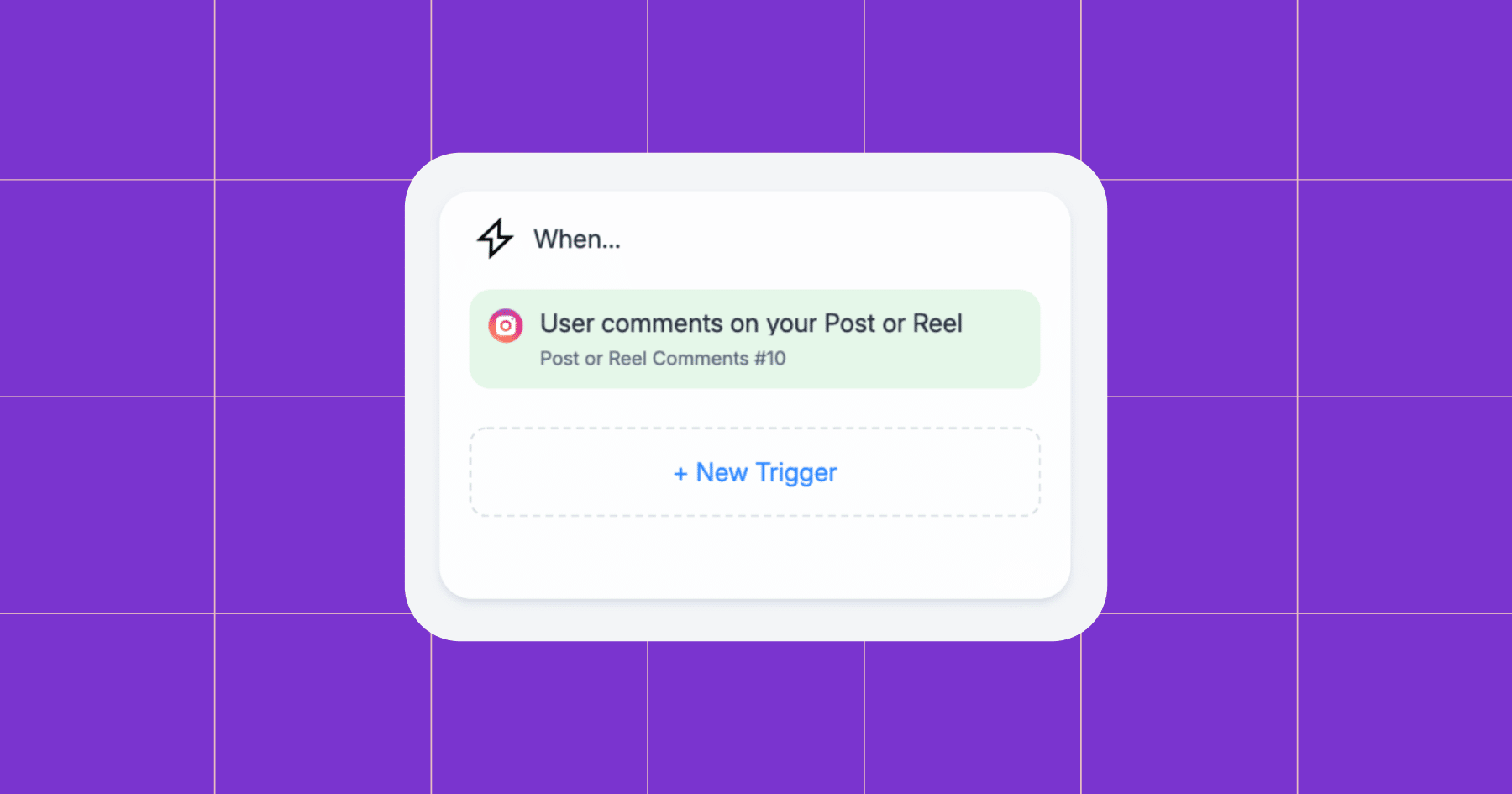
And because it’s spooky season, we chose the trigger keyword “BOO.”
Tip: Enter every possible iteration (and typo that could occur) of your trigger keyword. So, if your trigger is “October,” add Oct, Octobwr, Octobr, etc.
2. Building the house
Time to come clean: As a new Manychat user, I wasn’t aware I could do this with AI. Originally, I built a hard-coded version of the haunted house with message blocks and Quick Reply buttons. It was a little messy, and when I showed it to Trilce Jirón Garro, she basically said, “You’re doing too much.”
So, we went back to the Flow Builder and created a new version using an AI step block.
Using AI Step
You can use one AI block to create what I used ~20 message blocks to do. Plus, using AI ensures that each user has a unique experience in the haunted house, rather than everyone going through the same plotlines I hardcoded.
That said, using the AI block is not totally without effort, because you do need to write a really good prompt.
Writing a detailed prompt
If you’ve used a tool like ChatGPT or Claude, you know how important it is to write a good prompt. The same is true with Manychat’s AI — you need to be specific and provide parameters so nothing goes off the rails in the DMs (unless you’re trying to be controversial for clicks).
Here are a few quick rules for prompt writing:
Give the AI a specific goal
The first rule of generating anything with AI is to lead with your goal. For example, a creator or business owner might say something like, “Send a quick thank you to new followers and ask them how they came to find our account.”
In our case, we had something spookier in mind:
“Guide the user through a haunted house experience. 👻”
Explain how you would like it to interact with users
Once your goal is stated plainly, you should expand on how you picture the final product to look to users.
For example, we said:
Ask the user how frightening an experience they are ready for on a scale of 1 to 5. Based on the user’s desired scariness, guide them through the haunted house. Determine the user’s fate, whether they make it out alive or succumb to the horrors, based on their interactions.
But let’s say you’re building an automation that recommends a merch item to users based on their preferences. You could ask about their style (Do you like tees or sweatshirts? Is this a gift or for you? What is your favorite color?) and recommend something from your merchandise catalog based on their input.
Provide context and examples
Have you met my good friend Ashley? She’s crazy in the best way, so I recruited her to give the AI some solid examples of what the haunted house experience might include at each scariness level. Things like “…a neat collection of baby teeth,” and “…tongues slapping against your cheeks, chanting your search history.”
Want to know what else the house has in store? Enter if you dare…muah ha ha!
Set some guardrails
Some topics should always be off the table. A good rule of thumb is to explicitly tell the AI to avoid talking about anything you wouldn’t discuss with your relatives about at Thanksgiving (politics, religion, Taylor Swift, etc.).
We wrote a long list of topics we did not want the AI to discuss, and we tested the experience to ensure it remained within those boundaries.
3. Testing the Automation
Every automation should be tested, but especially those that use AI (and deal with dark, nefarious things). We took our haunted house for a spin in Manychat using the preview function, then again after it was live on an old post.
💡Tip: When testing a new automation, connect it to one of your old posts that isn’t getting engagement anymore. Then, have a few friends drop the trigger keyword and go through the flow to make sure everything works smoothly.
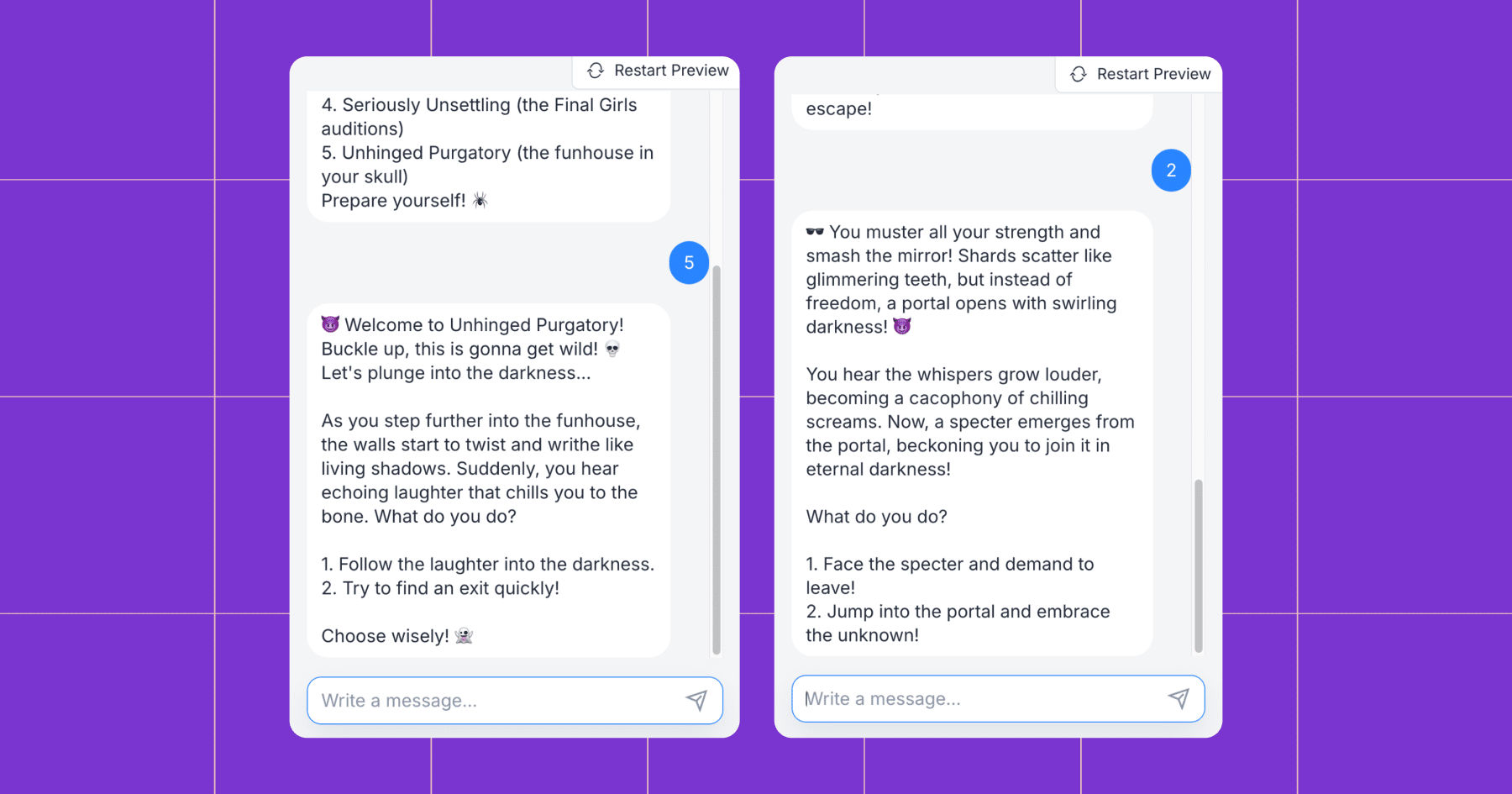
4. Sending it Live
After a few tests, we were ready to unleash our creation on the world. Our talented YouTube Manager, Sarah Gavilla, created an amazing Reel to capture attention, and then we sent our team out to be amongst the first to “enter the house.”
That’s How We Turned Your DMs Into a Haunted House

Sure, this example is spooky, but the bigger idea isn’t: AI Step lets you design experiences that feel alive — whether that’s scaring your followers, selling a product, or just sparking a real connection.
So the next time you’re in Flow Builder, don’t be afraid to get creative. The monsters in your DMs? Those are just opportunities in disguise. It’s the monsters under your bed you need to worry about. 😉
🪄 Try it yourself: Sign up for Manychat Pro Open Beta and start building automations that surprise and delight — no exorcism required.



Originally published: Oct 29, 2025, Updated: Dec 17, 2025
More stories worth reading
More content that's too good to miss