Controversial as its founder is, Amazon is a regular part of many of our daily lives. I’m an Amazon Prime member myself, and every time I’m tempted to cancel my membership, I suddenly need something highly specific that I can only find on Amazon (like filter replacements for my air purifier or the descaler for my coffee pot).
So, I remain an Amazon Prime member, like hundreds of millions of other people. While Amazon has not publicly disclosed a Prime membership count since 2021, it announced more than 200 million Prime members worldwide at the time. I expect that number has held steady (or increased) over the last five years.
If you’re one of those millions of Amazon users and you’re a creator, you can start earning money by recommending your favorite products to your followers. The best way to do this is to join Amazon’s influencer program and set up your own Amazon storefront. If you want to learn how to do that, you’re in the right place.
TL;DR
- You need to join the Amazon Influencer Program to create an Amazon storefront.
- The application process for the Amazon Influencer Program is simple and relatively quick.
- Once accepted to the program, you can set up your Amazon storefront and upload content, including Shoppable Videos, Shoppable Photos, and Idea Lists.
Step 1. Join the Amazon Influencer Program
First things first: to create an Amazon storefront, you must apply and be approved for the Amazon Influencer Program.
Note: I’ve done a full breakdown of Amazon Associates vs. the Amazon Influencer Program that’s worth a read, but for now, keep in mind it’s the latter (the Amazon Influencer Program) that allows you to create your own storefront. Amazon Associates don’t get that perk unless they’re also an Amazon Influencer.
All you need to do to apply to the Amazon Influencer Program is sign in with your Amazon account and connect a social media profile for Amazon to review. (You can also create an Amazon account if you don’t have one yet, or if you want to separate your influencer Amazon account from your personal one.)
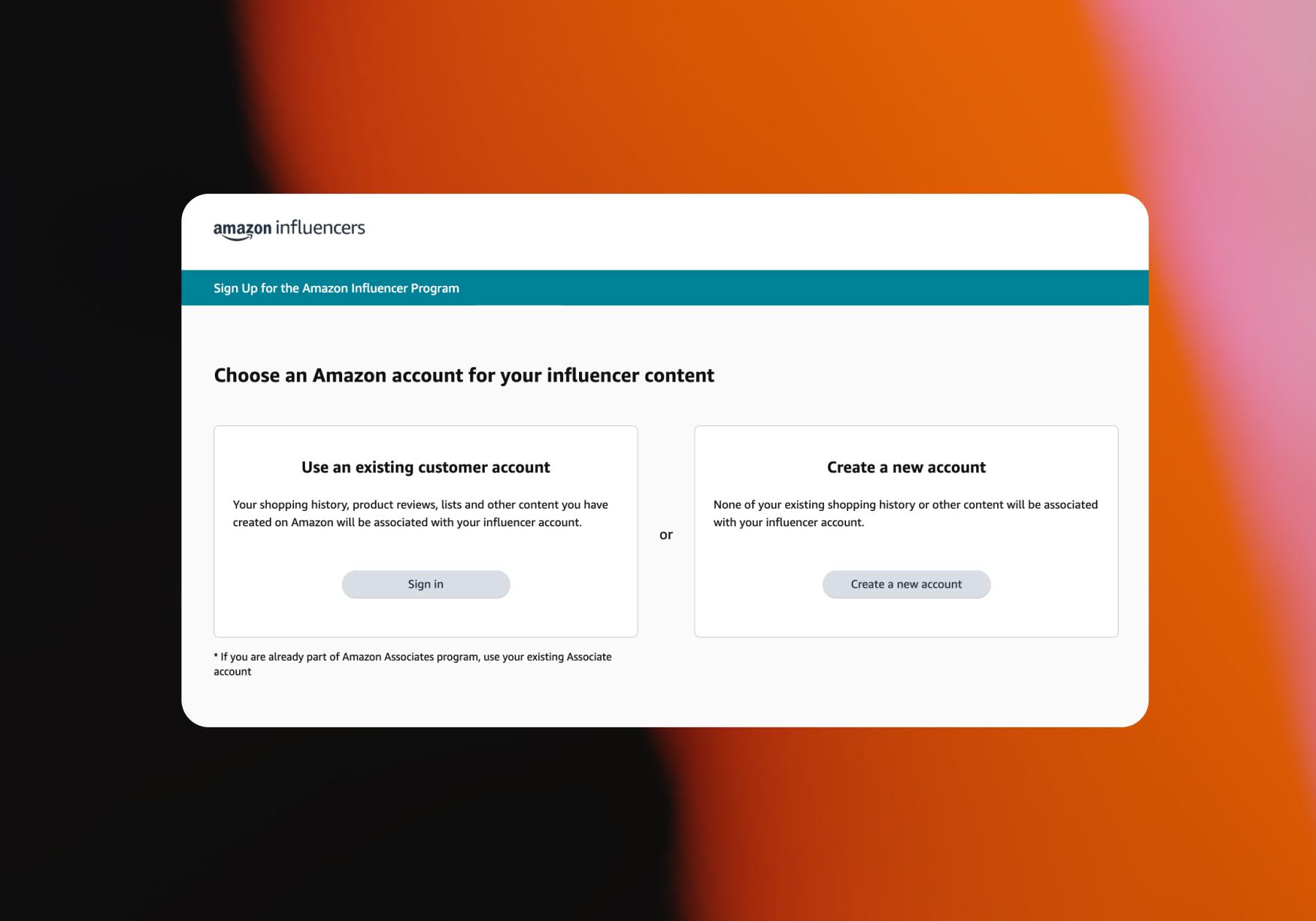
As far as platforms go, you can submit a YouTube, Instagram, TikTok, or Facebook account to Amazon for review. You’ll also have to provide your name, address, tax information, and preferred payment method.
Amazon doesn’t publish a required follower count for the Influencer Program, which is actually good news: that means that even smaller creators can qualify, as long as they have an engaged audience.
Approval to join the program is based on the “overall strength” of the social account you connect, which isn’t explicitly defined by Amazon, but involves your content quality, engagement rate, following count, and niche.
It usually takes between a couple of days and a few weeks to be approved for the Amazon Influencer Program. A Reddit user in r/Amazon_Influencer mentioned submitting their profile for review on a Friday night and hearing back that they were approved the next Tuesday. They also had some thoughts on why they were accepted:
“One thing I think helped me was my TikTok. I have a lot of engagement — hundreds of thousands of likes and millions of views, and all my videos have my face in them. However, I heard you don’t need all those numbers to get approved if you connect your TikTok.”
In other words, apply if you’re a TikTok creator, even if you don’t have a lot of followers or engagement, because Amazon is growing its influencer marketing presence on TikTok right now.
Step 2. Create Your Amazon Storefront
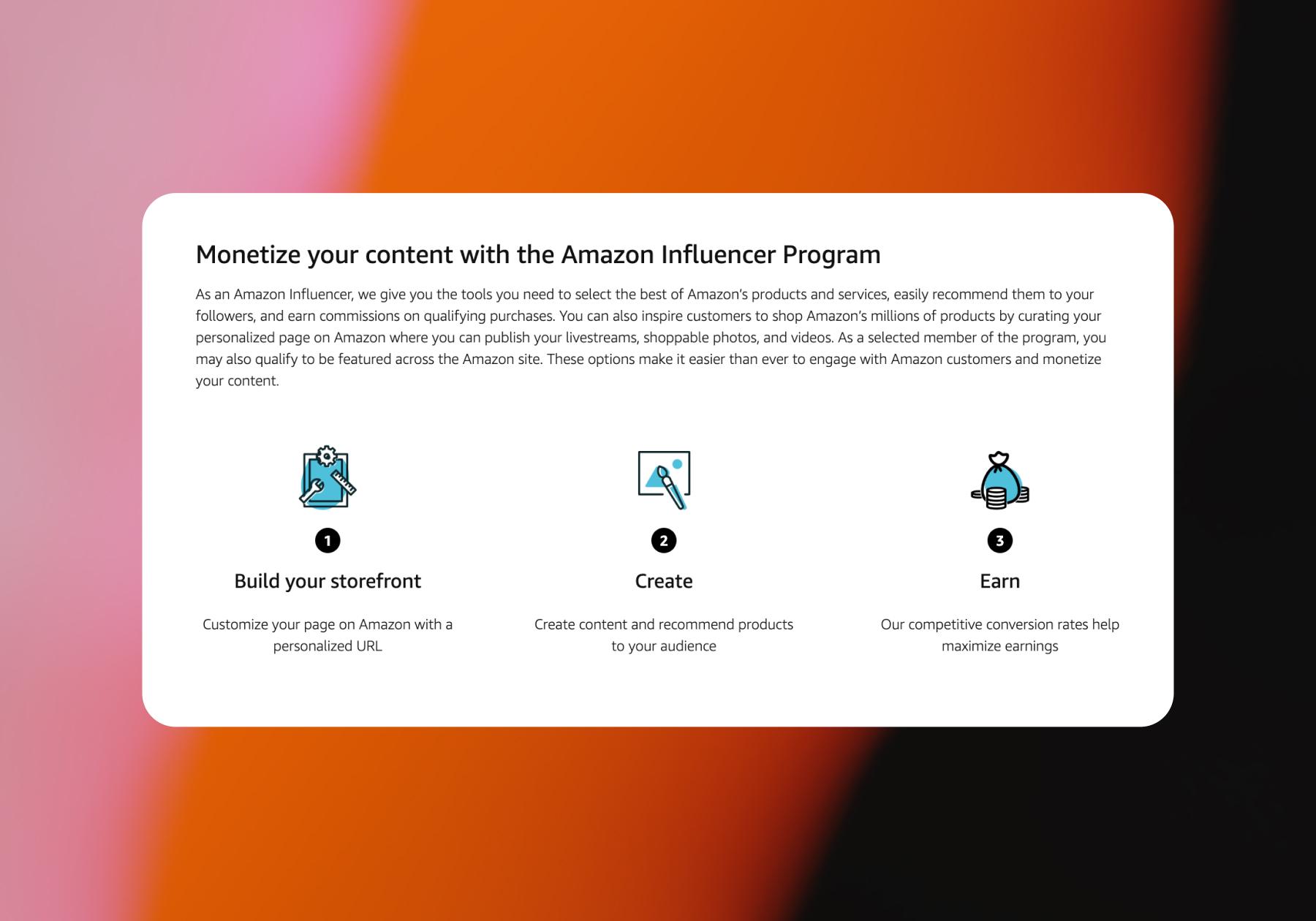
Once you’re in, you’ll get access to monetization features, including the ability to customize your own Amazon storefront.
Why take the time to do this?
Having an Amazon storefront allows you to organize your favorite products into lists so users can browse and find them all on a single central shopping page. It’s a much better experience than manually sending product links to your followers, or even automatically sending links, but only sending one link at a time.
Equally important, the content you upload to your Amazon storefront can become Amazon-native shoppable content, which makes you eligible for onsite earnings. Amazon’s onsite earnings program pays eligible creators a commission when their content is surfaced to shoppers on Amazon and contributes to a qualifying purchase. The beauty of this is that, unlike regular affiliate commissions, you don’t have to drive the shopper to Amazon (they’re already there).
Set up shop
You can access the influencer part of the Amazon app or website by logging in to the Amazon account you applied to the program with.
- Once you’re in, navigate to Storefront, then click Manage Content.
- Add a profile picture, display name, and description.
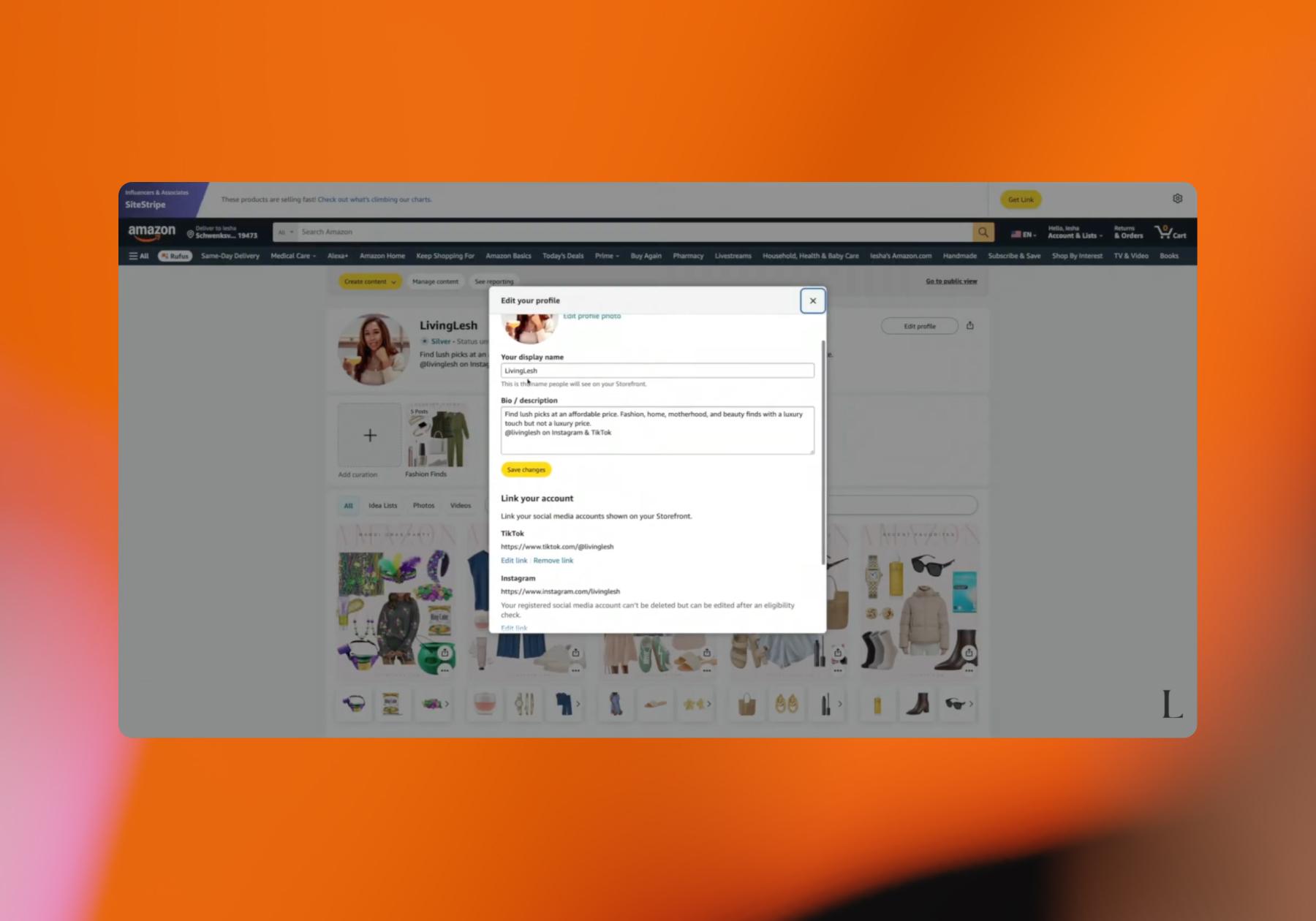
Use the same profile picture you have on your social media profile(s) so people instantly know it’s you when they find your store.
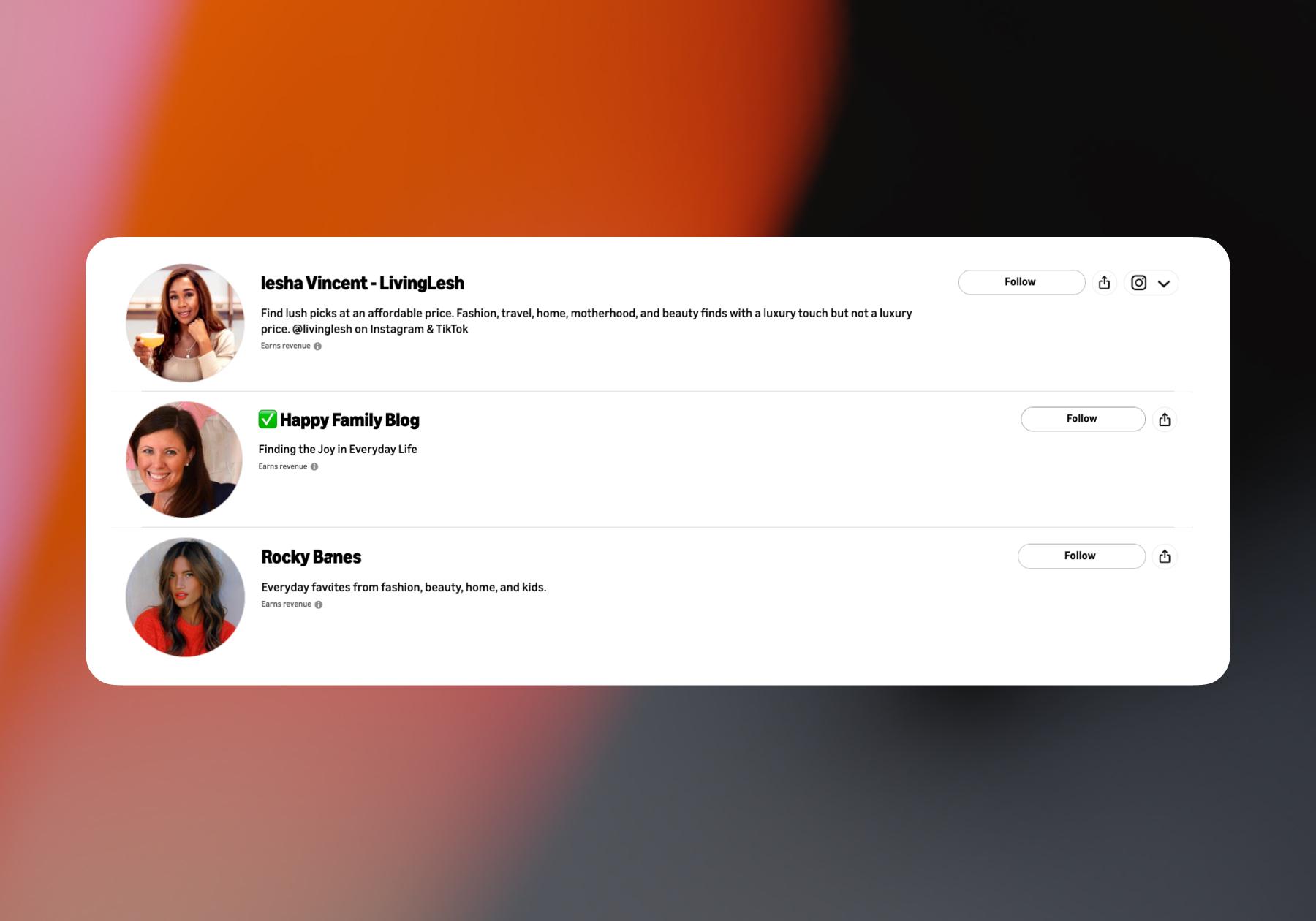
For your description, it’s best to keep it short and simple. You can explain who you are and what you plan to share. You can also include your handles on other platforms, as creator Iesha Vincent (@livinglesh) has in the example below:
Create content
When you first join, your shop will look a little sparse, but you can fix this by creating content for it.
Your Amazon Storefront shouldn’t just be a page of affiliate links. Shoppable content helps people discover and learn more about the products you recommend on Amazon, and it’s also what makes you eligible for onsite earnings.
Amazon Influencers can create a few different types of shoppable content, including:
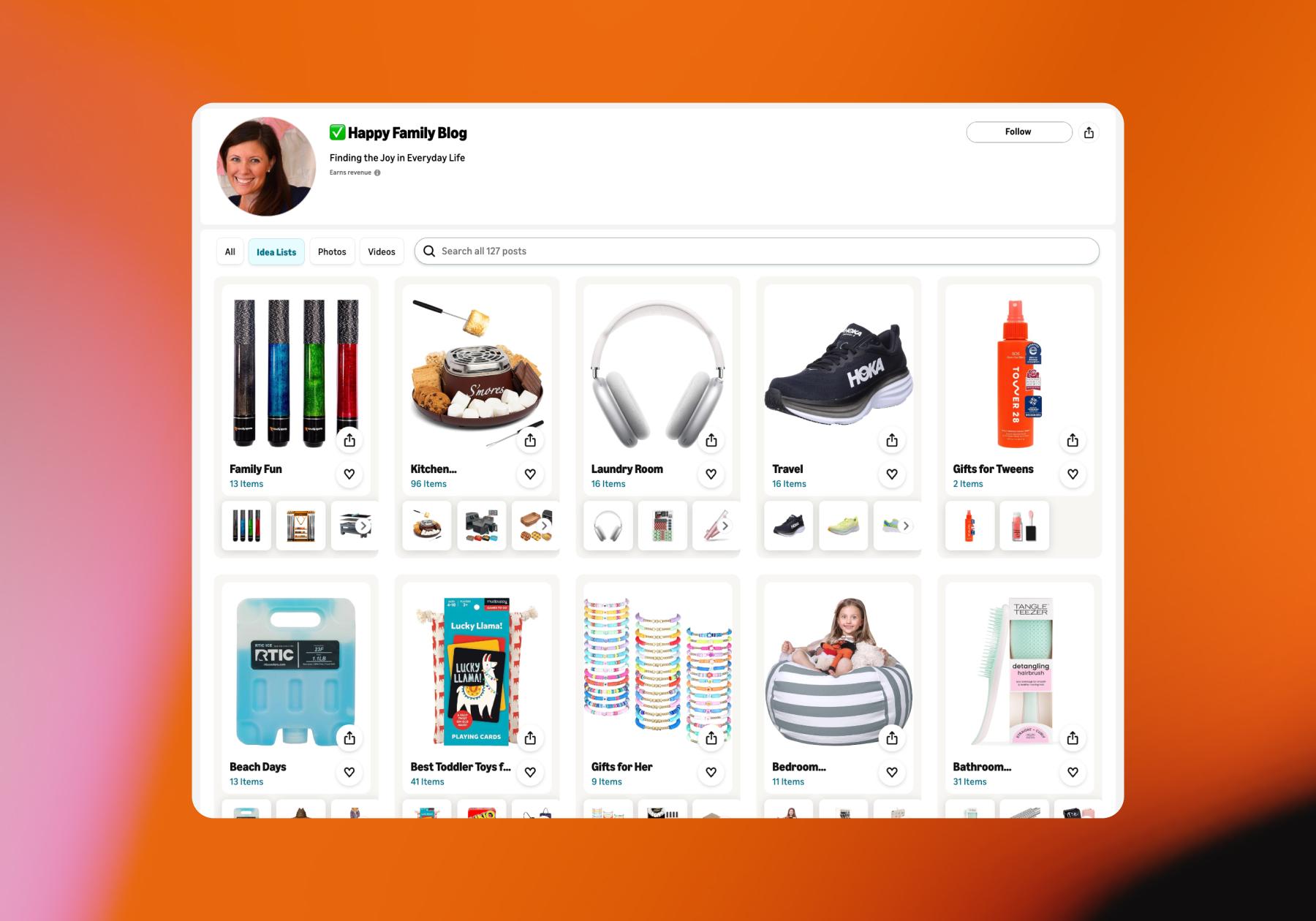
- Idea Lists for organizing products into curated collections
- Shoppable photos with tagged products
- Shoppable videos like reviews and demonstrations
- Amazon Live streams, where viewers can shop featured products in real time
Start by reviewing Amazon products you already own, use regularly, and can genuinely recommend.
Then create a few Idea Lists around themes like “everyday skincare,” “gym essentials,” or “what I use to film content.” That way, there’s some organization to your recommendations, and shoppers can quickly navigate to what they’re most interested in.
If you’re going to actually start rolling and filming something specifically for Amazon, prioritize shoppable videos, especially for products where seeing the item in action could help someone make a purchase decision.
Try creating reviews, demonstrations of how products work, or comparisons to other products rather than making content that feels like an ad. These formats are valuable because they’re likely to surface beyond your storefront, giving your content a chance to earn on-site commissions.
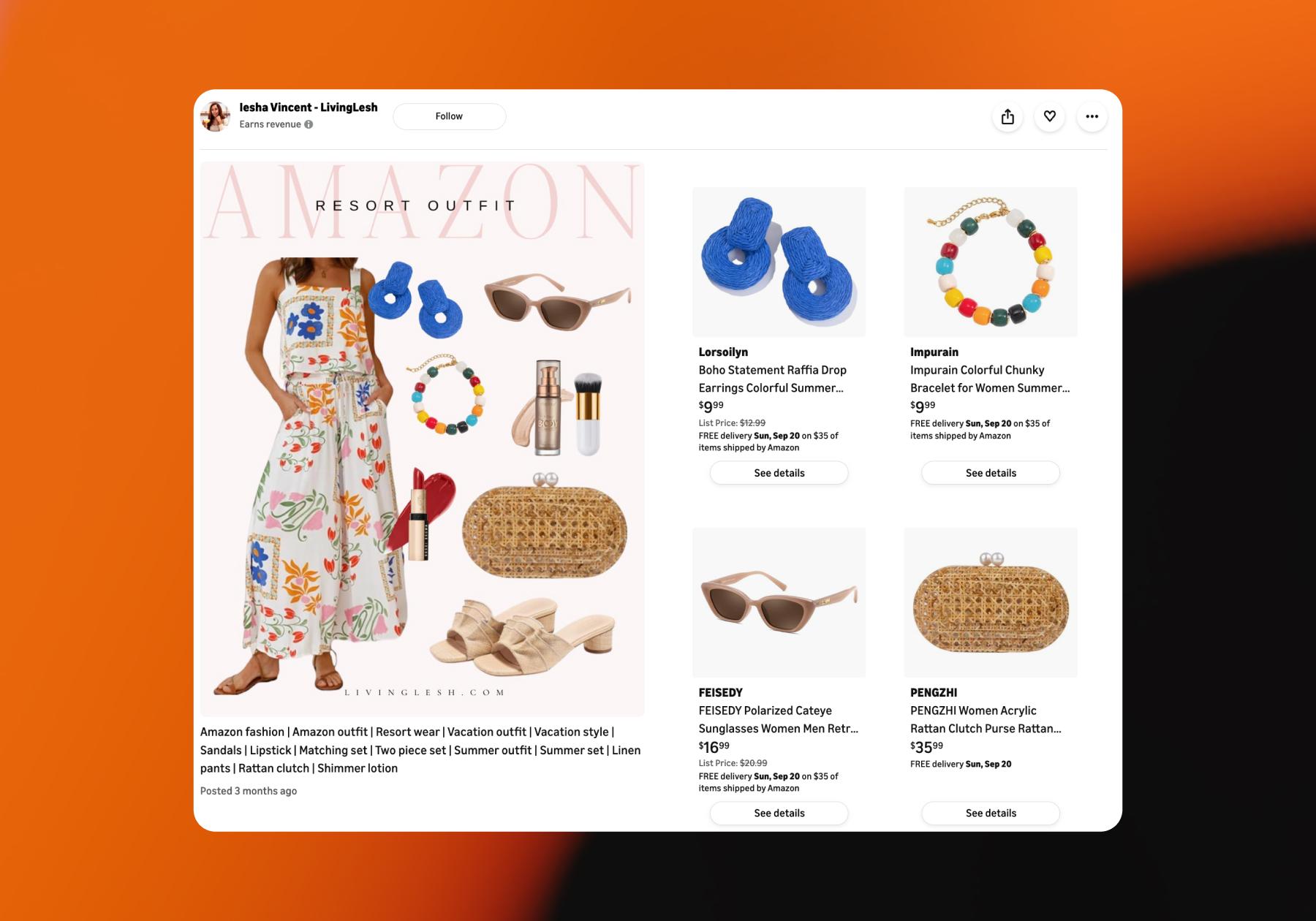
Shoppable photos are less likely to grab shoppers’ attention while they’re scrolling through the app, but they can still be worthwhile. A good strategy for fashion creators is to include multiple products in a single image. For example, you could create an outfit entirely with Amazon styles, like in the example from Iesha below:
Step 3. Promote Your Amazon Storefront

Okay, so let’s say your Amazon Storefront is live and there’s some content on it. But nobody knows it exists yet, so you need to get the word out.
- Add the link to your Amazon Storefront to your Linktree, Beacons, or Stan Store profile, or put the link in your Instagram bio and/or TikTok profile.
- Then, start working your storefront into your social content. You can create a dedicated post about it when you first set it up, then feature different products in your content as you usually would. And if someone comments on a post and asks what microphone you use or which moisturizer you swear by, send them to your storefront.
Here’s an example of an Instagram reel that Iesha Vincent made featuring fall decor she found on Amazon:
But resist the urge to make every post an Amazon ad suddenly. Keep reviewing and genuinely recommending products, and update your storefront as your preferences change.
- Give yourself at least a few weeks of consistent posting before making decisions based on the numbers. Amazon provides daily reporting, but earnings are based on products that have actually shipped, so there can be a lag between someone engaging with your content, placing an order, and that sale showing up as earnings.
Once you have enough activity to spot patterns, look for products and content formats that repeatedly drive clicks and purchases, then make more of what’s working and spend less time on what isn’t.
Clicks, ordered or shipped items, revenue, conversion, and commission income are all good measures of success. Also, Amazon gives influencers a separate Onsite Store ID for tracking earnings from content Amazon surfaces to its own shoppers, so you can distinguish those earnings from the traffic you generate yourself.
BTW, Amazon affiliates use Manychat, and the most common use case is super simple: turning engagement on your social content into traffic on your storefront. The typical Manychat affiliate flow starts with the content. For example, Iesha made a carousel featuring her “current beauty favs.”
Instead of sending viewers to her bio to find a link to the products, Iesha tells them to comment the word “GLOW.” Manychat responds in the DMs with a link to her storefront.
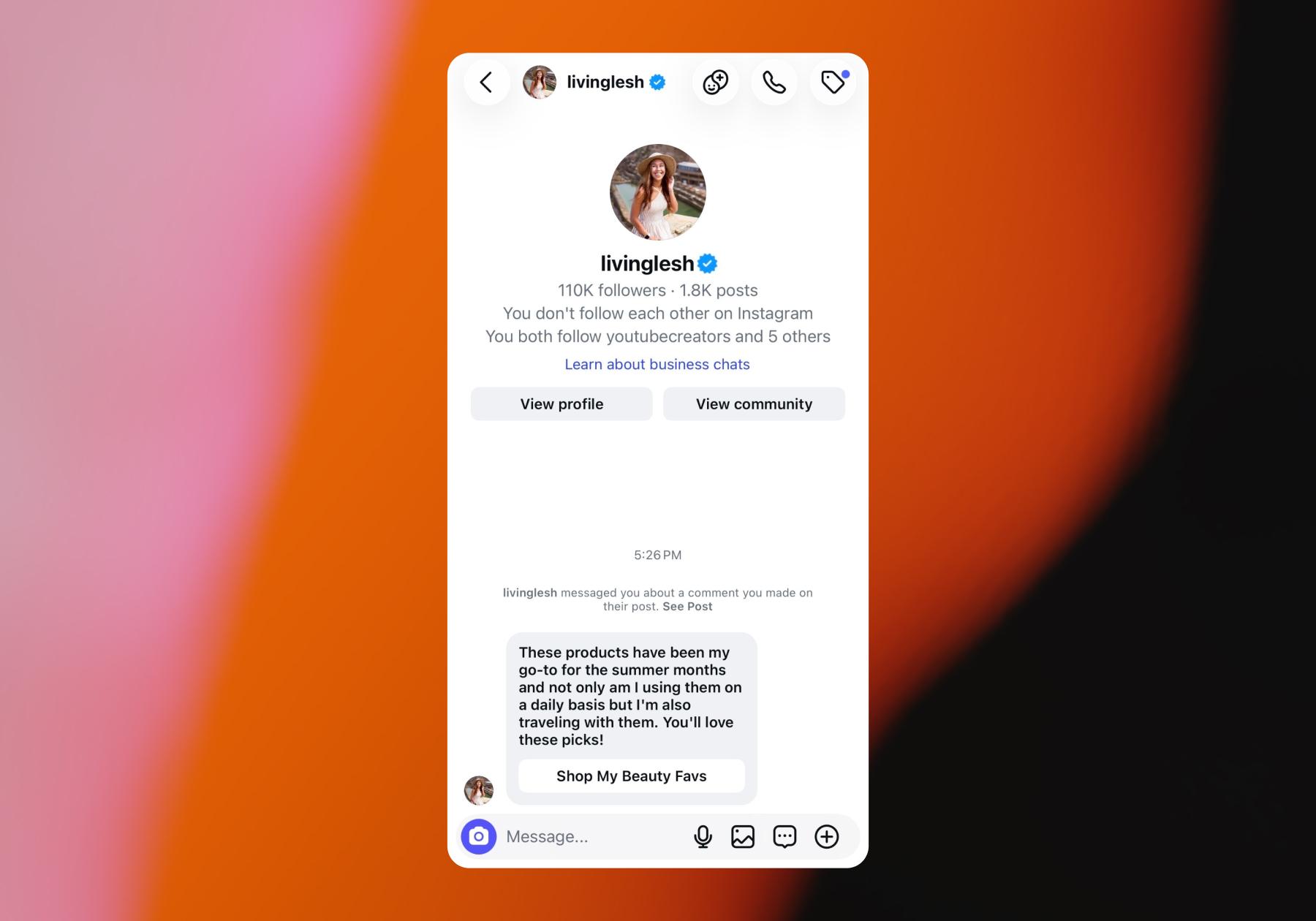
It’s more efficient than manually sending links and more likely to lead to someone actually reaching your storefront page.
Oh, and you can get started for free.
Frequently asked questions
To create an Amazon Storefront as a content creator, you first need to apply and be accepted to the Amazon Influencer Program. Sign in with an Amazon account and connect an eligible YouTube, Instagram, TikTok, or Facebook account for review.
Once approved, you can customize your storefront with a profile photo, display name, and description, then add products and shoppable content such as Idea Lists, photos, videos, and Amazon Live streams.
Amazon doesn’t publish a minimum follower requirement for joining the Amazon Influencer Program. Instead, approval is based on the overall strength of the social media account you submit for review, including factors such as your following, engagement, content quality, and niche. This means smaller creators may still qualify if they have an engaged audience.
Yes, you need to be accepted into the Amazon Influencer Program to have an Amazon Storefront. Joining Amazon Associates alone does not give you an influencer storefront unless you’re also accepted as an Amazon Influencer.
Amazon Influencers can earn commissions when their recommendations contribute to qualifying purchases. Creators can also become eligible for onsite earnings by publishing shoppable content such as product reviews, demonstrations, comparisons, photos, and videos. With onsite earnings, Amazon can surface your content to shoppers already browsing Amazon, giving you another opportunity to earn beyond the traffic you send to your storefront yourself.
You can promote your Amazon Storefront by adding its link to your Instagram or TikTok profile or a link-in-bio tool, then regularly featuring products from your storefront in your social content. You can also use Manychat to automatically send your Amazon Storefront link in an Instagram DM when someone comments on your post.



Originally published: Sep 28, 2026, Updated: Oct 6, 2026
More stories worth reading
More content that's too good to miss