TikTok Video Size Guide (Recommended Dimensions, Resolution, and More)
So you want to make TikTok videos? Good for you. Seriously, if TikTok has proved anything, it’s that anyone — from that delivery driver with a parrot, to that girl who meal-preps the same salmon bowl every day — can be a creator.
One thing you should know before you jump in, though? There is a sweet spot for the perfect size, resolution, and file format for TikTok videos.
Get it right, and your TikToks will look effortless even if you spent hours editing them. Miss it, and you could end up with a weird crop (goodbye, forehead) or a grainy, compressed look.
Ahead, a breakdown of exactly how to size, resize, and optimize your videos for TikTok.
How to Optimize Your Videos for TikTok 🎞️
Before we get into the nitty-gritty, a cheat sheet: This table covers the recommended TikTok video dimensions and format preferences at a glance.
If you’re in the middle of editing a video or you just need to resize something quickly, start here.
Specs | Recommended setting |
Aspect ratio | 9:16 |
Orientation | Vertical |
Dimensions | 1080 x 1920 pixels |
Resolution | 1080p minimum; up to 4K supported |
Video length | Up to 60 minutes, but shorter performs better |
File format | MP4 (preferred), MOV |
Max file size | Up to 30 GB |
If you want to dig a little deeper, keep scrolling.
Aspect ratio
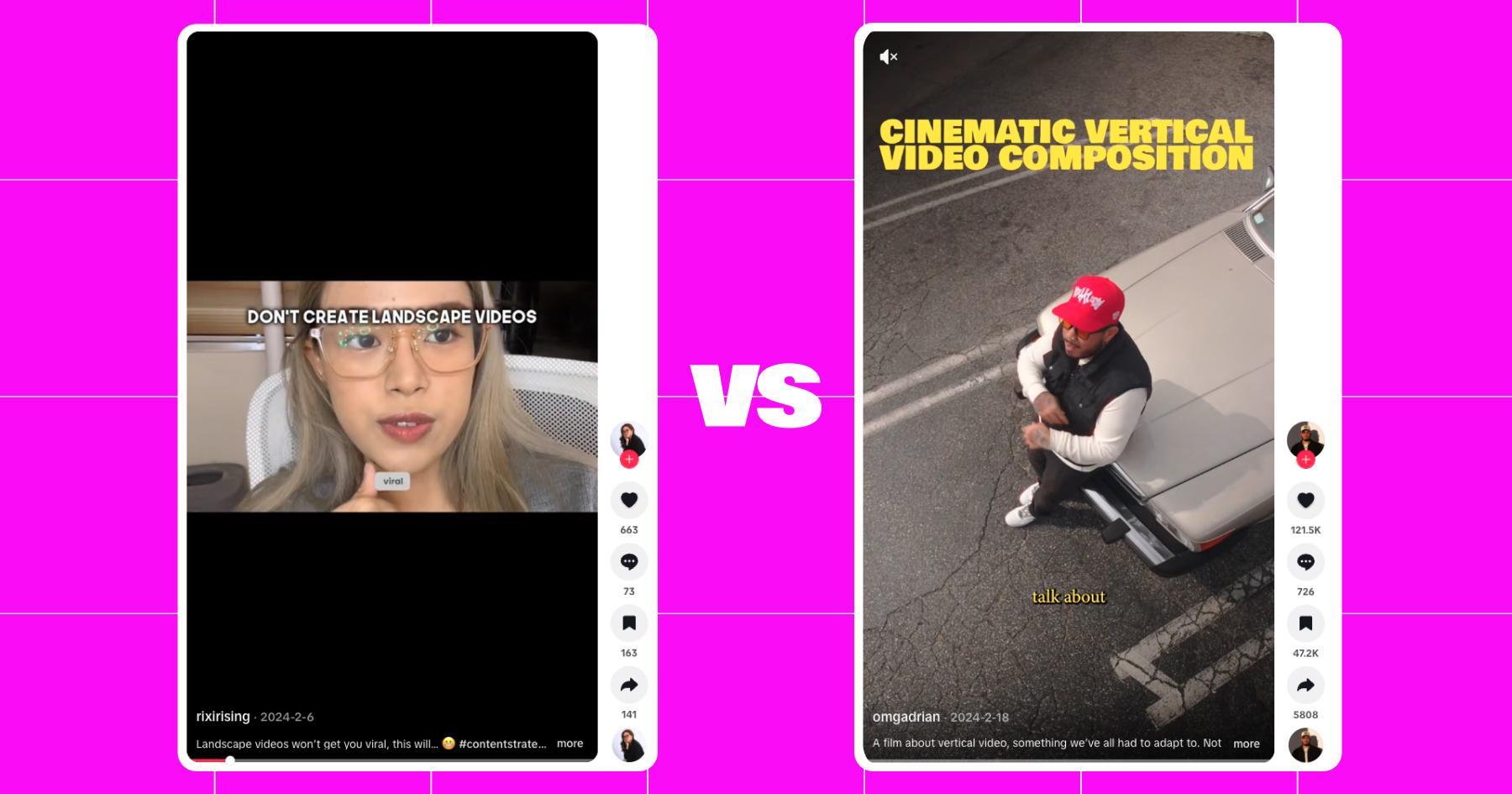
TikTok technically supports vertical, square, and landscape videos, but vertical 9:16 videos are the best option. This aspect ratio fills the entire screen, creating the best possible viewing experience in the app. Incidentally, this is the same video size recommended for Instagram Reels, so you can easily repurpose content between the two.
Landscape videos (16:9) and square videos (1:1) can be uploaded to TikTok, but they will look smaller in the feed, which can hurt watch time.
Dimensions
The ideal TikTok video size is 1080 x 1920 pixels. Good news: This matches the portrait resolution most smartphones already use.
If you’re filming directly in the TikTok app, sizing happens automatically. But if you’re editing in tools like CapCut, Adobe Premiere, or Canva, make sure your canvas is set to 1080 x 1920 before you start adding text or effects.
How to resize a video
If your video wasn’t shot initially in 9:16/1080 x 1920, don’t worry: you can still make it work.
- Open your video in an editing app like CapCut, Adobe Express, or Canva.
- Select a 9:16 vertical preset or set the canvas size to 1080 x 1920 pixels.
- Reposition the video so the subject is centered and visible.
- Add a background if needed.
- Export the video in high resolution.
Resolution
On the topic of resolution, TikTok prefers high-resolution uploads (1080p, 1440p, and 4K).
For most creators, 1080p is good enough and keeps file sizes manageable. As a best practice, always export at the highest resolution your workflow allows without over-compressing your video.
Video duration
TikTok allows you to post videos up to 60 minutes long. But unless you’ve established yourself as a long-form content creator, you really shouldn’t do that. Most people spend about an hour and a half a day on the app, during which they swipe through dozens of videos.
Short videos (up to 30 seconds) are ideal for reaching a new audience. If you want to go longer, keep it between three and 10 minutes, which is the sweet spot.
File format
TikTok prefers videos to be uploaded in the MP4 format. If not MP4, .MOV is the next best option. iPhones capture videos in the .MOV format, but you can change this in settings.
File size
You can upload large files to TikTok. The maximum file size is up to 30 GB; however, this can vary by device.
For Androids, TikTok’s maximum upload file size for regular videos is 72 MB. On iOS, it’s up to 280 MB. If your video file is larger than that, TikTok will compress it (or outright fail to upload it).
Use a desktop (not your phone) to upload a larger video file, and expect some compression.
Other Tips for Making Viral TikTok Videos 🫨

Knowing the specs is just the start of making good TikToks. If you want to get a lot of views, there are a few other things you should do.
Film in good lighting
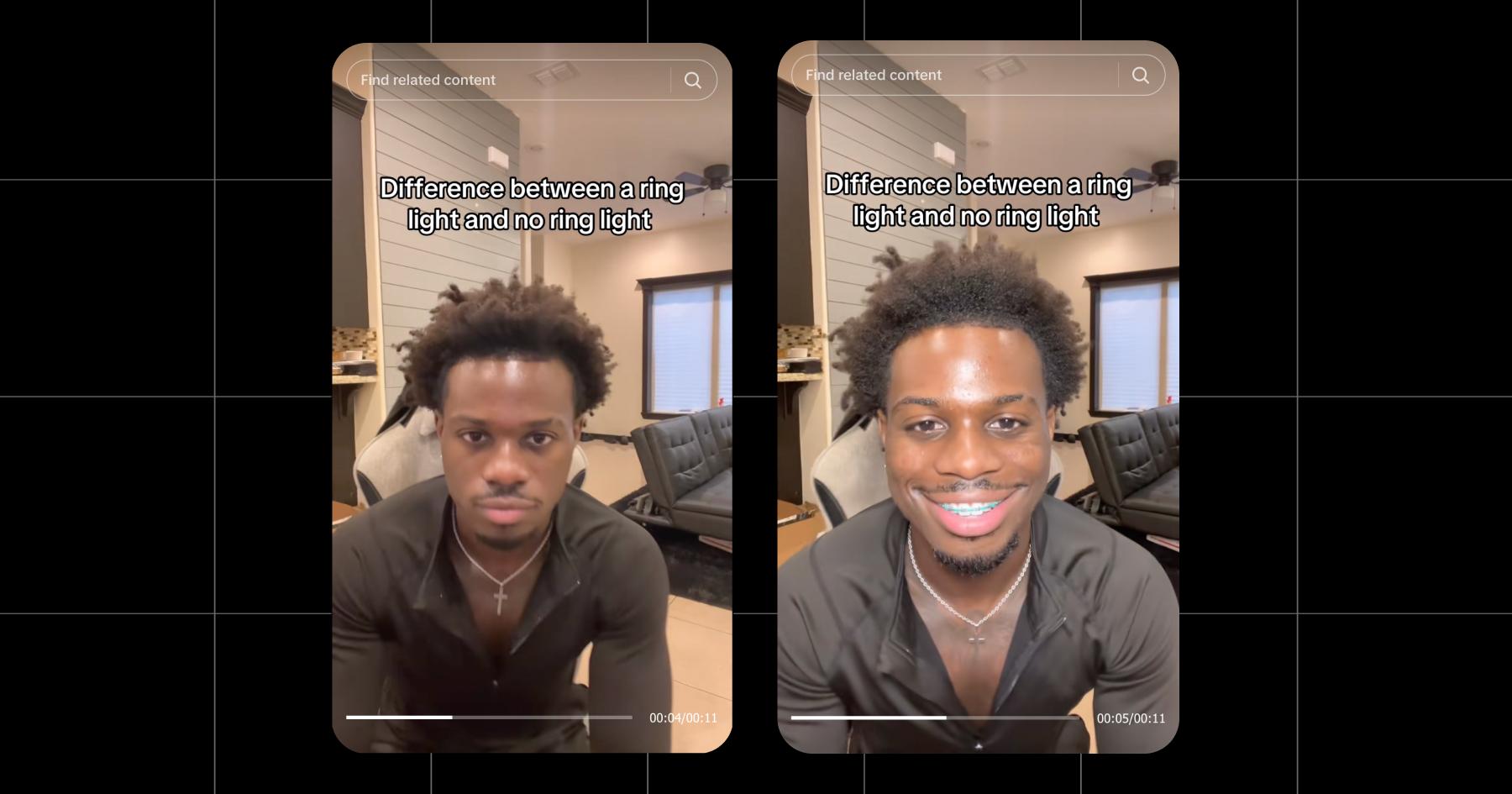
Unless you’re a ghost hunter, lighting matters; standin front of a window or a ring light for good results.
Capture high-quality sound
If your content involves a lot of talking to the camera (GRWM, storytime, etc.), you’ll want clear audio. Use a lav mic and/or record in a quiet space whenever possible.
You can also adjust the audio when editing the video to reduce noise and/or make your voice quieter or louder.
Include a hook
It’s TikTok; no audience warmup required. In fact, your video needs to catch viewers’ attention in the first few seconds…otherwise, they’re just going to keep scrolling.
There are all kinds of hooks out there, from hot takes and physical comedy to promises of insider knowledge. The idea is to give your audience an immediate reason to hang around and watch until the end of the video.
Add captions
A lot of people watch TikToks (and Reels) with the sound off, so it’s a good idea to take advantage of TikTok’s built-in caption tool. You don’t always need to do a word-for-word transcript, but transcribing key moments in your video is best practice.
Add trending songs
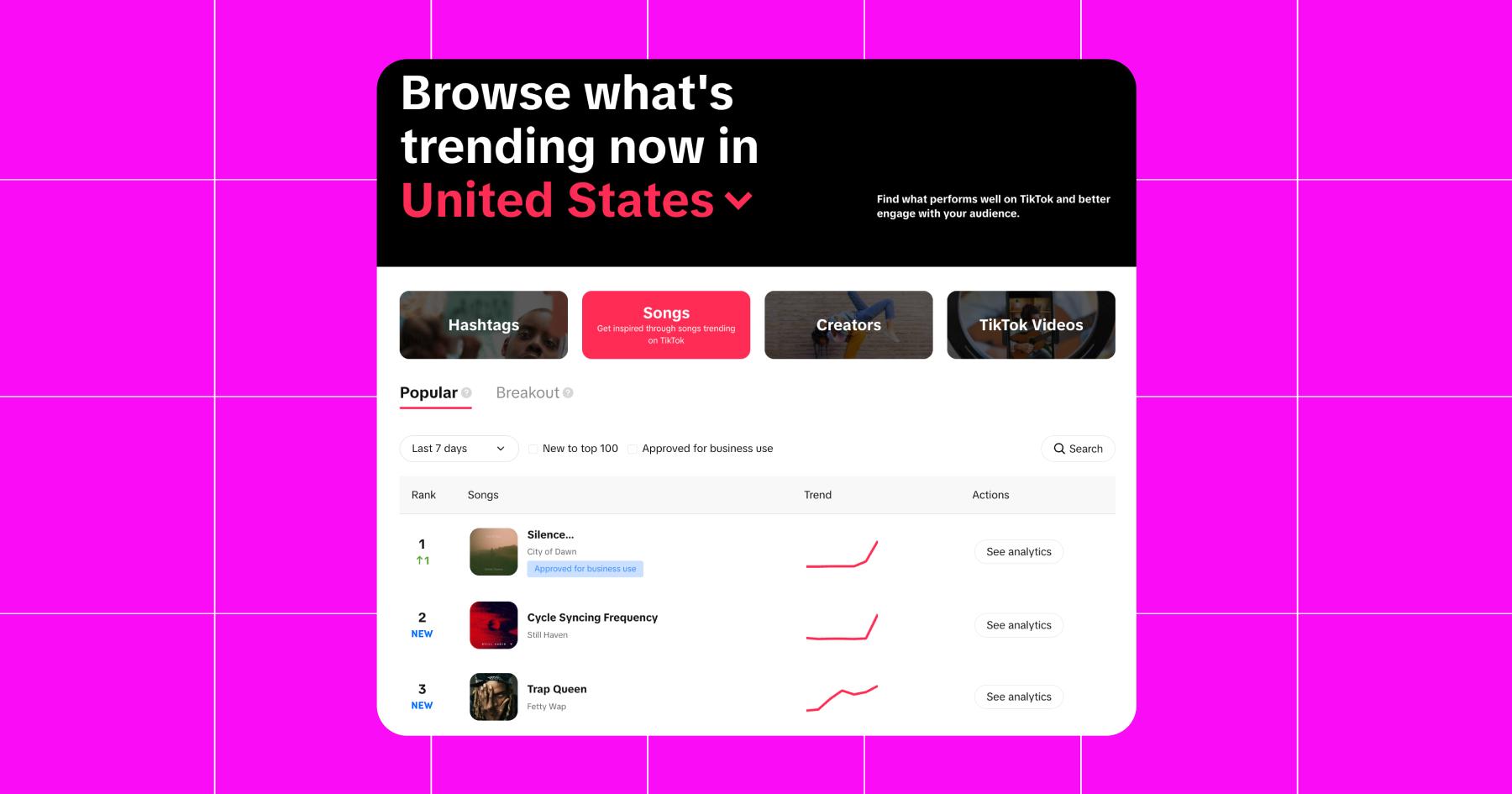
Trending sounds and music give your content a leg up in the TikTok algorithm. You can find trending songs in the TikTok app as well as on the TikTok Creative Center.
Even if you don’t go for a chart-topper, background music is a nice touch.
Use TikTok Effects
Effects (built-in filters) are part of what makes TikTok so fun. Apply glam makeup, use augmented reality, play games — there are so many things you can do with effects.
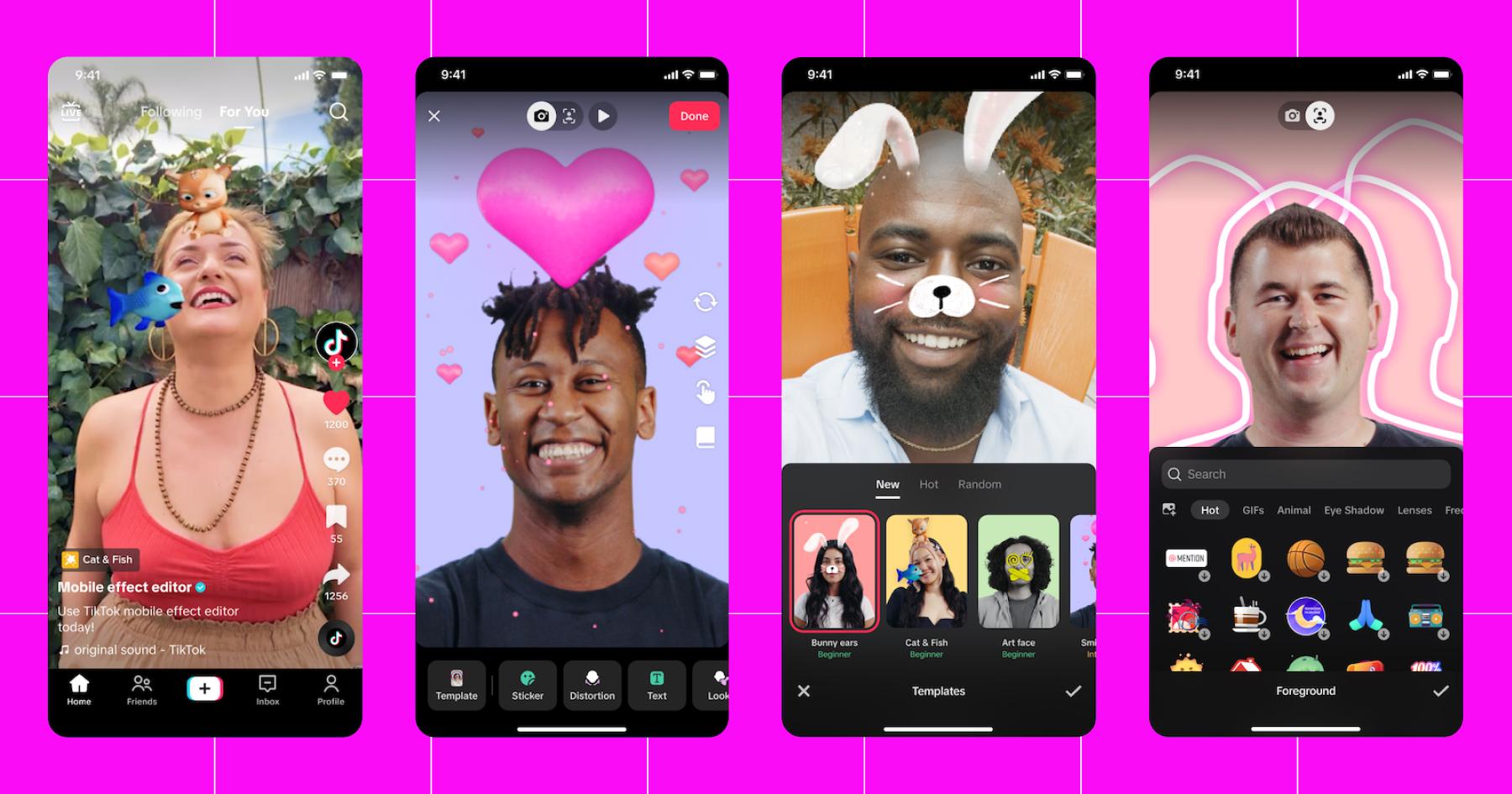
And when you don’t know what to post, browsing trending effects is a great place to start. (Just saying.)
Learn more: TikTok Filters: An Easy Way to Participate in What’s Trending
Hear Ye, Hear Ye: Manychat is an Official TikTok Business Partner 🤝
And with that, you’re ready to make TikToks. But are you ready for the flood of comments and DMs you’re going to get when they go viral?
As a TikTok Business Partner, Manychat helps creators and brands turn TikTok views into income. We’ll automate your comments and messages so you can get back to filming (and reducing your screen time, right?).
Or, keep it rollin’ with more TikTok reads:
- The TikTok Starter Kit: Essential Steps for Getting Your TikTok Together
- The Best TikTok Tools for Editing, Engaging, Cross-Posting, and More
- The TikTok Automation Playbook: Every Way to Automate as a Business or Creator
Frequently asked questions
Use vertical 9:16 dimensions
Export at 1080p or higher
Film in good lighting
Avoid over-compressing your videos before uploading
You scrolled right past everything, didn’t you? No biggie. 😉 The best TikTok video size is 1080 x 1920 pixels with a 9:16 aspect ratio.
This usually happens because of compression. Make sure your video is exported at 1080×1920 pixels and uploaded as an MP4. You can also try uploading from a desktop instead of your phone to help preserve quality.
If this happens, your video likely isn’t using a 9:16 aspect ratio, or essential elements (stickers, captions, text) are too close to the edges. Always preview text placement and keep key visuals within TikTok’s “safe zone,” especially if you’re repurposing an Instagram Reel.
TikTok doesn’t publish an official pixel-perfect safe zone, but most creators recommend:
– Keeping key text and visuals in the center 60% to 80% of the frame
– Avoiding the bottom of the frame where UI overlays and captions go
– Avoiding the right edge where engagement buttons appear
– Leaving margins on the top and sides
TikTok video ads perform best in a 9:16 format at 1080 x 1920 pixels. While TikTok supports other sizes, full-screen vertical ads feel more native and tend to drive better engagement.



Originally published: Feb 5, 2026, Updated: Feb 6, 2026
More stories worth reading
More content that's too good to miss