How to Link Your Instagram to TikTok So You Can Cross-Post and Cross-Promote
You’ve got Instagram. You’ve got TikTok. Now, you want to link the two so that people who find you on TikTok can follow you on Instagram (and have the videos you spend so much time on reach audiences on both platforms).
Great news: We’re going to tell you how to do all of the above. Let’s lock in.
How to Promote Your Instagram on TikTok
When someone finds you on one platform, they should instantly know which other ones you’re on too. For TikTok and Instagram, the best way to do this is through your bio.
TikTok used to let you add a button in your bio that took users to your Instagram. At some point, the app got rid of that — likely because someone realized they probably shouldn’t give people a reason to leave the platform.
Today, there are a few ways to make your IG link available to TikTok scrollers around the clock. Let’s walk through three of your best options.
Option 1: Add a link to your Instagram in your TikTok bio
- Open the TikTok app.
- Head to your profile.
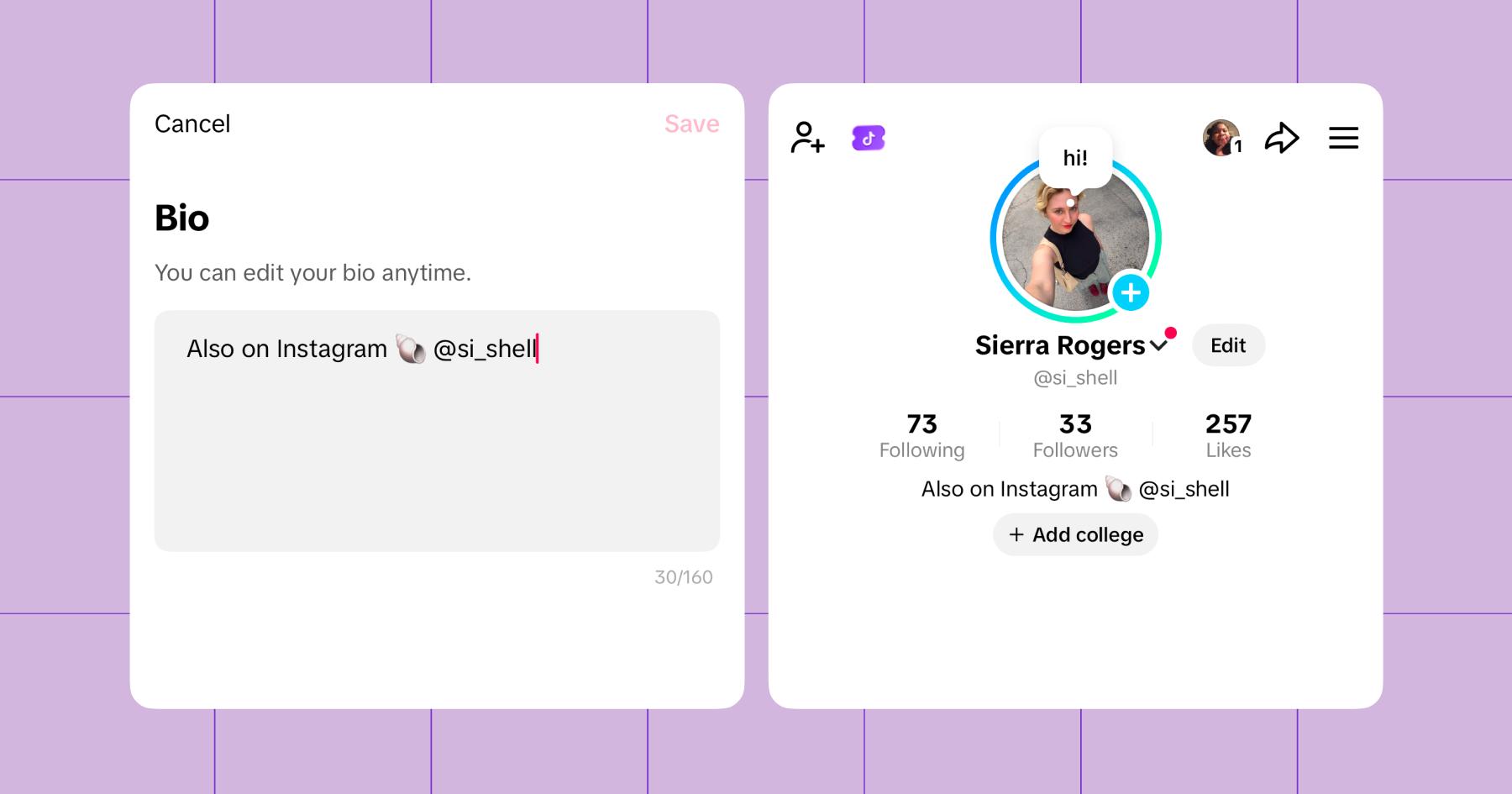
- Click Edit.
- In the Bio section, write out your Instagram handle.
Option 2: Set up a Manychat automation
If you have a Business TikTok account, you can sign up for Manychat (for free) and set up a simple automation that recognizes when people ask about your Instagram handle.
- Sign up for Manychat and connect your TikTok account.
- Open Manychat, hit Automation, then + New Automation.
- In the left-side menu under By Trigger, click DM.
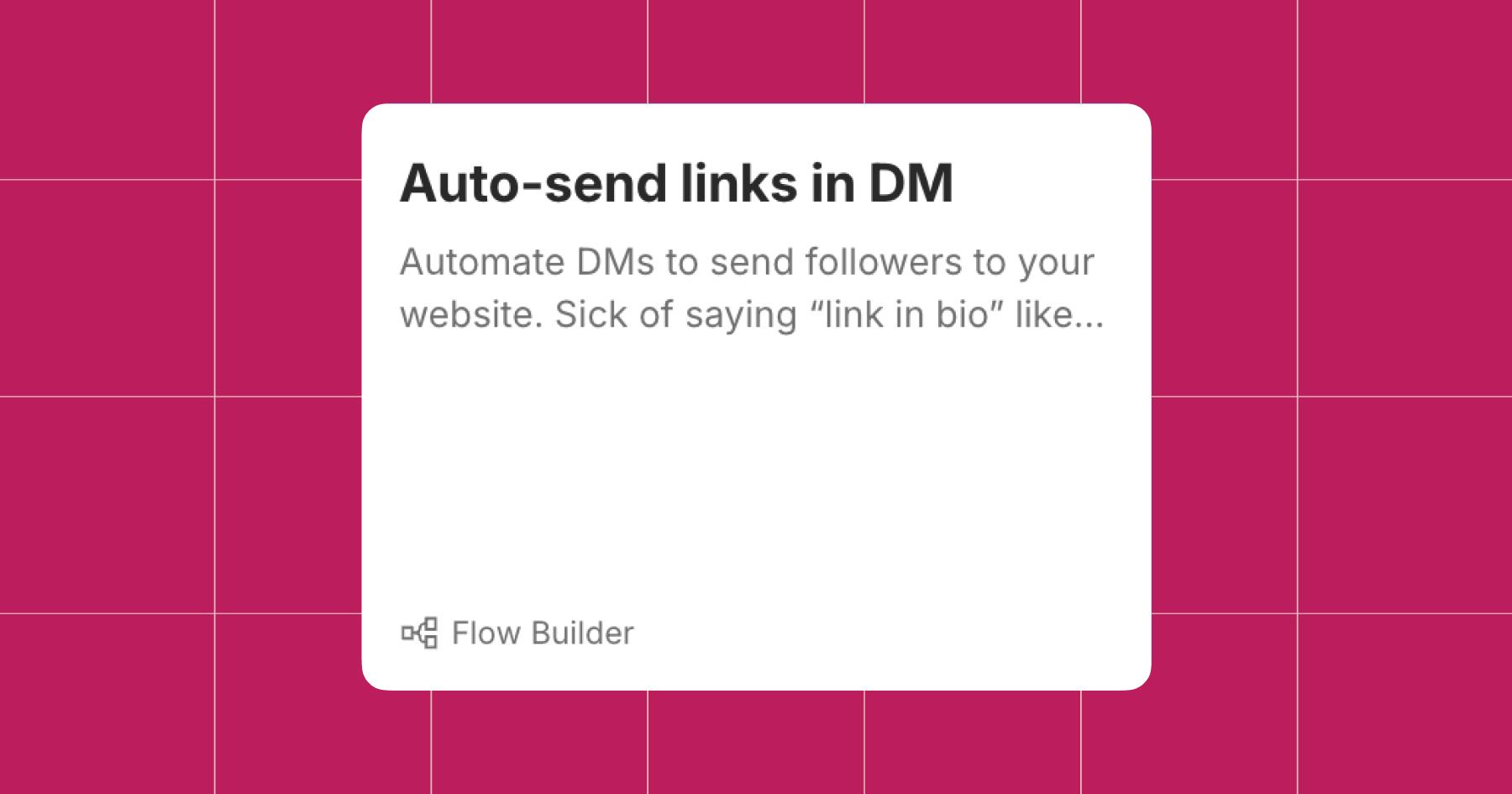
- Choose the Auto-send links in DM template.
- Set the trigger keywords up: “Instagram,” “IG,” and “Insta.”
- Customize the reply message to match your typical voice.
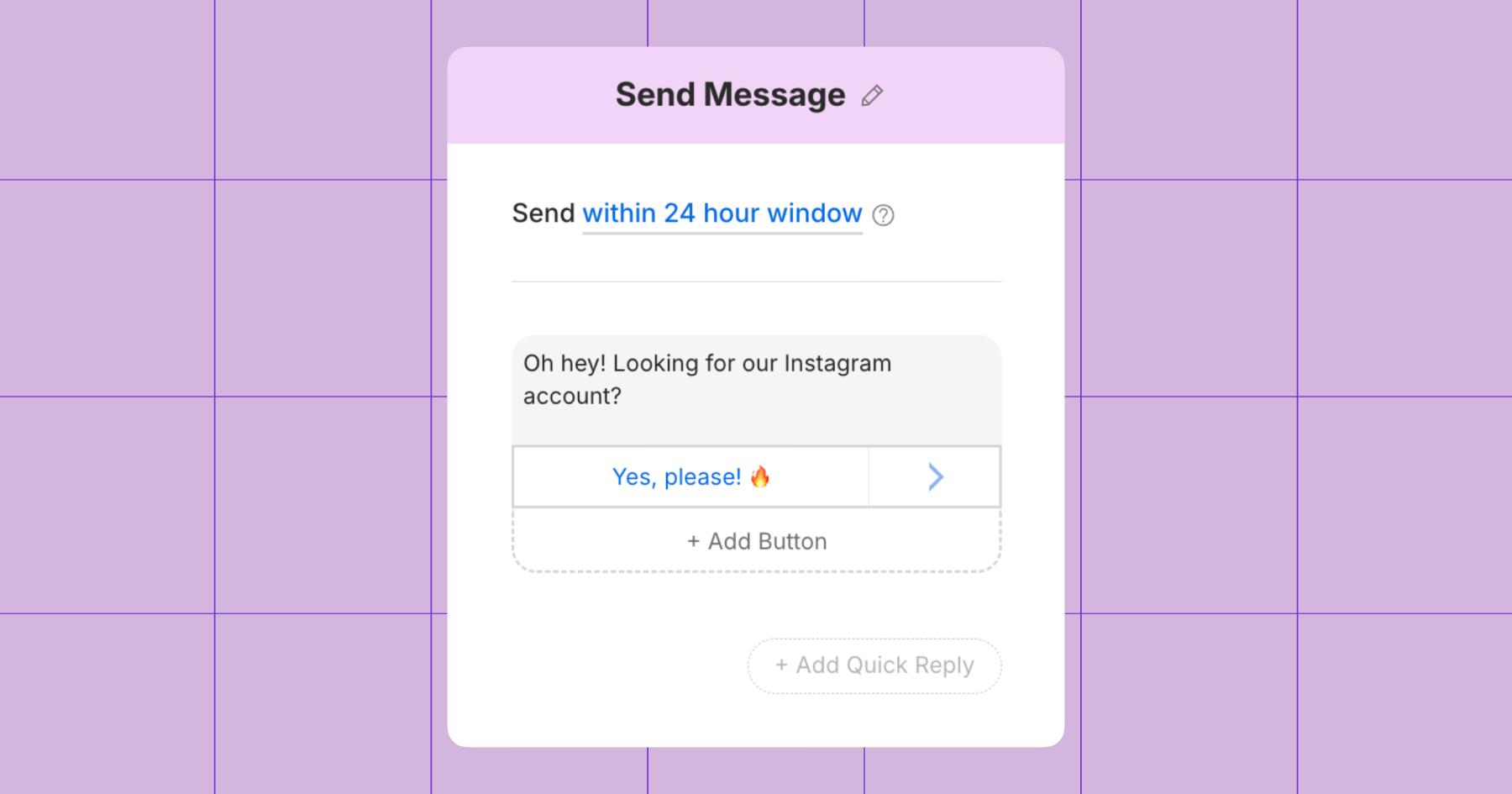
- In the next block, add a link to your Instagram.
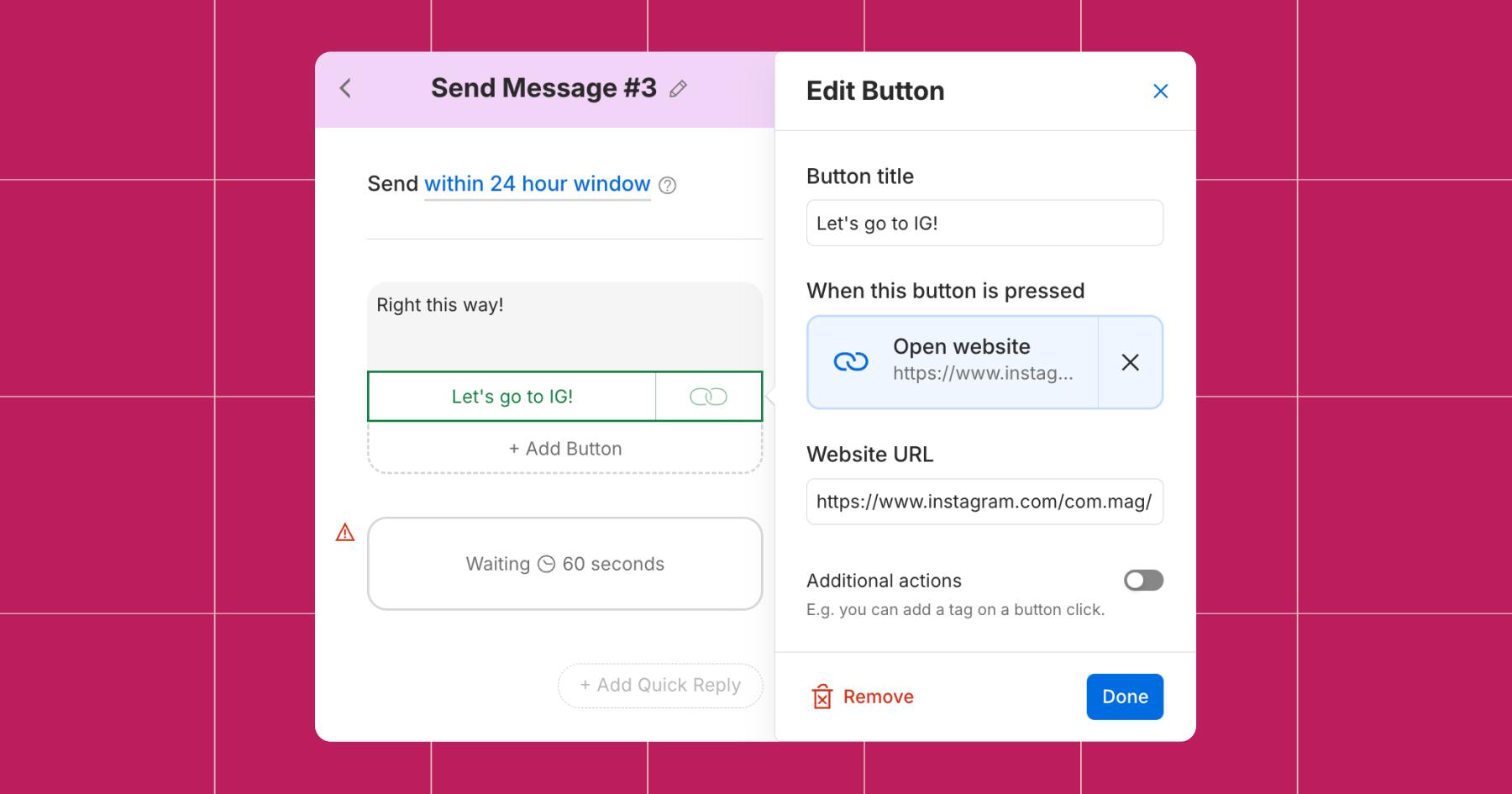
- Hit Set Live.
Now, anytime someone sends you a message asking about your Instagram account, Manychat will send them the link.
Option 3: Use a link in bio tool
Finally, there’s the ‘ol reliable: link-in-bio tools. The beauty of using a link-in-bio tool is that it can host far more than just a link to your Instagram. You can use it to promote pretty much anything you’ve got — lead magnets, newsletters, merch, etc.
There are a few popular link-in-bio tools for creators, but the two currently dominating the space are Stan Store and Linktree.
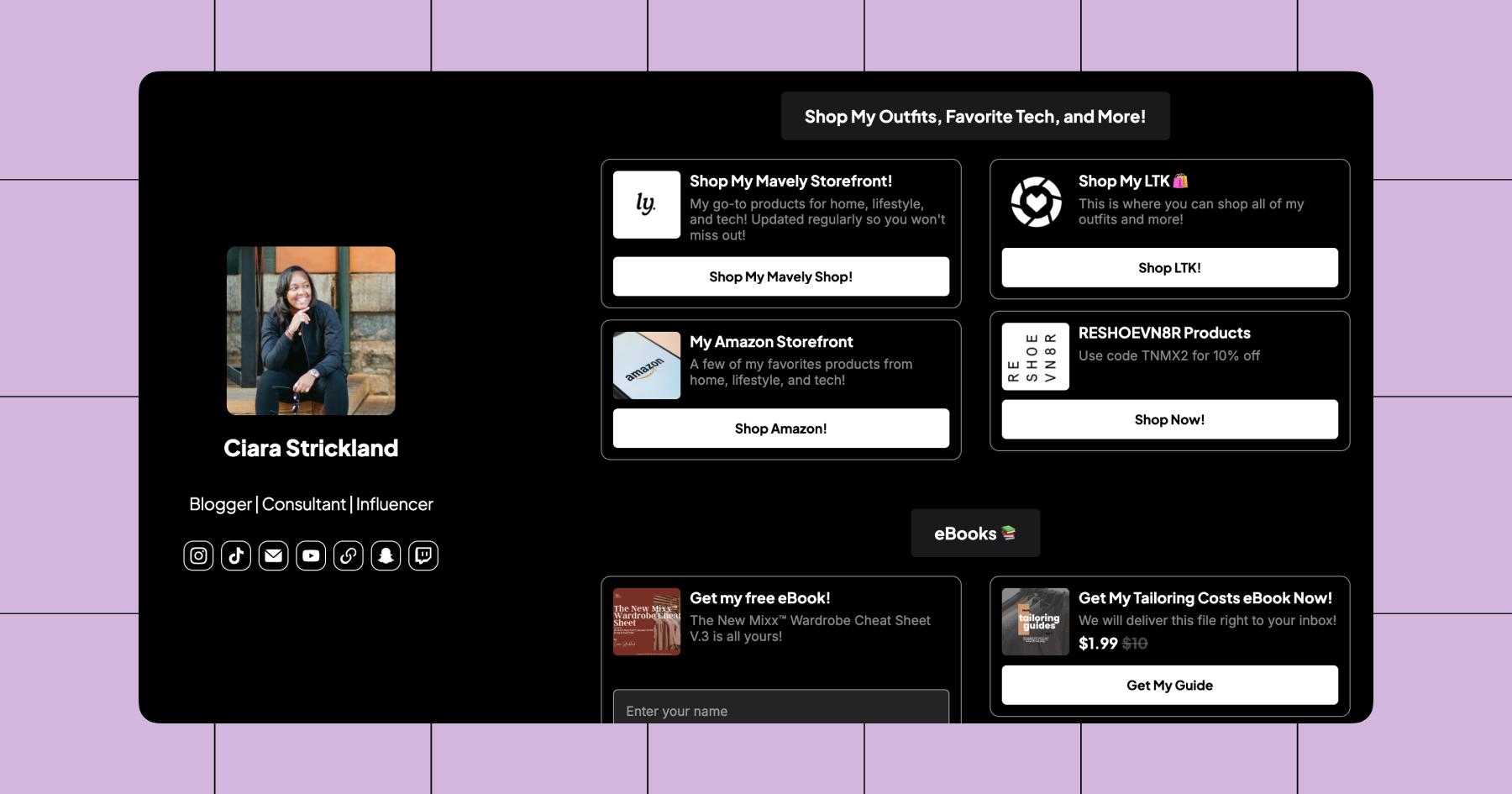
In the example above, Ciara Strickland (AKA @thenewmixx) uses Stan Store to promote her affiliate storefronts and e-books, and she also has links to every platform and channel you can connect with her on — Instagram, TikTok, Twitch, and YouTube, as well as her email address and website.
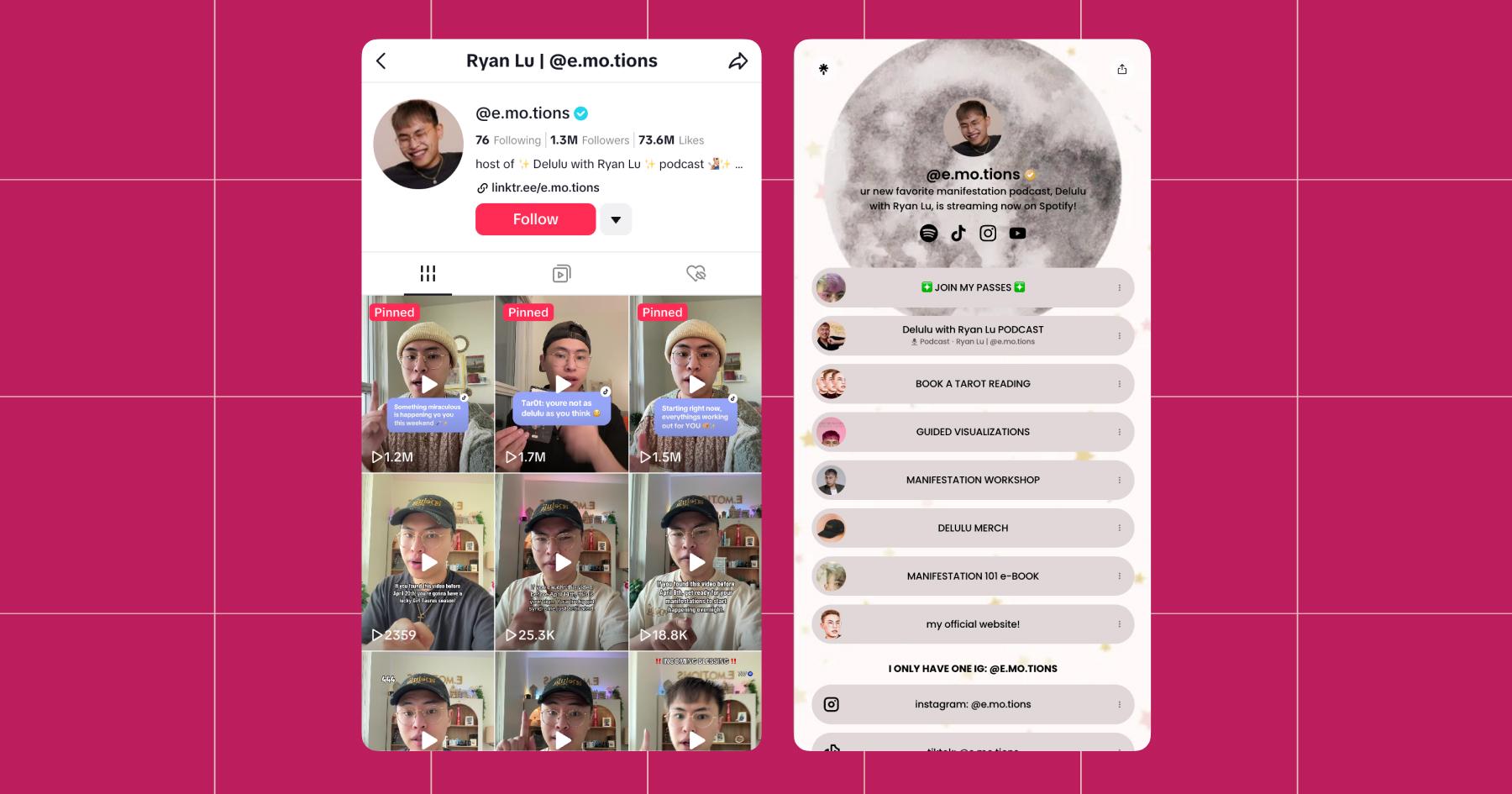
Here’s another example from creator Ryan Lu (@e.mo.tions). She provides just one link in her TikTok bio, which leads to her Linktree storefront. And when you land on her storefront, you have access to everything — workshops, tarot readings, merch, her podcast, and all the Ryan Lu content you could possibly want.
Pro move: Use a link-in-bio tool and Manychat.
Link in bio isn’t going anywhere — it’s just too convenient an option for creators, who typically monetize in several ways. But there will always be people who message and tag you asking for links, which is where Manychat shines. Cover all the bases. Never miss a potential sale.
Read more: How Much is a Missed Connection REALLY Costing You?
How to Repost Content from Instagram to TikTok

Another reason why people want to link Instagram to TikTok is to repurpose content from one platform to another. Unfortunately, there isn’t a direct way to push a TikTok to Instagram (or vice-versa).
Instead, you’ve got two options:
1) Download the content and upload it manually, or
2) Use a scheduling tool like Hootsuite, Buffer, Sprout Social, or Later.
Option 1) How to post a TikTok to Instagram manually
If you want to take a TikTok video and upload it to Instagram, the good news is that it couldn’t be simpler.
- Open TikTok and head to your profile.
- Navigate to the video you want to post on Instagram.
- Hit the three dots in the lower right corner.
- Select Download.
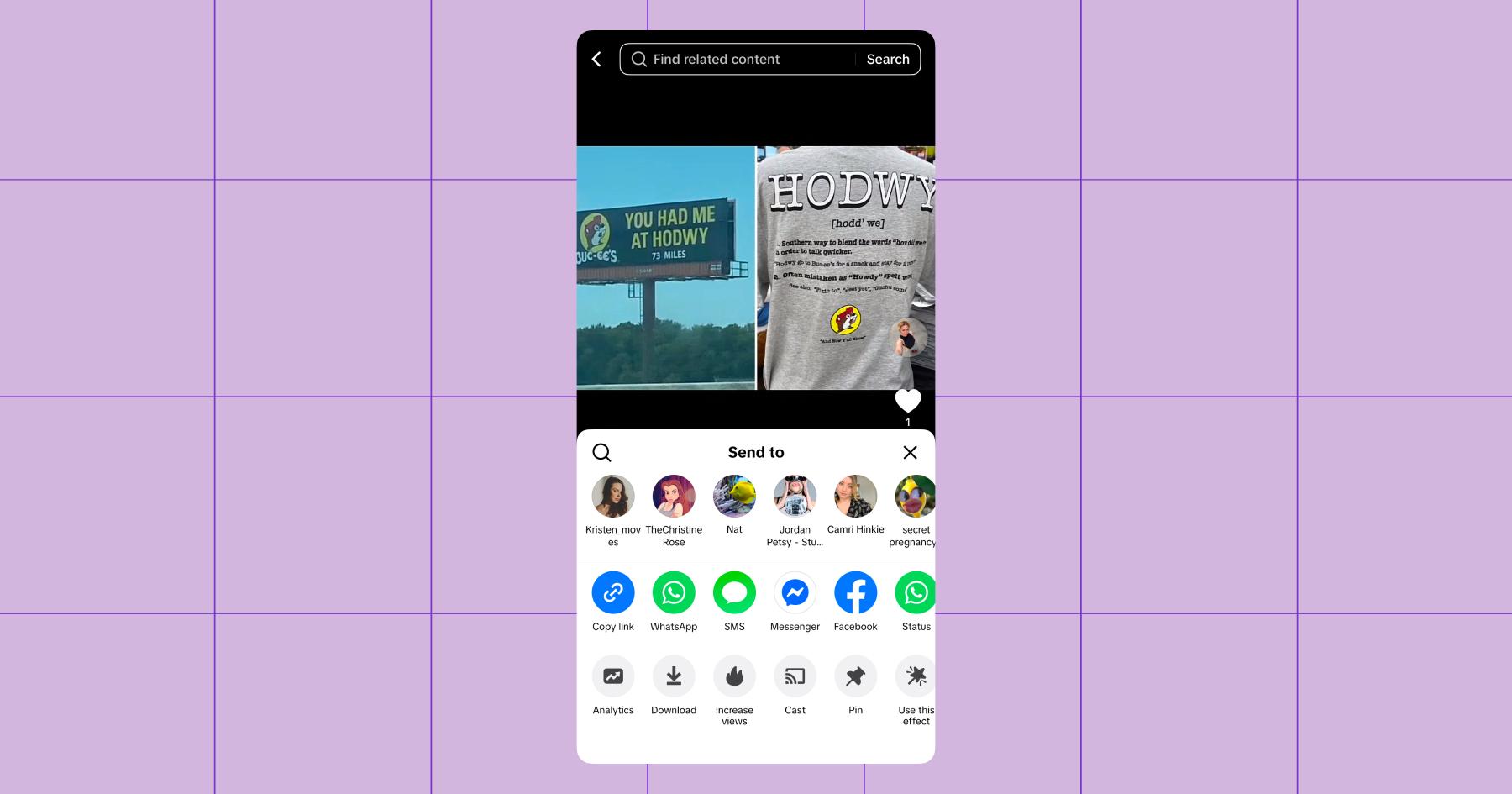
- Open Instagram, tap the +, and upload your video as a reel.
Tip: If you can, add audio from Instagram’s music library. Editing content using Instagram’s native features helps boost its reach. Learn more: Instagram Reels vs TikTok Videos: Same Idea, Different Algorithms.
Option 2: Use a social media scheduling tool
If you want your videos to go live on both platforms at the same time with a single click, you’ll need to invest in a scheduling tool. Some of the most popular options include:
- Hootsuite
- Metricool
- Buffer
- Sprout Social
- Later
- SocialBee
All of these tools integrate with Instagram and TikTok, so when you have a video ready to upload, you can push it through to both platforms at once. (Metricool and Buffer both have free plans, BTW.)
Learn more: How to Plan Your Instagram Feed with a Feed Planner
TikTok ‘Til You Pop Off

If you’re serious about growing as a creator in 2026, TikTok is the place to be. TikTok has a monthly user base of nearly 2 billion people, and the average scroller spends close to an hour a day on the platform (which gives you plenty of time to grab their attention).
But what really makes TikTok different is how content gets distributed. The TikTok algorithm is still one of the best at pushing content from small creators to brand-new audiences. You don’t need a massive following to get views. You just need a good video.
Plus, between TikTok Shop, the Creator Rewards program, and Series, TikTok is now a legit place to build an audience and monetize it. So, it’s a great place to be, whether you’re just starting as a creator or you’ve already established yourself on another platform (like Instagram).
Not sure where to go next? We’ve got all the resources you need to start building your content empire:
- From Scroll to Bankroll: Here’s Every Way to Monetize on TikTok
- How Much Money Can You Make on TikTok?
Frequently asked questions
If you’re just dropping your IG handle in your bio and hoping for the best… yeah, that’s probably why.
TikTok isn’t built to send people off-platform. Even if someone likes your content, that doesn’t mean they’re motivated enough to leave the app and find you elsewhere.
What you can do to overcome that is give people a reason to click:
– Tease something they can only get on Instagram (“Part 2 is on IG 👀”)
– Offer something specific (freebie, link, resource, etc.)
– Create curiosity that your TikTok doesn’t fully satisfy
Also, timing matters. Someone casually watching your video is way less likely to click than someone actively asking for your Instagram in the comments or DMs. That’s why tools like Manychat can make a big difference. Instead of relying on passive clicks, you can automatically send your IG link the moment someone asks for it (when their intent is highest).
It can; reposting content across platforms is smart, but each app has its own preferences. If you want your content to actually perform on both platforms:
– Remove any watermarks before reposting
– Re-add audio using Instagram’s music library
– Make small tweaks (captions, hooks, edits) for each platform
Even a little bit of native optimization can go a long way. Instagram tends to reward content that feels made for Instagram.
If someone messages you asking for your Instagram, they’re ready to follow you and scroll through your content over there.
With a tool like Manychat, you can set up simple keyword triggers (like “Instagram,” “IG,” or “Insta”) so that whenever someone sends a message asking for your handle, they instantly get a reply with your link. It’s one of the easiest ways to turn high-intent conversations into actual followers (and potential customers) without being glued to your inbox.



Originally published: Apr 22, 2026, Updated: Apr 24, 2026
More stories worth reading
More content that's too good to miss