How to Share a Reel to Instagram Stories (and Why You Should)

When you open Instagram, where do you head first?
For most of us, the answer is obvious: Stories.
Around 70% of Instagram users watch Stories daily. And it’s no mystery why: They sit right at the top of the app, are built for quick taps, and deliver an immediate hit of social-media dopamine.
That said, if you’re already posting Reels as a creator or brand, sharing them to Stories is one of the easiest ways to get more eyes on your content without creating anything new. It takes just a few taps to do, and it’s one of the best ways you can drive reach. Let’s talk about why and how to do it.
Reels + Stories: An Unmatched Combo for Reach

Reels and Stories serve two different but complementary roles on Instagram.
Reels are a massive part of how people consume content. In 2025, they made up roughly 35% to 38% of all posts and overall screen time on Instagram. They’re also consistently categorized as discovery drivers, since the algorithm frequently pushes them to non-followers and features them on the Explore tab.
Stories, on the other hand, are about interaction and immediacy. They’re primarily shown to people who already follow you and are designed for quick engagement — taps, replies, reactions, DMs, and the like.
To maximize your content’s performance, you need both: Reels to drive discovery and Stories to drive engagement. And sharing your Reel to Stories is hands-down the easiest way to connect the two.
How can sharing Reels to Instagram stories amplify your reach?
When you share a Reel to your Story, you’re giving it a second (or maybe even third) life.
There are a few key reasons why this strategy works so well:
- Some followers may never scroll far enough to see your Reel in-feed, but they will tap through Stories.
- Story viewers are already in content consumption mode. If something catches their eye, they’re more likely to react or reply.
- You’ve already done the hard part (creating the Reel). Sharing it to Stories takes just a few seconds.
In the end, this is one of the lowest-effort, highest-impact Instagram habits you can build.
How to Share a Reel to Instagram Stories

Sharing a Reel to your Story only takes a few taps. Here’s how it works.
- Open the Instagram app.
- Head to your profile and tap on the Reel you’d like to share.
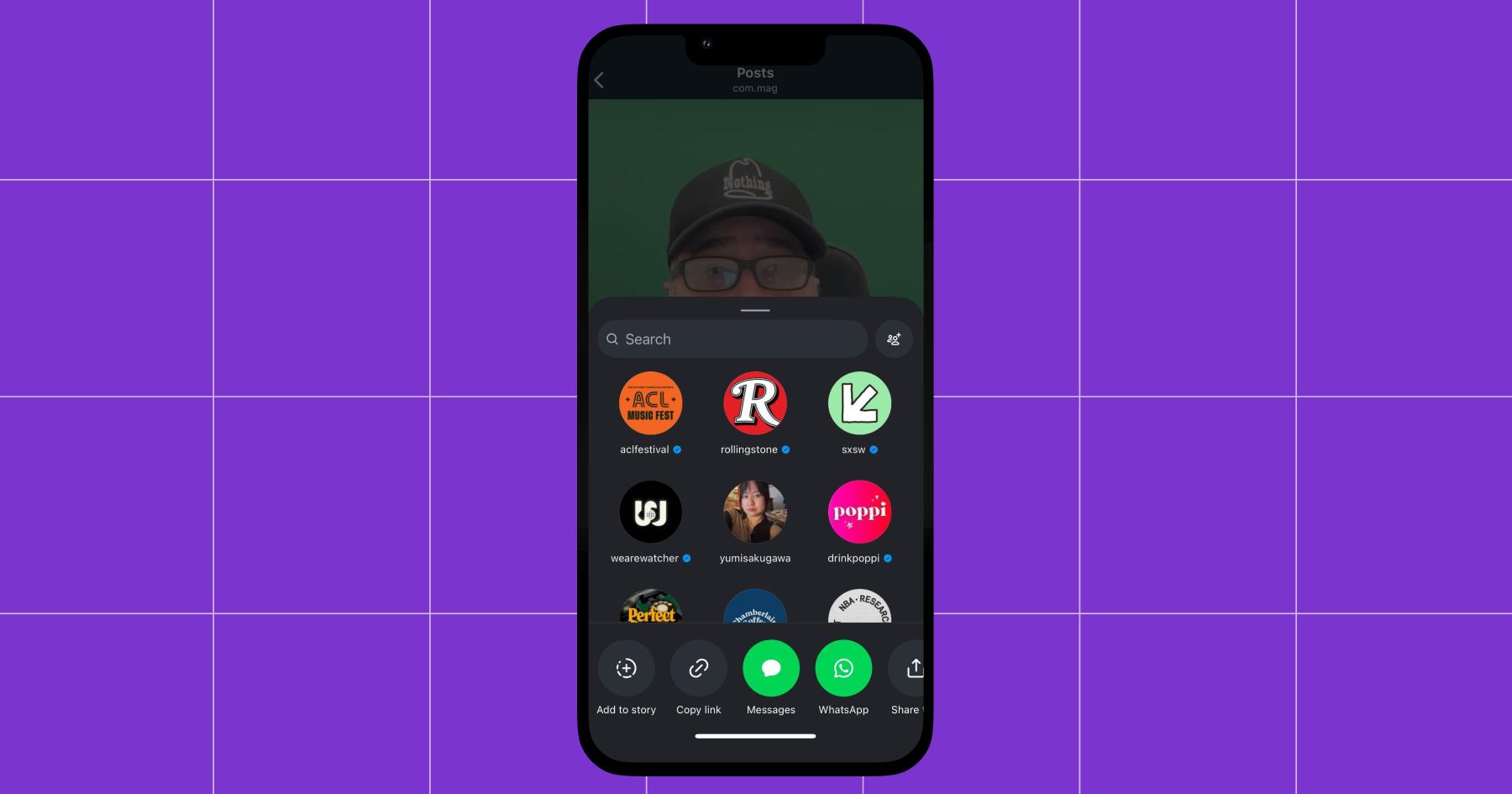
- Hit the paper airplane icon in the bottom right.
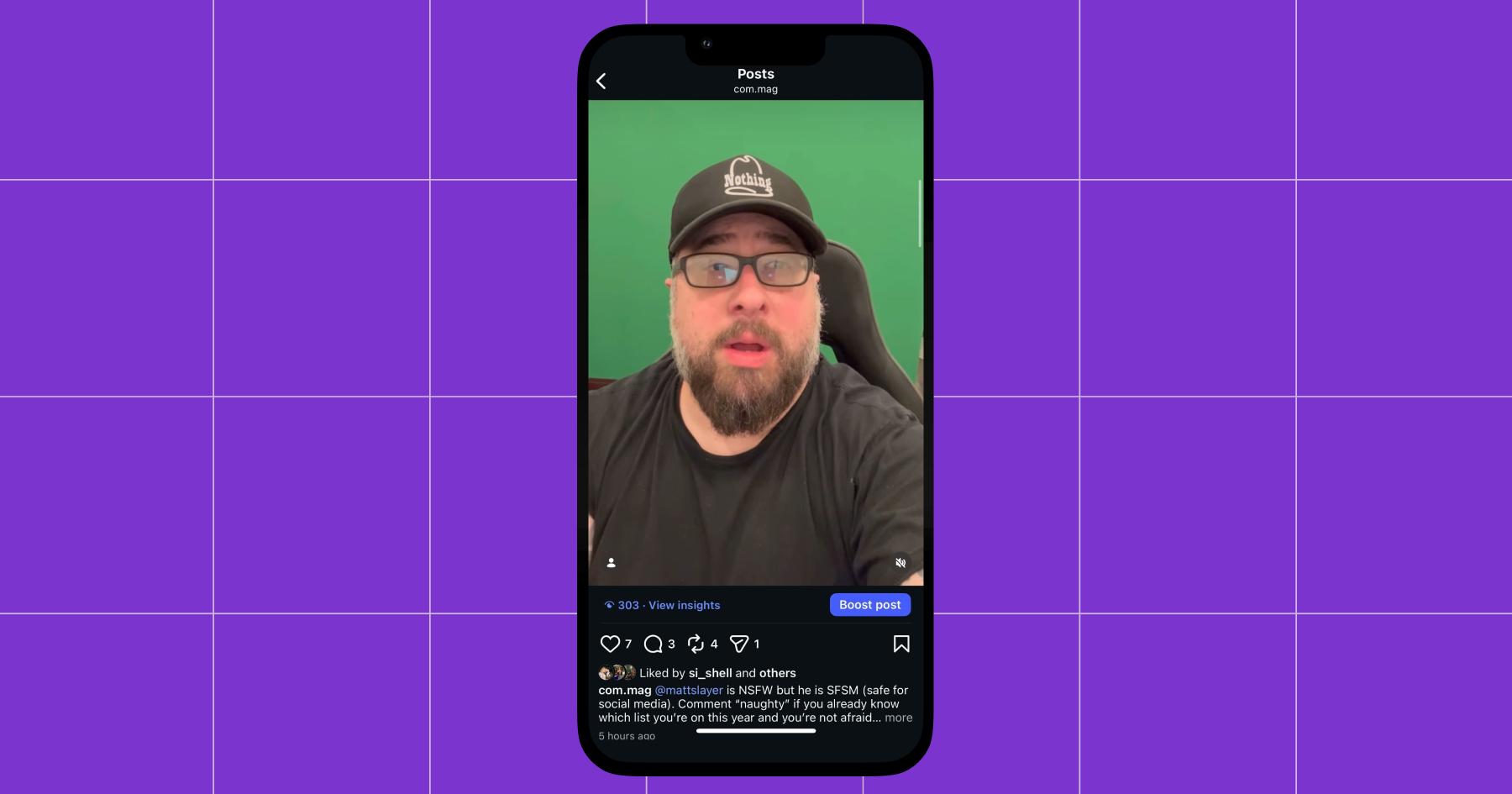
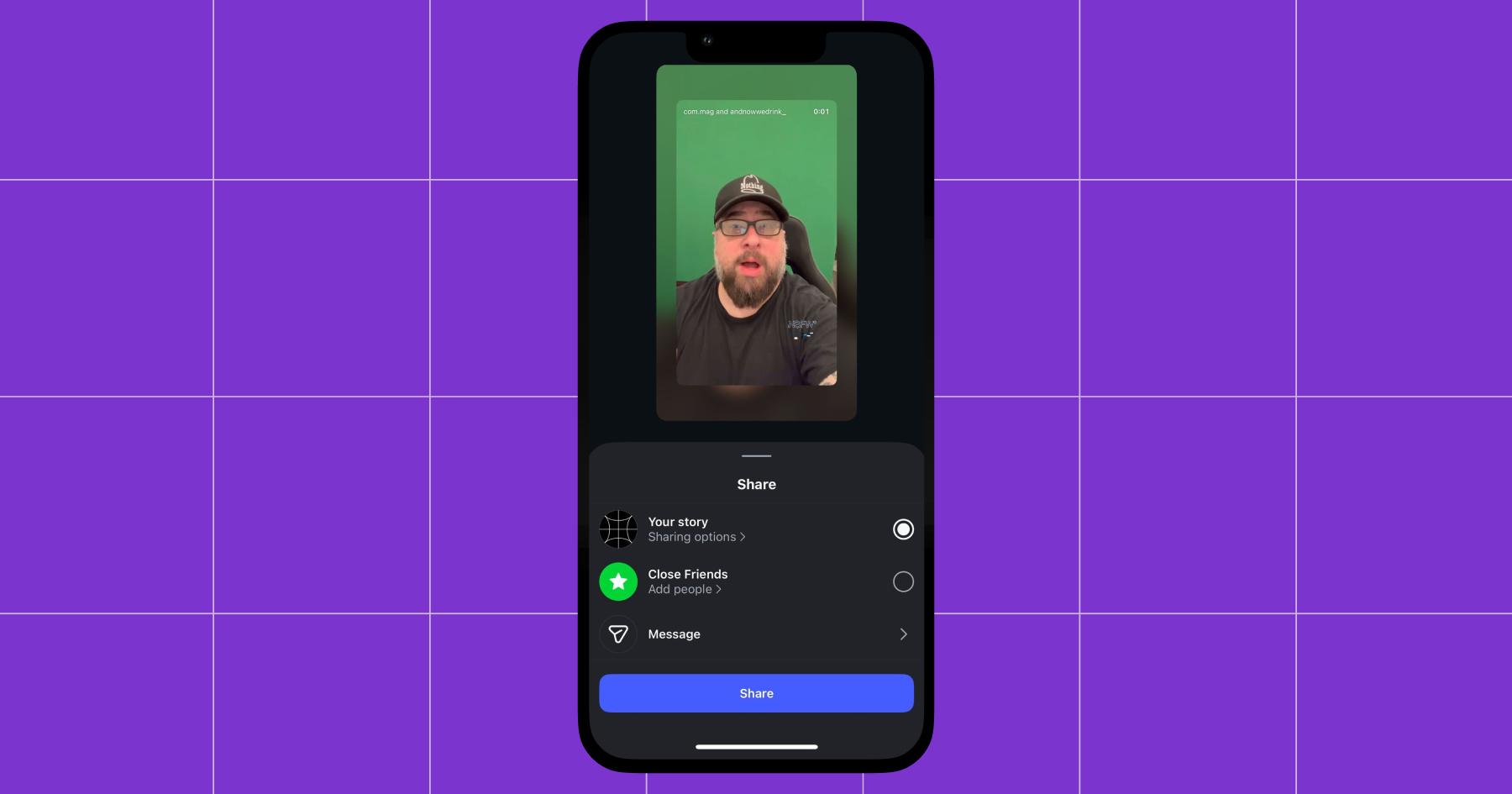
- Click Add to story (it should be the first option on the left side).
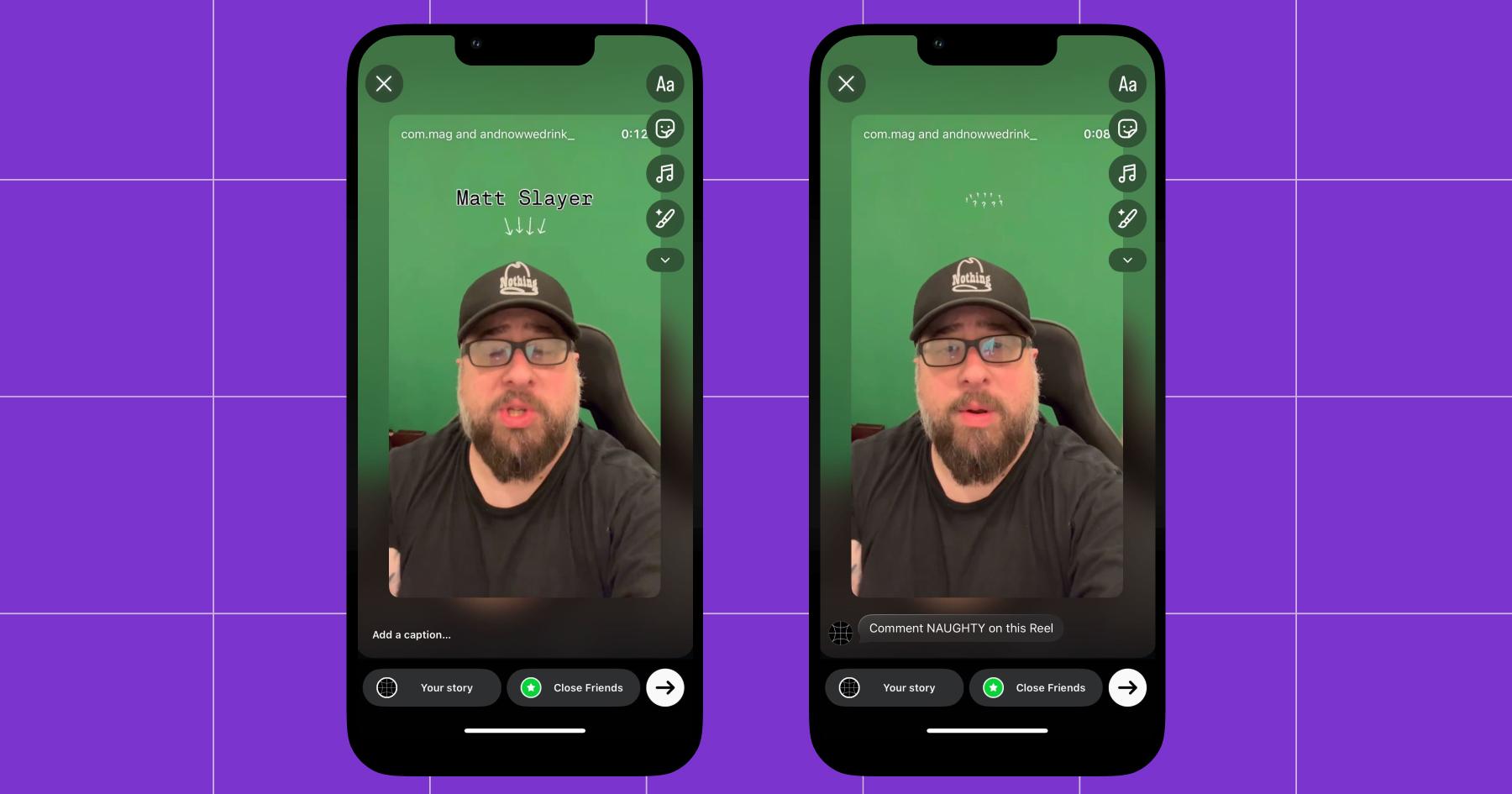
- Prepare your Story. Tap the video if you’d like it to take up the whole screen (this makes it feel like an actual Story instead of a Reel). Add a caption if you’d like.
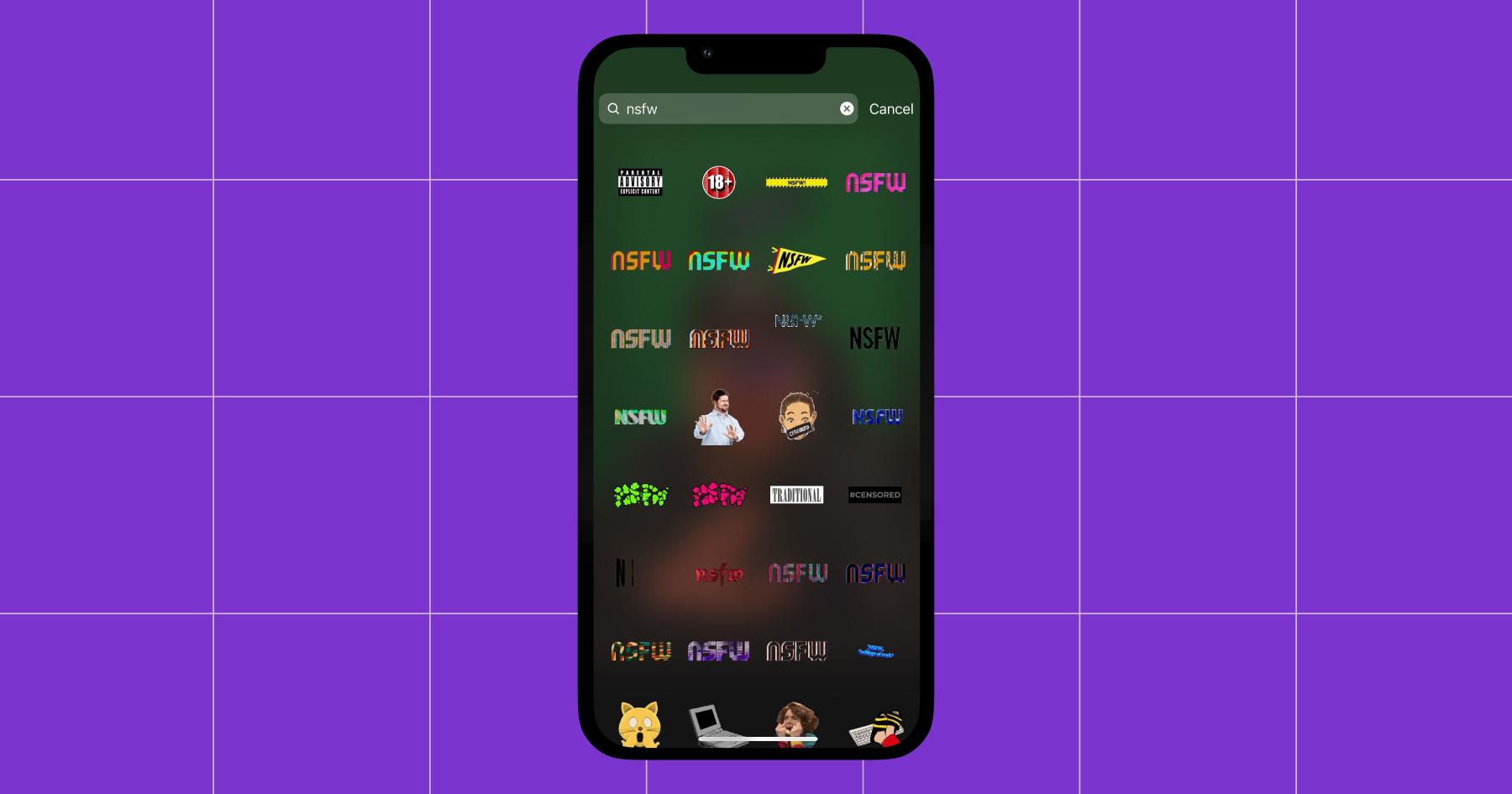
- Optional: Add Stickers to make it pop. ✨Hit the happy sticky note in the right-side menu and search for the type of sticker you want. To encourage engagement, consider adding a poll, question, or emoji slider to provide people with something to do instead of simply tapping past.
- Choose whether you want to post the Reel to your Story or Close Friends (the former is much better for reach). Then, hit Share.
More Low-Effort Instagram Story Hacks

If you’re a fan of working smarter (not harder), these quick wins belong in your content routine.
Turn Story Highlights into Reels
Turning Stories into Reels is one of the easiest ways to stretch your content further without adding more tasks to your content calendar.
If one of your Stories gets a lot of views, replies, or reactions, that’s a strong signal that the content resonated. You can save it to Highlights and stitch together multiple Story clips to create a Reel. Instagram makes this easy with a built-in Convert to Reel option:
- Go to your profile and tap your profile picture in the bottom right of the app.
- Find the Story Highlight you want to repurpose.
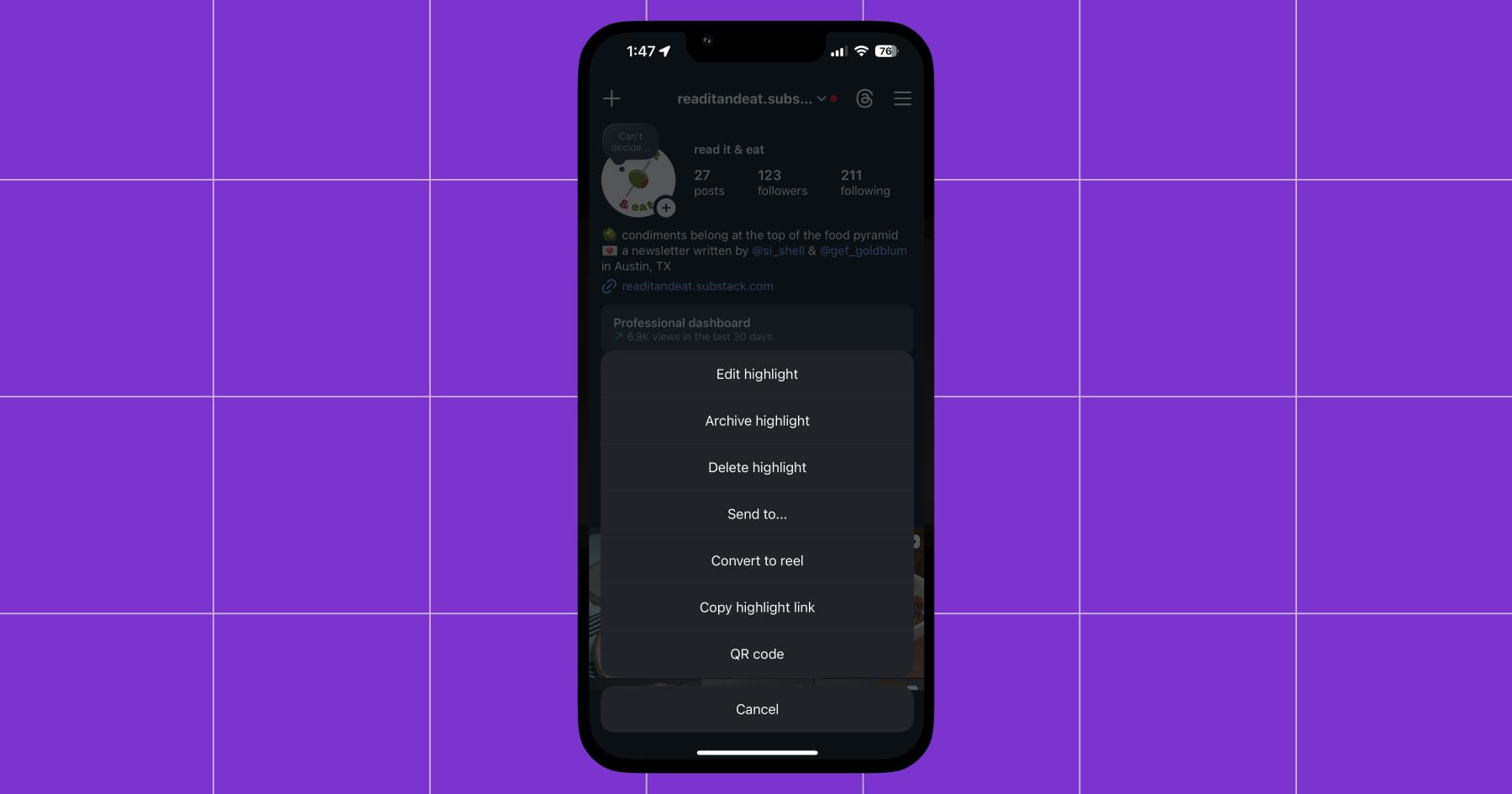
- Tap and hold on the highlight cover.
- Select Convert to Reel from the menu.
- Instagram will automatically pull the Stories into the Reel editor (often adding trending audio for you). From there, you can trim clips, reorder them, and add text, stickers, or music.
- Tap Next, then Share to publish your new Reel.
Share other accounts’ content to Stories
Stories are also a great place to amplify posts from other creators, brands, or customers you like. Sharing this kind of content shows your audience what you’re into and helps you build relationships behind the scenes.
For example, you can:
- Share another creator’s Reel your audience would love
- Highlight a brand or collaborator you’ve worked with
- Post user-generated content or shoutouts
I’ve often shared Reels from the main Manychat Instagram account (@manychat) as a Story on the Chronically Online Magazine Instagram account (@com.mag), as the two accounts are related and have a similar audience.
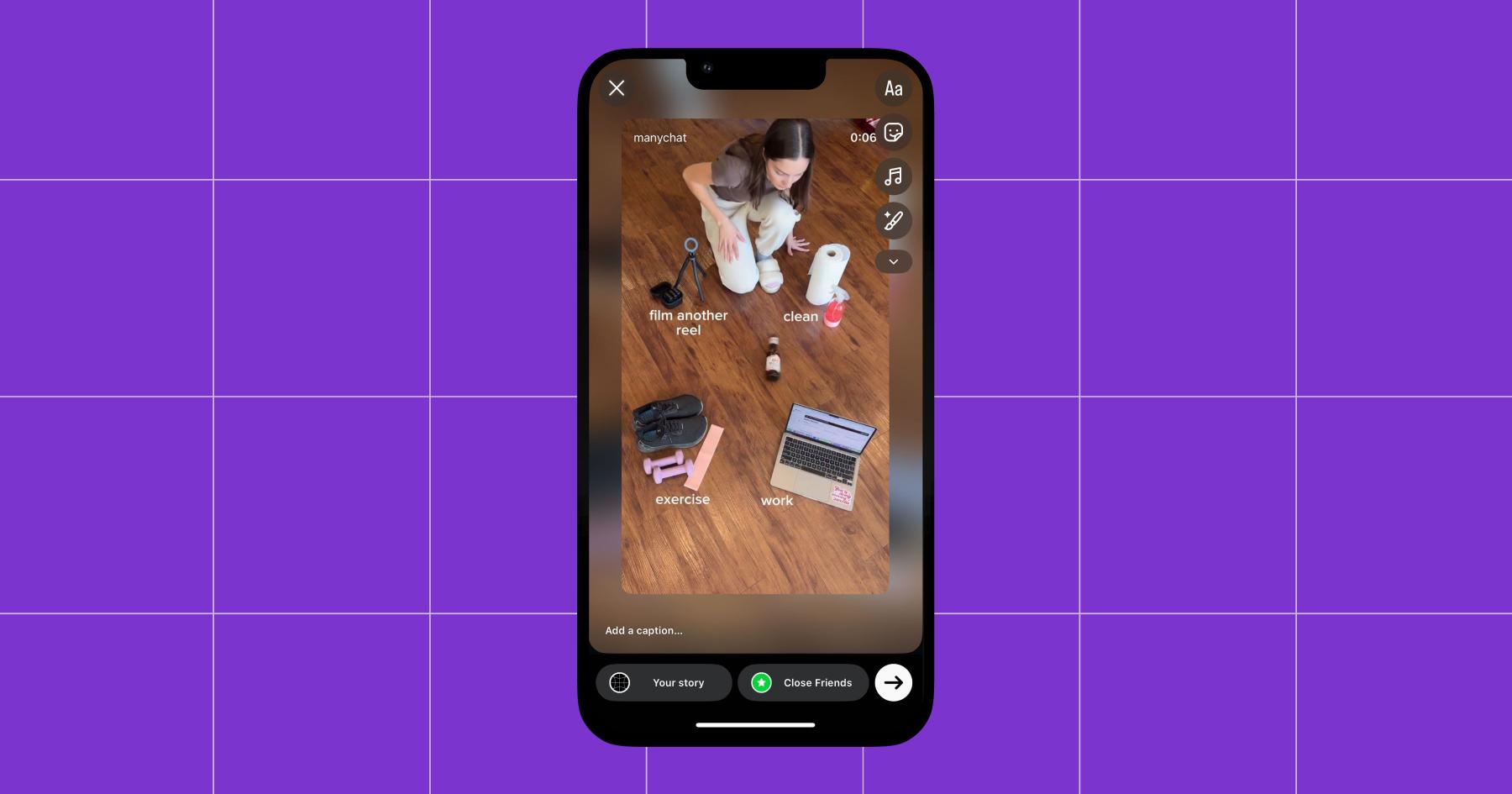
If you’re going to do this, tag the original creator so they can see it (and ideally, reshare your Story). The goal is to expand your content universe, support people you like, and — if the Instagram gods are kind — earn a little content karma along the way.
Use Manychat to respond to everyone (looking at you, reply guy)
If your Stories are getting a lot of replies, responding manually can get overwhelming fast. Manychat helps by automating Story replies and greeting new followers for you, so everyone gets a response (and you don’t have to move into your DMs permanently).
Sign up for Manychat (it’s free!)
Frequently asked questions
In most cases, yes. Stories are viewed daily by around 70% of Instagram users, which means sharing a Reel to Stories gives it a second chance to be seen, especially by followers who may have missed it in the feed. Because Stories live at the top of the app and are designed for quick consumption, they often capture attention faster than feed posts alone.
Sharing a Reel to Stories doesn’t change how the Reel is distributed algorithmically, but it does increase the number of entry points to that content, leading to more taps, views, and engagement overall.
For most accounts, the answer is yes. Reels account for more than a thirdof screen time on Instagram, and they’re primarily optimized for discovery. Stories, meanwhile, are built for interaction and immediate engagement from people who already follow you.
Sharing a Reel to Stories helps bridge those two behaviors, turning discovery into engagement without adding extra work. As long as the Reel is relevant to your audience and aligns with your goals, there’s very little downside to resharing it.
Instagram Stories automatically disappear after 24 hours. For the majority of Reels, that is enough time to capture attention and drive taps from your most engaged followers.
If a Reel is especially important — like a product launch, announcement, or high-performing piece of content — resharing it to Stories a few weeks later can help you reach followers who missed it the first time.



Originally published: Jan 22, 2026, Updated: Jan 22, 2026
More stories worth reading
More content that's too good to miss