ICYMI: Instagram Creator Studio is Now a Part of Meta Business Suite

Logged into Instagram Creator Studio lately? If so, I’d be really impressed (and a little suspicious), because the tool got phased out about three years ago.
Don’t be alarmed, though — all the most useful features from Creator Studio still exist; they’re just part of a way more comprehensive tool: Meta Business Suite.
What is was Instagram Creator Studio?

Instagram Creator Studio was a free desktop tool from Meta designed to help creators and businesses manage their Instagram (and Facebook) content. It allowed users to publish and schedule posts, view their content libraries, track performance metrics like reach and engagement, and access monetization tools. For a long time, it was the go-to platform for managing Instagram content without needing a mobile device.
However, in early 2023, Meta began sunsetting Creator Studio by integrating its features into Meta Business Suite. While you’ll still hear people reference the “Creator Studio,” what they’re actually using today is the Meta Business Suite. This is an improvement, though, because now you can access literally every useful Meta tool in one place, including Ads Manager, Commerce Manager, and, of course, the good old Creator Studio.
How to access Meta’s creator studio features
For starters, you’ll need a Professional Instagram account (either Business or Creator). Once you’ve got that:
- Open Meta Business Suite.
- If you haven’t signed up before, click Try it out, then log in to your Instagram or Facebook account.
- Head to your Professional dashboard.
- From there, you’ll have access to all of the old Creator Studio tools in the left-side menu (Insights, Content, Monetization, and so on).
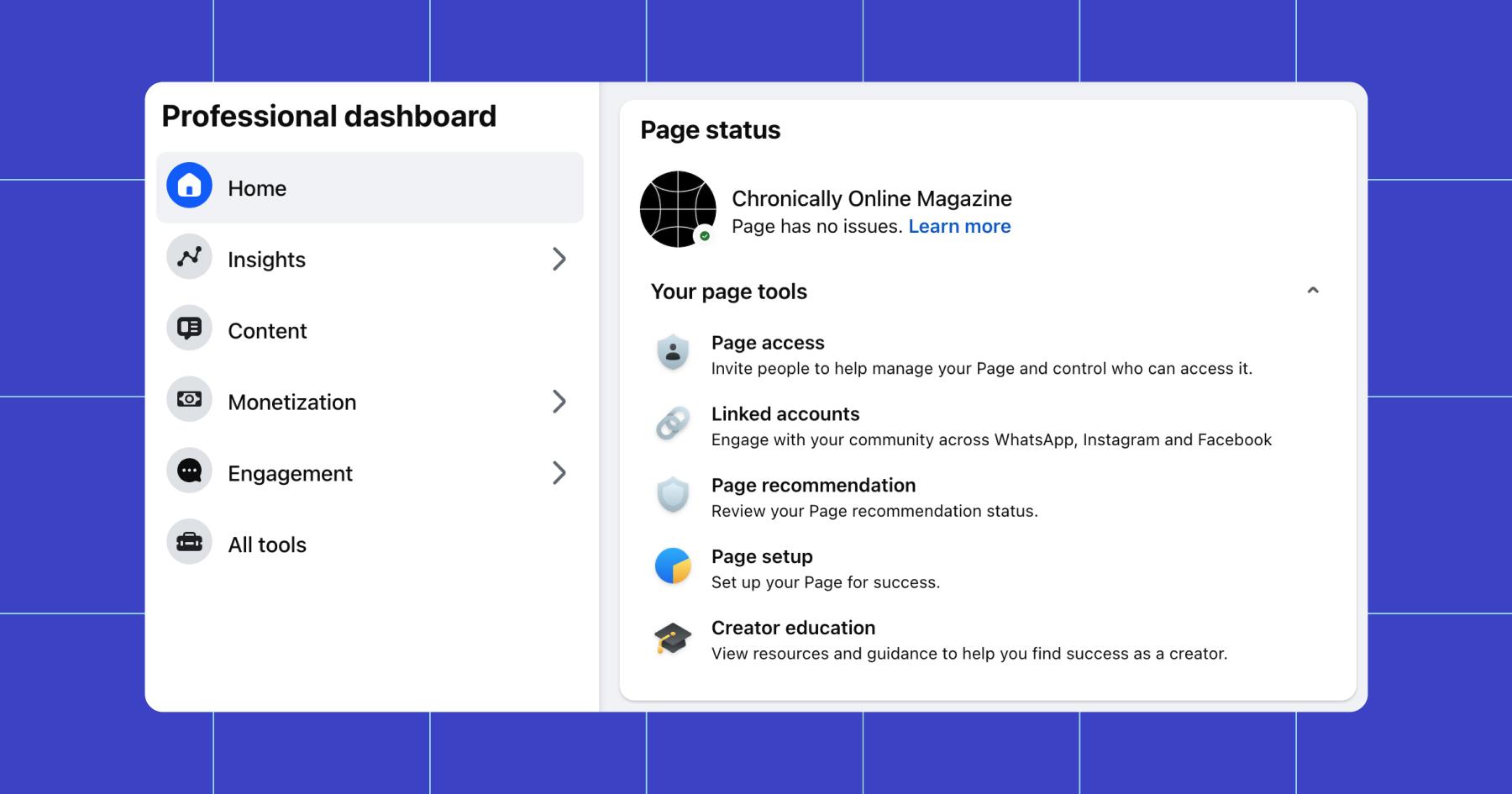
The 4 most useful creator studio tools
Let’s break down the most useful tools available.
1. Content scheduling
If you don’t want to manage/post content in the Facebook or Instagram mobile apps, you can do so in a browser on desktop via Meta Business Suite. Head to the Content dashboard, and you’ll be presented with a handful of options.
For starters, you’ll see your Content Library, which includes information about the performance of published posts (views, comments, etc.). You’ll also see the ability to create new content (+ Create).
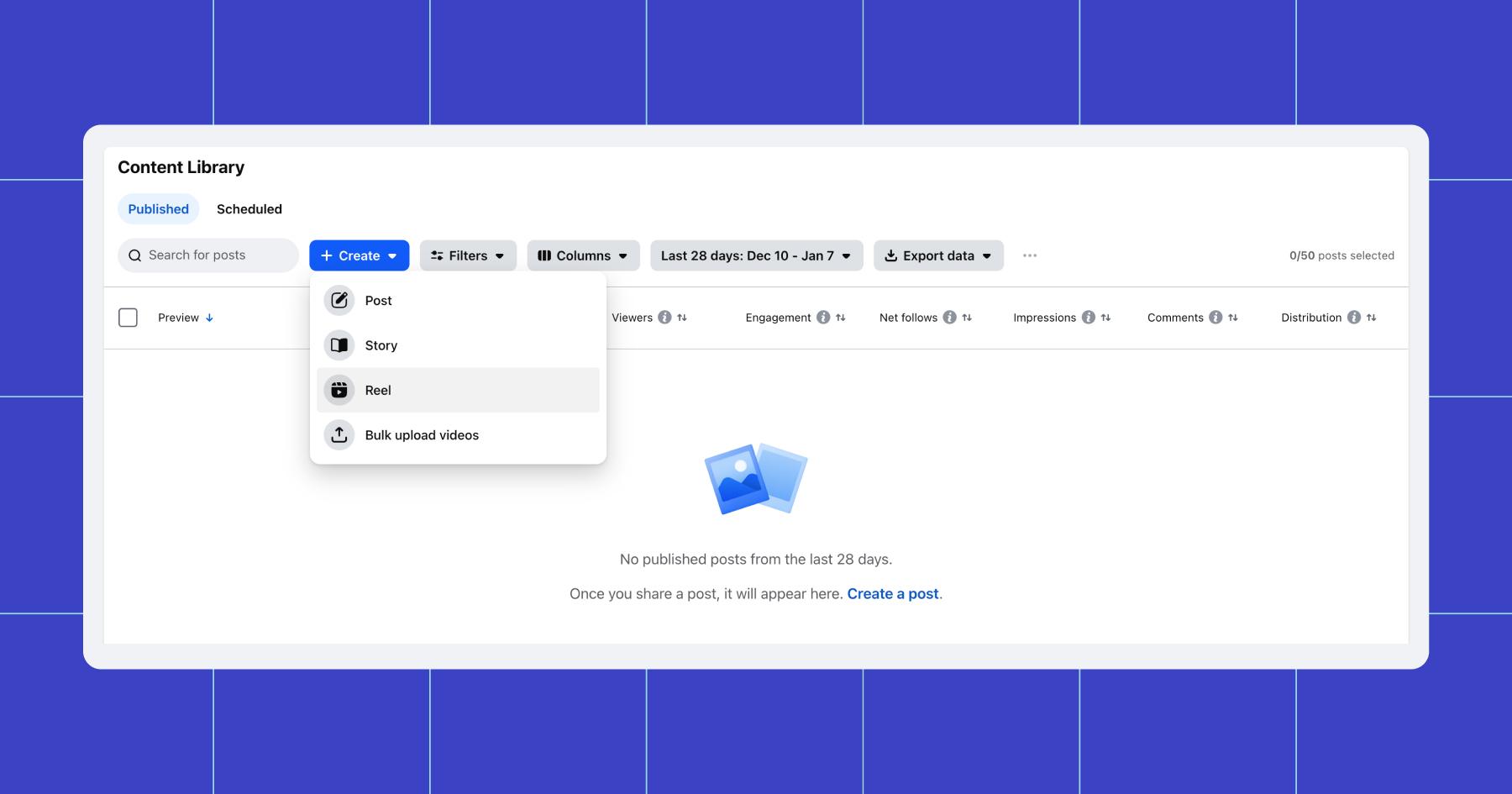
+ Create is great for scheduling posts from desktop, especially everyday feed content that doesn’t need a lot of editing. Notably, all of the advanced video editing options for reels available in the Instagram app are not offered in Meta Business Suite.
Want to explore other options for planning your feed?👉 How to Plan Your Instagram Feed with a Feed Planner
2. Insights
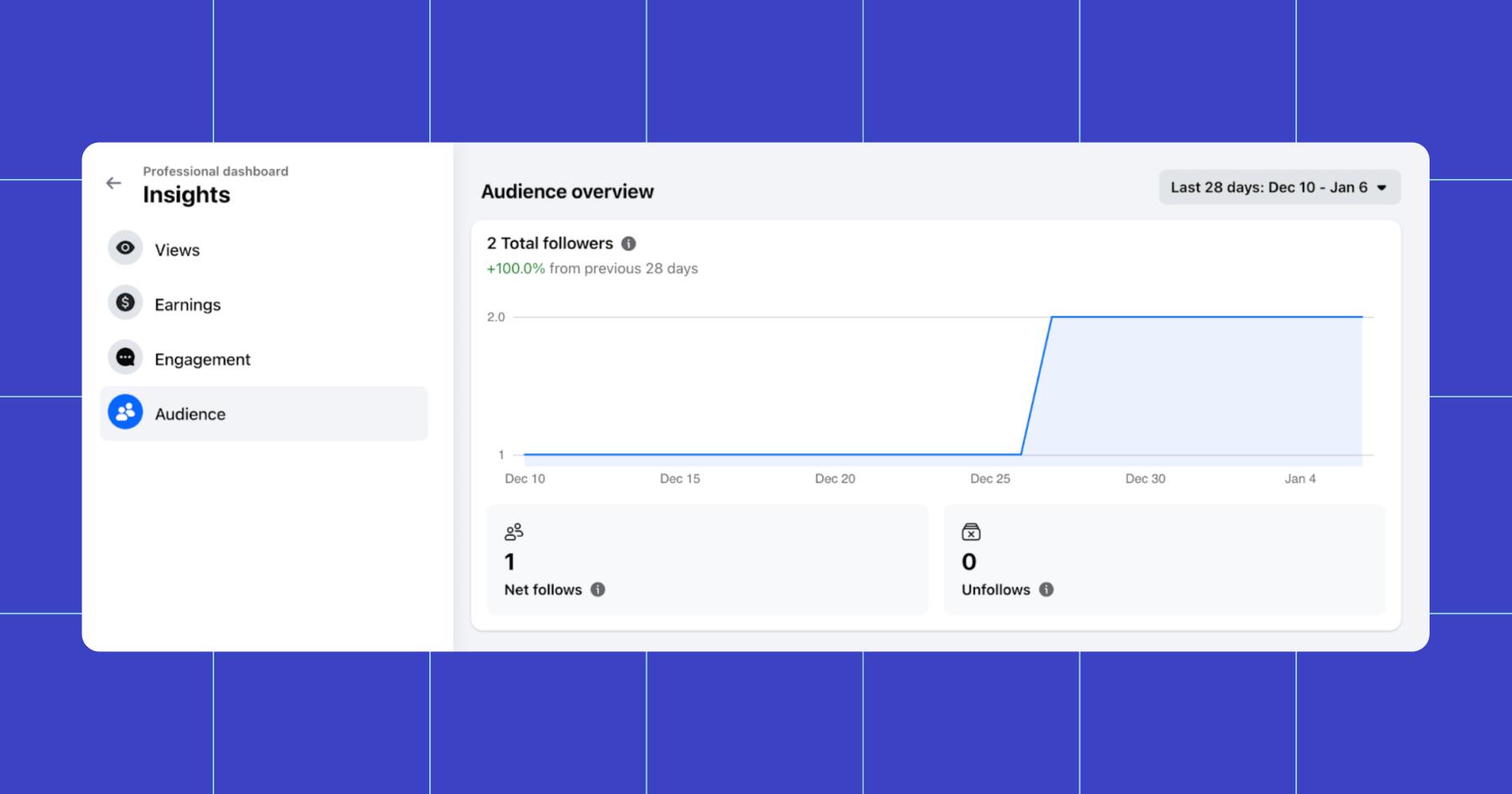
The Insights tool offers a snapshot of how your page/account is performing. There are four different dashboards within it: Views, Earnings, Engagement, and Audience.
These are all carry-over features from Creator Studio, and what you do with each one:
- Views: Filter views by content type or compare followers versus non-followers.
- Earnings: Break down your earnings across different Facebook monetization methods.
- Engagement: Identify your most engaged followers and see which types of content they interact with most.
- Audience: Understand the shared traits of your audience, including age, location, and other demographics.
3. Monetization tools
Within the Monetization section of Business Suite, you can check your eligibility for different earning programs, view earnings details, and manage payout settings (like which account your money will go to).
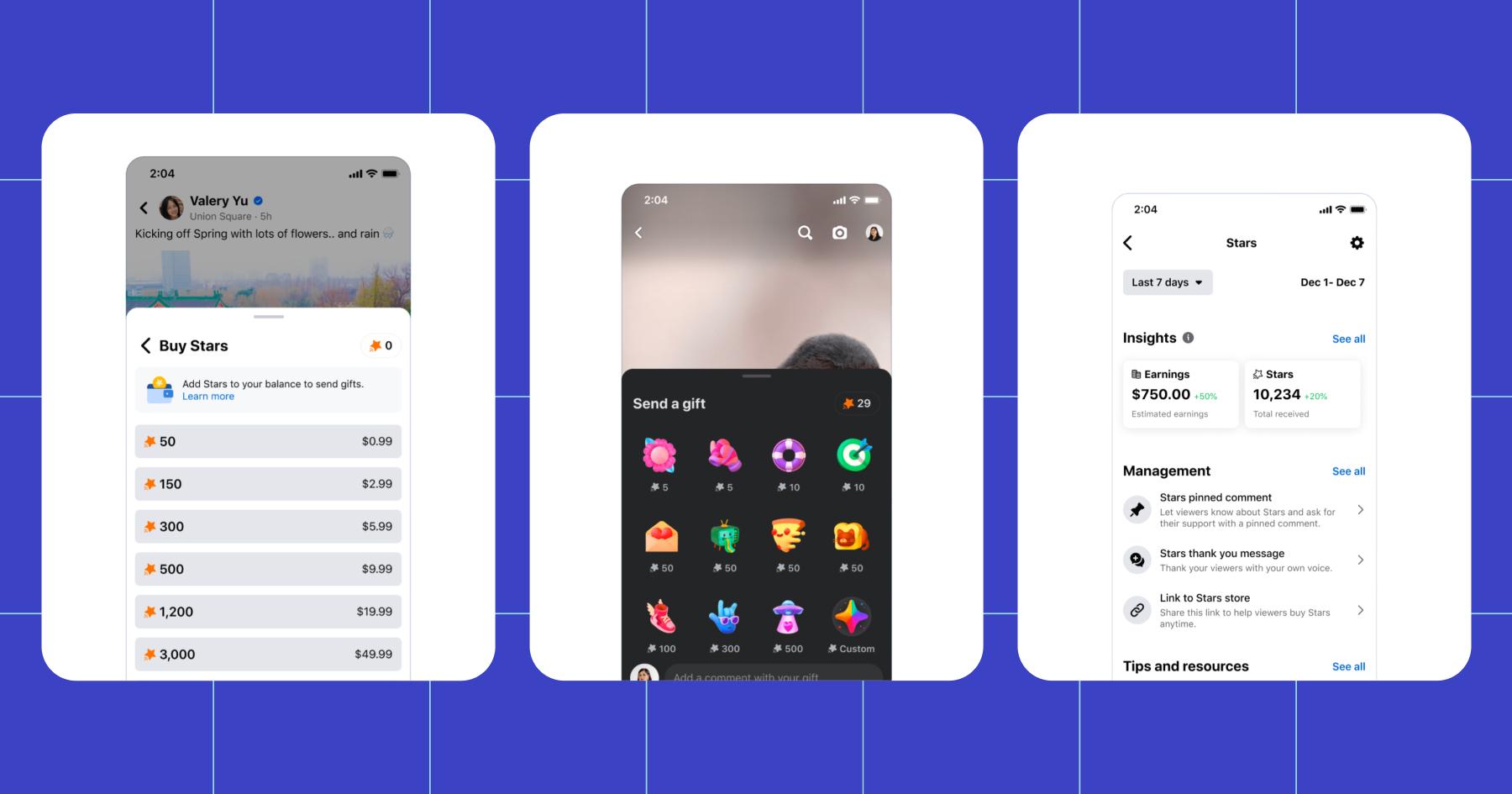
You can also set up revenue tools like in-stream ads, ads on reels, and creator performance bonuses. Business Suite also supports interactive revenue features, such as Facebook Stars and Instagram Gifts, which enable fans to send virtual gifts during live streams or videos that convert into real cash.
Finally, if you have something to sell, you can set up a Facebook storefront with a product catalog. Some creators can even sell custom videos to fans (Videograms), though this feature is being discontinued as of February 24, 2026.
4. Inbox
Meta Business Suite’s Inbox feature builds on the messaging capabilities from the old Instagram Creator Studio, but it’s more comprehensive and better integrated with other Meta apps. For instance, it organizes communications from your WhatsApp, Facebook Page, Instagram account, and Messenger all in one place.
Sound like a lot of messages? Yeah — that’s what Manychat is for. (So sign up, it’s free.)
Back to the Meta Inbox, though. If you want to use this as your main communication hub, you can make things easier on yourself by filtering conversations with labels, creating saved replies, and using the tool’s native automation features. This is the only way to manage customer service or community engagement at scale without hiring a bunch of social media managers.
Now, Get to Business (Suite)

While Instagram Creator Studio isn’t a thing anymore, the tools you need to schedule content, track performance, and monetize are all available in Meta Business Suite. And honestly, if you’re a marketer or creator, it’s a good idea to get comfy with it as a tool. Meta’s apps, including Facebook and Instagram, reach more than 3.4 billion users daily. That’s almost half of the global population. Having a centralized place to work from will make tapping into that vast audience significantly easier.
So what are you waiting for? Log in to Meta Business Suite and get to work.
Or, if you’re not ready for that just yet, how about some productive procrastination? Learn how to make bank by pairing Manychat with Meta ads.
Frequently asked questions
Yes, but not entirely. Creator Studio is no longera standalone tool; its features now integrated into Meta Business Suite. Although the tool is still referenced often, most people now use Business Suite to manage their content, data, monetization, and messaging.
You need a Professional Instagram account, which can be either a CreatororBusiness account.
Yes. Meta Business Suite enables you to create, schedule, and publish Instagram feed posts and reels from your desktop.
On this topic, you might like: No Phone, No Problem: How to Post on Instagram Using a Computer or PC
For basic message and comment replies, yes. Business Suite’s Iinbox combines Instagram, Facebook, and Messenger conversations in one place. However, if you want to automate, you’ll need a tool like Manychat to supplement what Meta’s Inbox can do.



Originally published: Jan 28, 2026, Updated: Jan 28, 2026
More stories worth reading
More content that's too good to miss