You hit "Go Live." Twelve people join. Then 40. Someone asks how much the hat you’re wearing costs. Someone else comments, "I NEED IT." Three more want the link. And you? You're mid-sentence, holding your phone at arm's length, watching a wall of high-intent comments scroll past with zero chance of replying to any of them.
By the time you sign off, half those people have moved on. They don’t care about the affiliate link you’ve posted on your Story. Had you set up an Instagram Live automation, you could have earned some commission from those interested scrollers. So, if you want to learn how to do that, keep reading.
TL;DR
- Instagram Live automation lets you automatically DM viewers who comment your chosen keyword during the broadcast.
- You can trigger giveaway entries, discount codes, booking links, and lead capture the second someone drops a comment on your Live.
- Setup takes minutes with Manychat’s Instagram Live Comments trigger and a few well-chosen keywords.
Your Instagram Live Strategy Needs Automation

Instagram Live is one of the most personal ways to reach an audience. When you go live, you’re broadcasting in real-time, sharing unfiltered, in-the-moment content with anyone who wants to tune in.
On Instagram, users can interact with your Live stream with ❤️ reactions and comments. They can also see how many people are watching the stream and who specifically is watching.
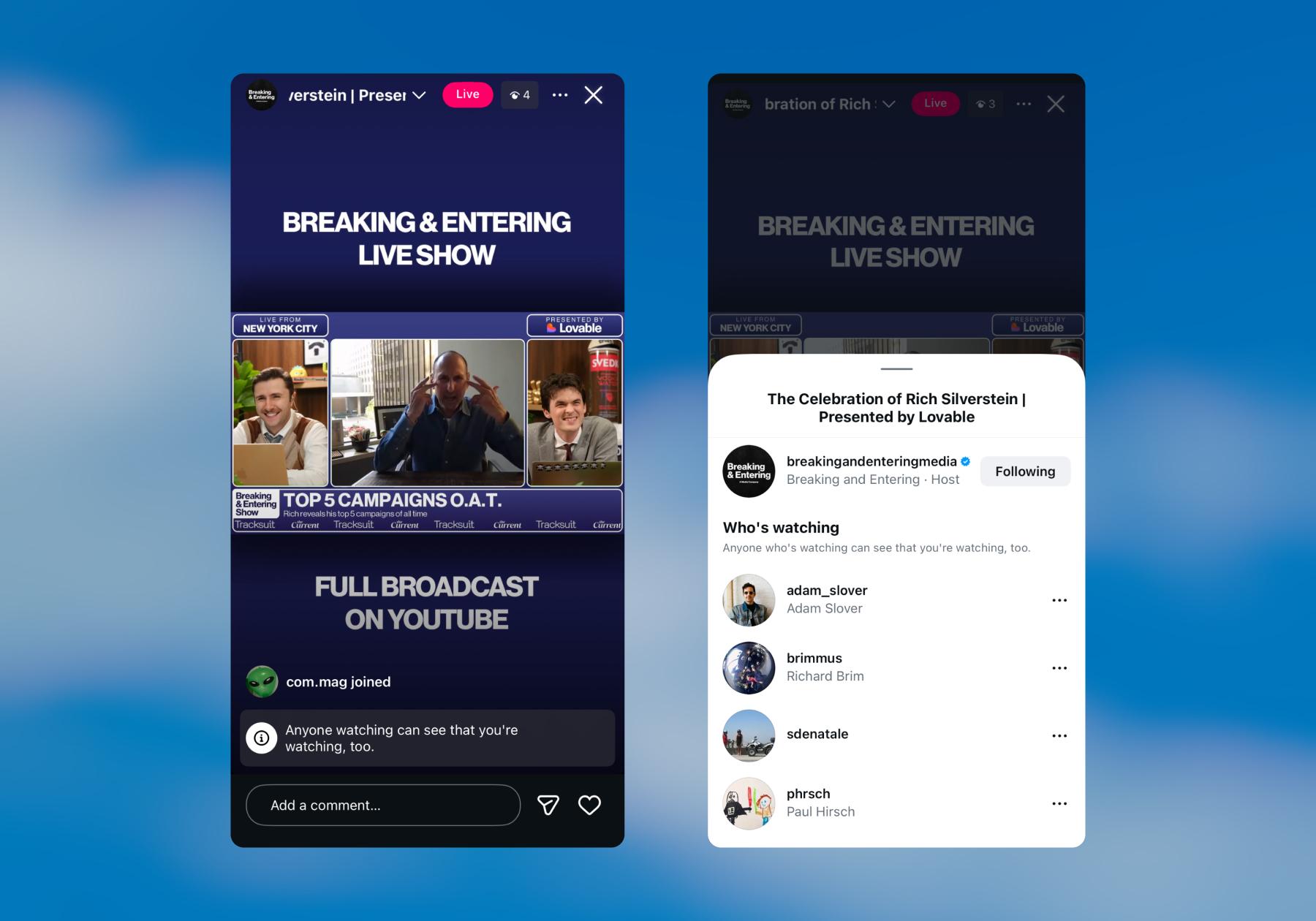
Instagram Live may be less popular than Reels, but 22% of social users actively engage with it, making it the third-most-interacted-with content format on Instagram. This, combined with the opportunity for real-time interaction, is what makes going Live on Instagram still worthwhile today.
If only a few people are watching your Instagram Live, you’ll be able to keep up with the comments, answer questions, and maybe even remember usernames so you can DM those people later. But once you hit a certain threshold, it’ll be a lot harder to manage manually. Even 50 to 100 active viewers can be too much for one person who’s also talking or demonstrating a product. This is where Instagram Live automation comes in handy, and the mechanics are simple:
Someone comments during your broadcast → Manychat sends them an automated DM → they land in a flow you built ahead of time
If you want to learn more about Instagram Live automation and how to set it up with Manychat, keep reading.
How to Set Up Instagram Live Automation with Manychat
If you already use Manychat for Instagram, here’s how to set up an Instagram Live automation. (And if you don't use Manychat yet, sign up — it’s free.)
- Connect your Instagram account to Manychat.
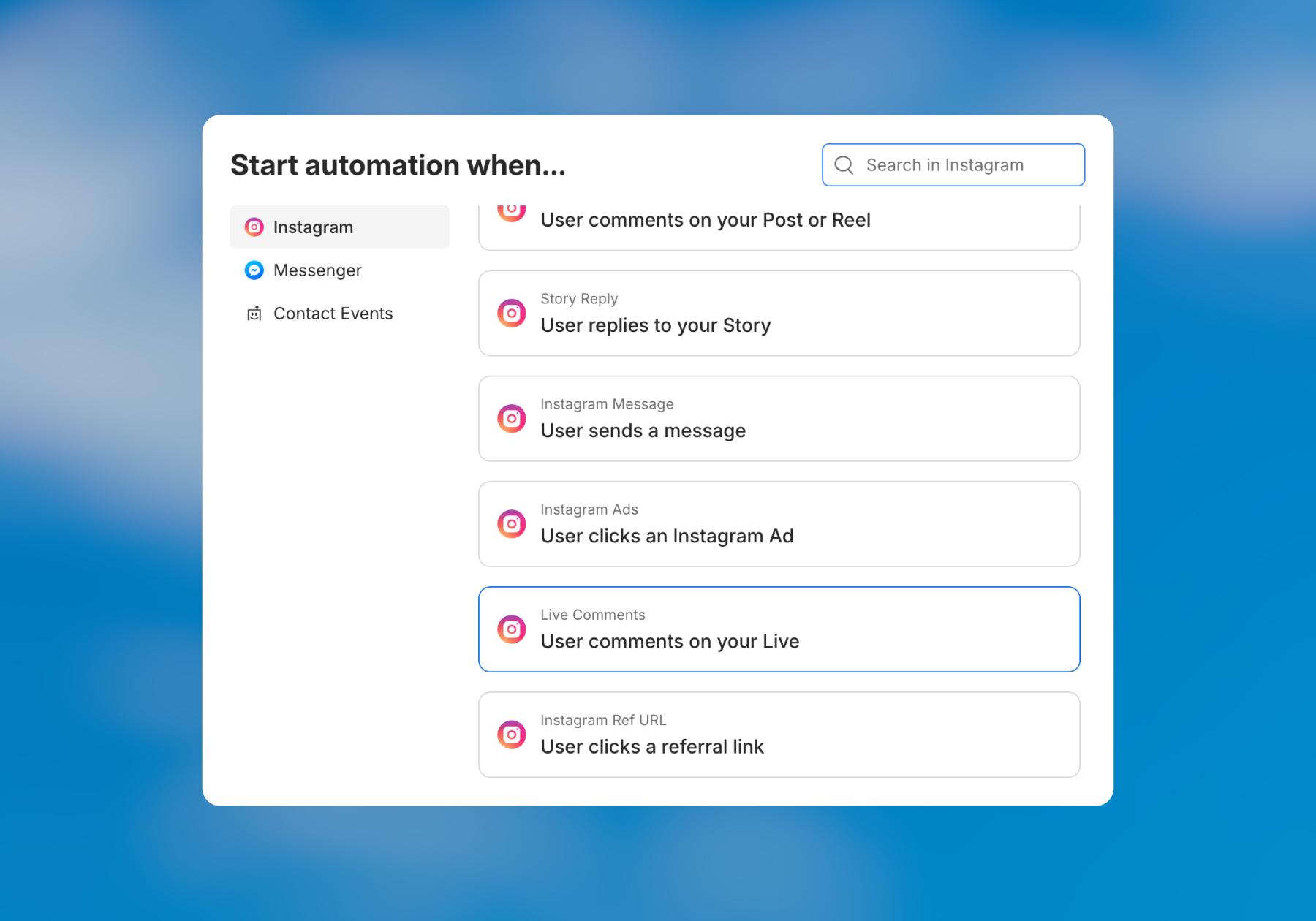
- Go to Automations → + New Automation and then click Live comment under the left-side trigger menu.
Here you’ll see three Manychat templates you can choose from. For this guide, we’ll work with Trigger DMs during IG Live.
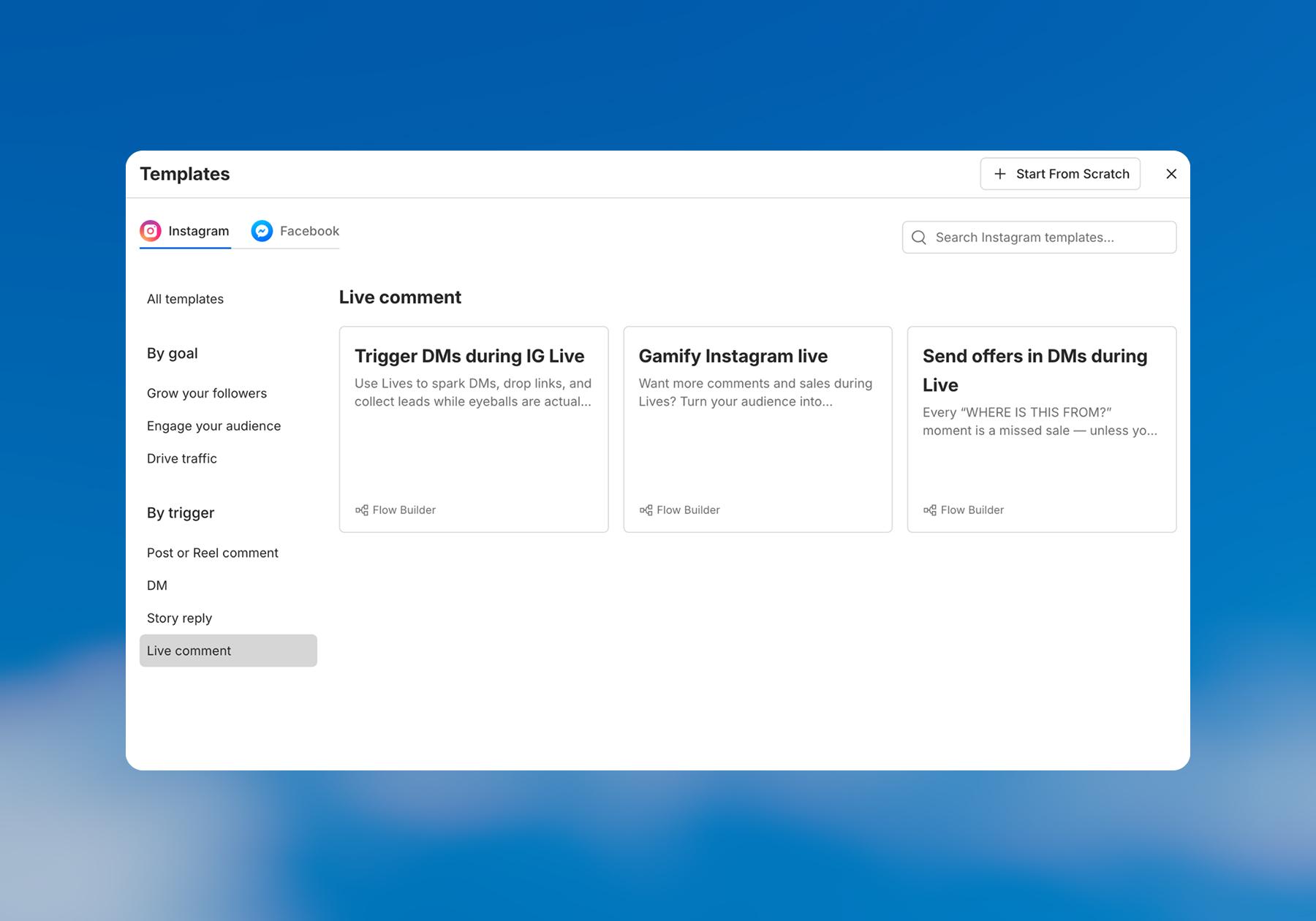
- Click on Trigger DMs during IG Live.
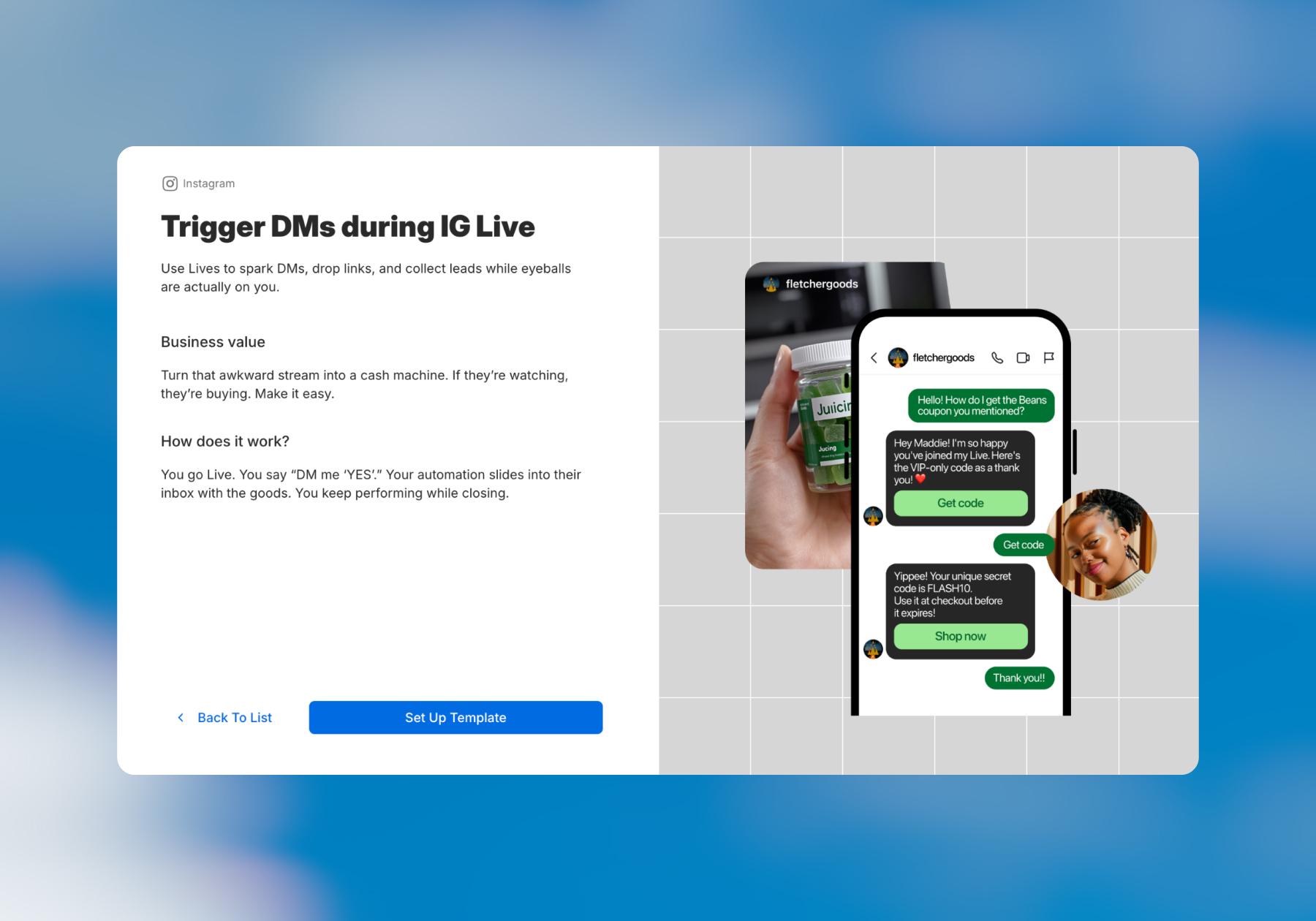
- Add a trigger keyword you'll ask viewers to comment. Keep it short, obvious, and easy to type on a phone. Things like "EVENT," "DEAL," "BOOK," "WIN."
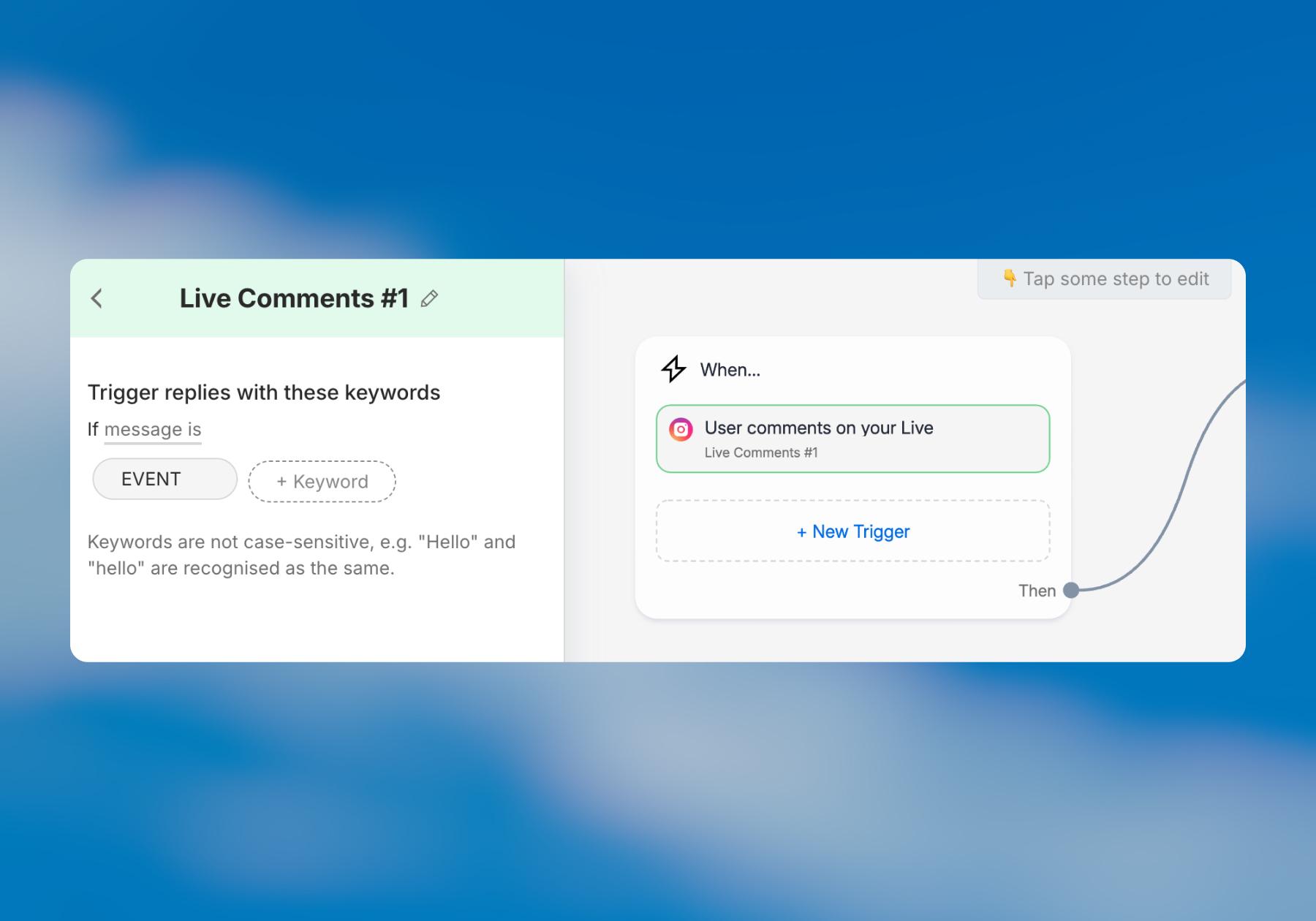
- Customize the DM they’ll get after commenting the keyword. You can send them a link if you’re promoting something specific or simply thank them for joining your Live.
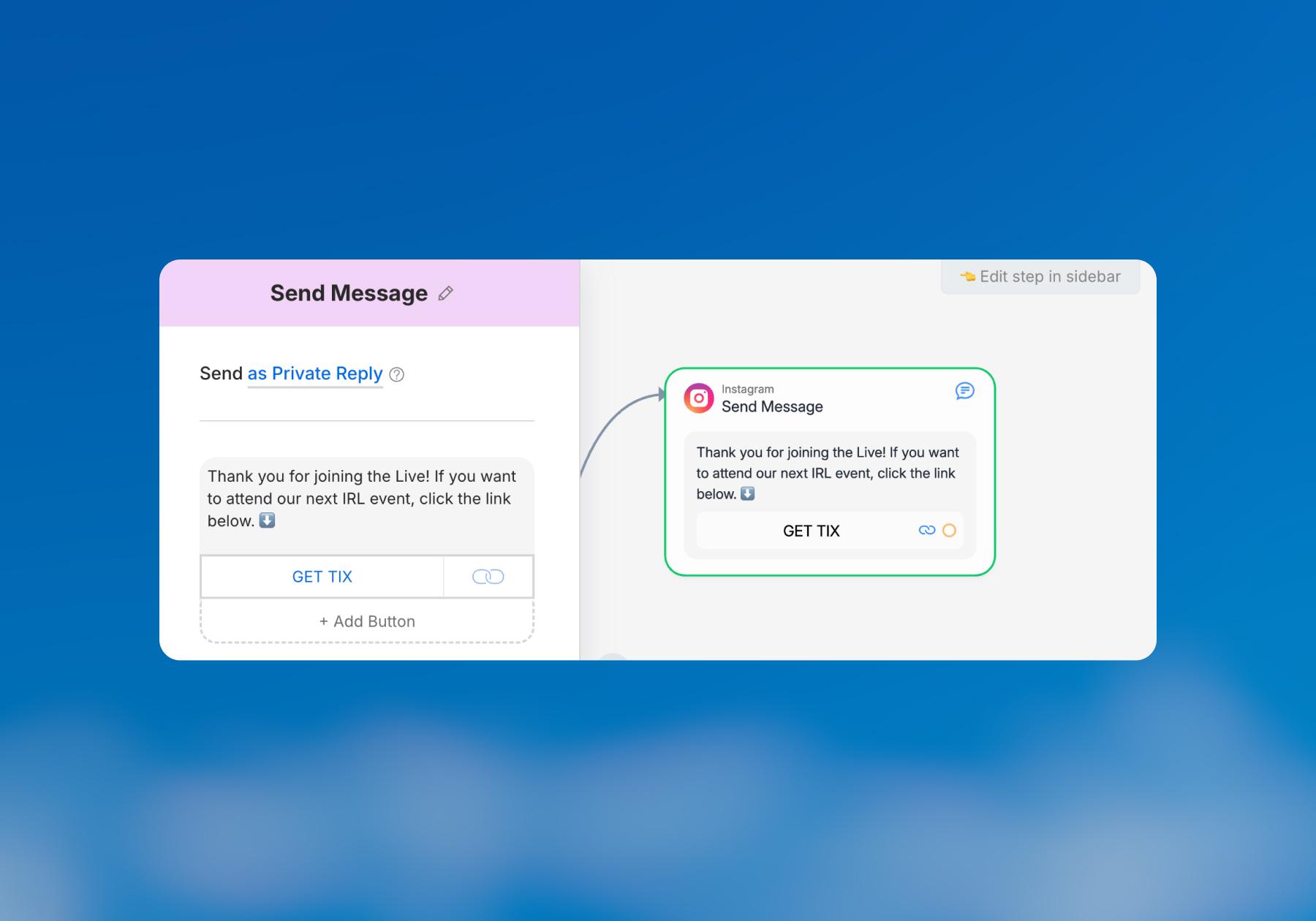
- When you’re actually live, say the keyword out loud (“Comment ‘EVENT’ for the link to buy tickets”), then say it again halfway through, because the person who joined four minutes ago will have no idea what's going on.
You can add additional Buttons to this block, which is useful if you have multiple links to share.
If you’re used to building in the Flow Builder, you can also expand your flow beyond this message and add blocks for things like collecting email addresses to build your contact list or asking for feedback on your Live.
5 Ways to Turn Live Viewers Into Buyers

Getting viewers to comment on your Live is only useful if you know what you want them to do next. Depending on your goal, you can turn comments into a DM conversation that converts scrollers into email subscribers, a booked call, or a sale. Here are five ways to do that.
1. Run a giveaway
Running an Instagram giveaway or contest is one way to generate leads and gain new followers. The Manychat template library has a "Run a giveaway" option you can use to do this; simply delete the first block the template comes pre-populated with and replace it with one that triggers from a comment on your Instagram Live. Then, choose a keyword like "WIN" or “ENTER” and tell viewers to comment during the live.
2. Send a discount code the second someone comments
If you want to express appreciation to viewers for joining your Live, one way is to offer them a discount code for your products or services. In Manychat, there’s a template called "Send offers in DMs during Live" designed for this exact purpose.
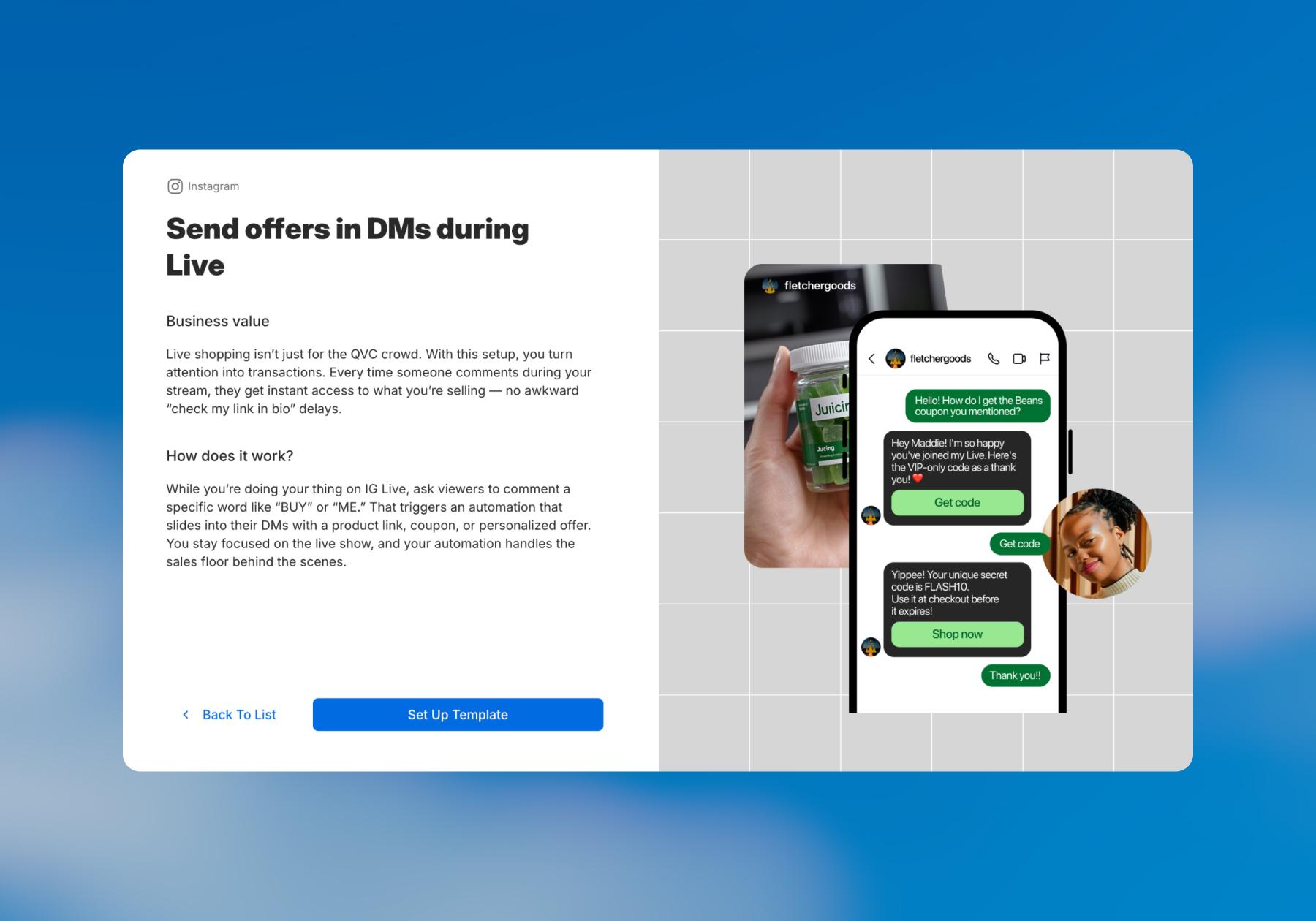
You can even tease the offering before going live on your Stories or in a feed post. Something like, “Join my Live stream this Friday morning for a 25% promo code.”
3. Let viewers book a call right from the DMs
Coaches, consultants, and service providers can help people book appointments straight from their Live streams. Add the link to your appointment scheduling page to the Trigger DMs during IG Live template and say something in the Live like, "comment BOOK and I'll send you my availability."
4. Collect emails while you're still broadcasting
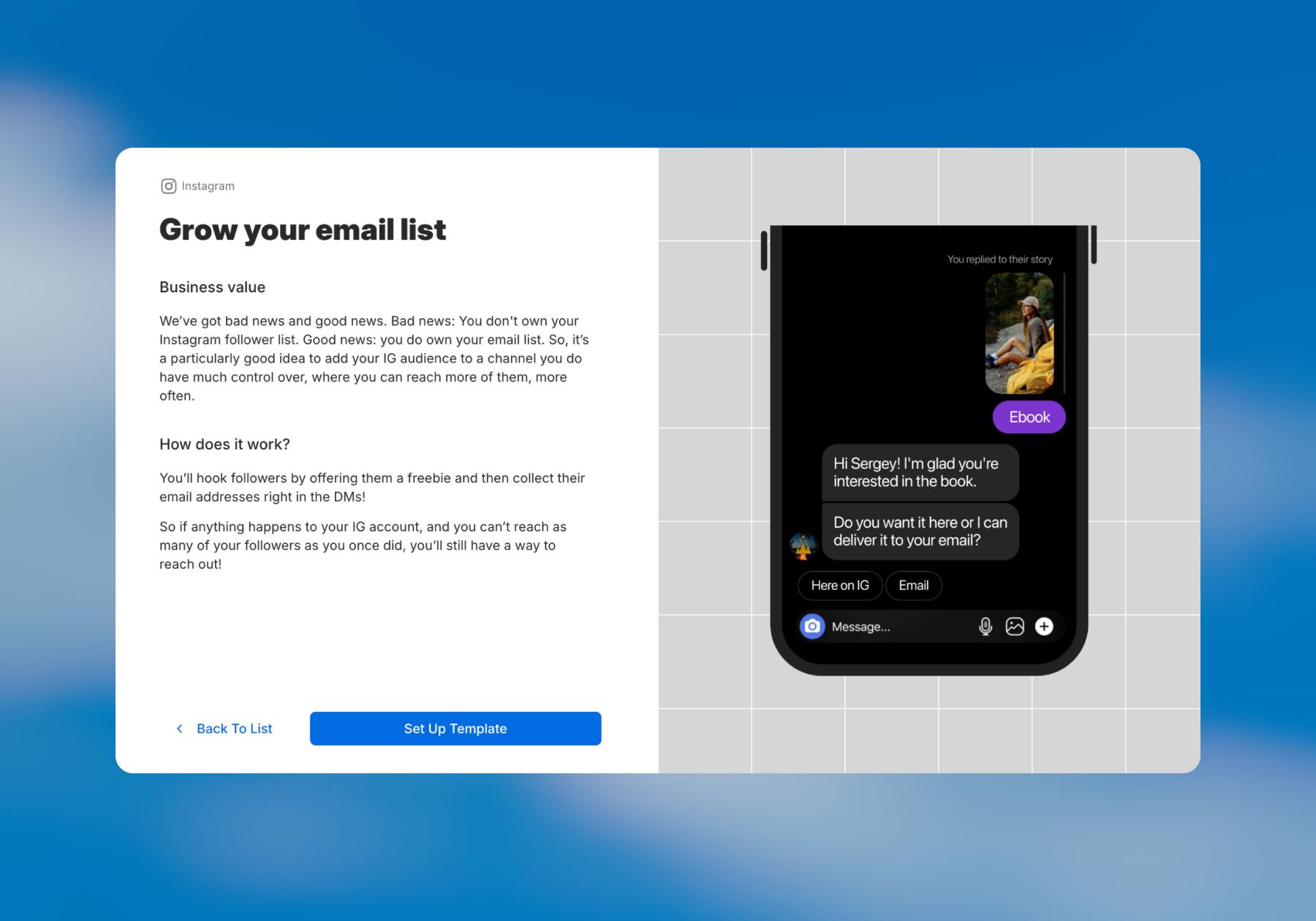
Want to build your contact list? Offer a lead magnet (a template, a guide, early access to an event, etc.) in exchange for an email address. Browse the Manychat template library for the Grow your email list template. All you need to do is delete the first block the template comes pre-populated with and replace it with one that triggers from a comment on your Instagram Live (and customize the template with your own copy).
5. Answer product questions without pausing your broadcast
You can stop mid-sentence to answer questions during your Live, or you can set keyword-triggered automations that DM the details on request. The easiest way to do this in Manychat would be to give viewers a simple CTA during the Instagram Live, such as “Comment INFO if you have questions and I’ll DM you.”
When someone sends that keyword, Manychat automatically starts a DM conversation, presents the three to five most common FAQs as choices, and sends the appropriate answer based on their selection.
Each answer can then offer a logical next step — such as sending a link, collecting their email, or handing the conversation over for a personal response — so your Live keeps generating engagement while Manychat handles the repetitive questions automatically.
Learn more about automating questions on Instagram: Get Smart(er): Answering Instagram FAQs With Manychat.
A before-you-go-live checklist
A little preparation goes a long way, so before you hit that Live button, make sure your automation is set up correctly.
Frequently asked questions
Connect your Instagram account to Manychat, create a new automation, and select the Live Comments trigger. Choose the keyword you want viewers to comment during your Live, then build the DM they'll receive when they use it. Before going Live, test the automation to make sure the trigger, messages, buttons, and links work as expected.
Yes. Using the Live Comments trigger, you can ask viewers to comment a specific keyword during your broadcast — such as “LINK,” “BOOK,” or “DEAL” — and automatically send them a DM when they do. From there, your automation can continue the conversation rather than stopping at a single message.
The initial DM is just the beginning. You can use the automation to send links or offers, collect contact information such as an email address, ask questions, provide answers to common FAQs, or direct someone toward another next step. The exact journey depends on what you want viewers to do after engaging with your Live.
Yes. One approach is to offer viewers something valuable — such as a guide, template, or other resource — and ask them to comment a keyword during your Live. The Live comment can trigger a DM automation that collects their email address. Manychat's template library also includes a Grow your email list template that can be adapted to start from a Live comment.
Yes. For example, ask viewers to comment “INFO” during your Live. That comment can trigger a DM that presents several common questions and lets the viewer choose what they want to know. You can then automatically send the relevant answer and, where appropriate, provide a link or another next step.
The Live Comments trigger is designed for comments viewers make during an active Instagram Live. Regular Instagram comment automation is used for comments on content such as posts and Reels. Both can start a DM automation, but they're triggered by engagement in different places.
Manychat's Instagram integration uses Meta-supported APIs, but your automations must still comply with Meta's applicable platform and messaging policies. Build automations around useful, expected interactions with viewers rather than treating a Live comment as permission to send unrelated messages.



Originally published: May 13, 2022, Updated: Oct 20, 2026
More stories worth reading
More content that's too good to miss