Manychat Quick Automations: Automate on Instagram in Less Than 10 Minutes

Ever wanted to spend more time looking at your phone? Yeah, I didn’t think so.
If you’re active on Instagram, using Manychat can help you cut down on the amount of time you spend copying and pasting links and manually typing out replies to comments and DMs. And you don’t need to be a software engineer to figure it out — if you can click and drag, you can use Manychat.
The secret lies in Quick Automations, pre-built Manychat templates that require minimal thinking but provide maximum impact.
5 Manychat Quick Automations and How to Use Them

If you’re new to Manychat, the automations below are the best place to start. With Quick Automations, there’s no need to jump into the Flow Builder and add blocks or conditions. You just click, type, click, rinse and repeat.
To find these Quick Automations:
- Open Manychat
- Head to the Automation tab
- Hit + New Automation
Here, you’ll see all the templates, but we’re talking about the ones labeled ⚡Quick Automation today.
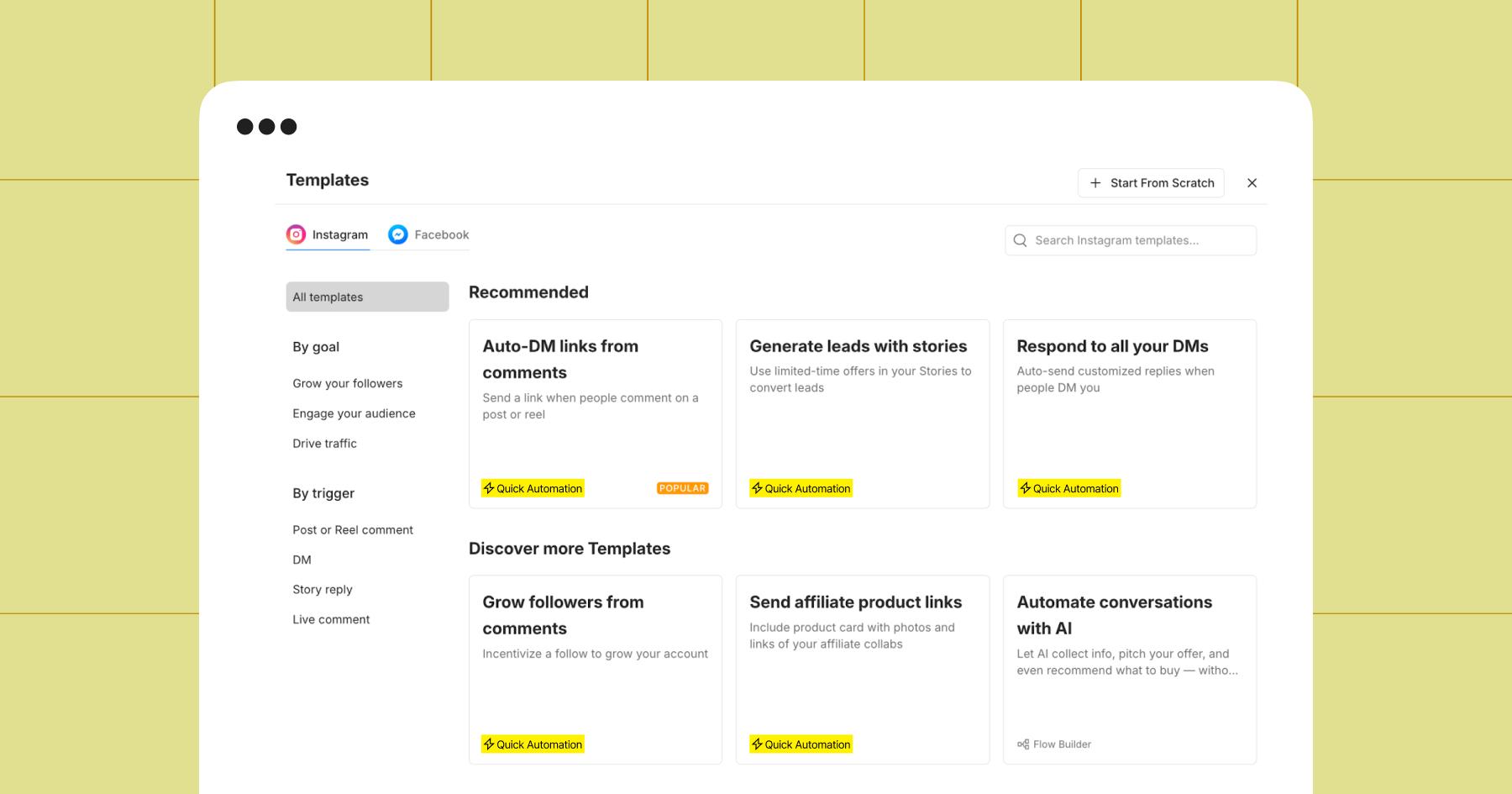
1. Grow followers from comments
The Grow followers from comments automation lets you turn post comments into DM conversations and deliver a promised freebie or link after the person follows you.
This automation is most effective when paired with a clear offer. For example, a fitness creator could make a Reel promoting a new workout plan and use it to turn commenters into followers in exchange for access to the plan.
I set up this Quick Automation for the Chronically Online Magazine Instagram account with just a few clicks. I chose to have it trigger from a post about Manychat’s 2026 Creator Report since that provided a natural link to offer up in return for a follow.
Here’s what that looks like in Manychat:
2. Respond to all your DMs
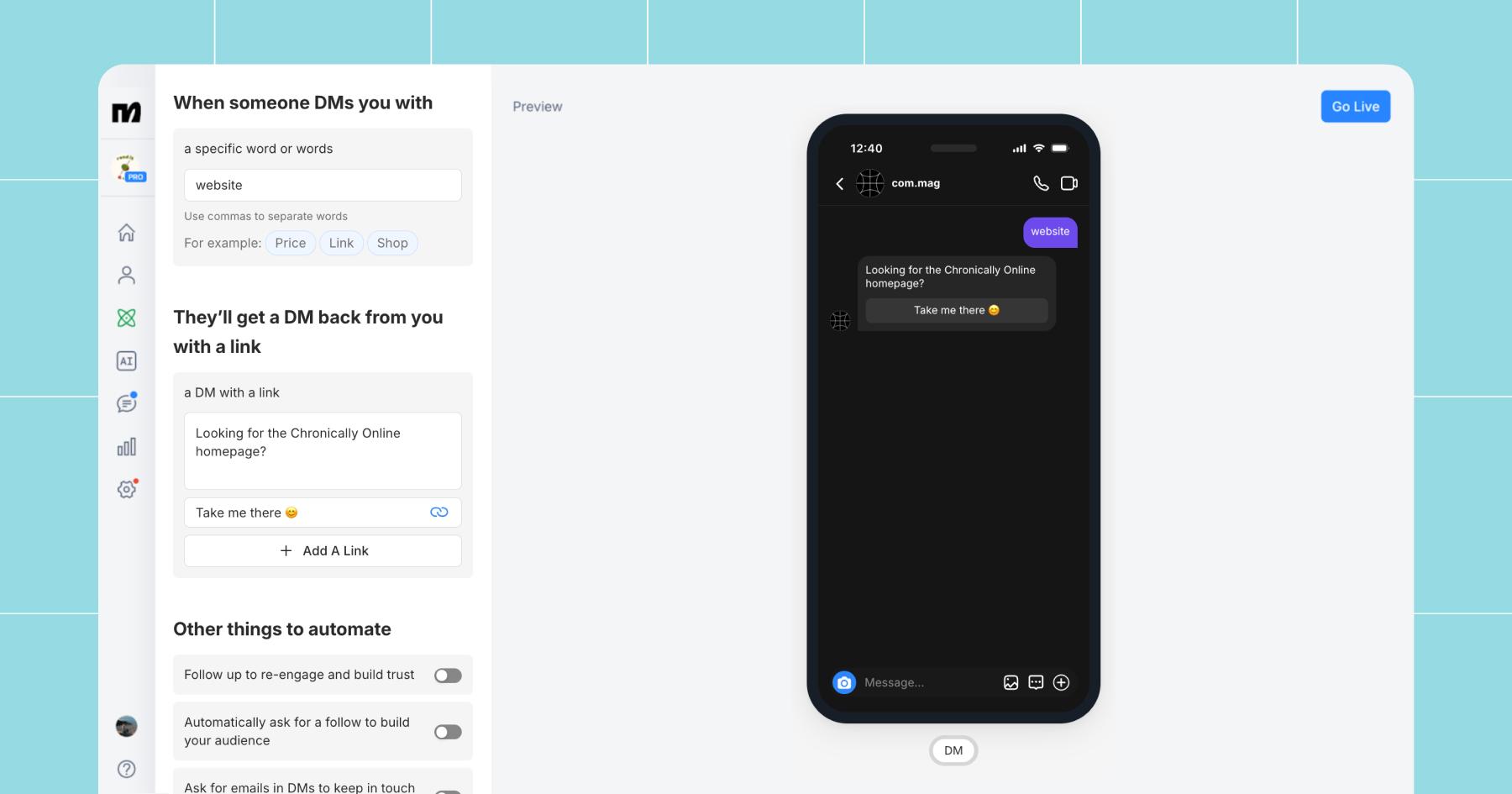
The Respond to all your DMs automation replies to incoming DMs that contain pre-chosen trigger keywords. It’s essentially a fail-safe (like Default Reply), so no message goes unanswered.
If you’re going to use this automation, choose an evergreen keyword that people DM you often.
For instance, if you often get asked about your website, hours, or customer support, each would make an effective keyword. However, the rest of your automation should align with the keyword’s intent, so if you choose “customer support,” the response sent to users should include a link, email address, or phone number they can use to get in touch.
Here’s how I set up Respond to all your DMs for COM:
3. Send affiliate product links
If you monetize via affiliate links, this Quick Automation is for you.
Instead of manually replying “link in bio!” or copying and pasting the same Amazon/LTK link 47 times a day, you can use Send affiliate product links to do all that for you.
This automation is designed to pair with a product-focused post. For example, if you share a Reel featuring your favorite skincare routine, you can ask viewers to comment the word “GLOW” for the complete product list. Then, the automation will instantly DM them your affiliate links — no pasting required.
Creators like Janesha Moore (@janesha.moore) use this Quick Automation all the time.
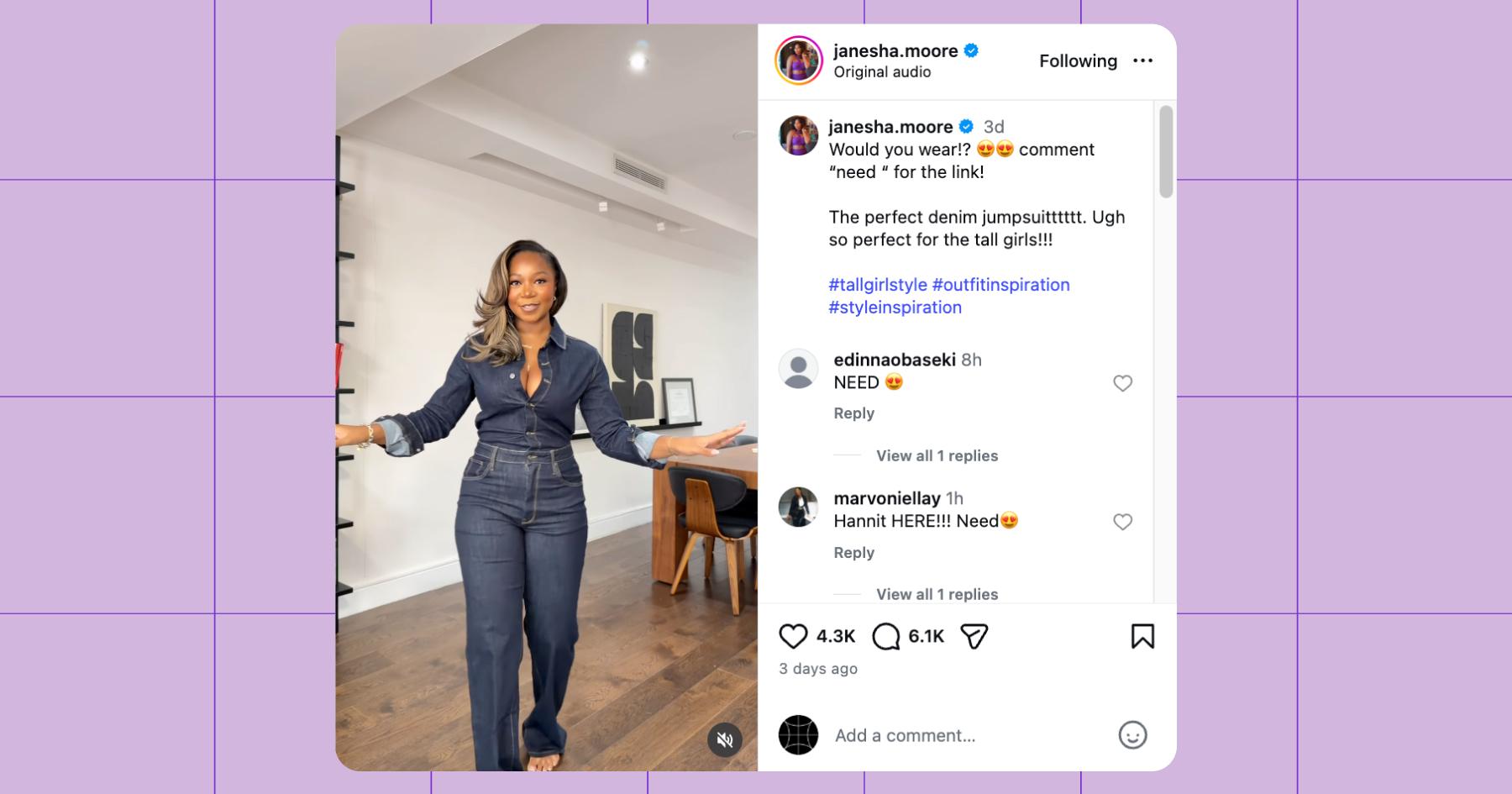
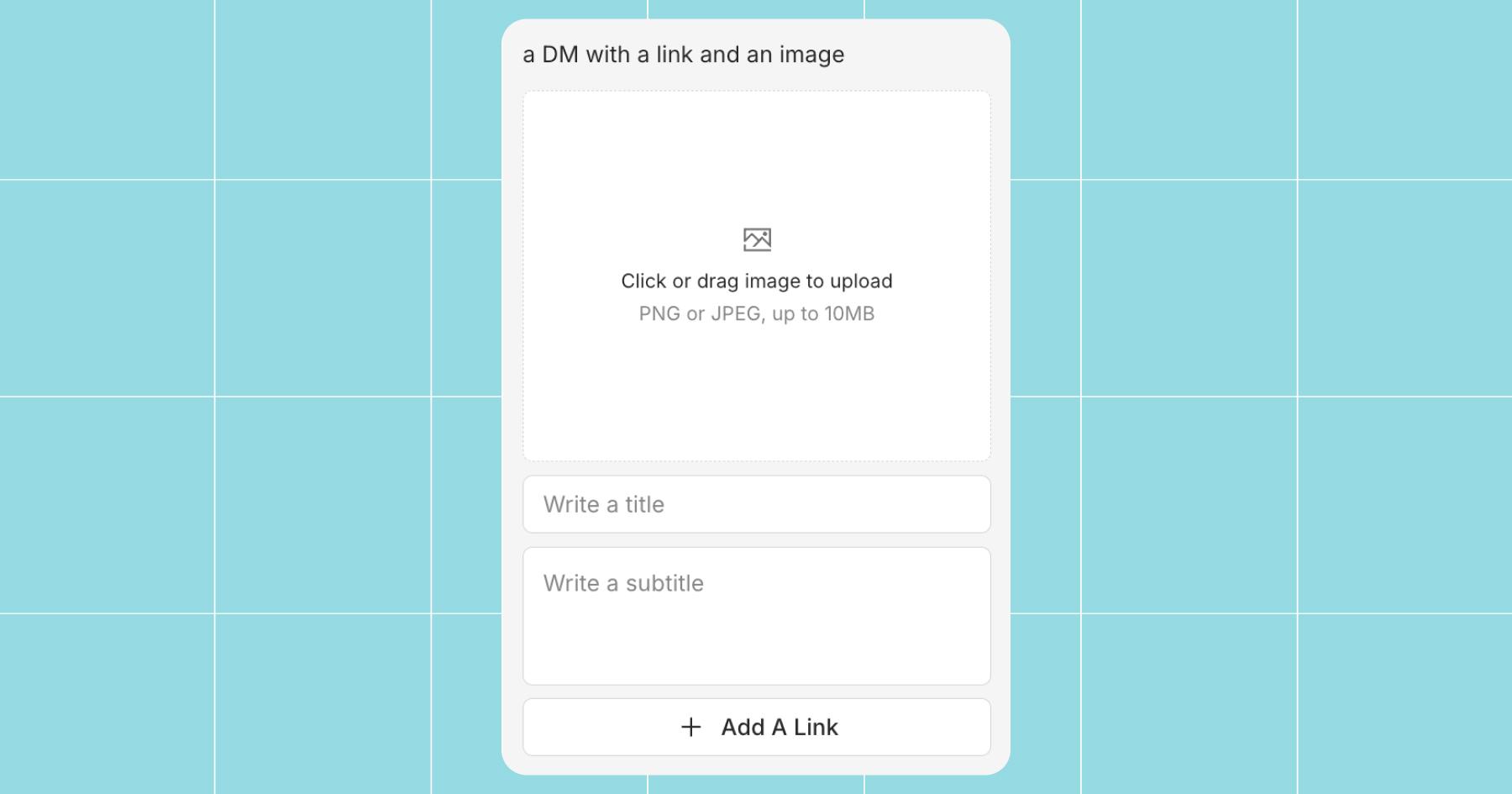
For the most part, this automation works like another Quick Automation (Auto-DM links from comments), but you can include an image and product name in addition to a link.
4. Generate leads with Stories
If you want to grow your email list (or collect phone numbers) without sending people away from Instagram, the Generate leads with Stories template is a great way to do it.
With this automation, all you have to do is post an Instagram Story and tell your followers to DM you a keyword.
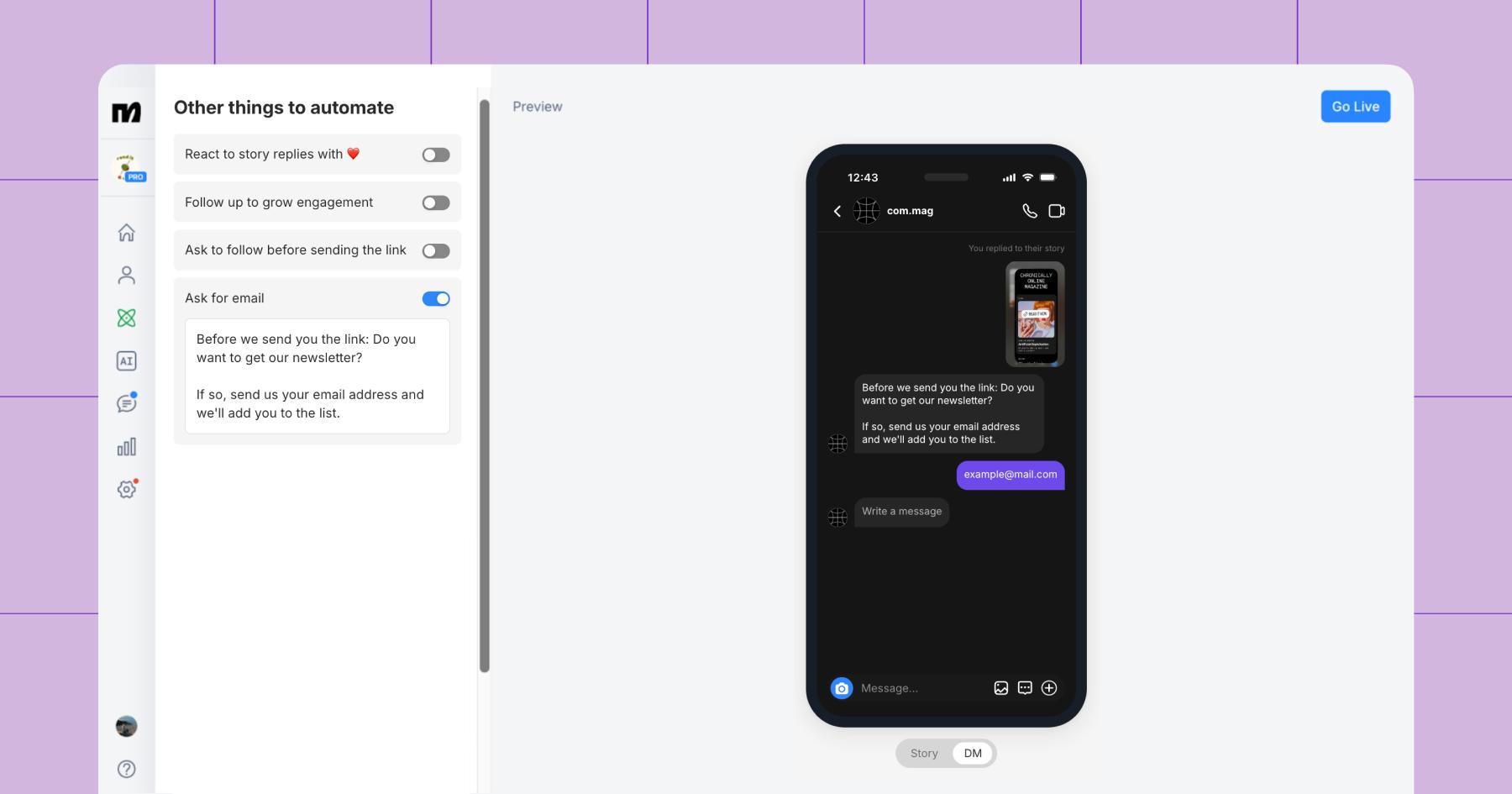
Stories already invite engagement, so this is a way to turn natural interactions into conversions. For example, a creator in the tech space could post a Story saying, “Want my free Notion content calendar? Reply ‘PLAN,’ and I’ll send it to you.” Then they could set up the automation to prompt for an email address before sending the link.
In Manychat, the setup for this automation looks very similar to any other keyword-trigger flow, but the Other things to automate section offers options you can toggle on to request a follow or an email address.
5. Say hi to new followers
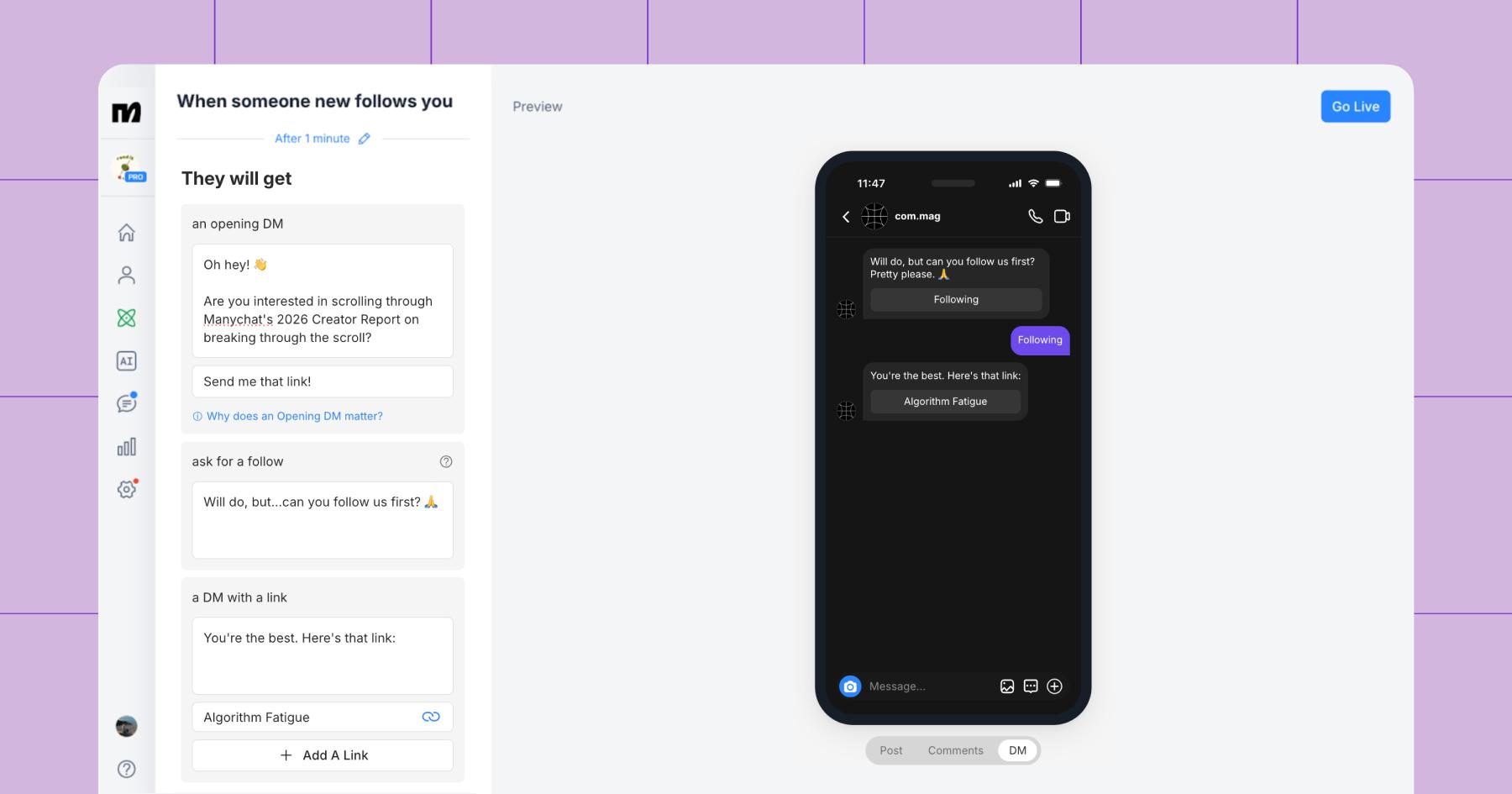
Say hi to new followers, or Follow to DM, is a relatively new Manychat Quick Automation that greets every new follower for you. You don’t need to set up a keyword here — the follow itself is the trigger.
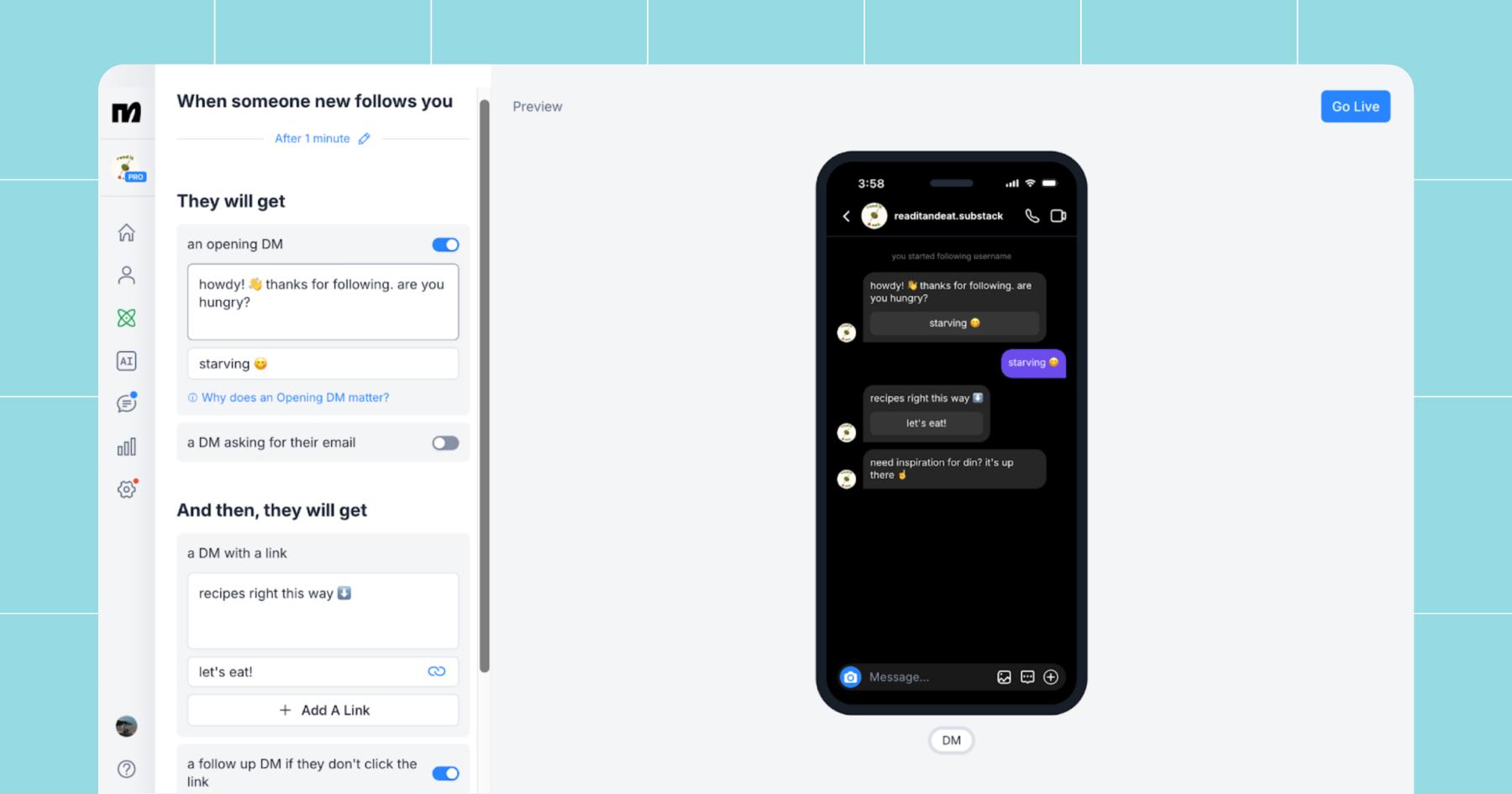
If you want to acknowledge new followers without building an entire funnel, this is how you keep things simple. It’s just a quick touchpoint — one that makes new followers feel seen without overwhelming them.
And while you can add buttons or links to this automation, we recommend turning off the full welcome sequence and skipping the extras. A simple “Hey, thanks so much for following!” is more effective than immediately offering links or actions for them to take.
Set Up Your First Manychat Automation (You Got This!)

Real talk: You don’t need to set up all five of these Quick Automations right now. Just start with one that solves a real need and build from there.
When deciding where to begin, ask yourself:
- What do people already DM me about?
- What link do I send over and over again?
- What post of mine consistently gets comments?
- Do I want more followers, clicks, or leads?
Choose the Quick Automation that relieves your biggest pain point. Then, once you realize it only takes a few minutes in Manychat to save you hours in your notifications tab, you can start getting fancy with advanced flows.
Frequently asked questions
Most creators pick clever keywords rather than practical ones. That’s okay, but your keyword should match the intent of the post and be easy to spell/type. (And don’t forget to consider typos people might make.)
Meta’s 24-hour messaging window means you can only send automated messages within 24 hours of a user’s last interaction (like a comment, DM, story reply, or follow).
If someone falls outside that window, Manychat automatically prevents promotional automated messages from being sent. So you don’t have to worry about accidentally violating Meta’s policies.
Meta’s 24 Hour Rule for DM Automation | Manychat for Instagram
Unfortunately, you can’t maximize all three at once.
– Grow followers from comments optimizes for growth.
– Send affiliate product links optimizes for clicks and sales.
– Generate leads with Stories optimizes for owned contacts.
If you don’t know your post’s goal before turning on the automation, results won’t be as powerful. Your automation must match the goal of that specific piece of content to be effective.



Originally published: Nov 21, 2024
More stories worth reading
More content that's too good to miss