The Best Social Media Analytics Tools for Brands and Creators

So, you’re spending hours every week on your social media strategy — crafting clever posts, obsessing over hashtags, and desperately trying to prove that one funny TikTok you posted somehow ties back to business results.
This is where social media analytics tools come in handy. They turn data into insights so you can understand what’s actually working (and have the receipts ready when your boss asks, “So…is our social strategy working?”). If you want to learn more about how these tools work and which ones work best for creators, keep scrolling.
TL;DR
- Social media analytics tools track what’s working (and what’s flopping) across your platforms so you can adjust your strategy and continue to grow.
- Social media analytics tools range from free native options (Instagram Insights, Meta Business Suite) to paid all-in-one platforms (Sprout Social, Hootsuite).
- When choosing a tool, consider your budget, platforms, and reporting needs.
How Social Media Analytics Tools Work Today

Social media analytics tools are platforms that collect, measure, and visualize performance data from social accounts. Most analytics platforms track a core set of social media metrics:
- Reach and impressions: How many people saw your posts
- Engagement: Likes, comments, shares, saves, etc.
- Follower growth: Is your audience growing, shrinking, or staying at the same number?
- Audience demographics: Things like the ages, locations, genders, and general interests of your followers
- Click-through rate (CTR): The percentage of people who click a link in your post or bio
- Conversion rates: The percentage of users who take a desired action — like buying something or signing up — after engaging with your content
4 types of social analytics
Most social analytics tools don’t just give you one kind of insight — they pull from a few different types of analytics, including:
- Descriptive analytics tell you what happened (your reel got 50k views)
- Diagnostic analytics tell you why (it was posted at peak hours and used a trending audio).
- Predictive analytics forecast what’s likely to happen next (based on your growth rate, you’ll hit 10K followers by next month)
- Prescriptive analytics recommend what you should do about it (post more reels with trending audio on Tuesdays)
Basic tools focus on descriptive and diagnostic analytics — the fancier stuff (predictive or prescriptive analytics) usually lives in enterprise platforms.
How to Pick a Tool Without Losing Your Mind

With so many social media analytics platforms on the market, choosing one can feel overwhelming. Here’s what actually matters when you’re deciding:
- Channel coverage: Look for a tool that supports the channels you’re on, whether it’s Instagram, TikTok, YouTube, Facebook, LinkedIn, or all of the above.
- Reporting and export features: If you need to export reports, make sure you invest in a tool that supports it. Some tools auto-generate PDFs, others (like Instagram Insights) make you screenshot everything.
- Ease of use: Unless you’re a data wiz, you’ll need a tool with a dashboard that’s easy and intuitive to navigate.
- Pricing model: Some tools are free, some charge per social profile or per user, and some have flat monthly rates. Make sure you understand what you’re paying for before you commit.
- Integrations: Does the tool integrate with the rest of your stack? Some platforms have direct integrations; others require you to use a tool like Zapier to connect platforms.
11 Top-Rated Social Media Analytics Tools for Brands and Creators

Some tools (like Instagram Insights or YouTube Analytics) are built directly into the platforms you’re already using. Others, like Buffer or Metricool, help you track performance across multiple channels in one place. And then there are more advanced platforms like Sprout Social and Hootsuite, designed for teams that need advanced reporting and customization.
Below, we’ve broken down 11 of the best social media analytics tools for brands and creators, breaking down what they do, who they’re best for, and how much they cost.
1. Meta Business Suite
At a high level, Meta Business Suite provides a centralized dashboard for analytics on Facebook and Instagram performance. It primarily offers descriptive analytics, with some light diagnostic as well.
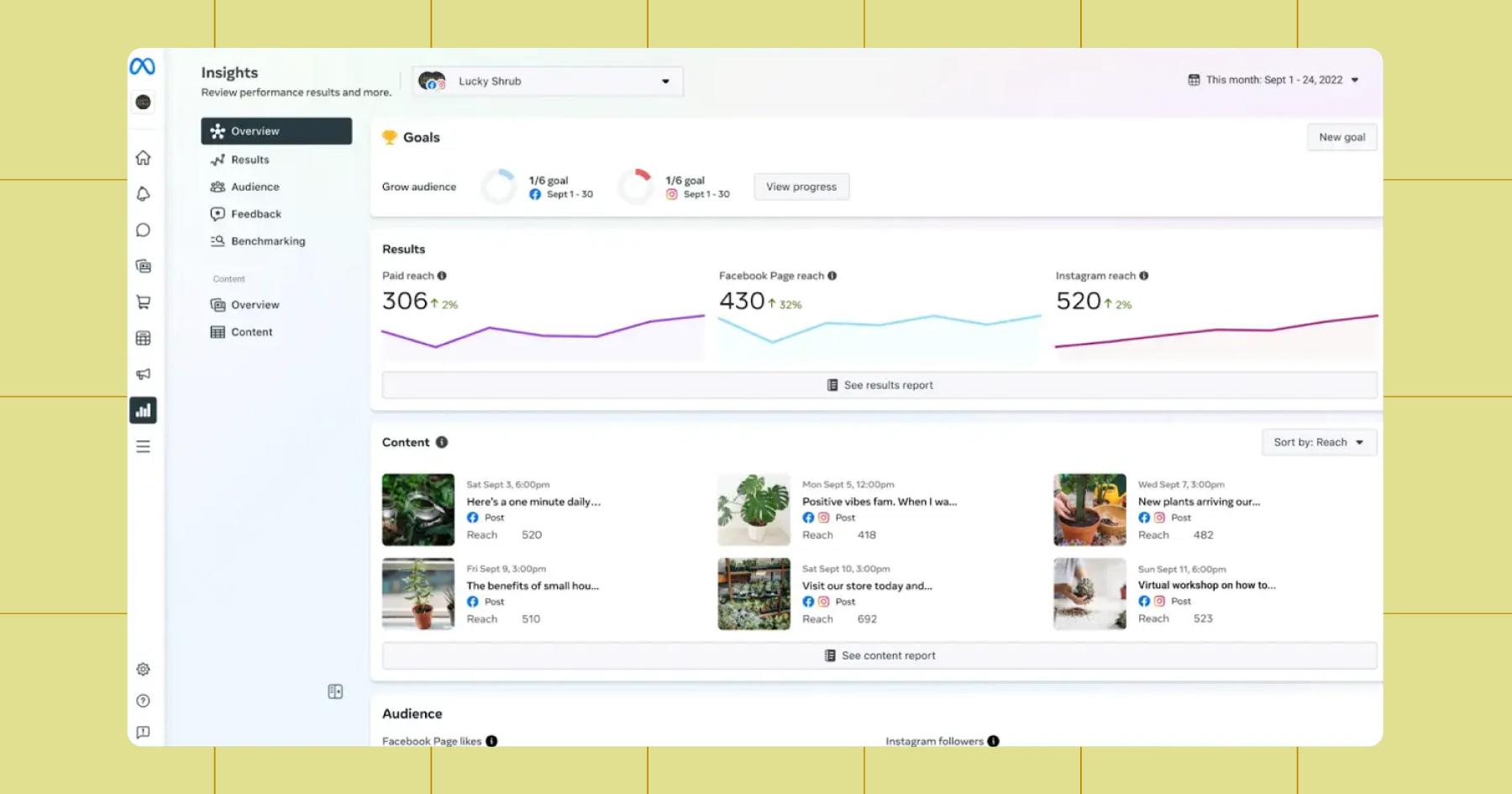
Within Meta Business Suite, tap on the Insights tab to track your post and reel performance — like reach, impressions, engagement, and follower growth. Here, you can also see audience insights such as demographics and when your followers are most active, as well as messaging and engagement metrics, including conversation volume and response rates.
If you’re running ads, Meta offers campaign performance data, like spend, reach, and conversions, so you can track what’s driving results. On top of that, it offers light recommendations (like which content to boost), but these are fairly surface-level.
Overall, Meta Business Suite is best at showing you what’s happening and providing some context for why, but it falls short of deeper forecasting or strategic guidance.
- Price: Free
- Platforms supported: Facebook and Instagram
2. Instagram Insights
Instagram Insights is Instagram’s built-in analytics tool. It’s available to anyone with a Professional account (Business or Creator).
Insights provides data on your posts, reels, and Stories, including views, reach, engagement, saves, and profile activity. You can also set custom date ranges to analyze trends over time, including audience growth and demographics.
For individual posts, Insights shows whether your content led to actions like profile visits or follows, making it easier to understand what drives deeper engagement.
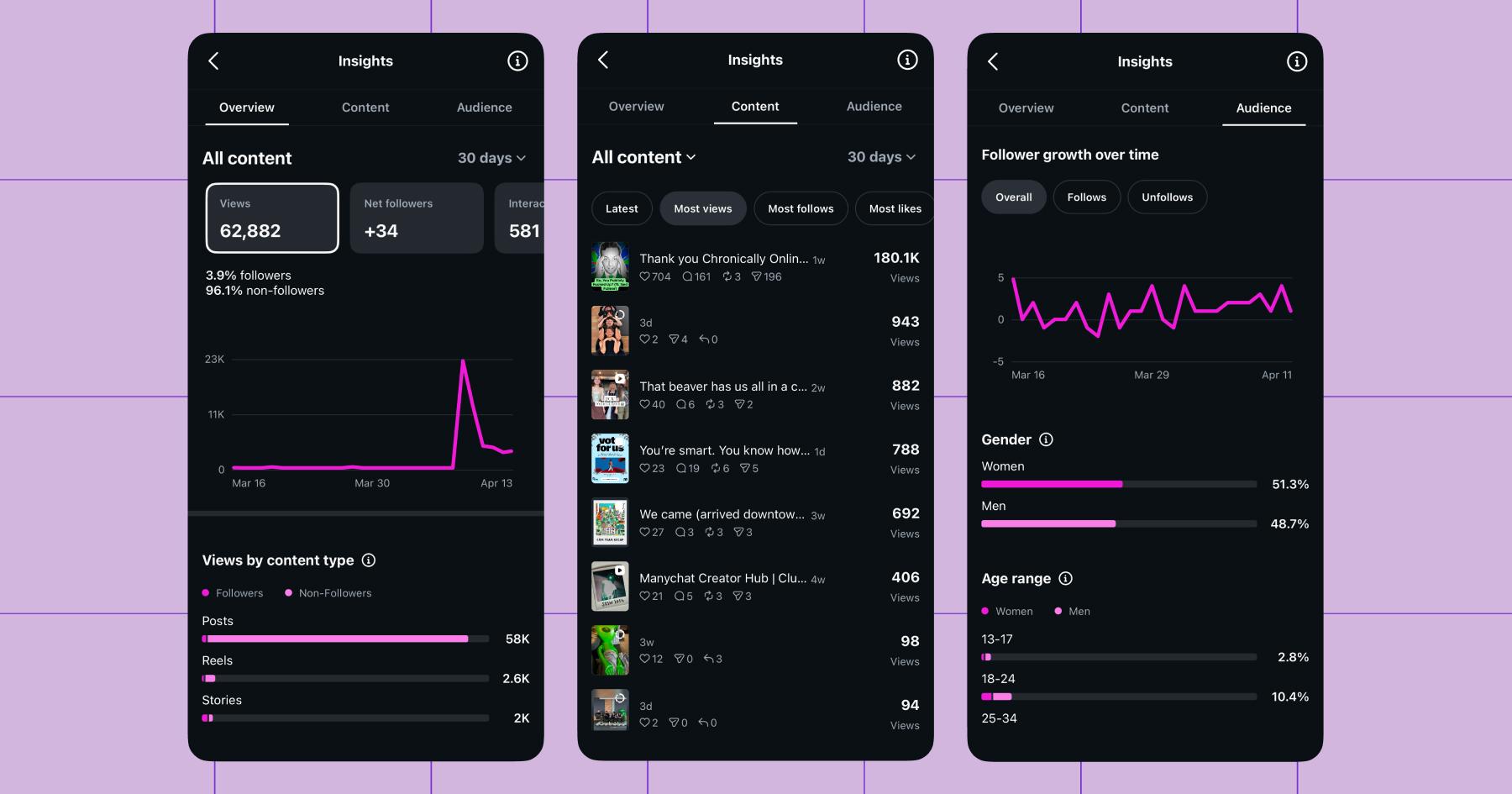
Notably, Insights only offers analytics for Instagram content, so if you’re active on other platforms, you’ll have to use their native tools in addition to Insights or invest in a more comprehensive option that can consolidate data across platforms.
- Price: Free
- Platforms supported: Instagram
3. TikTok Analytics
Similar to Instagram Insights, TikTok Analytics is TikTok’s built-in analytics tool. Anyone with a TikTok account can use it to access data on their videos, including views, watch time, average watch duration, engagement (likes, comments, shares), and follower growth.
You can also track performance trends over time and see when your audience is most active, helping you time your posts more effectively.
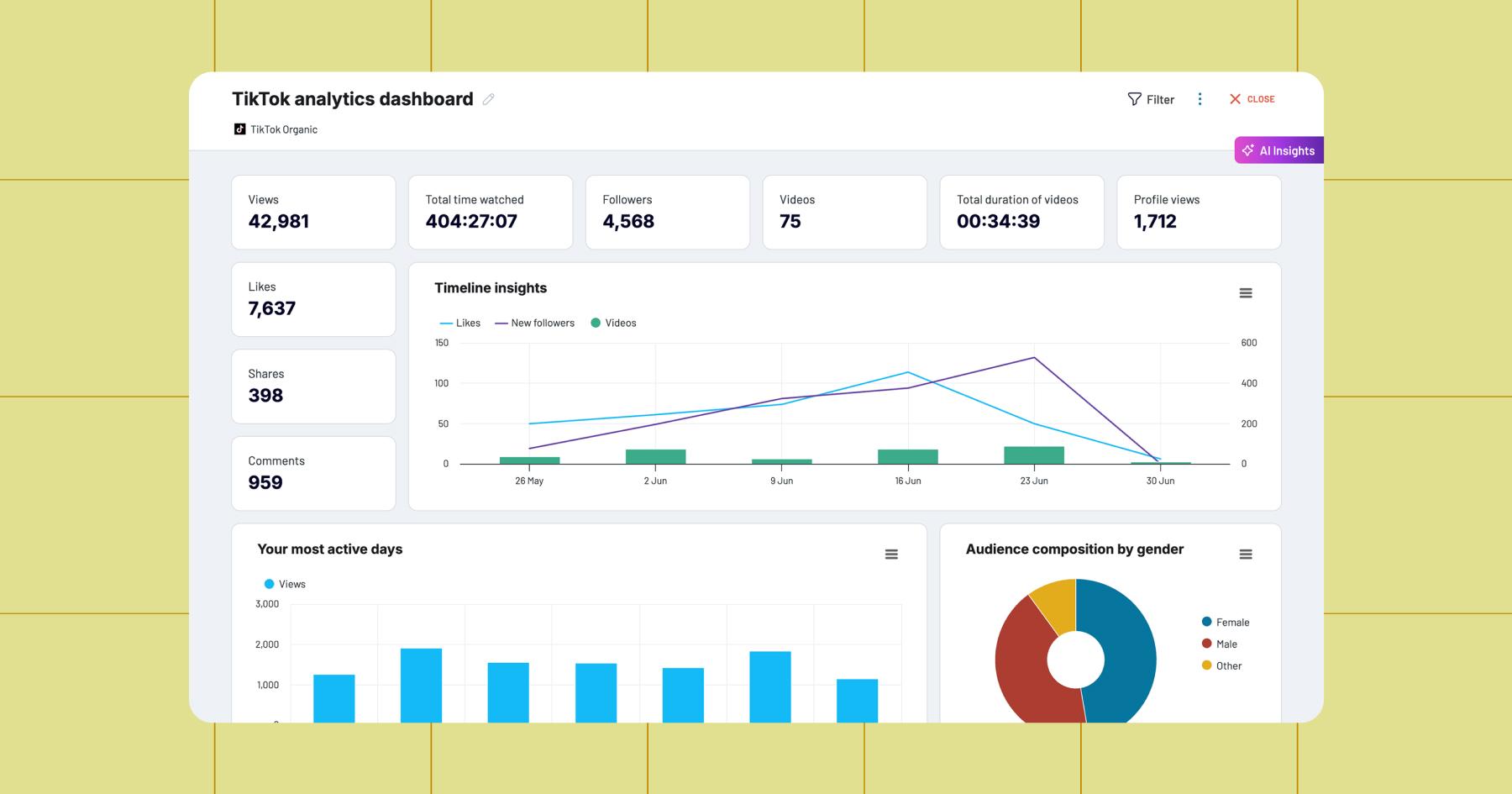
For individual videos, TikTok Analytics shows how viewers found your content (like the For You page vs. profile), along with key signals like completion rate and retention, which are especially important for understanding what performs well on TikTok.
- Price: Free
- Platforms supported: TikTok
4. YouTube Studio
If you’re a YouTuber, you likely already know about YouTube’s native analytics tool (YouTube Studio). It’s one of the most advanced native analytics tools you’ll find on any platform.
You can use it to track everything from impressions and click-through rate to watch time, audience retention, and subscriber growth — at both the channel and individual-video levels. You can see exactly where viewers drop off, which videos drive the most watch time, and how people are discovering your content.
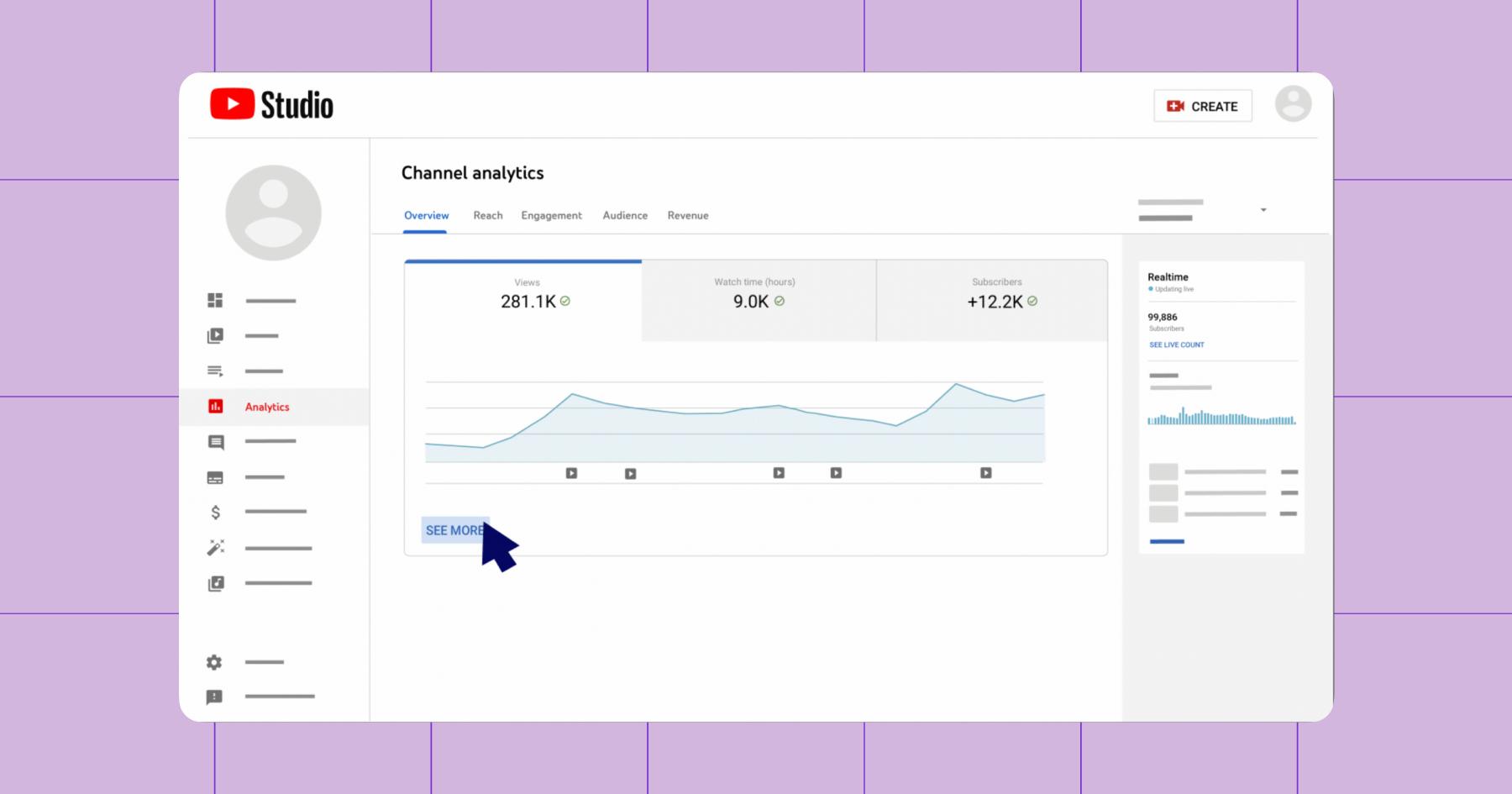
YouTube Studio also has an Audience tab, which shows returning vs. new viewers, subscriber growth, and who’s actually watching your content. Additionally, there’s a Trends tab that allows you to explore what your audience is actively searching for (and then, create the content they want).
- Price: Free
- Platforms supported: YouTube
5. LinkedIn Analytics
LinkedIn’s native analytics tool is built around understanding both your content performance and your professional audience. Anyone can access their LinkedIn Analytics through the Analytics & Tools page.
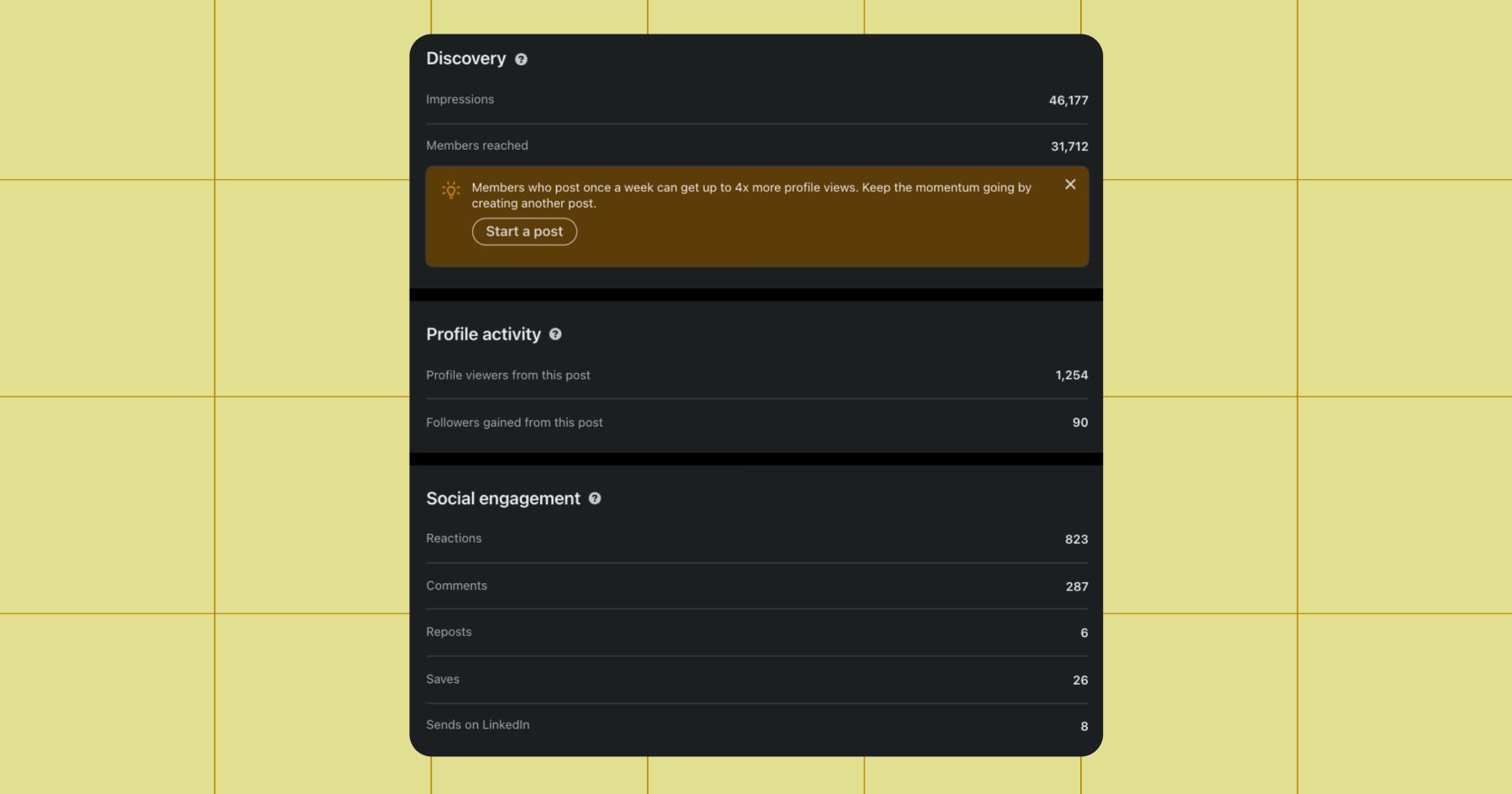
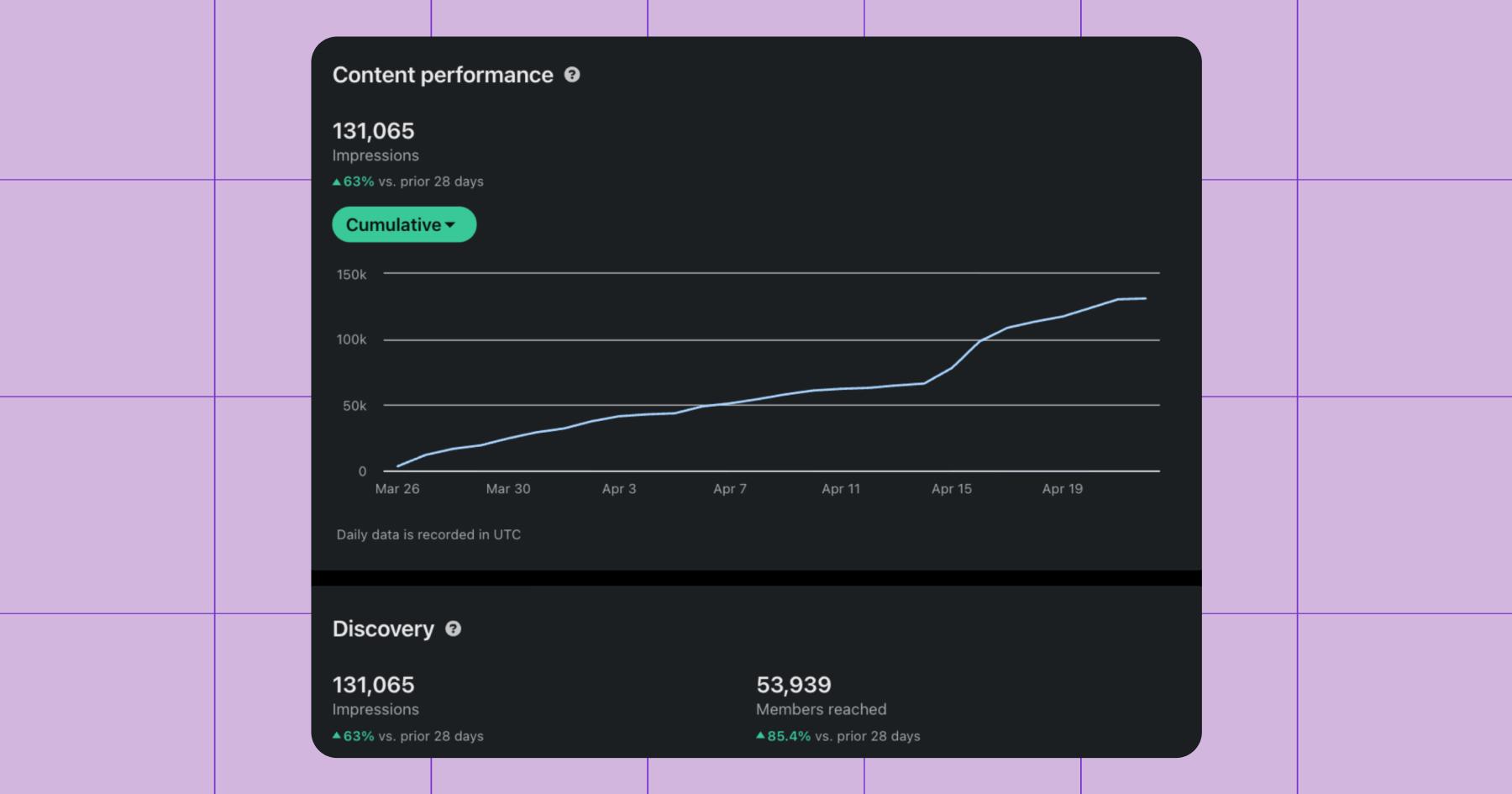
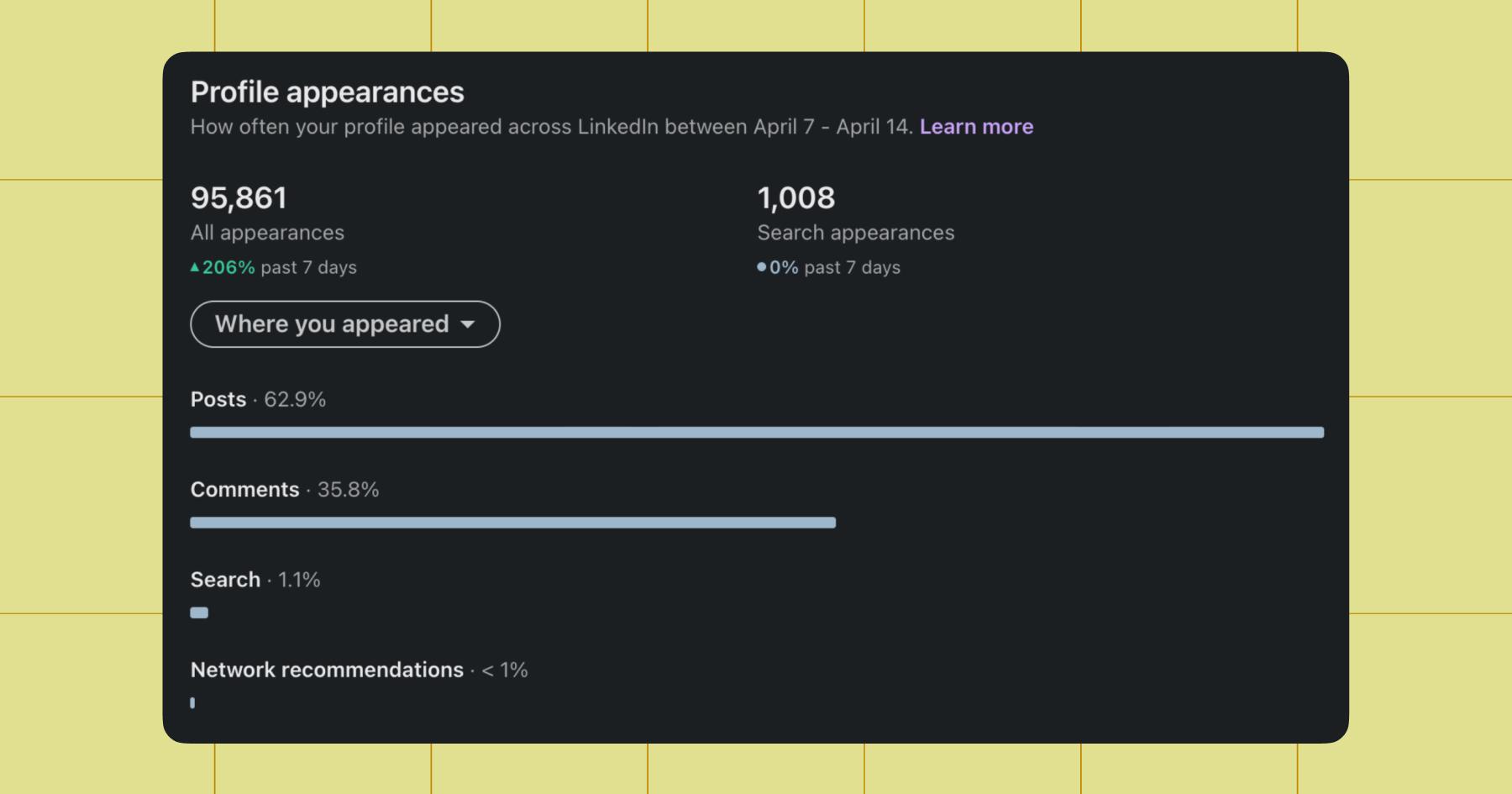
One unique thing about LinkedIn Analytics is how closely it ties content to personal brand growth. You can see how your posts perform and how they drive profile views, follower growth, and visibility within your industry. If you publish a newsletter, you’ll also get access to subscriber and article analytics. If you need inspiration, you can use the platform’s AI-generated post ideas, which are based on your work experience and past activity.
- Price: Free
- Platforms supported: LinkedIn
6. X Analytics (Twitter)
For those of you still posting on Twitter (X), there’s X Analytics. X Analytics breaks performance down across a few key dashboards: a high-level account overview, detailed post performance, and deeper insights for video content.
At a glance, you’ll get an overview of your account performance: trends, top posts, and overall engagement. You can dig deeper into individual posts to see how people interact with them, or analyze video performance to understand how long viewers watch and where they drop off.
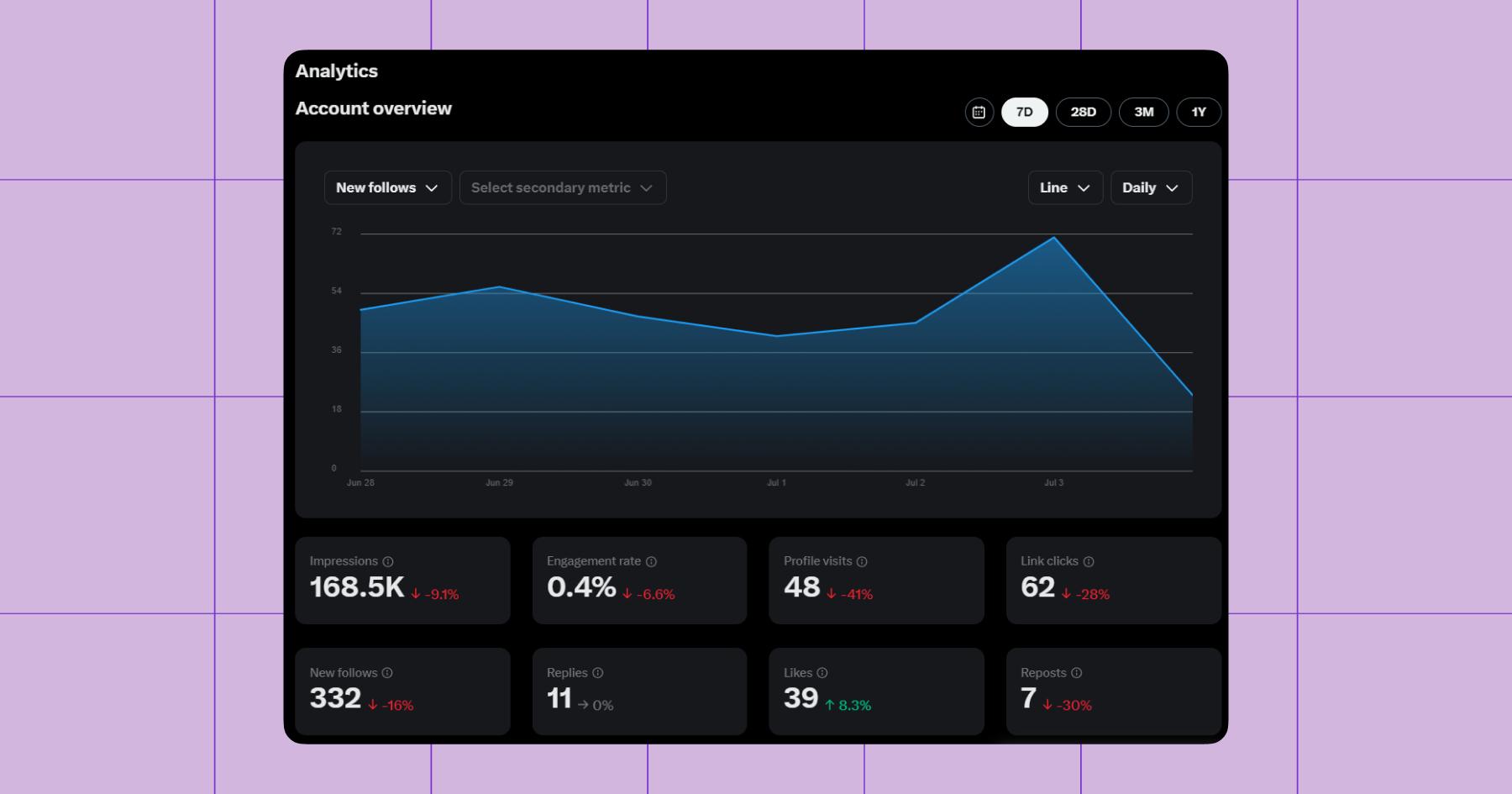
X also provides weekly insights and personalized tips to help you improve performance over time, along with exportable data if you want to dig deeper. Overall, it’s a fast, feedback-driven tool; less about deep reporting, and more about quickly spotting what works so you can iterate in real time.
- Price: Free
- Platforms supported: X
7. Tailwind
Tailwind is a social media analytics tool that supports Instagram and Facebook — but it’s really designed for Pinterest. If Pinterest is not a core part of your strategy, you’ll get more value from another analytics tool. If you do use Pinterest, stick with me.
Tailwind isn’t a traditional social analytics tool; it’s a Pinterest-first marketing platform built to help creators produce, schedule, and scale content more efficiently.
Its core strength is automation. You can design multiple Pins at once, schedule them in batches, and automatically space them out for consistent posting. Features like SmartSchedule and SmartPin take the guesswork out of timing and content creation, while built-in AI tools help generate Pin copy and variations faster.
When it comes to analytics, Tailwind’s reporting features are rather simple. It tracks how your Pins (and Instagram posts!) perform month over month, giving you visibility into engagement, reach, and what’s driving traffic.
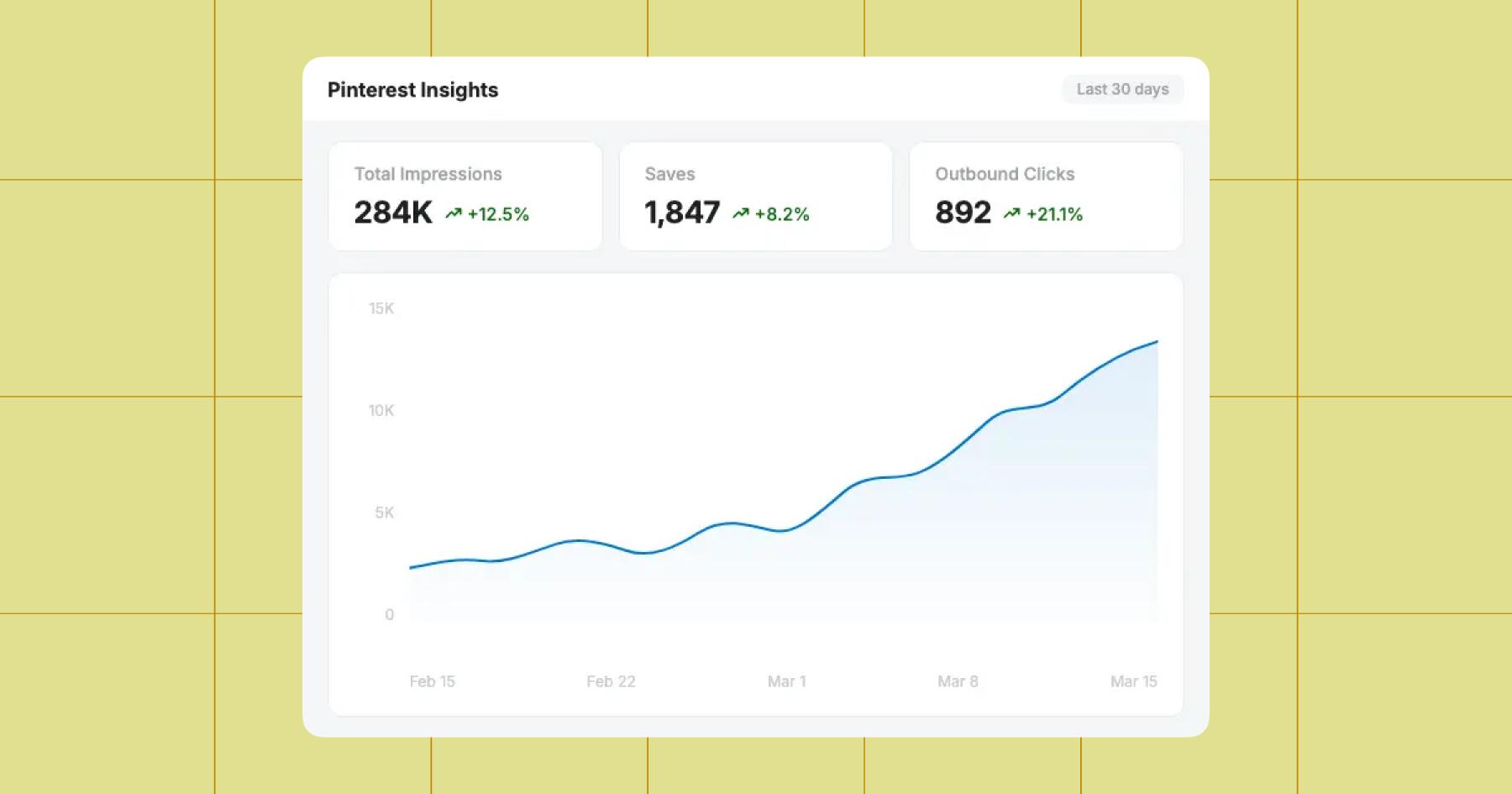
- Price: Basic analytics are available for free
- Pro starts at $17.99 per month
- Platforms supported: Pinterest, Instagram, and Facebook
8. Buffer Analyze
We’ve talked about the best native social media analytics tools thus far, but what about the third-party options? If you’re posting on multiple platforms, you likely need a tool that can consolidate all of that data, and that’s where options like Buffer Analyze come into play.
Buffer pulls data from four social platforms (Instagram, Facebook, X, and LinkedIn) into a single dashboard. You can design your own custom reports and set them up to refresh daily, so you’ll never be left waiting around for insights to generate.
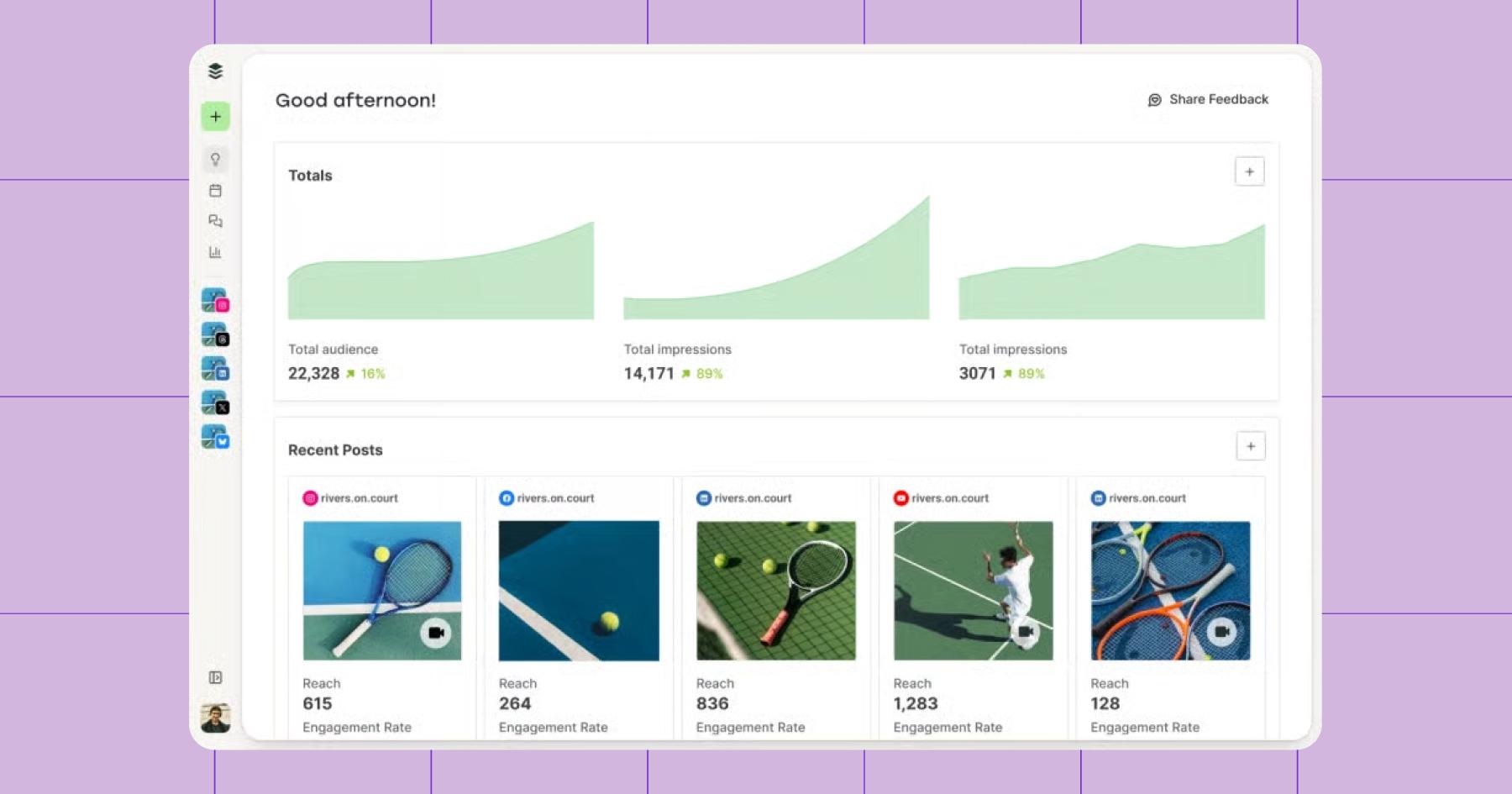
All the typical metrics — impressions, engagement, clicks, etc. — are available, but instead of just showing metrics, Buffer highlights trends like your best-performing content, optimal posting times, and engagement patterns. It’s one of the best options for solo creators and small teams who want simple, actionable insights.
- Price: Basic analytics are available for free for up to three channels
- Essentials plan starts at $5 per month per channel
- Platforms supported: Instagram, Facebook, X, and LinkedIn
9. Metricool
Metricool is an all-in-one social media analytics and management tool built for creators and brands who want a complete view of their performance across various platforms. It’s one of the most popular options for creators outside of native tools.
Instead of just showing platform-specific metrics, Metricool lets you compare content performance side by side — meaning, you can see how your Instagram reels, TikToks, and YouTube Shorts stack up against each other.
You can also track reach, engagement, and follower growth, spot trends over time, and identify which channels or formats are actually driving results.
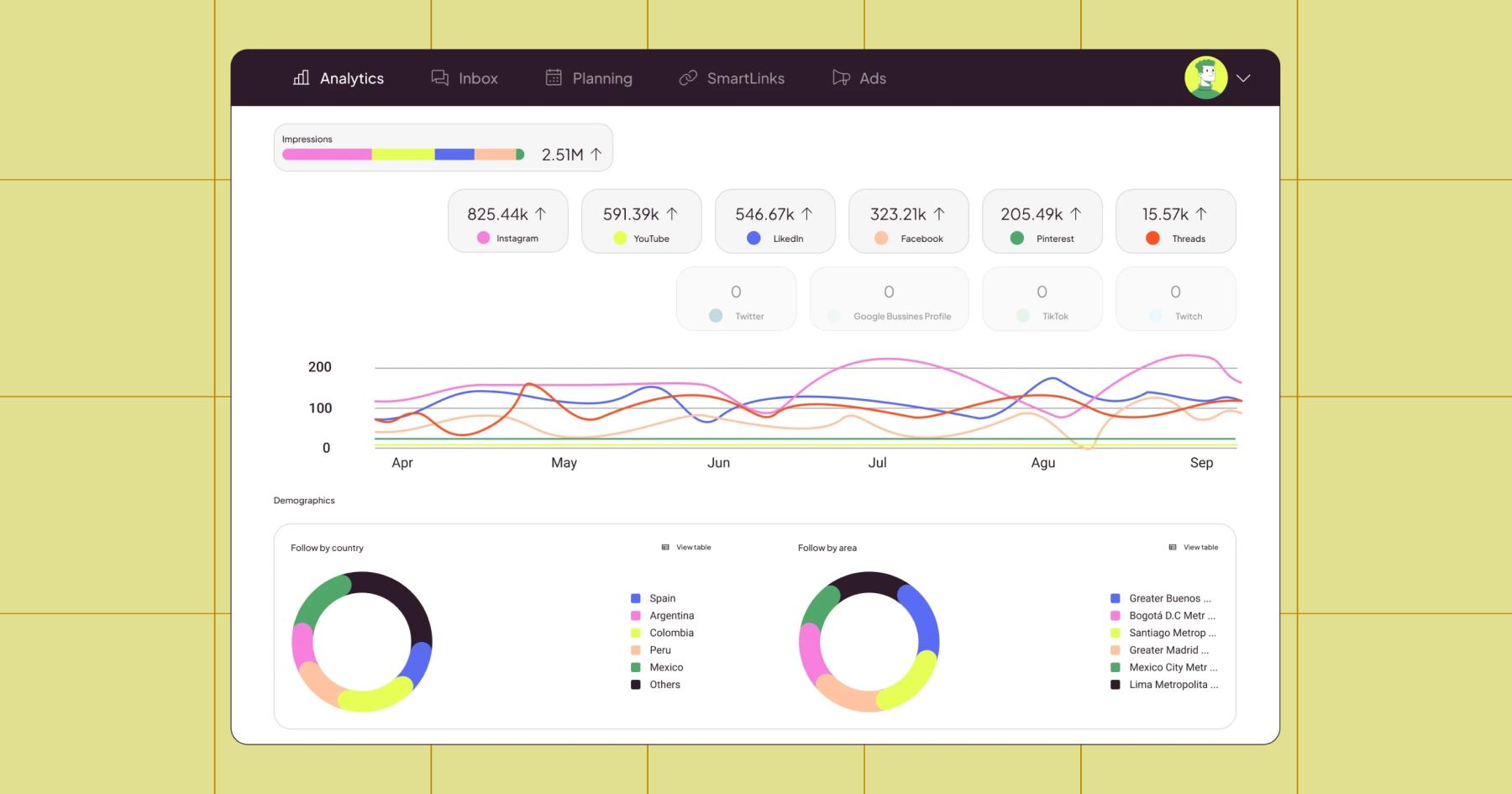
Beyond basic content analytics, Metricool offers competitor tracking, ad performance insights, and even website traffic data. And because everything lives in one place, you can move from analyzing performance to scheduling and publishing content without switching tools.
- Price: Free for one brand; Starter starts at $20 per month
- Platforms supported: Instagram, TikTok, YouTube, Threads, Twitter (X), Twitch, Google Business Profile, Bluesky, Facebook, Pinterest, and LinkedIn
10. Hootsuite Analytics
Hootsuite Analytics is built for teams that want a deeper, more comprehensive view of their social performance across many platforms. It can source data from eight social platforms, including Instagram, Facebook, X, and LinkedIn, giving you access to hundreds of metrics at the post, account, or campaign level.
In Hootsuite, you can build custom dashboards, generate shareable reports, and track performance across organic and paid content in one place. It also lets you benchmark against industry trends and analyze performance.
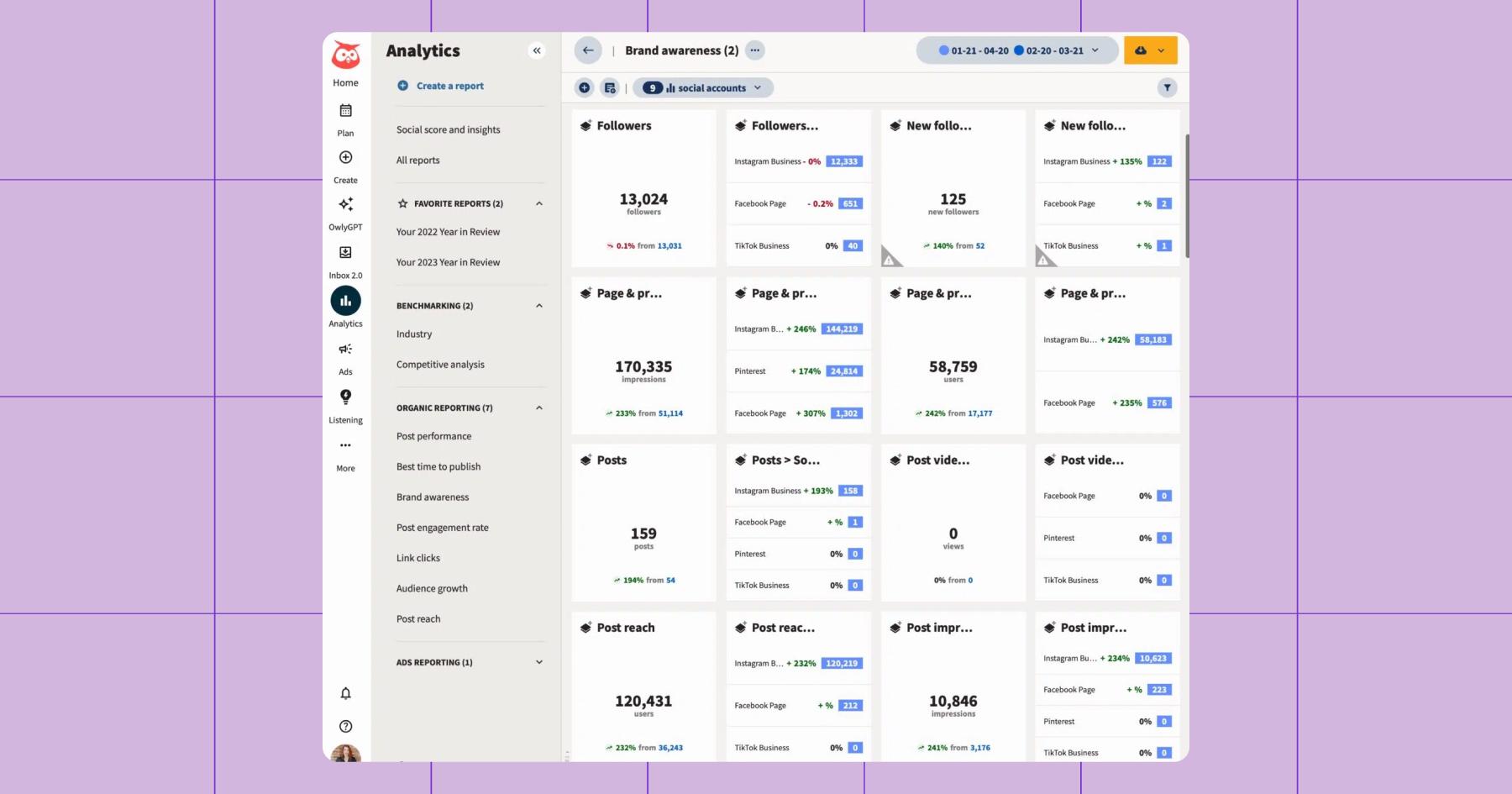
That depth comes with a tradeoff: it’s not the simplest tool to navigate (and it’s definitely not the cheapest option), so it’s often more than solo creators need. But for teams managing multiple accounts — or creators who need advanced reporting — it offers a level of detail most other tools don’t.
- Price: Standard starts at $199 per month
- Platforms supported: Facebook, Instagram, TikTok, X (Twitter), LinkedIn, Pinterest, YouTube, and Threads
11. Sprout Social
Sprout Social’s Premium Analytics tool is one of the most robust social analytics platforms on the market. It’s built for teams that need to connect social performance to real business impact. It pulls in data from a lot of different places — Facebook (Pages/Messenger), Instagram, X, LinkedIn, TikTok, Pinterest, YouTube, Bluesky, Threads, and WhatsApp.
With Sprout, you can build custom reports based on the metrics that matter most to your goals, filter data by content type or campaign, and present insights in clean, shareable formats for stakeholders. It also layers in AI-powered summaries to help you quickly identify key takeaways and trends (no excessive scrolling required).
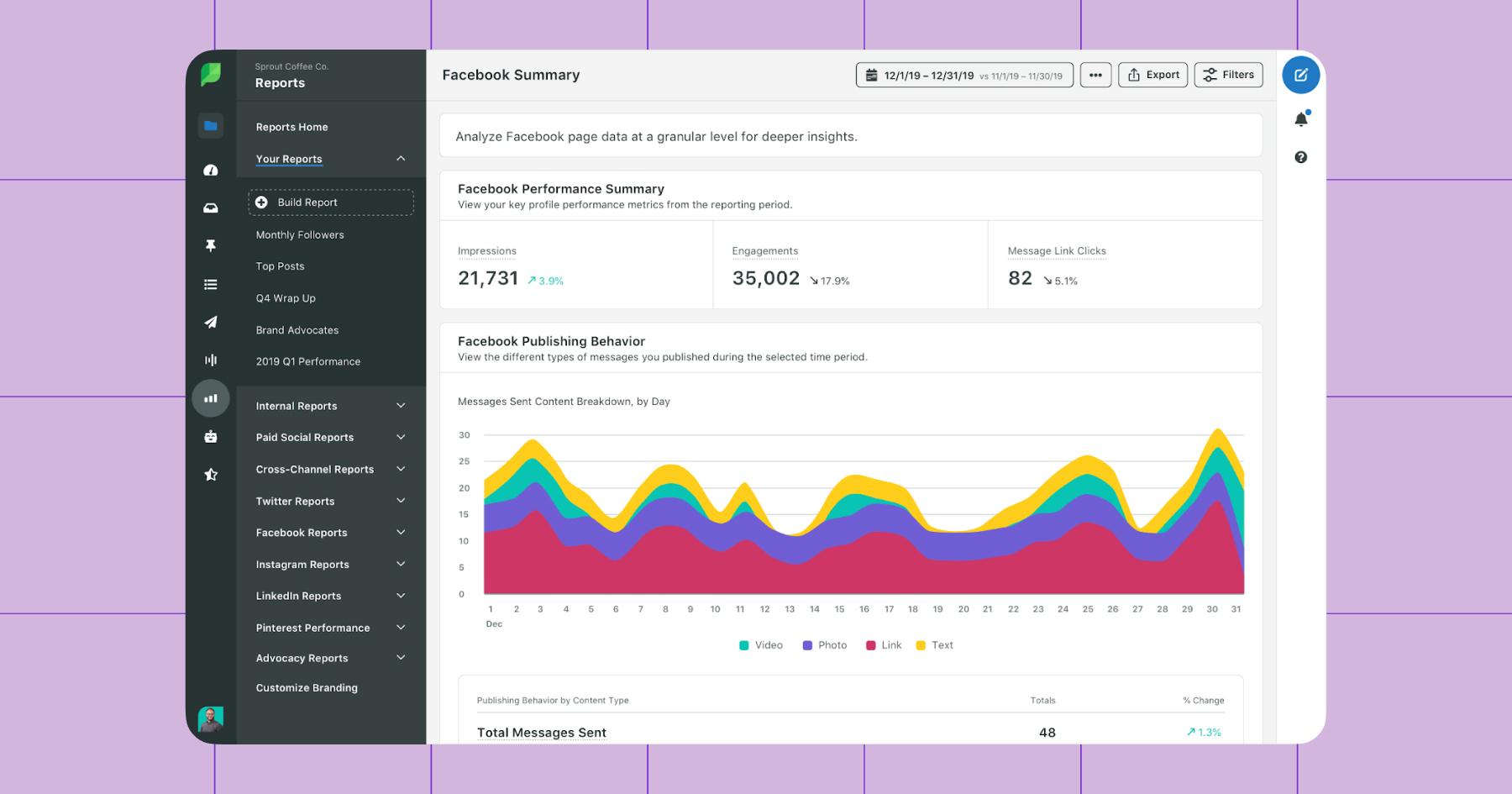
Like Hootsuite, it’s a powerful, expensive tool better suited to teams and agencies than to creators who just need quick insights.
- Price: Standard starts at $199/month
- Platforms supported: Facebook, Instagram, X, LinkedIn, TikTok, Pinterest, YouTube, Bluesky, Threads, and WhatsApp
Don’t Like What The Data Says?

Let’s say you sign up for a tool, connect your accounts, open your dashboard, and you’re…not impressed. Click-through rate is low, engagement is down, and conversions are more of a concept than a reality.
Well, there’s another tool you can use to help the situation: Manychat. (And yes, it’s free.)
With Manychat, you can set up automations to manage your comments and DMs. No more typing out “check the link in my bio” a million times, no more missed messages — just people getting what they want, when they want it. Learn how to get started in less than seven minutes:
Frequently asked questions
Social media analytics tools are software platforms that collect, measure, and visualize performance data from your social media accounts — things like engagement, reach, follower growth, and conversions — so you can see what’s working and what’s not. They range from free, built-in options (like Instagram Insights) to paid platforms that pull data from multiple channels into a single dashboard.
The four types of social analytics are:
1. Descriptive (what happened)
2. Diagnostic (why it happened)
3. Predictive (what’s likely to happen next)
4. Prescriptive (what you should do about it)
Most tools focus on descriptive and diagnostic analytics, while predictive and prescriptive features tend to show up in more advanced or enterprise-level platforms.
Native analytics from Instagram, X, and TikTok cover the basics: post performance, audience demographics, and recent trends. A paid tool becomes worth it when you manage multiple platforms, need cross-channel reporting, or want features like competitor benchmarking, historical data beyond 90 days, and automated report exports.
A weekly check is the sweet spot for most creators and small businesses; frequent enough to spot trends and adjust your content strategy, but not so frequent that you’re reacting to every tiny fluctuation. Monthly deep dives are useful for bigger-picture reporting and strategy shifts.
Yes; tools like Sprout Social and Rival IQ let you benchmark your performance against competitors by comparing engagement rates, posting frequency, audience growth, and content types. Some tools even provide industry-wide benchmarks so you can see how you stack up against your entire vertical, not just individual competitors.



Originally published: Nov 25, 2024, Updated: May 6, 2026
More stories worth reading
More content that's too good to miss