New Manychat Features You’ll Actually Want To Use: PDFs in DMs, Inbox Updates, and More

There are product updates, and then there are product updates that make you want to sit up, crack your knuckles, and start doing slightly unwell things to your automations.
This is the second kind.
Our latest What’s New in Manychat webinar pulled in around 350 attendees, and 93% said it was very relevant. The demos hit. The use cases hit. The Q&A hit. The Manychat team showed up ready to explain the new stuff without making it sound like a tax form.
And the theme running through the whole session was simple: Show up at the right moment, with the right message, in the right place, without losing your mind trying to keep up.
Your audience is not politely waiting in one neat little lane anymore. They’re in your comments. They’re in your DMs. They’re tapping stories, replying late, resurfacing out of nowhere, and generally behaving like the internet. Your job is to match the moment without becoming a full-time notification hostage.
So if you missed it live, or if you joined and blacked out somewhere between “send PDFs in DMs” and “oh wait, the Inbox is actually hot now,” here’s the recap.
Send PDFs in DMs, Because Links are Tired
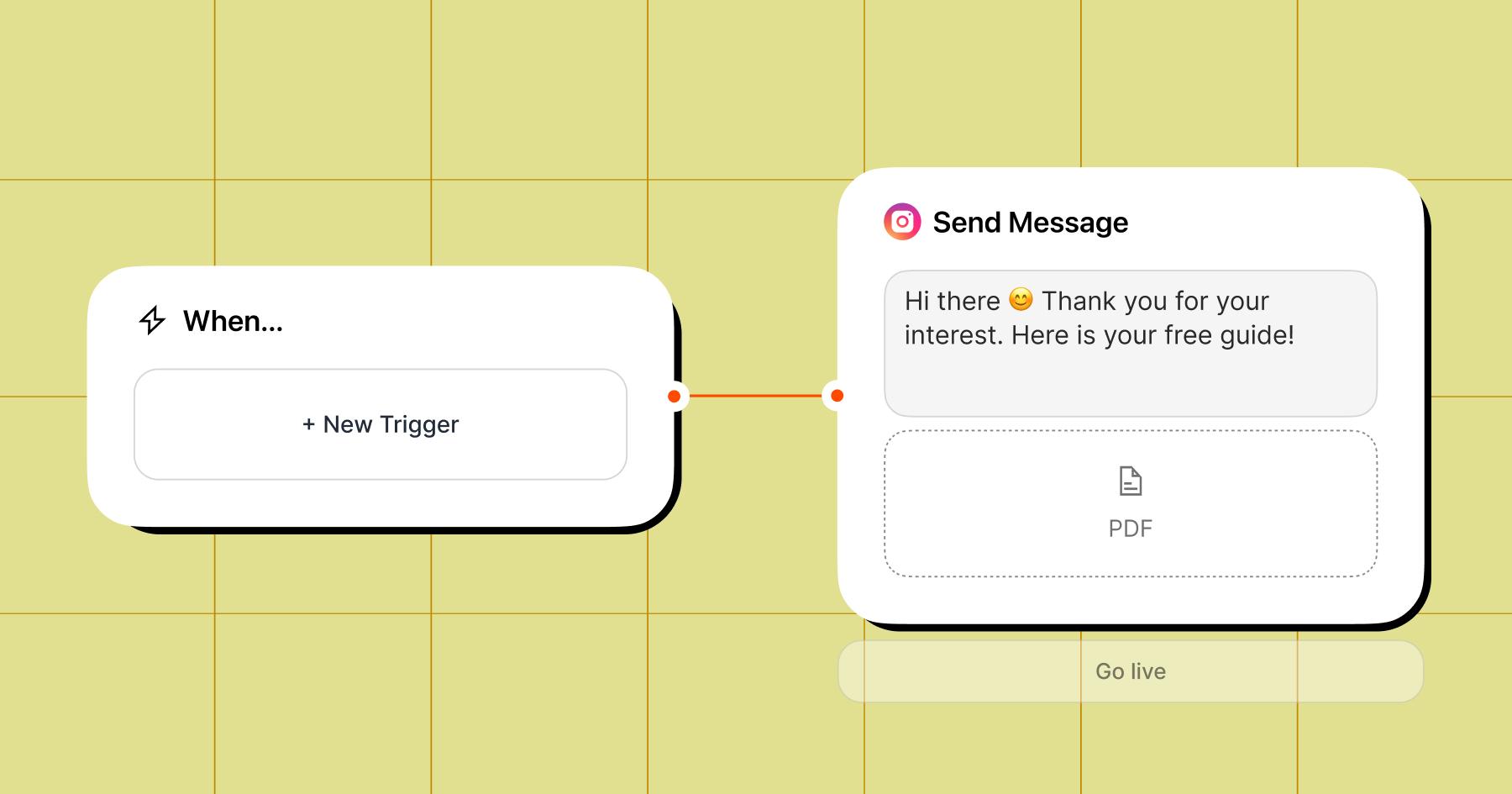
You can now send PDFs directly inside DMs.
That means no weird detour to a landing page. No “check your email,” or duct-taped workarounds involving text blocks or third-party tools. From now on, when someone expresses interest, you send the asset right there in the conversation.
This is huge if your business runs on value drops.
Think:
- fitness coaches sending meal plans
- creators sending guides, checklists, or mini-workbooks
- educators sending webinar notes or free resources
- fashion brands sending lookbooks
- literally anyone with a lead magnet that deserves better than a crusty link-out experience
This feels more premium. More “oh damn, they actually sent it.”
The team also showed how to pair PDF delivery with email collection, turning a freebie into an actual lead-gen engine rather than a random act of generosity floating through the void. Ask for the email first, then deliver the PDF.
Clean. Simple. Sneaky smart.
Inbox Updates That Make Your DMs Feel Less Like a Landfill Fire
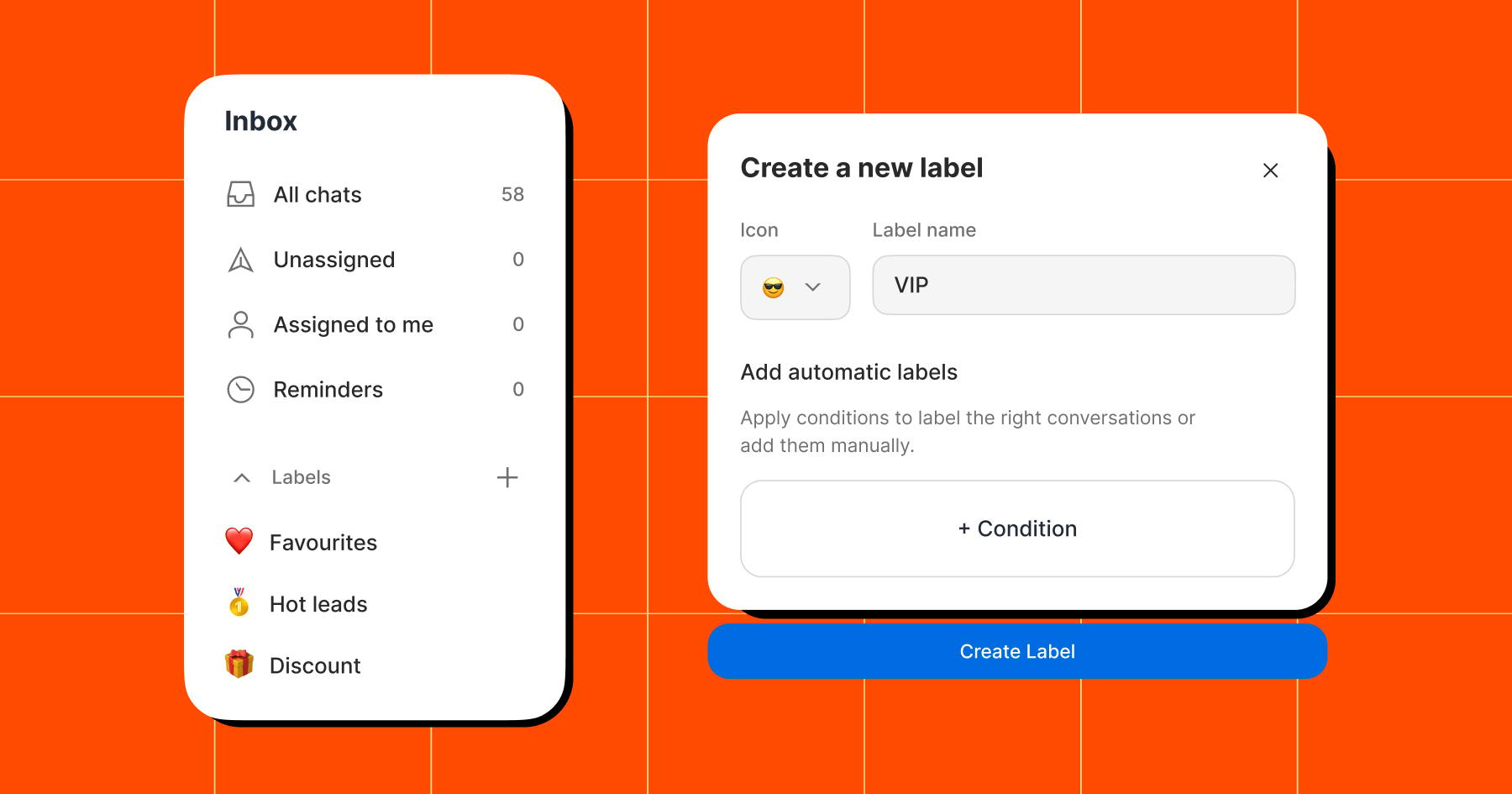
If your messages currently look like a digital junk drawer (half leads, half memes, half unanswered opportunities, which is three halves, but feels emotionally correct), you’ll love to hear that Manychat Inbox got meaningful updates, and the goal is obvious: help you stop fumbling high-intent conversations.
The big wins here are filters, labels, and reminders.
With the new Inbox setup, you can sort conversations with much greater precision: open chats, closed chats, unread chats, oldest chats, and channel-specific chats.
But the real juice is in labels.
You can now categorize conversations in a way that actually reflects how your business works. High-intent leads. Collab requests. VIP customers. Hot prospects. Whatever matters to you. Even better, you can connect these labels to automation logic, which means Manychat can help sort people into the right buckets based on their behavior.
This matters because not every DM is equal. Some are casual. Some are curious. Some are one click away from buying. Inbox labels help you spot the difference faster.
Then there are the reminders, which are deeply useful for anyone whose brain occasionally exits the building mid-conversation. You can set follow-up reminders right inside the Inbox so you don’t forget to reply before the window closes. It is an excellent feature for busy teams, solo operators, and anyone who has ever thought, “I’ll respond in ten minutes,” only to resurface four business days later.
Honestly? We love a feature with survival instincts.
The New Home Tab, a.k.a. Your Command Center
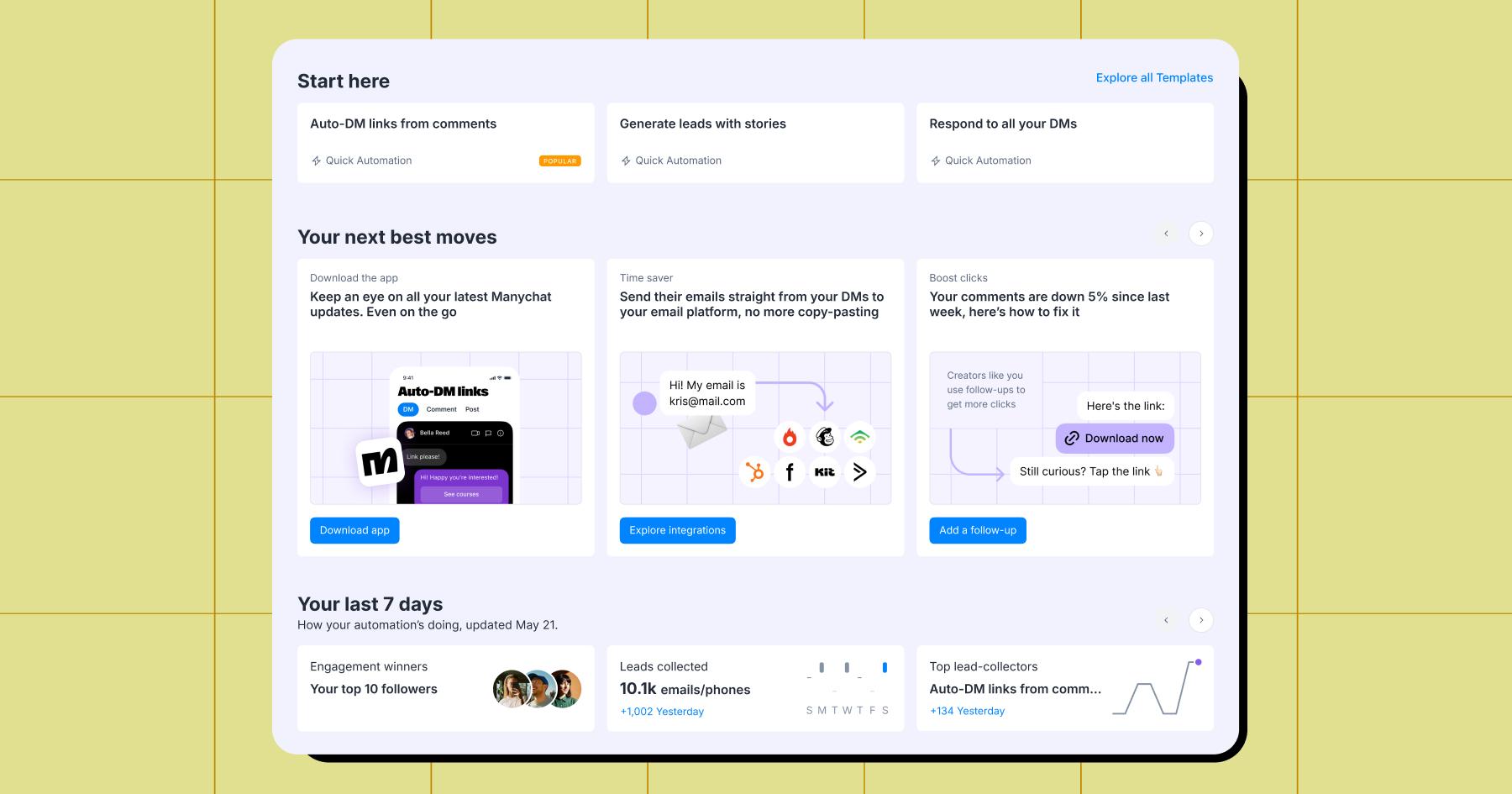
The new Home Tab got a major glow-up, and it’s trying to solve a very real problem.
Many people can see what individual automations are doing, but they can’t always see the bigger picture without poking around like they’re trying to break into their own house.
The updated Home Tab changes that. Instead of just being a place you pass through on your way to somewhere more important, it’s now built to help you understand what’s working, what needs attention, and what you should do next.
Think less wandering, more signal.
One of the most useful additions is the “your next best move” section. This area uses your account activity and performance data to suggest actions based on what’s actually happening in your business. So if engagement is dipping, if a feature is underused, if a certain path is outperforming the rest, the Home Tab can surface that and point you toward the next move without forcing you to play forensic analyst.
The Home Tab also makes it easier to track useful performance signals across your account, including things like:
- top-performing automations
- follower and audience insights
- time saved through automation
- lead collection performance
- opportunities to improve what’s only partially automated
Why ask “how’s everything doing?” in the vague, spiritually exhausted sense, when you can actually see where the momentum is and where to press harder?
And Yes, Marketing Messages on WhatsApp Are in the Building
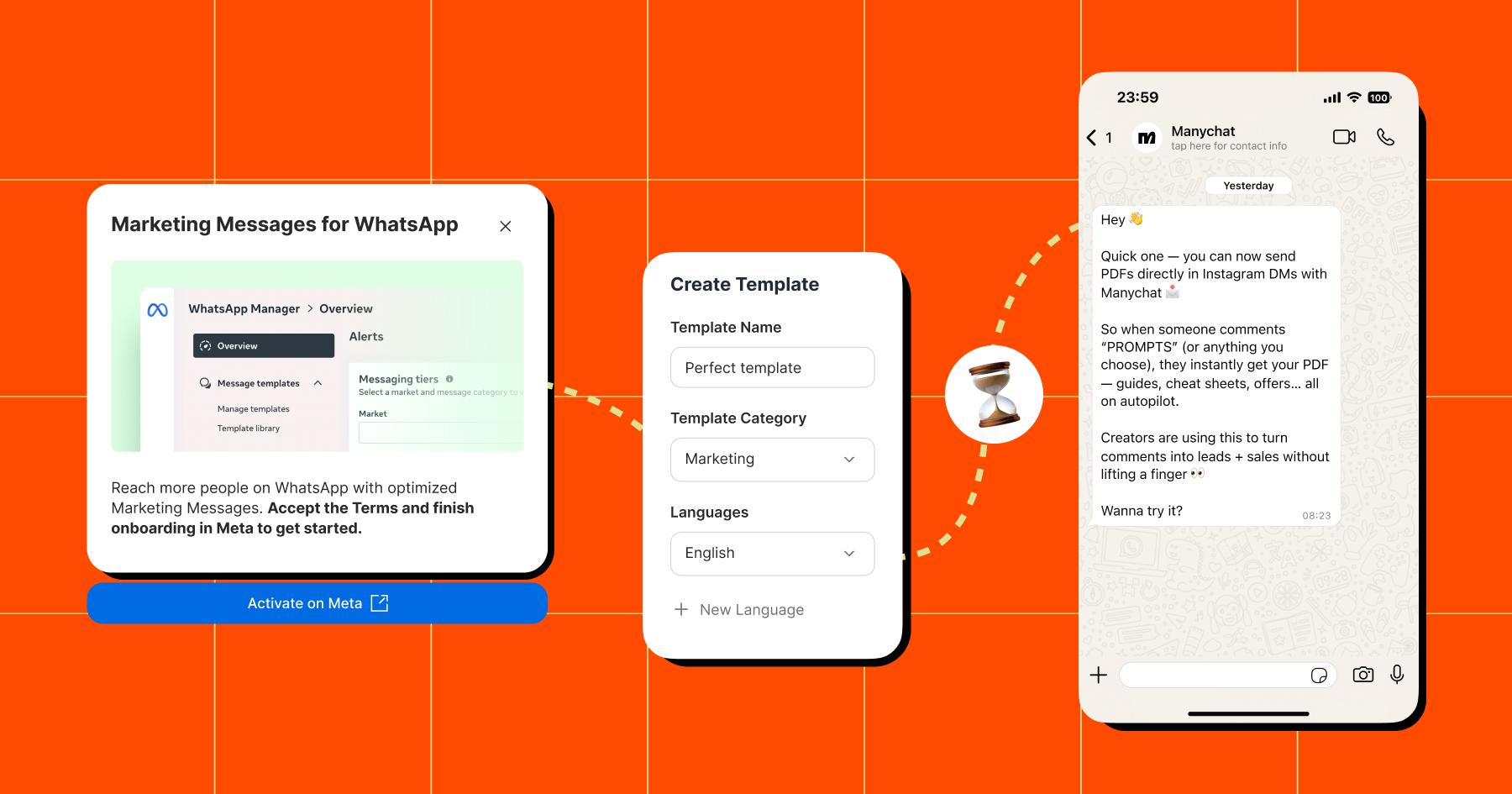
This update is all about helping businesses reconnect with their audience on WhatsApp in a way that is scalable, personal, and, most importantly, easier to set up. Promotions, campaigns, updates, seasonal pushes, product drops; think things that need to go out beyond the 24-hour window without feeling spammy.
The Manychat team walked through how the updated setup works and how businesses can use it to send targeted messages to segments of their audience, with stronger deliverability and a smoother workflow.
Naturally, the point is not to blast every number you’ve ever touched with a bargain-bin promo on a Wednesday afternoon. We want you to use WhatsApp like a grown-up: message the right people, with relevant offers at the right time.
There were several examples during the webinar around campaign use cases, personalization, template setup, and what smarter re-engagement actually looks like in practice.
The Short Version, for the Beautiful Freaks Who Scrolled
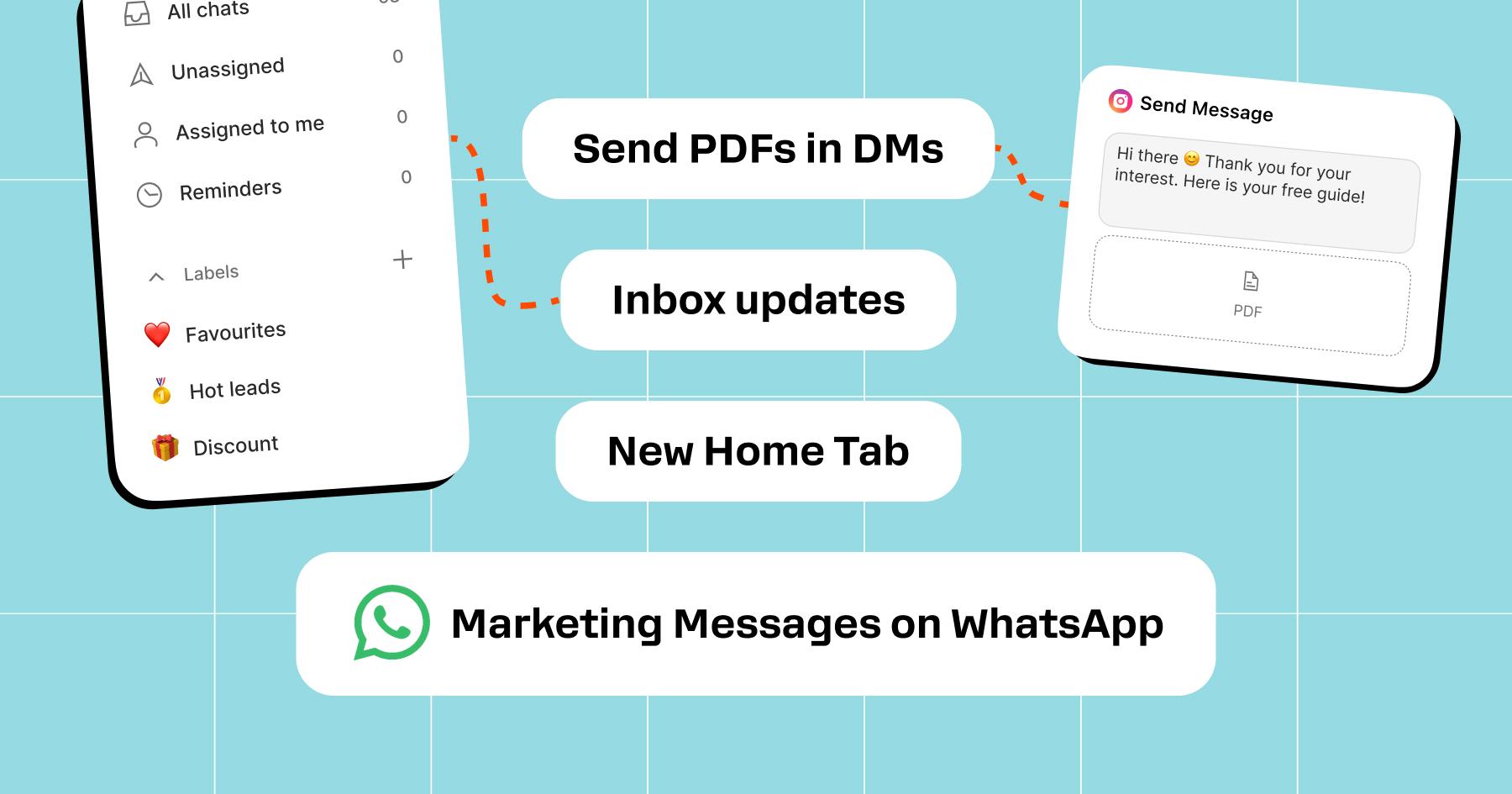
Here’s what’s new with Manychat.
Send PDFs in DMs
Deliver lead magnets, resources, and downloadable content instantly inside the conversation.
Inbox updates
Use filters, labels, and reminders to organize DMs, spot valuable conversations faster, and stop dropping the ball.
New Home Tab
Get a clearer view of performance, insights, and next steps in one place.
Marketing Messages on WhatsApp
Re-engage your audience outside the 24-hour window with more confidence, better setup, and stronger campaign potential.
All of it ladders up to the same idea: better timing, better messaging, better control, less chaos.
Watch the replay
If you want the full demos, the walkthroughs, the use cases, and the Q&A that people clearly loved, watch the on-demand recording. And while you’re there, you can also dig into the questions asked during the event, grab the resources, and steal a few ideas for your own setup, like the opportunistic little genius you are.



Originally published: Apr 10, 2026, Updated: Apr 10, 2026
More stories worth reading
More content that's too good to miss