Manychat vs. LinkDM: A Comparison of Features, Pricing, and More

Manychat and LinkDM are often compared because they’re both top-rated Instagram automation tools. But how do they differ? And which one is worth the money? Potential users need to know the answers to these questions before committing to a tool. So, we’ve got ‘em.
TL;DR
- Manychat and LinkDM are two top-rated Instagram automation tools used by creators, e-commerce brands, and businesses.
- Manychat and LinkDM are often compared because they share similar features: comment automation, DM automation, and inbox management.
- They do have some differences; LinkDM has features designed for high-volume message management, while Manychat offers more customization and AI.
- Manychat supports more platforms than LinkDM (TikTok, WhatsApp, and Telegram). Both LinkDM and Manychat support Instagram and Messenger.
- Both platforms offer a free plan and a similar starting price for the paid plan ($17/month for Manychat and $19/month for LinkDM).
Note: The information in this content is up to date as of October 2026.
Manychat vs. LinkDM: How Do They Compare?

Creators, business owners, and social media managers use Instagram automation tools to engage with their audience at scale. Both Manychat and LinkDM fall into this category.
I gave both tools a trial run to compare their features, pricing, and user experience honestly. (That’s right, I went undercover.) Below is my full review.
Manychat vs. LinkDM feature comparison
- Platform connections: Manychat works with Instagram, Messenger, WhatsApp, TikTok, and Telegram. LinkDM works with Instagram and Messenger. Both companies are Meta Business Partners, but only Manychat is a TikTok Marketing Partner.
- Comment automation: Both LinkDM and Manychat let you automate comment replies on Instagram comments. However, you need to be on a paid version of LinkDM to have access to this feature, while Manychat’s free plan allows you to automate comments from the start. With both tools, you have the option to set up replies to respond to only certain keywords or phrases, or have them fire for all comments, no matter what they say.
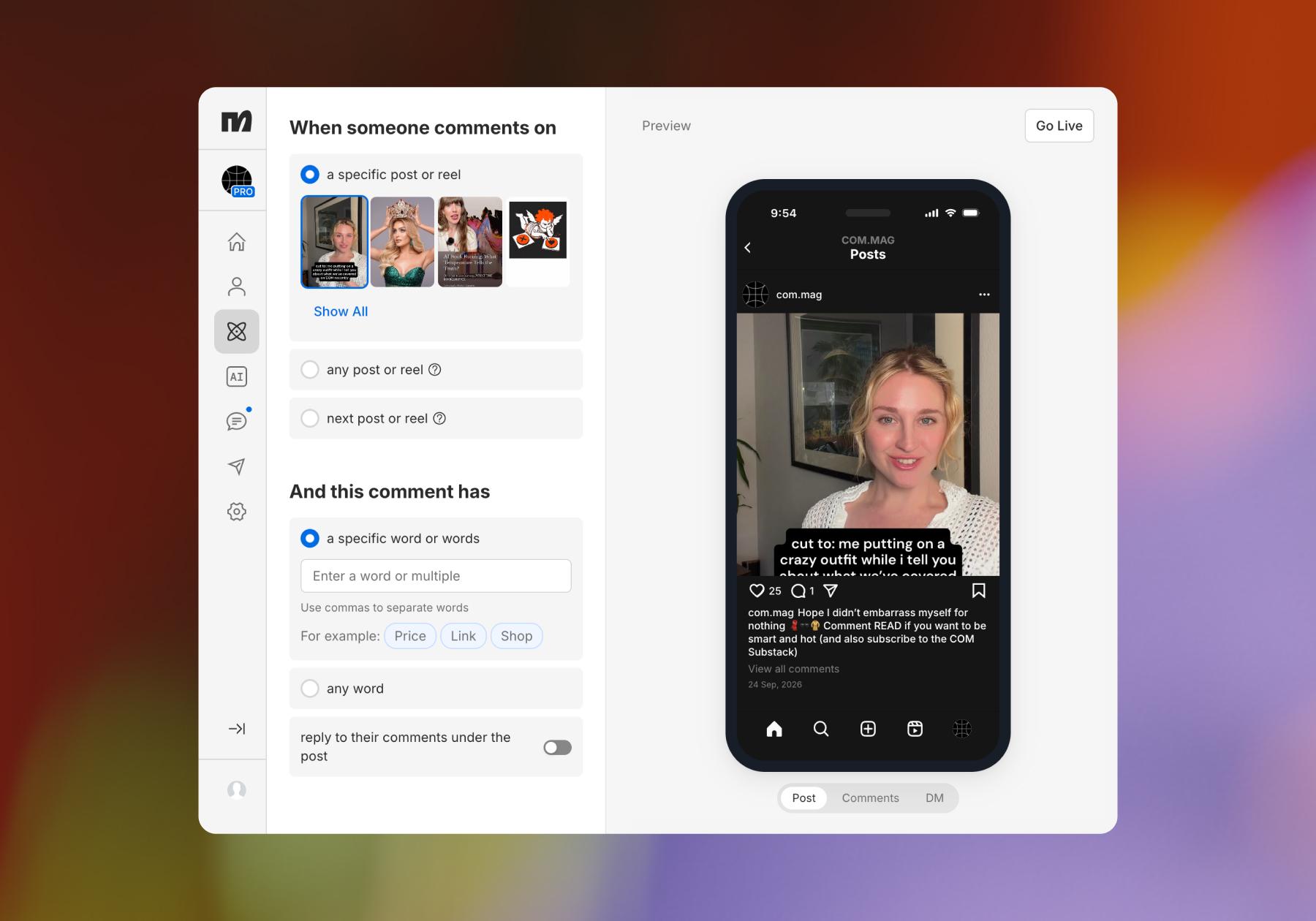
- DM automation: Similar to above, both LinkDM and Manychat allow you to automate DMs. With LinkDM, you can automate messages on Instagram and Messenger; with Manychat, you have more options (Instagram and Messenger, but also WhatsApp, TikTok, and Telegram).
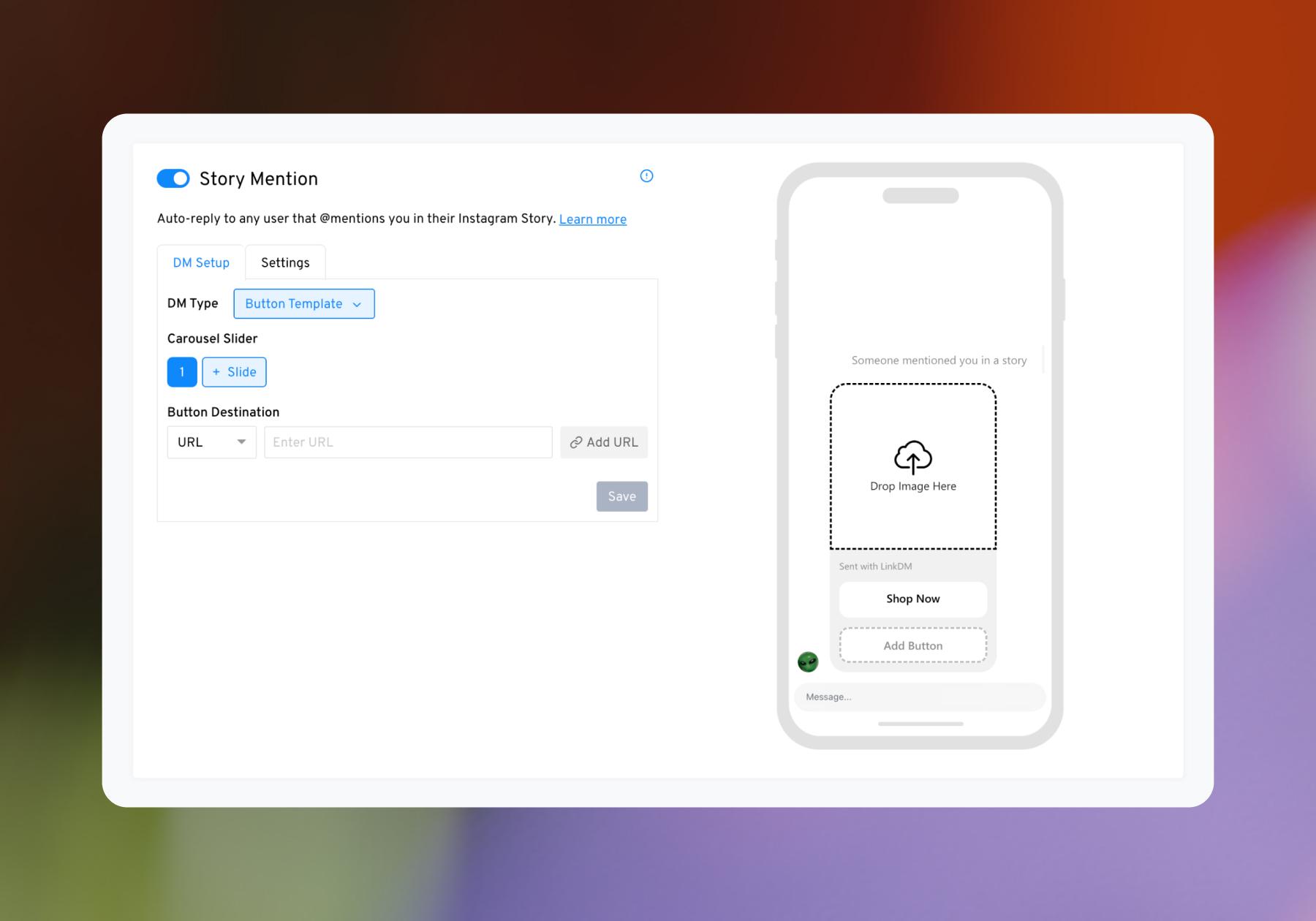
- Instagram Story automation: Both LinkDM and Manychat allow you to automate responses to reactions, replies, and mentions in Instagram Stories.
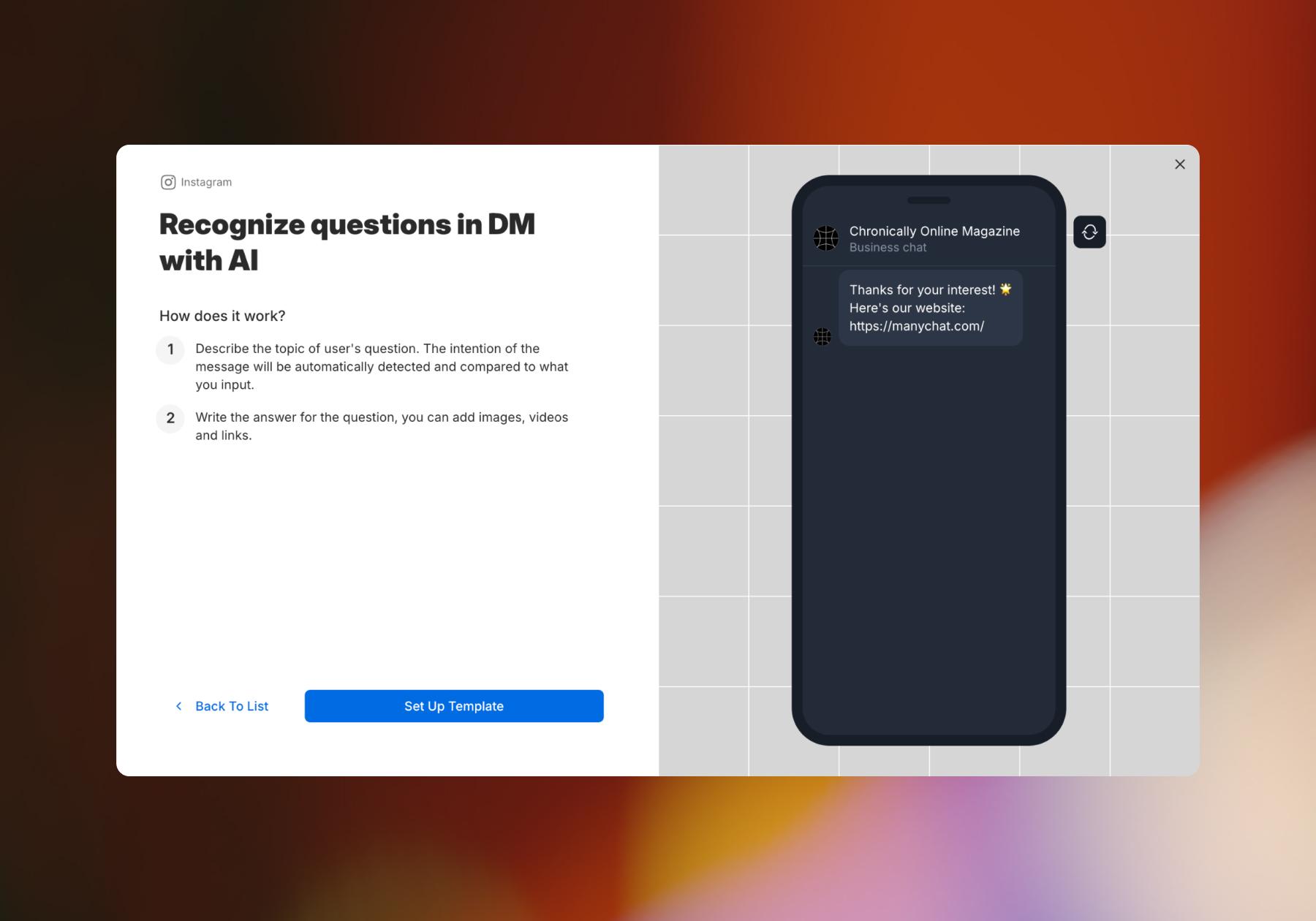
- Intent recognition: Manychat AI, available starting with Manychat Pro, allows you to automate responses based on the message's recognized intent rather than an exact-match trigger keyword or phrase. As far as I can tell, this isn’t a feature offered by LinkDM.
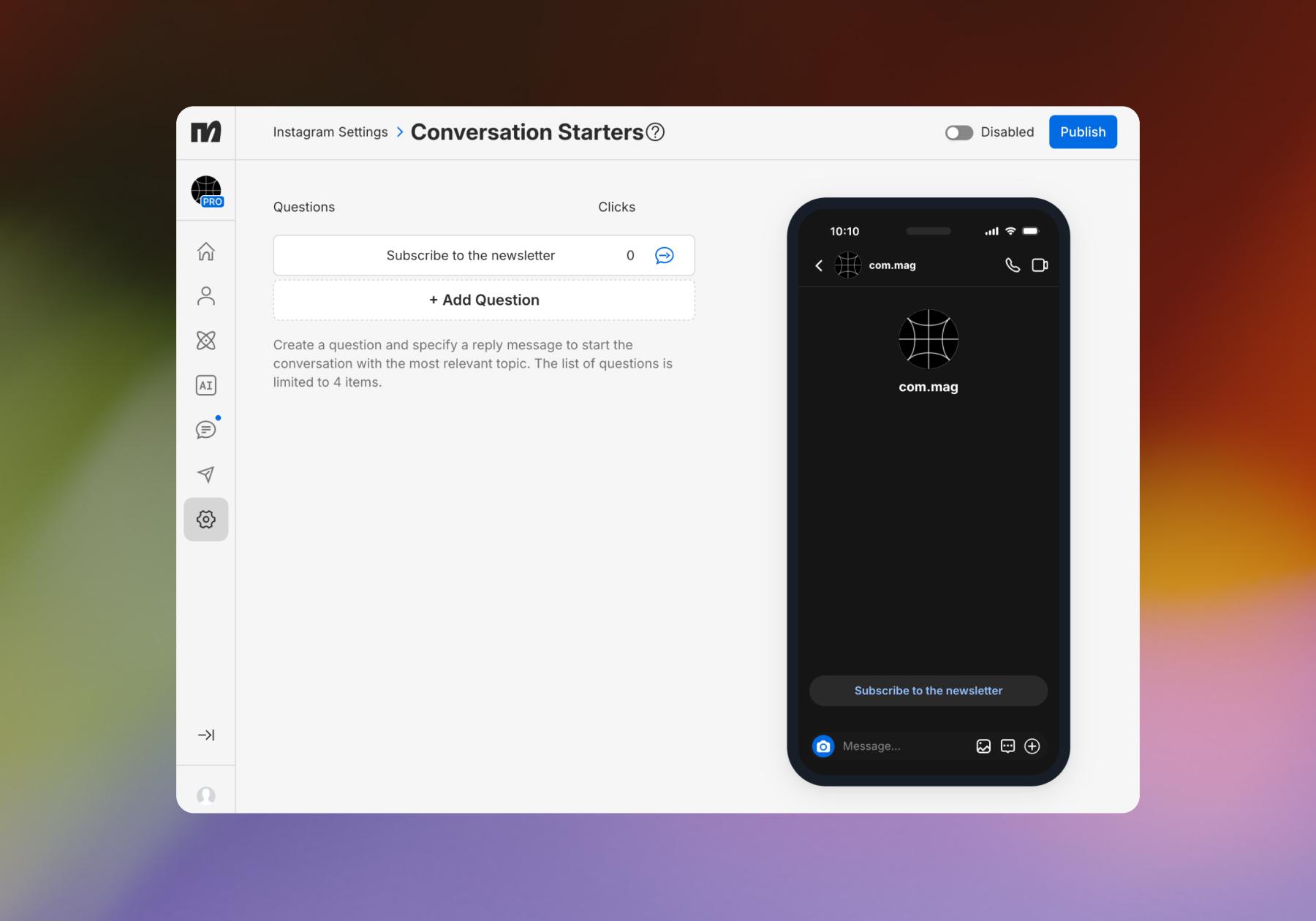
- Instagram Inbox menu: Both LinkDM and Manychat offer a feature to set up a menu in your Instagram inbox that users can select prompts from. In LinkDM, this feature is called Inbox Starter and is available on the free plan.
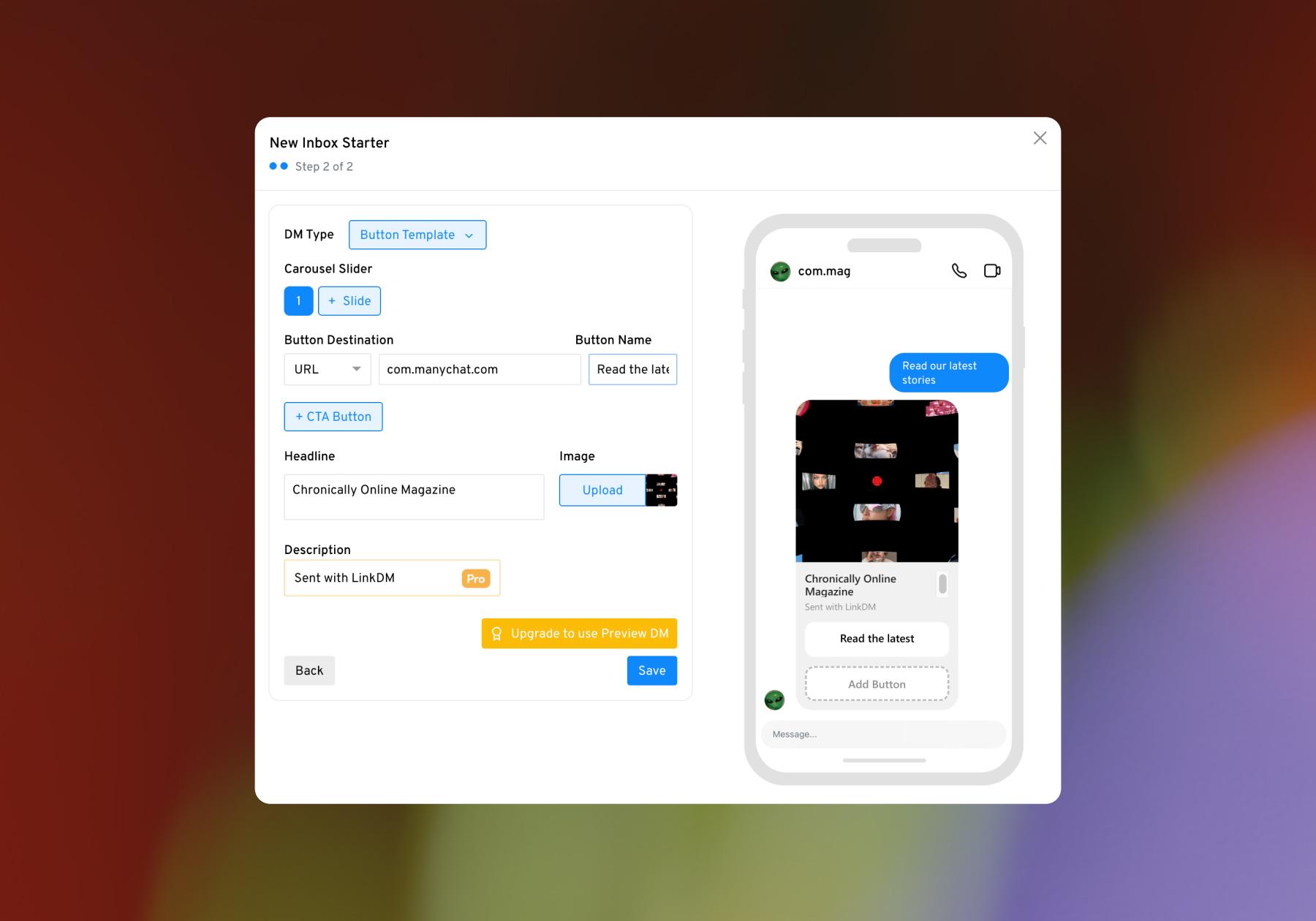
In Manychat, this feature is called Conversation Starters. Manychat has a similar feature available for WhatsApp called Ice Breakers.
- Lead capture: Both Manychat and LinkDM allow you to capture lead information via Instagram DMs and export it to other systems. With Manychat, you can also use the information you collect (such as email addresses, phone numbers, or answers to questions) to segment and qualify leads, personalize the next steps, and send data to other tools via integrations.
- Rewind: LinkDM has a feature called Rewind that can retroactively send DMs to people who commented before an automation was switched on.
- High-volume safeguards: LinkDM also has two features specifically for handling engagement spikes/viral posts (DM Queue and Slow Down Mode).
- Automated follow-ups: Both Manychat and LinkDM allow you to follow up after an initial interaction automatically. LinkDM’s Flow Automation feature lets you schedule reminder DMs if someone hasn’t clicked your original link, as well as additional messages at custom intervals within Meta’s 24-hour messaging window. Manychat also lets you build automated follow-up sequences, with the option to combine follow-ups with Conditions and other automation steps to create more customized journeys based on a lead’s actions.
- Live Chat and human handoff: Manychat combines automation with Live Chat, allowing you or your team to step into a conversation when a lead needs a human response. This makes it possible to automate repetitive interactions while handing more complex or high-intent conversations over to a real person. LinkDM’s current feature list doesn’t include an equivalent.
- Templates: Both Manychat and LinkDM have template libraries and offer no-code automation. However, many of LinkDM’s templates are only available with a paid plan, while Manychat’s templates and Quick Automations can be accessed with the free plan.
- Custom automations: LinkDM’s Flow Automation lets you build sequences of automated DMs, including scheduled follow-ups and reminders. Manychat’s Flow Builder goes further, allowing you to build more complex, branching workflows using conditions, collected lead data, tags, actions, delays, and other automation steps. This enables more complex automated workflows, like lead scoring and customer segmentation, and even out-of-the-box use cases, like building a haunted house experience in the DMs.
- Integrations: LinkDM integrates with Kit, Flodesk, Google Sheets, and Mailchimp. Manychat integrates with Hotmart, Flodesk, Klaviyo, Kit, Mailchimp, ActiveCampaign, HubSpot, and Google Sheets. If there’s a tool you want to connect Manychat or LinkDM to that doesn’t have a direct integration, both platforms offer a connection via Zapier that lets you do so.
Manychat vs. LinkDM pricing
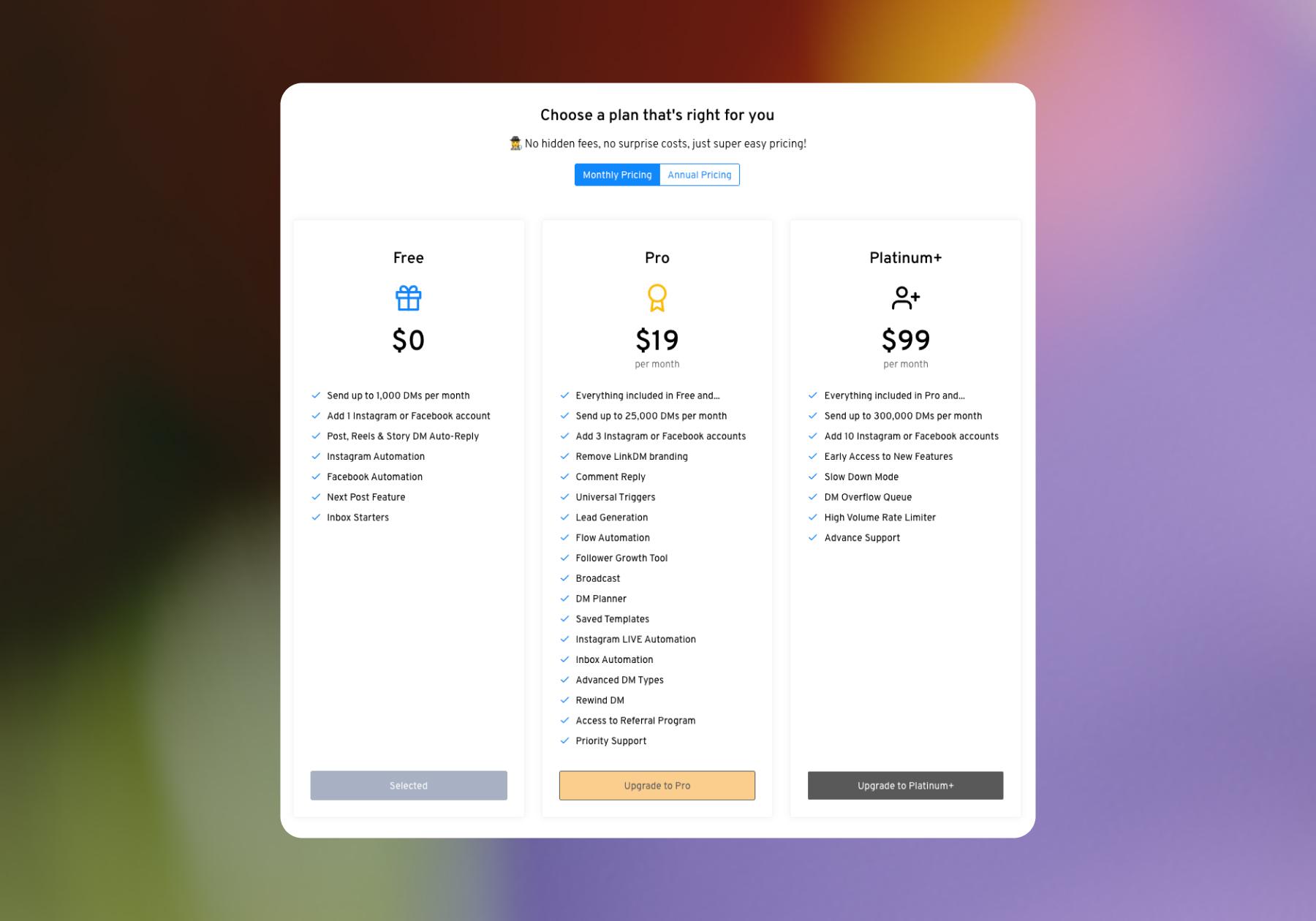
- Both LinkDM and Manychat offer a free plan. With LinkDM’s free plan, you can connect either your Instagram or Messenger account, but you only get access to the Next Post and Inbox Starters features.
With Manychat’s free plan, you can connect two channels (choose from Instagram, TikTok, Messenger, and Telegram). You can run four automations, either templates or custom ones you’ve built yourself, and interact with up to 25 users.
Manychat offers more paid plan options than LinkDM, but that makes sense considering that Manychat also connects to more platforms (which creates a need for higher contact limits and channel integrations).
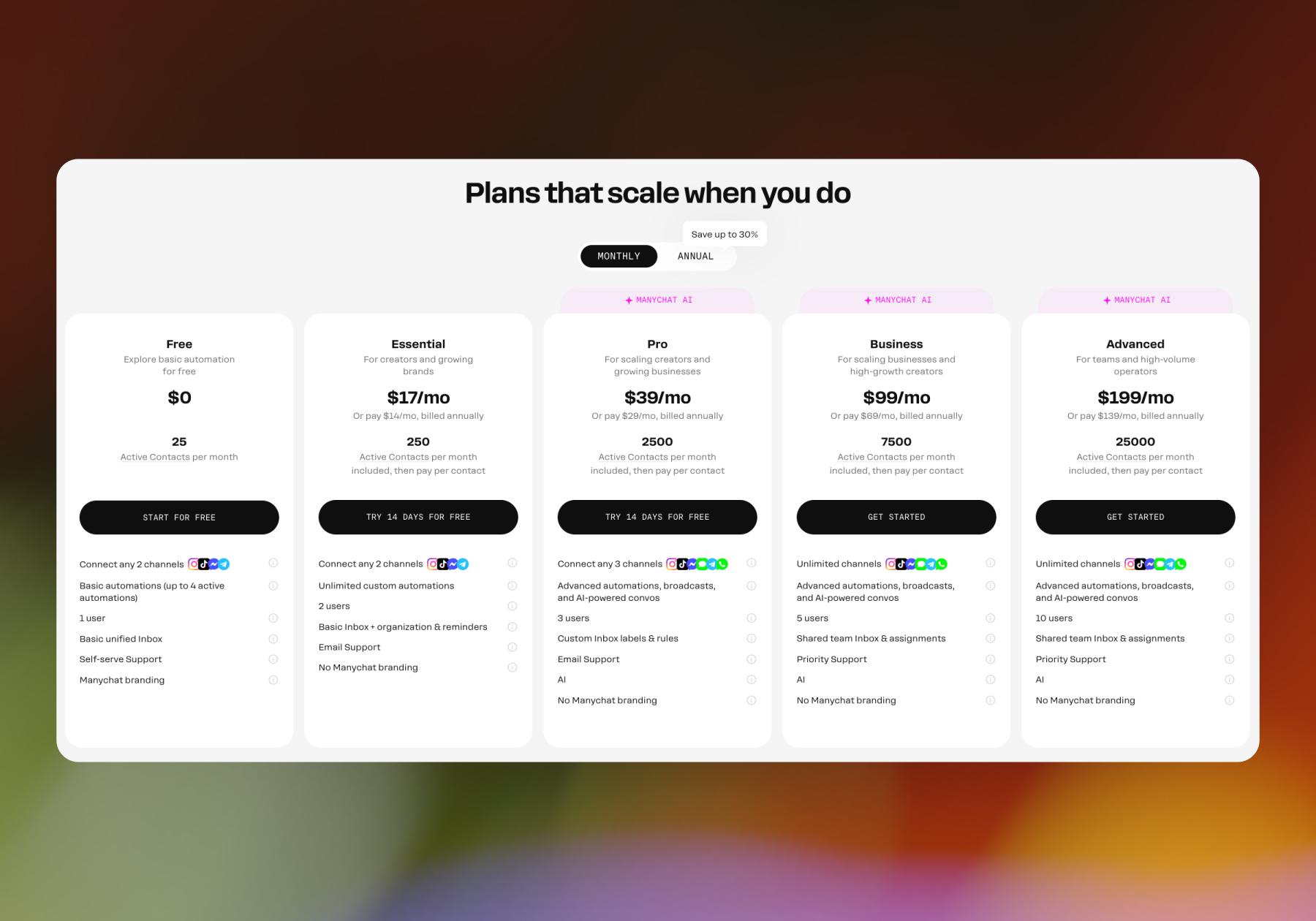
- Manychat’s lowest-priced tier (Essentials) starts at $17/month when billed monthly. That includes unlimited automations for any two channels from Instagram, TikTok, Messenger, or Telegram. Essentials is limited to 250 Active Contacts per month (Active Contacts are people you interact with during a monthly billing period).
- LinkDM’s lowest-paid tier (Pro) starts at $19/month when billed monthly. Pro allows you to connect three Instagram and/or Messenger accounts. You can send up to 25,000 automated messages a month, and you get access to all of LinkDM’s features, save a few (Slow Down Mode, DM Overflow Queue, and High Volume Rate Limiter are only available with the highest paid tier, Platinum+).
Manychat vs. LinkDM user experience
To judge the user experience between Manychat and LinkDM, I gave both platforms a test run. I also researched user feedback on software review sites like G2 and Capterra.
- Manychat: On G2, Manychat has an overall score of 4.5/5 stars, with “user experience” and “ease of use” being the top two things reviewers mention. On Capterra, Manychat’s score is slightly higher (4.6/5 stars).
The Manychat platform itself is easy to use, with templates and Quick Automations available starting with the free plan. You don’t need coding skills, because everything can be built by clicking, dragging, dropping, and typing. Signing up, connecting a social account, and sending an automation live can be done in 10 minutes or less.
Manychat also makes educational content around its product extremely accessible. There’s the Manychat Community, an online hub where users and Manychat employees can communicate and learn from one another. Then there’s the Manychat YouTube channel, which includes product tutorials from the team, as well as demos and workshops from real users. Of course, there’s also the Manychat help center and the blog, both of which explain how different features work.
- LinkDM: LinkDM isn’t listed on G2 or Capterra. Instead, it has its own page for reviews on its website, and every review on there is 5 stars (naturally). Within those reviews, customer service is highlighted, as is LinkDM's ease of use.
I found LinkDM rather easy to use, personally. The home dashboard is simple, making it easy to understand your options. I was able to find all of the features and set up a comment-to-DM flow in just a few minutes.
LinkDM does have a blog and Help Centre, both of which have educational content on different features. LinkDM doesn’t have a community for its users, though. While it does have a YouTube channel, there are only two videos, and they were both published three years ago.
Manychat vs. LinkDM: The Final Verdict

Both Manychat and LinkDM are easy-to-use options for automating Instagram DMs, and they share many of the same core features. But there are some important differences to consider.
- Manychat is the better fit if you want more flexibility or plan to use automation across multiple channels. While LinkDM focuses on Instagram and Messenger, Manychat also supports WhatsApp, TikTok, and Telegram. Manychat also gives you more room to build sophisticated automations. The Flow Builder lets you create branching customer journeys using conditions, tags, collected data, integrations, delays, and other actions, while Manychat AI adds another layer of automation to understand and respond to messages.
Manychat also offers more functionality before you have to pay. Its free plan includes access to templates, custom automations, and comment automation, while LinkDM reserves several of its automation features for paid plans. If you do upgrade, Manychat’s entry-level paid plan starts slightly lower at $17/month when paid monthly compared with LinkDM Pro at $19/month.
- LinkDM may make more sense if your automation needs are focused primarily on Instagram and you expect to send a high volume of messages. Its Pro plan includes up to 25,000 automated messages per month, and LinkDM offers dedicated tools like Rewind, DM Queue, Slow Down Mode, and High Volume Rate Limiter. Manychat, meanwhile, bases its plans around Active Contacts, so contact limits and pricing as your audience grows are worth considering.
Ultimately, the biggest difference is scope. LinkDM offers Instagram-focused users a simpler set of tools to automate DMs and drive engagement. Manychat offers a broader automation platform that can start with something as simple as sending a link and scale to lead capture, qualification, personalized follow-ups, AI-powered conversations, integrations, and more complex customer journeys across multiple messaging channels.
So, if all you need is straightforward Instagram automation (particularly at high message volumes), LinkDM is worth considering. If you want an automation platform with more channels, more ways to customize what happens after someone enters your DMs, and more room to grow into advanced use cases, Manychat gives you considerably more flexibility.
Frequently asked questions
It depends on what you need. Both platforms can automate Instagram comments and DMs, capture leads, send follow-ups, and integrate with other marketing tools. Manychat offers more flexibility for advanced automations through its Flow Builder and supports more messaging platforms, including WhatsApp, TikTok, and Telegram. LinkDM is more focused on Instagram and Messenger and includes features specifically designed for handling high volumes of Instagram engagement.
At the entry level, yes. Manychat’s Essentials plan starts at $17 per month, while LinkDM’s Pro plan starts at $19 per month when paying monthly. Both also offer free plans, although the features and usage limits differ. Manychat’s free plan includes access to features such as comment automation, templates, and custom automations, while LinkDM reserves some automation features for its paid plans.
There’s significant overlap between the two tools’ functionality. Both can automate Instagram comments and DMs, capture lead information, create follow-up sequences, and connect with other marketing tools. However, Manychat’s Flow Builder supports more complex, branching workflows using conditions, tags, collected data, delays, and other actions. Manychat also supports more messaging channels than LinkDM.
Both are built for Instagram automation, but they have different strengths. LinkDM offers Instagram-focused features such as Rewind and safeguards for managing high message volumes. Manychat combines Instagram automation with more advanced workflow-building, AI features, Live Chat, lead segmentation, and integrations, making it better suited to users who want to build more sophisticated customer journeys.
Yes. Both have free plans. Manychat’s free plan lets you connect two supported channels, run up to four automations, and interact with up to 25 users. LinkDM’s free plan lets you connect to either Instagram or Messenger and provides access to Next Post and Inbox Starters. You’ll need to upgrade on either platform as your automation needs grow.



Originally published: Oct 14, 2026
More stories worth reading
More content that's too good to miss