Brock Johnson (@brock11johnson) recently took to the screen to show exactly how he uses Manychat to sell on autopilot. And one thing about Brock? He’s not a gatekeeper.
He shared all: The features, flows, triggers, and templates he uses to automate during the busiest e-commerce season. The full webinar is just a few scrolls away, but if you don’t have 90 minutes to spare, no worries; everything you need to know is right here in this recap.
The S.T.D. Strategy (Not Like That, Though)

The S.T.D. Strategy is Brock’s go-to framework for maximizing Instagram Story views and turning those views into clicks and purchases.
Yes, he knows how the name sounds. No, he’s not changing it.
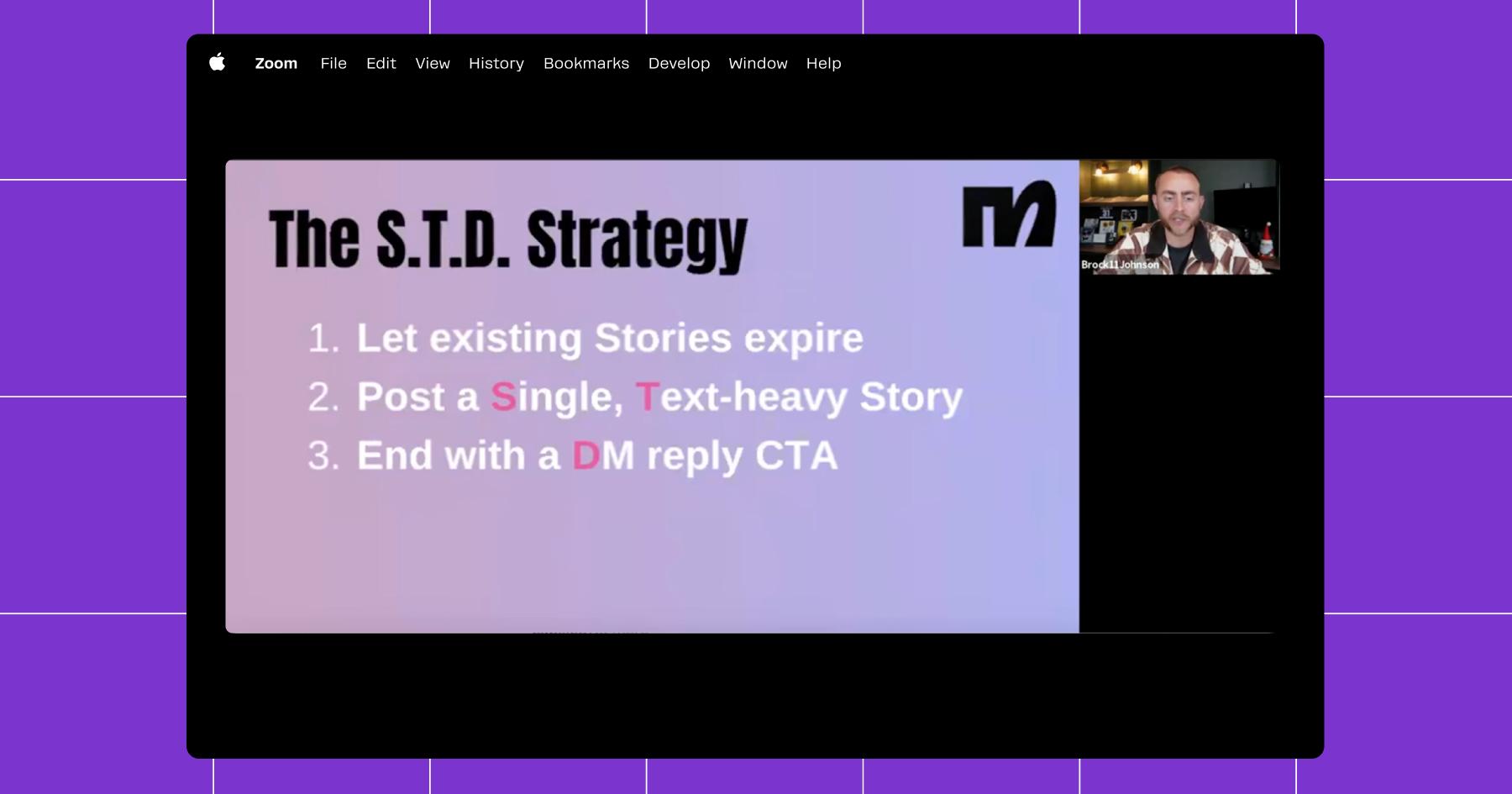
S.T.D. stands for:
- Single
- Text-heavy
- DM automation
Here’s how it works.
S: Post a single Story
First things first: Let all your existing Instagram Stories expire (or delete them) before posting a new one. Why? You want your followers to focus on one message, not a picture of your lunch, a horoscope you shared, and then your offer.
T: Make it text-heavy
This one goes against typical social media best practices, but it works. Instead of a talking-head video, Brock recommends posting a single, text-heavy Story with a clean background and minimal design.
People consume Stories fast. Most of the time, they’re tapping to the next one before they’ve fully synthesized what they’re seeing. So, if your Story includes a monologue, and they zone out for a second, they’re far more likely to skip to the next one than go back and listen to yours.
“If you miss one word, or you mishear one thing, then you’re faced with a dilemma. Do I skip to the next story, or do I rewind and rewatch those 38 seconds? Chances are you ain’t rewinding,” Brock says.
(He’s right. They’re probably not coming back.)
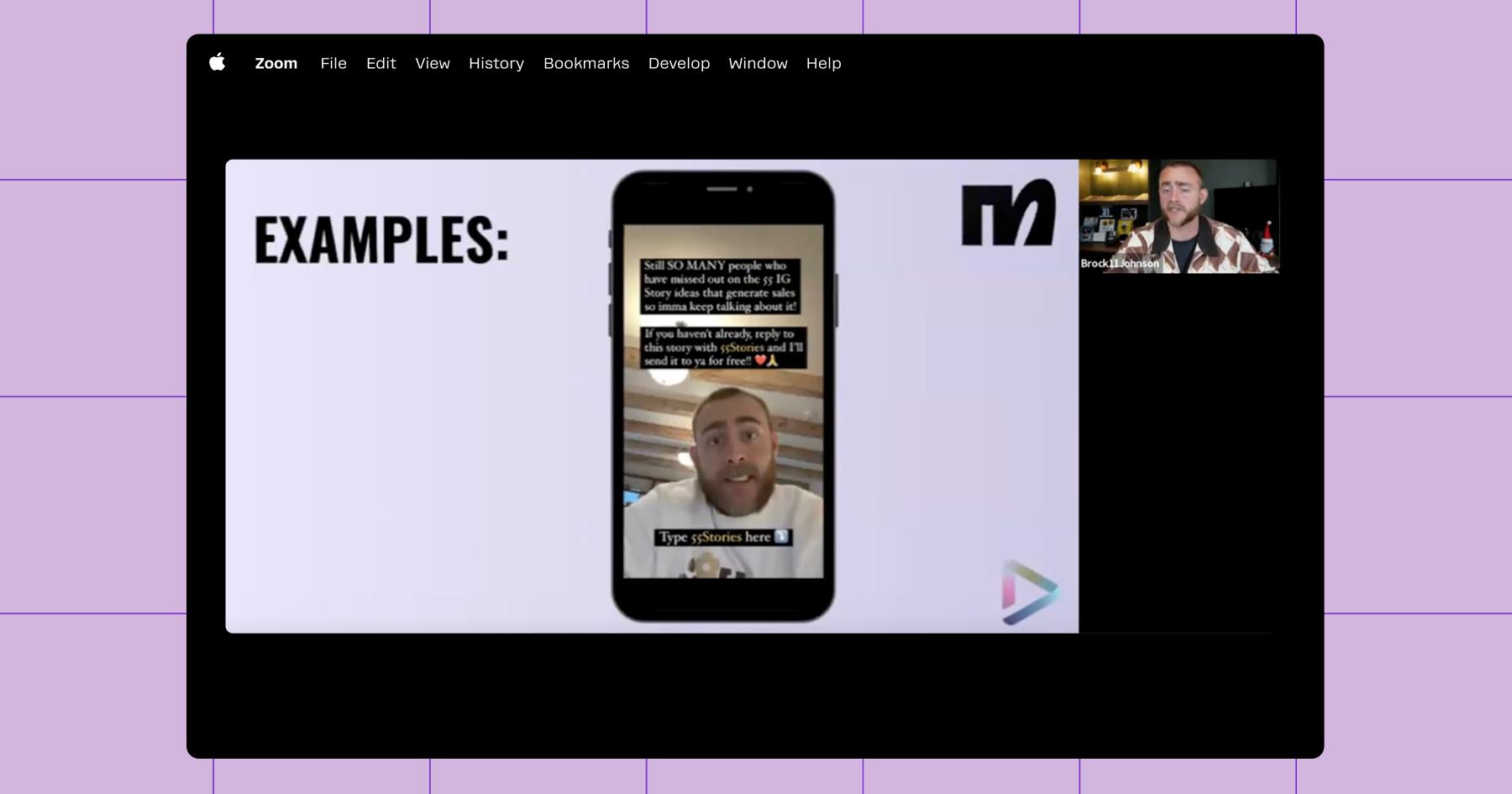
D: Add a CTA that leads to a DM automation
The final (and most important) piece of the S.T.D. strategy: Your Story needs a call to action that tells viewers to DM you — ideally with a trigger keyword. More on that in a moment.
Once you post this Story, don’t add anything else. Let it breathe.
Reject Modernity (Link in Bio); Embrace Tradition (Sliding in the DMs)

We’ve long been saying that “link in bio” is dead. But let’s be honest: It feels much more real when Brock says it. “Telling people to visit the link in your bio is basically telling people not to engage,” he says.
If you don’t believe him, believe the numbers. Link in bio gets:
- 37% less reach,
- 57% lower engagement, and
- < 1% click rate
…than DMs.
“Followers are 73% more likely to buy if they’ve had a DM conversation with you first,” Brock explains. And what more do you need to know? If you want to make money, the DMs are where to go, not that crusty old link in your bio.
🛑 Before you go any further, sign up for Manychat.
You’re going to need Manychat if you want to build DM automations like Brock’s. We’ll save the full spiel for another time, but here’s the headline: We’re an official Meta business partner (so your account will stay safe and compliant), and you can get started for free.
Use Story Reply, comment, and DM triggers to kick off conversations
Once you’re up and running in Manychat with your Instagram account connected, it’s time to start building some flows. Below, I’ll walk you through the basics of a trigger keyword flow for Story replies, since that’s what Brock uses with his S.T.D. strategy.
- Open Manychat and head to the Automations tab.
- Click + New Automation.
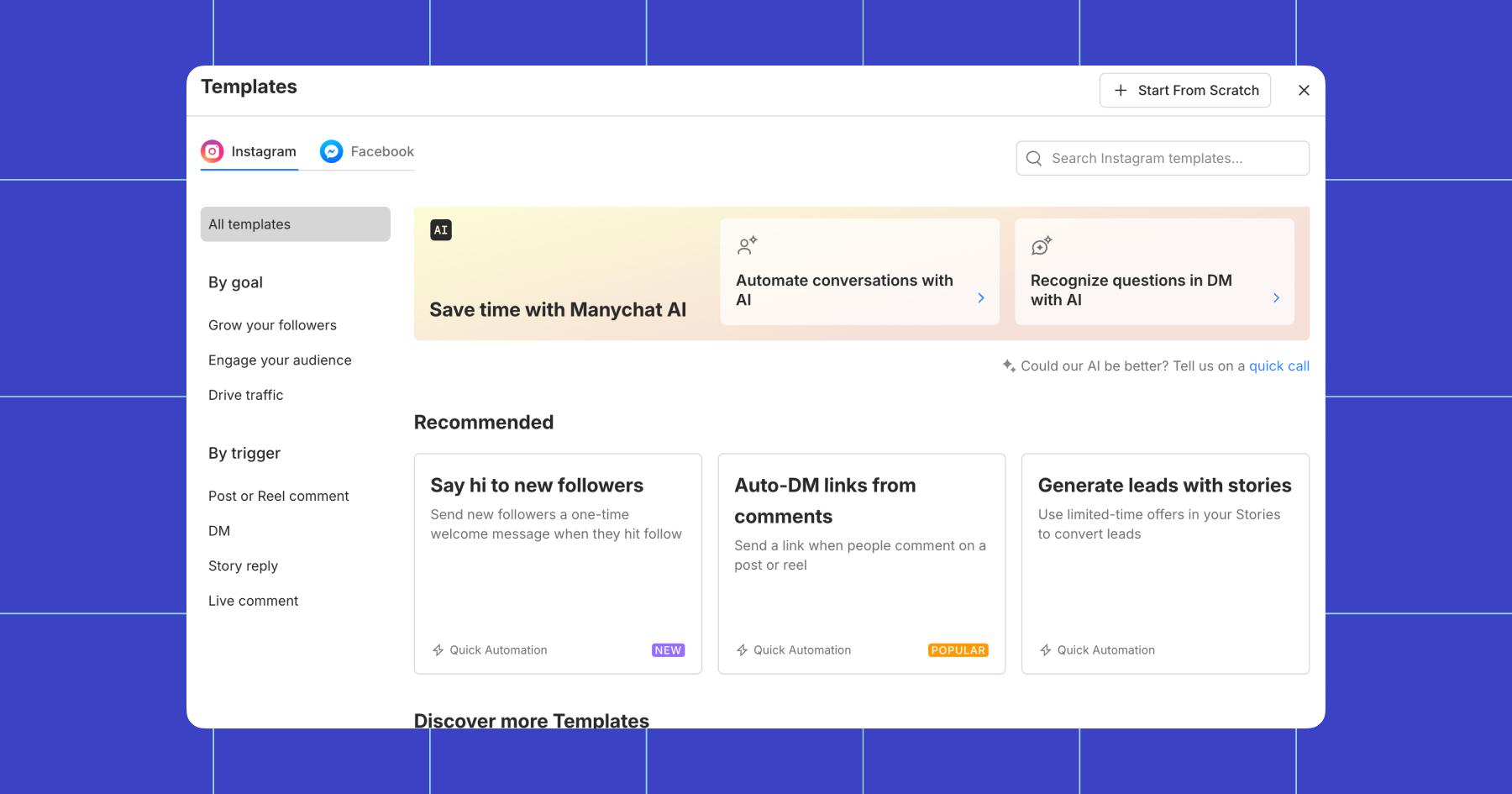
- In the left-side menu, click to start a flow by trigger. For this example, we’ll choose “Story reply.”
- Choose from a template or hit + Start From Scratch. I’ll do the latter so you can see how this works step by step.
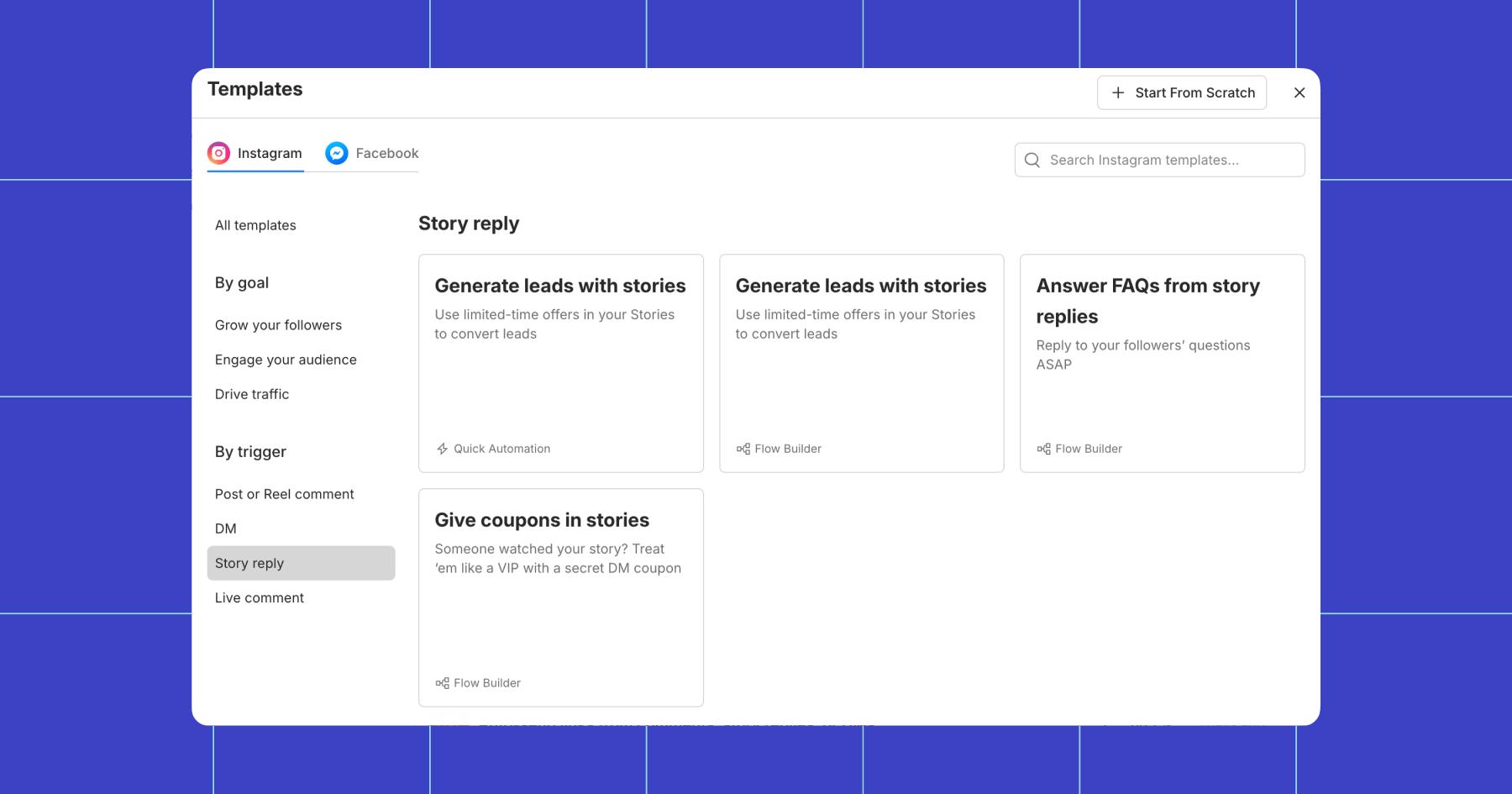
5. Now it’s time to make some decisions: Do you want the automation to fire from any Story reply, or just from one specific Story? Do you want to add a keyword to trigger this automation, or do you want it to launch no matter what the DM contains?
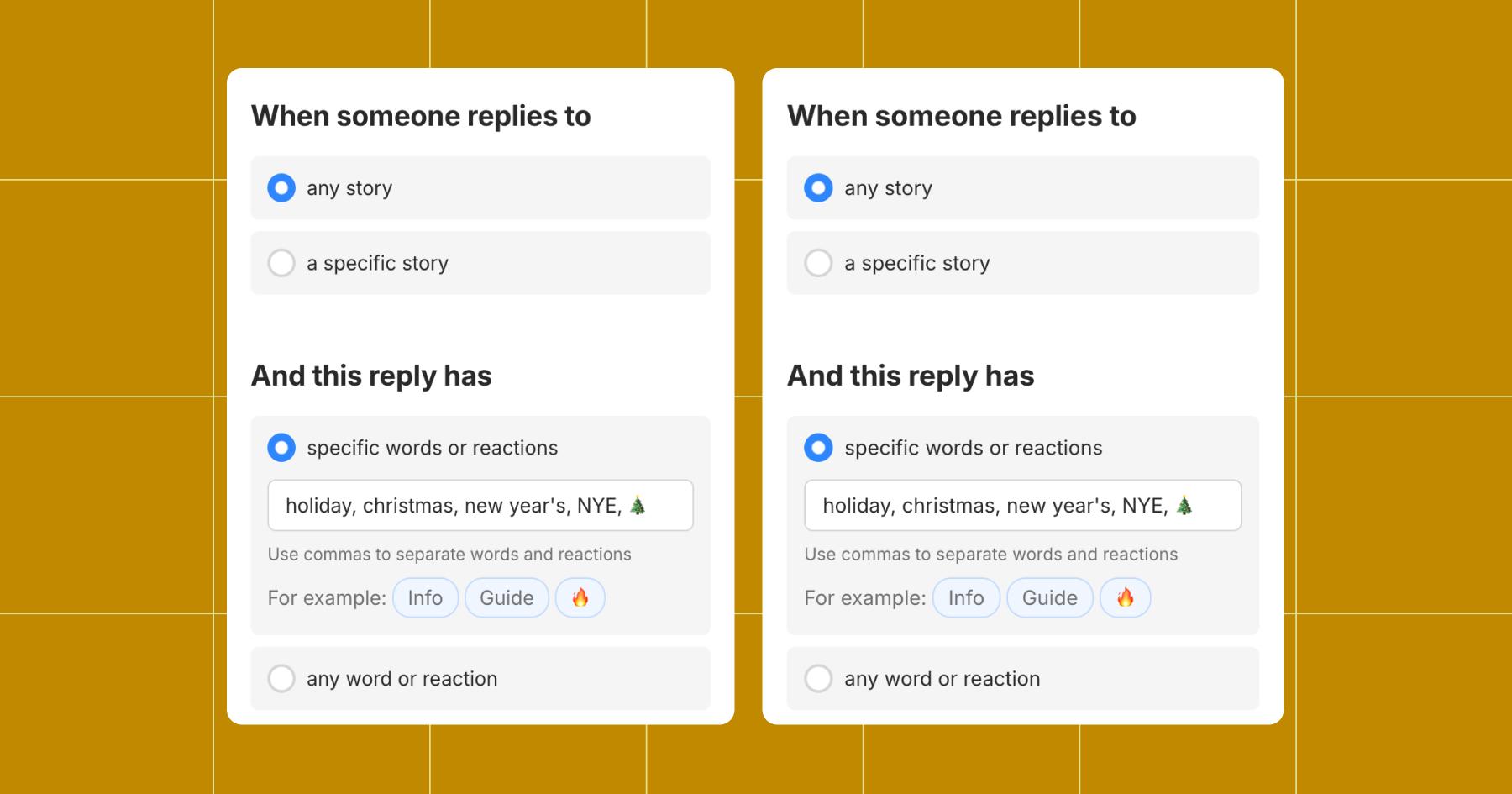
If the automation is specific, limit the trigger to a specific Story or keyword. If it’s more evergreen, you can remove these requirements.
Considering Brock’s advice, I’m going to limit my automation to keywords but have it fire from any Story.
6. Next, write your message. Consider the context: Someone has responded to your Story, and they’re saying something about your trigger keyword. (In my case, that’d mean they sent a DM about the holidays.)
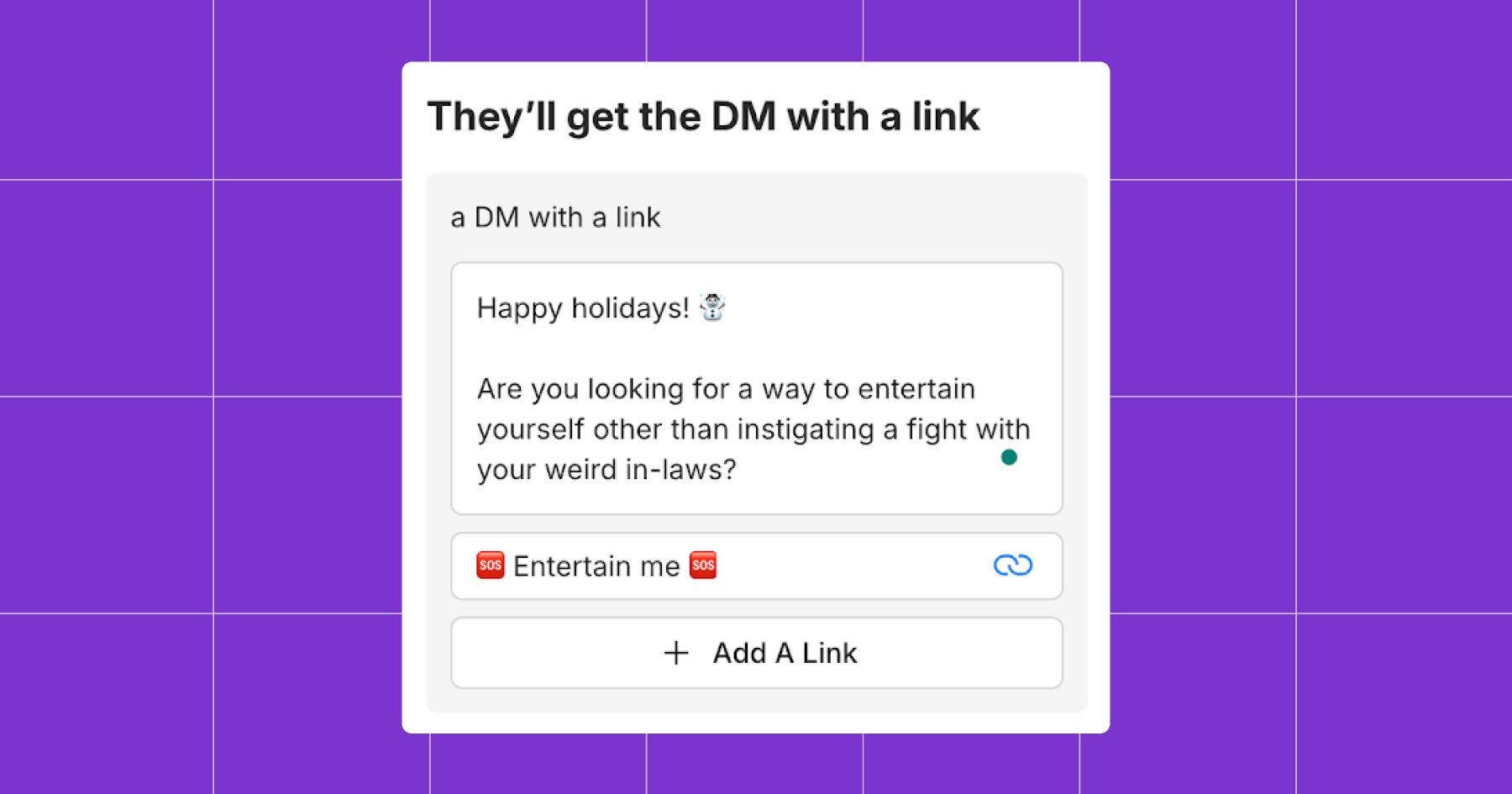
Then, add a link. This can be to your website, Linktree, or a specific landing page. I sent them to Chronically Online Magazine in this example.
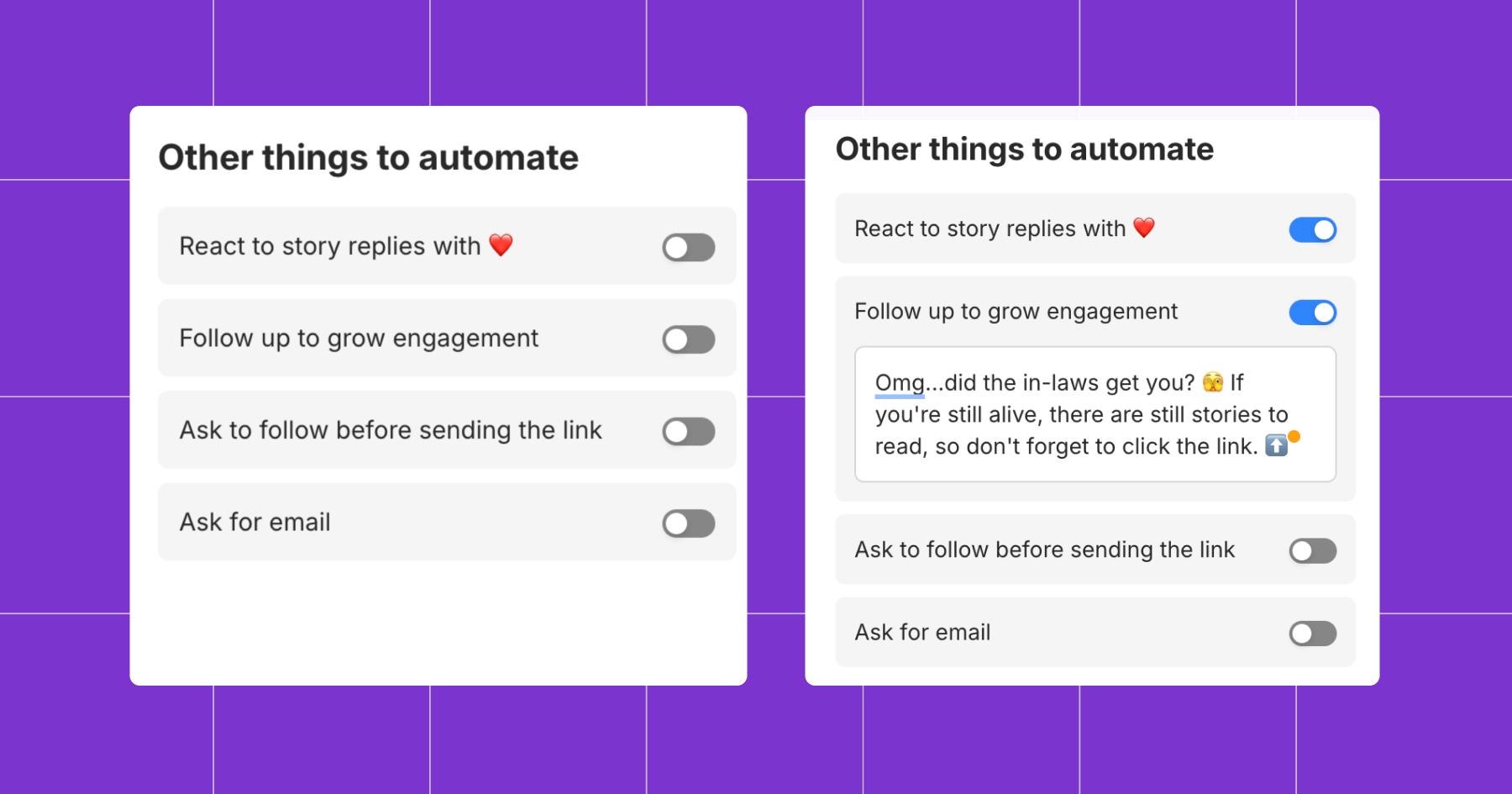
7. Next, you can choose from a few additional automations and add a follow-up message if desired.
8. Hit Go Live and watch the DMs roll in.
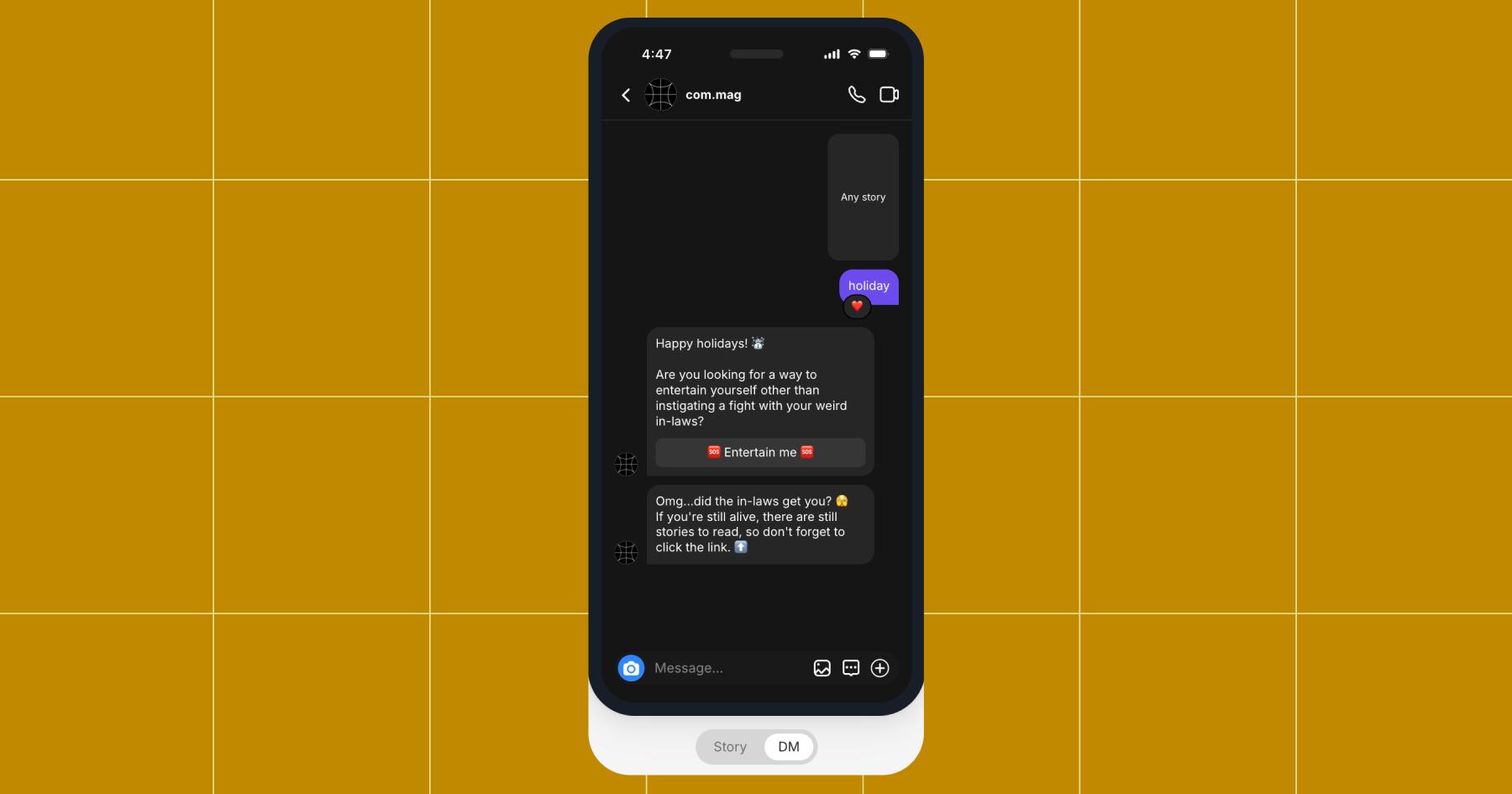
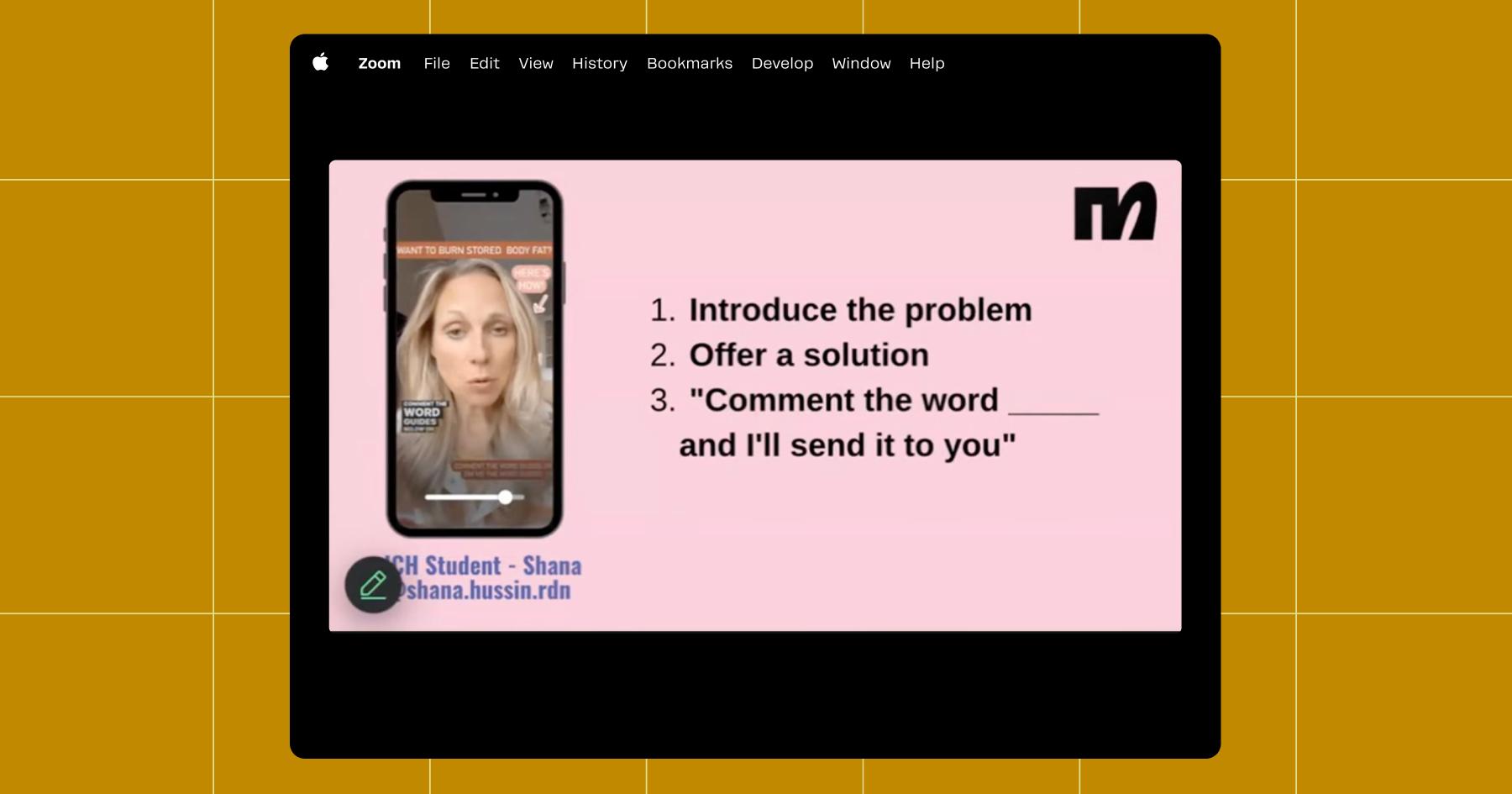
Brock applies this same DM-first approach to feed posts and Reels, using comment-triggered automations to start conversations from all kinds of interactions.
Set up Follow to DM
Follow to DM is a newish Manychat feature that automatically greets every user who hits the follow button. It’s a powerful automation, but you need to use it thoughtfully — meaning, don’t hit ‘em with the hard sell the first time you slide in to the DMs.
“Do not sell. I need you to type ‘I promise’ in the chat if you promise not to sell,” Brock joked.
Here’s his point: Follow to DM isn’t the right place for that. Instead, it’s best used to:
- Welcome new followers 👋
- Let them know what to expect from your page 🍿
- Start a relationship 💏
Brock compared selling in a welcome DM to proposing on the first date: “Stop getting on one knee on the first date. Stop proposing before you’ve even gotten the check. You gotta wine and dine them a little bit.”
With that beautiful metaphor in mind, here’s how to set up Follow to DM:
- Open Manychat and head to the Automations tab.
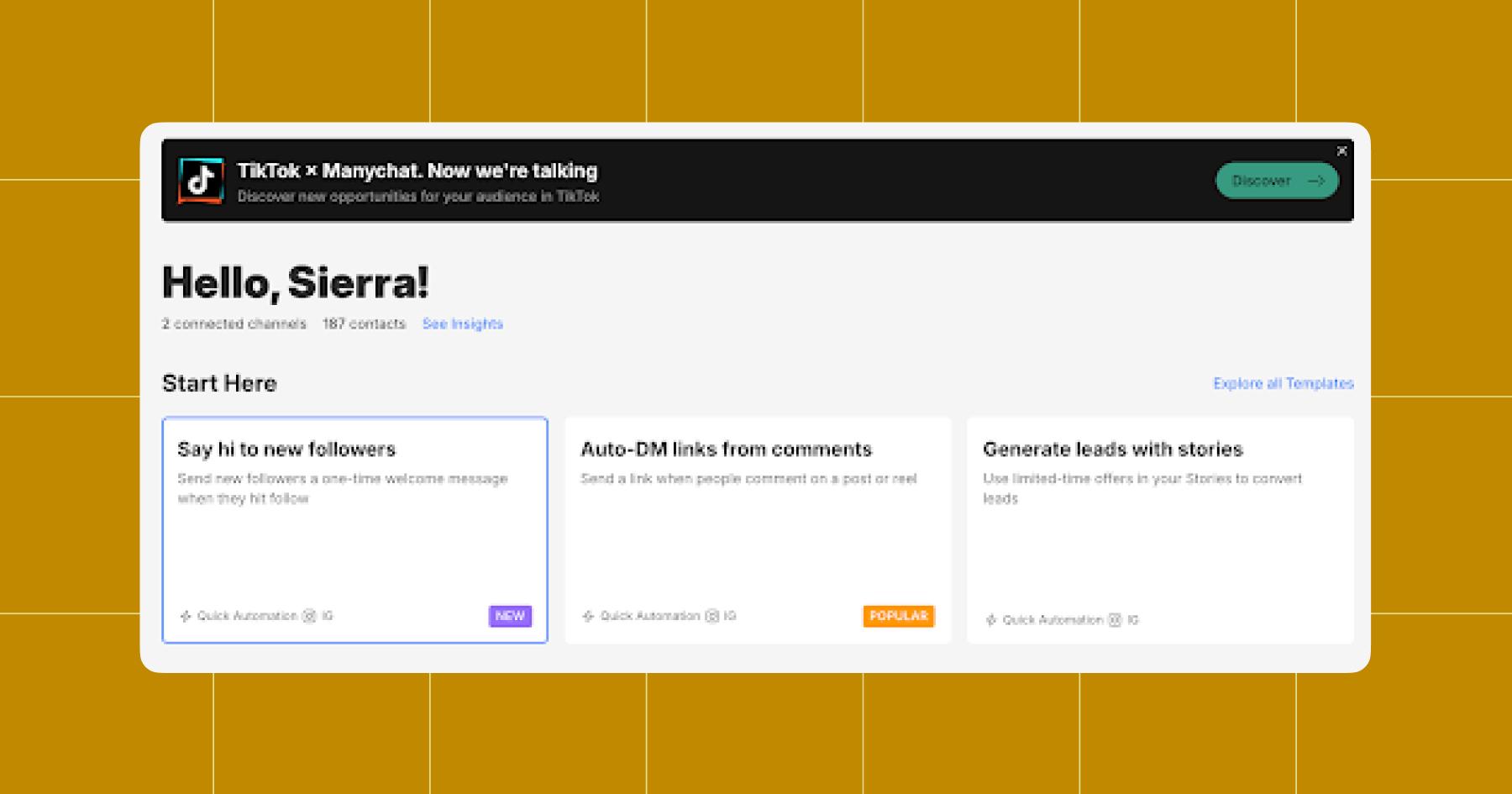
- Click Say hi to new followers.
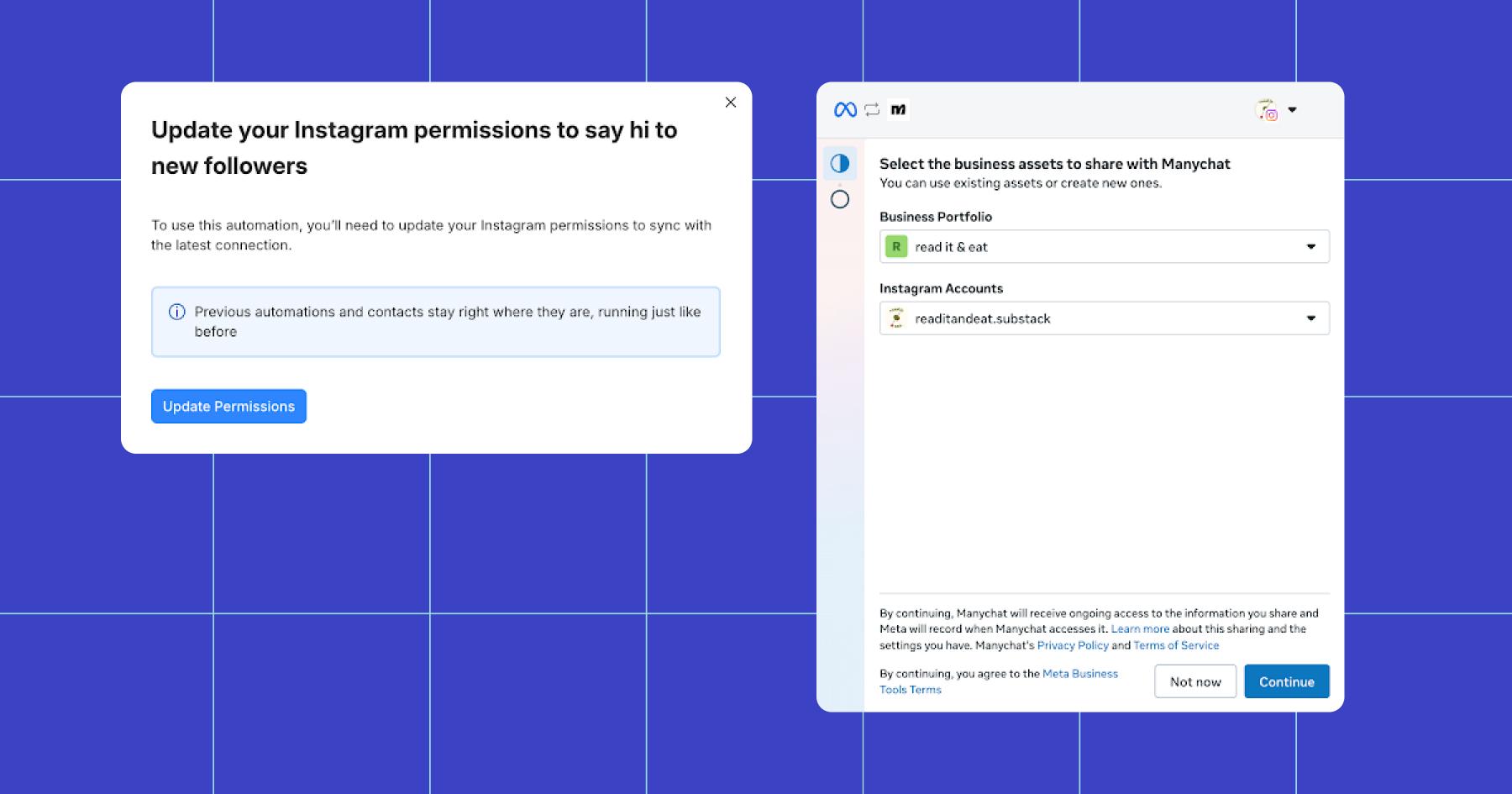
- Update your permissions (there is a 99% chance you will need to do this). Just click through the prompts until you can continue editing the automation.
- Now it’s time to write your opening message. Remember Brock’s advice: No selling! Keep your opening line friendly and short. Then, choose whether you want to ask for an email address or send a link.
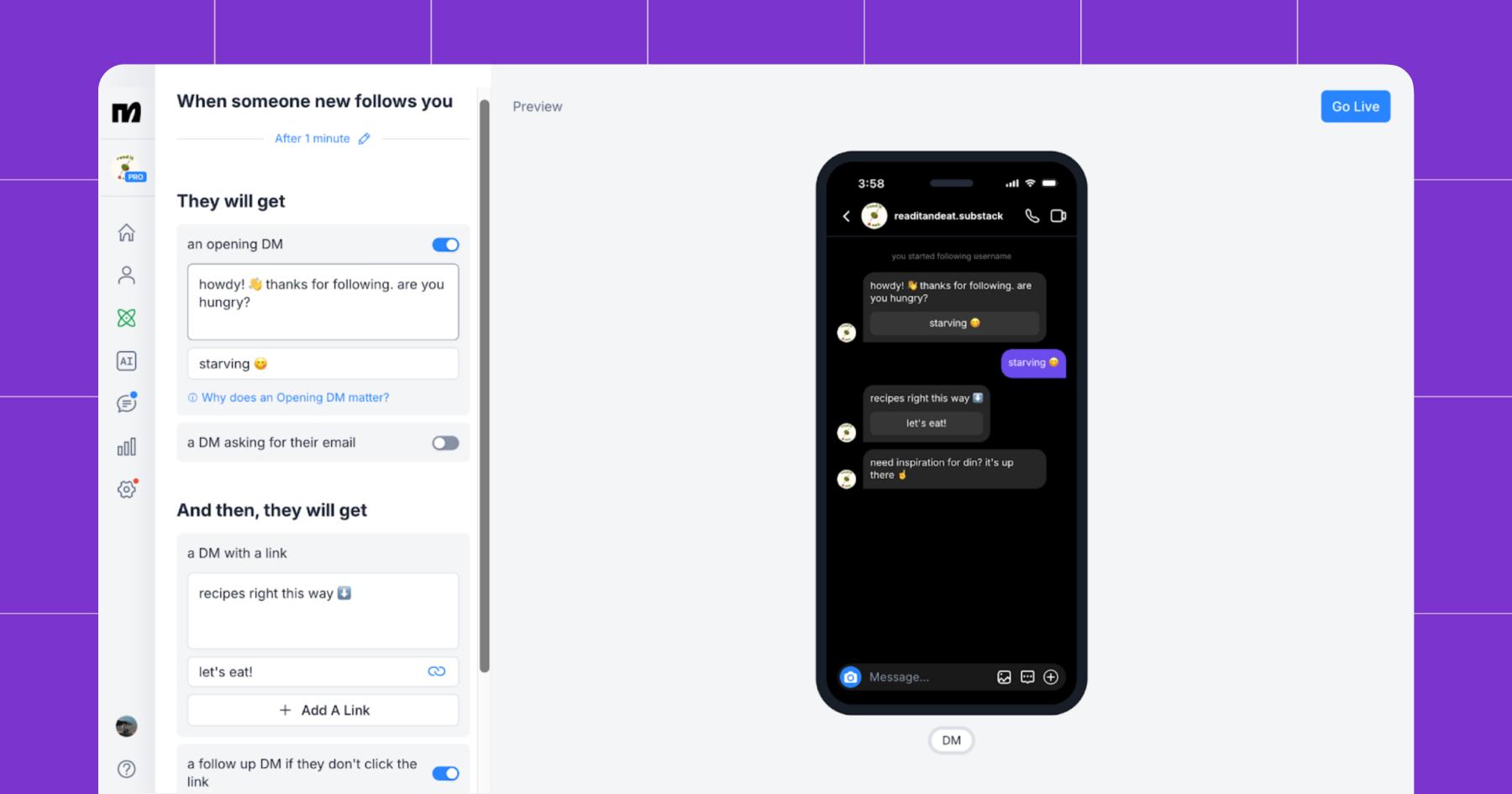
- Add a follow-up if you’d like — maybe a gentle reminder that there’s a next step they can take.
- Finally, push it live and bask in the comfort of knowing Manychat is there to extend a warm welcome to every new follower that visits your page.
BTW, if you’re curious what Brock’s Follow to DM message looks like 👀
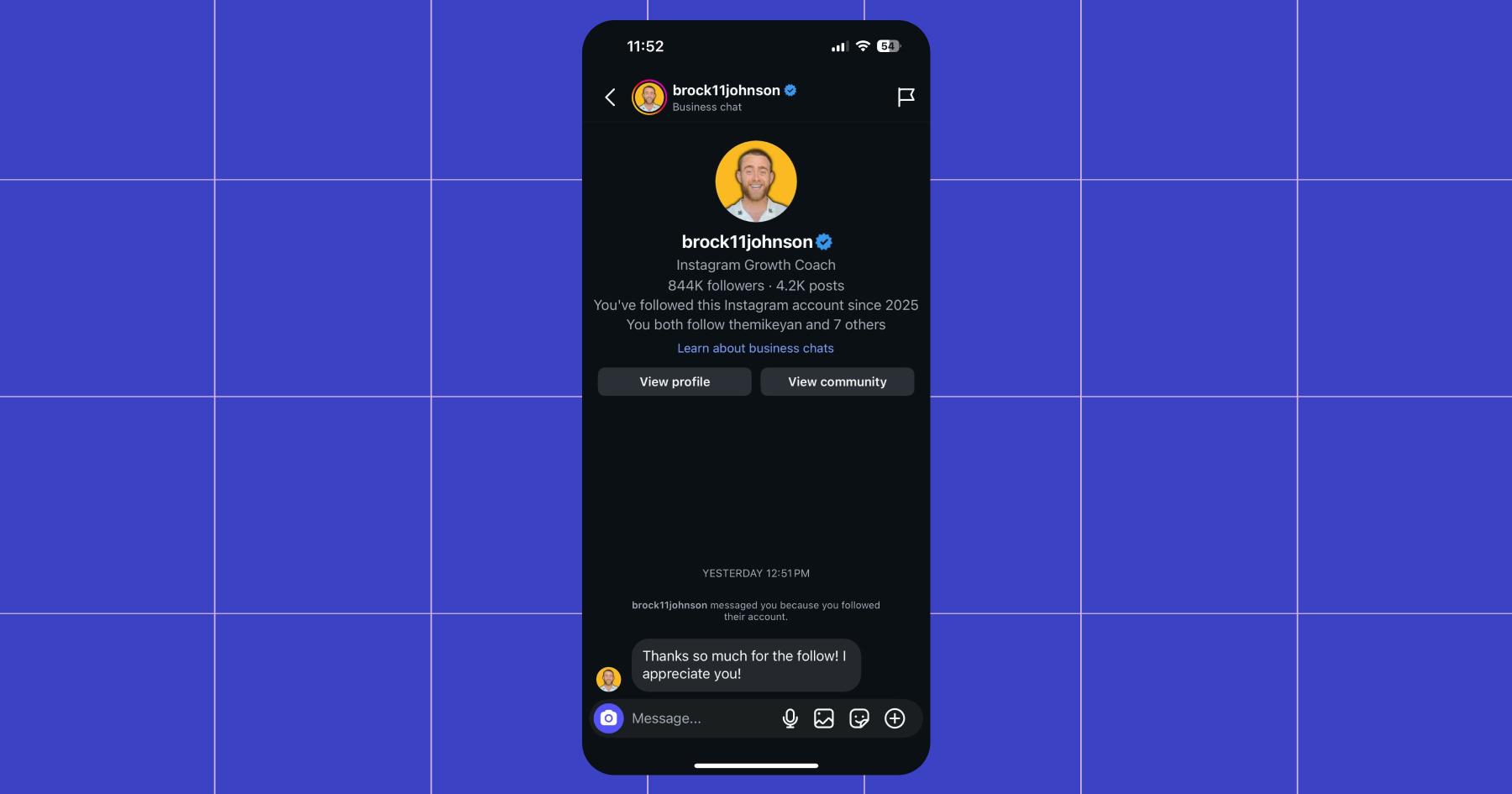
Not a pitch in sight. 😉
Watch the Full Webinar 🎥: Get MORE SALES this Holiday Season using Manychat FTDM + AI 📲 feat. Brock Johnson.
Or, discover more ways to get the bag in 2026:



Originally published: Jan 20, 2026, Updated: Jan 20, 2026
More stories worth reading
More content that's too good to miss