TikTok Creator Search Insights: A Secret Shortcut to Going Viral

What if TikTok just…told you what to post?
Spoiler alert: it does.
That’s the whole point of TikTok Creator Search Insights, a tool that shows you exactly what people are searching for on TikTok so that you can create the content your audience wants.
Let’s break down how it works, where to find it, and how to turn search data into your next viral post.
TL;DR
- Creator Search Insights is TikTok’s tool that shows you trending searches, content gaps, and what your followers are searching for.
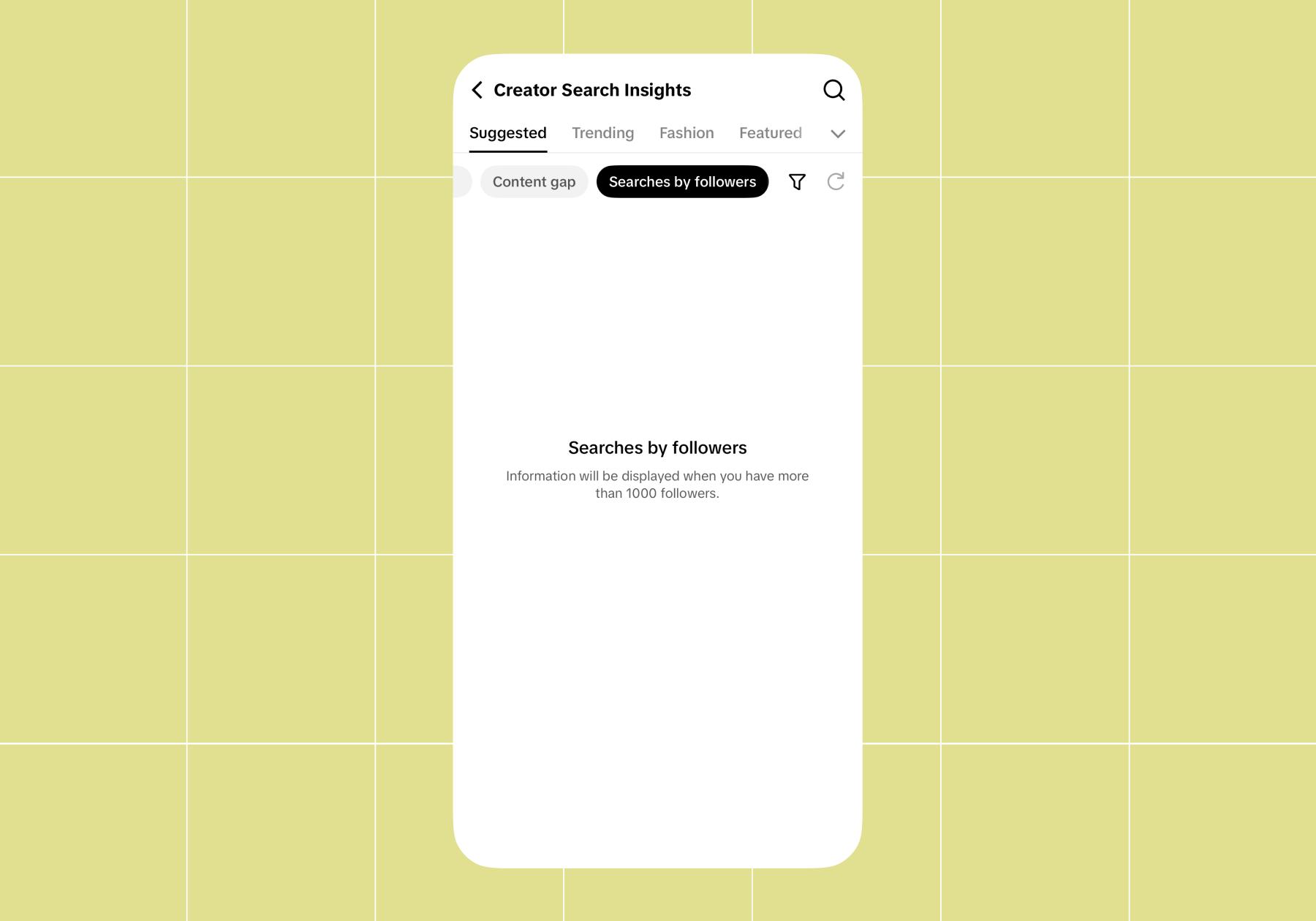
- You’ll find it inside Creator Tools on your TikTok profile, and it has three main tabs: Search, Content gap, and Searches by followers.
- You can create posts directly from trending keywords inside the tool.
- Search-optimized content can also help you earn through the TikTok Creator Rewards Program.
Creator Search Insights ≠ TikTok Analytics

So, you’re probably thinking, “Okay, cool, but isn’t this just my analytics dashboard?” Nope!
TikTok analytics tells you how your existing content performed: views, watch time, who watched, all that good stuff after the fact.
Creator Search Insights looks forward. It gives you personalized information on topics people are searching for on TikTok, so you can build content around what folks actually want before you ever hit record.
What you’re comparing | Creator Search Insights | TikTok analytics |
|---|---|---|
What it shows | What people are searching for | How your content performed |
When you use it | Before you create | After you post |
What it informs | Your next content idea | Tweaks to what you already made |
Both are worth your time, but if you’re stuck on what to make, Creator Search Insights is where the magic happens.
How to Access and Use TikTok Creator Search Insights
Good news: getting to Creator Search Insights is quick once you know the path. You’ll need a Creator or Business account with access to Creator Tools to use it.
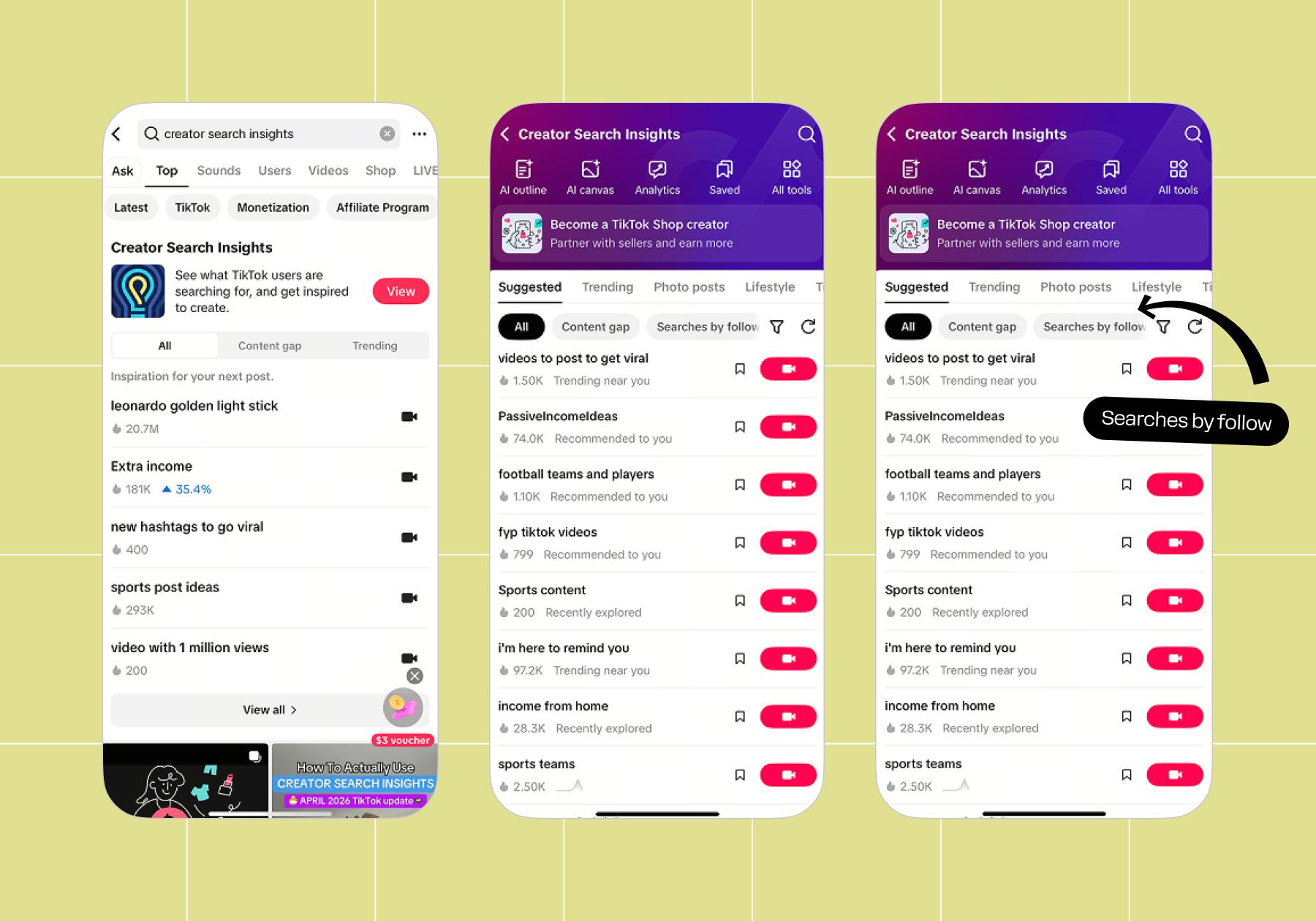
- Open TikTok and head to the search field (🔍).
- Search for “Creator Search Insights.”
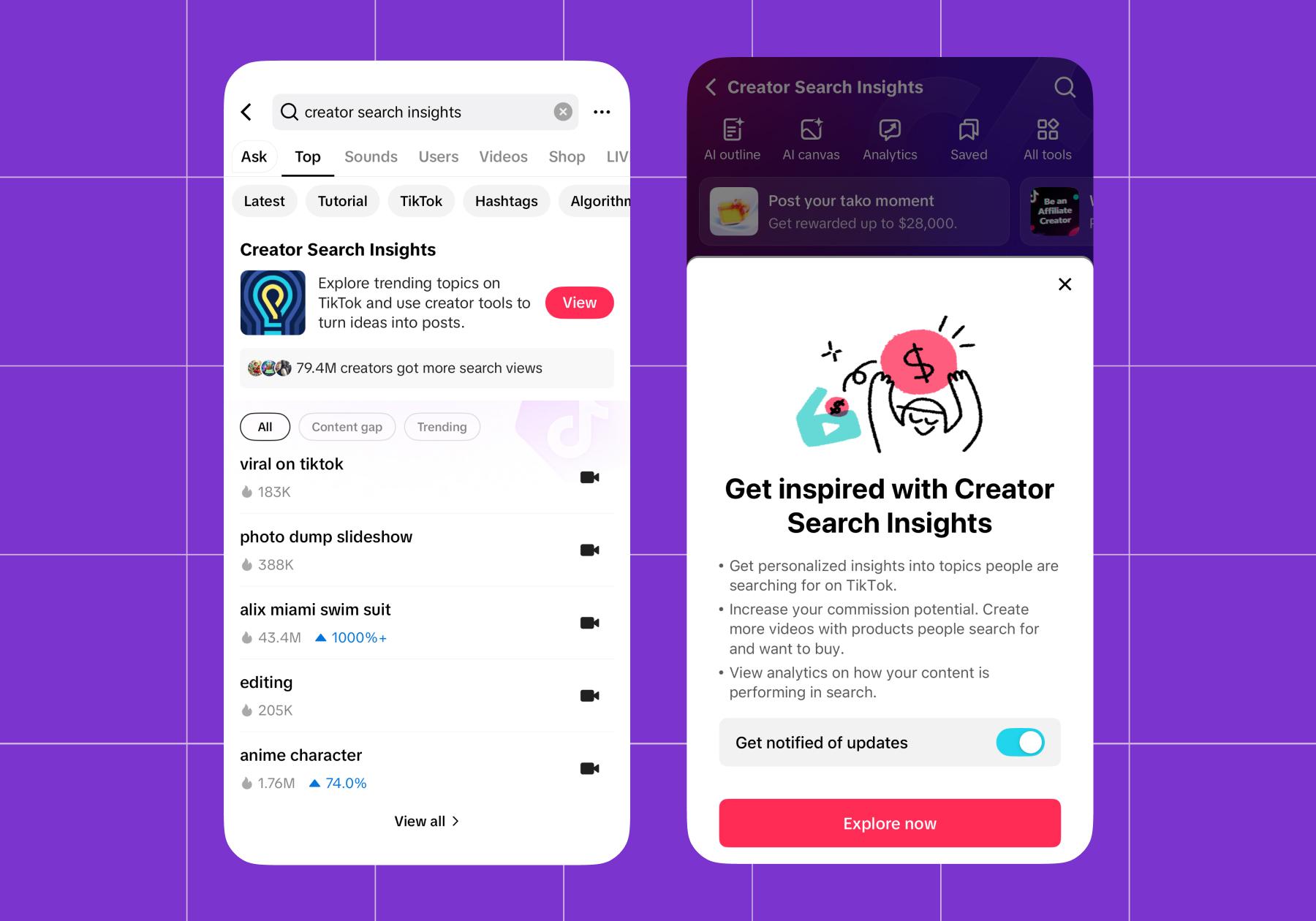
Boom — you’re in.
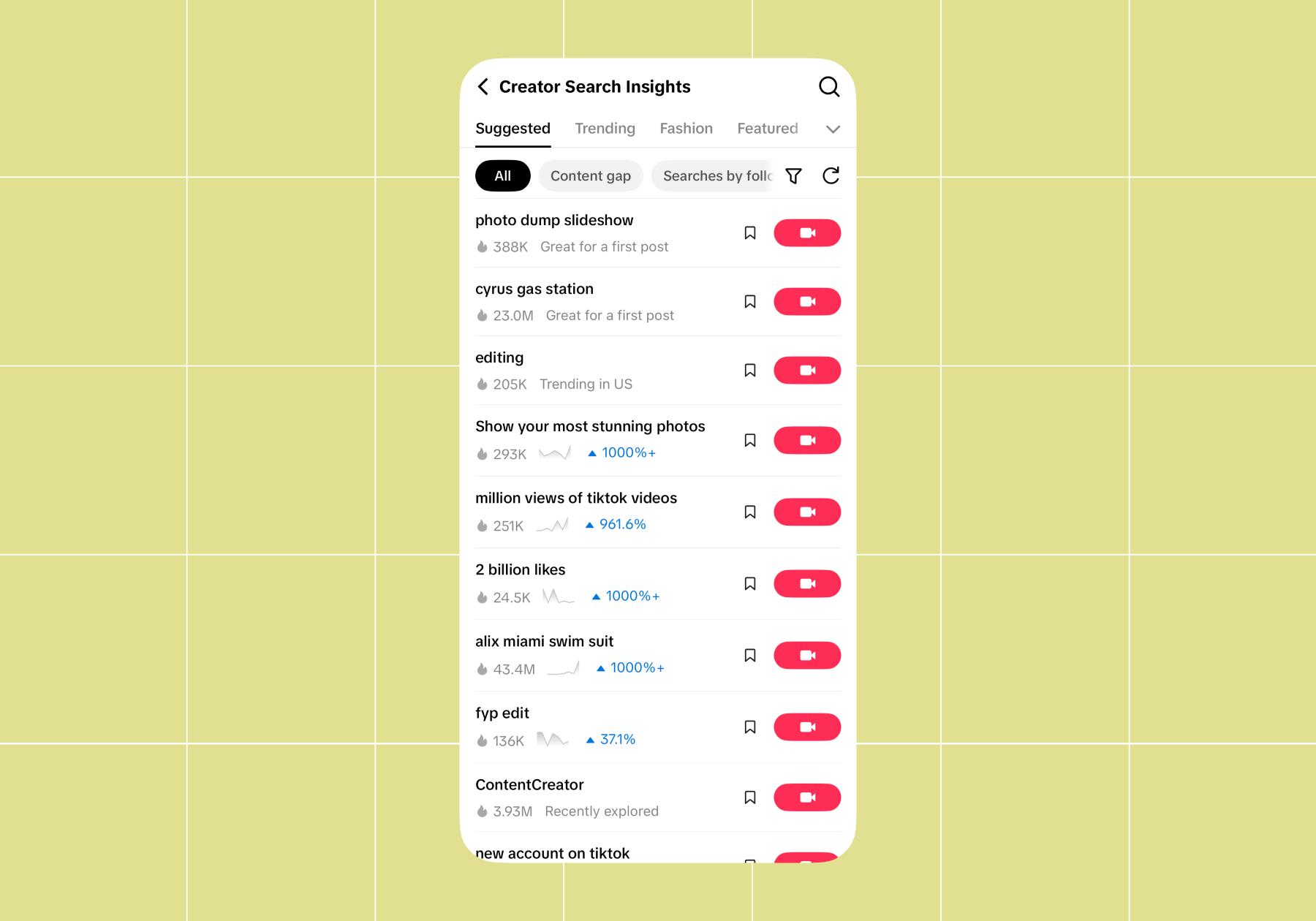
All: What’s trending right now
The Search tab shows you trending searches across TikTok. You can filter by category to hone in on what’s going on in your niche.
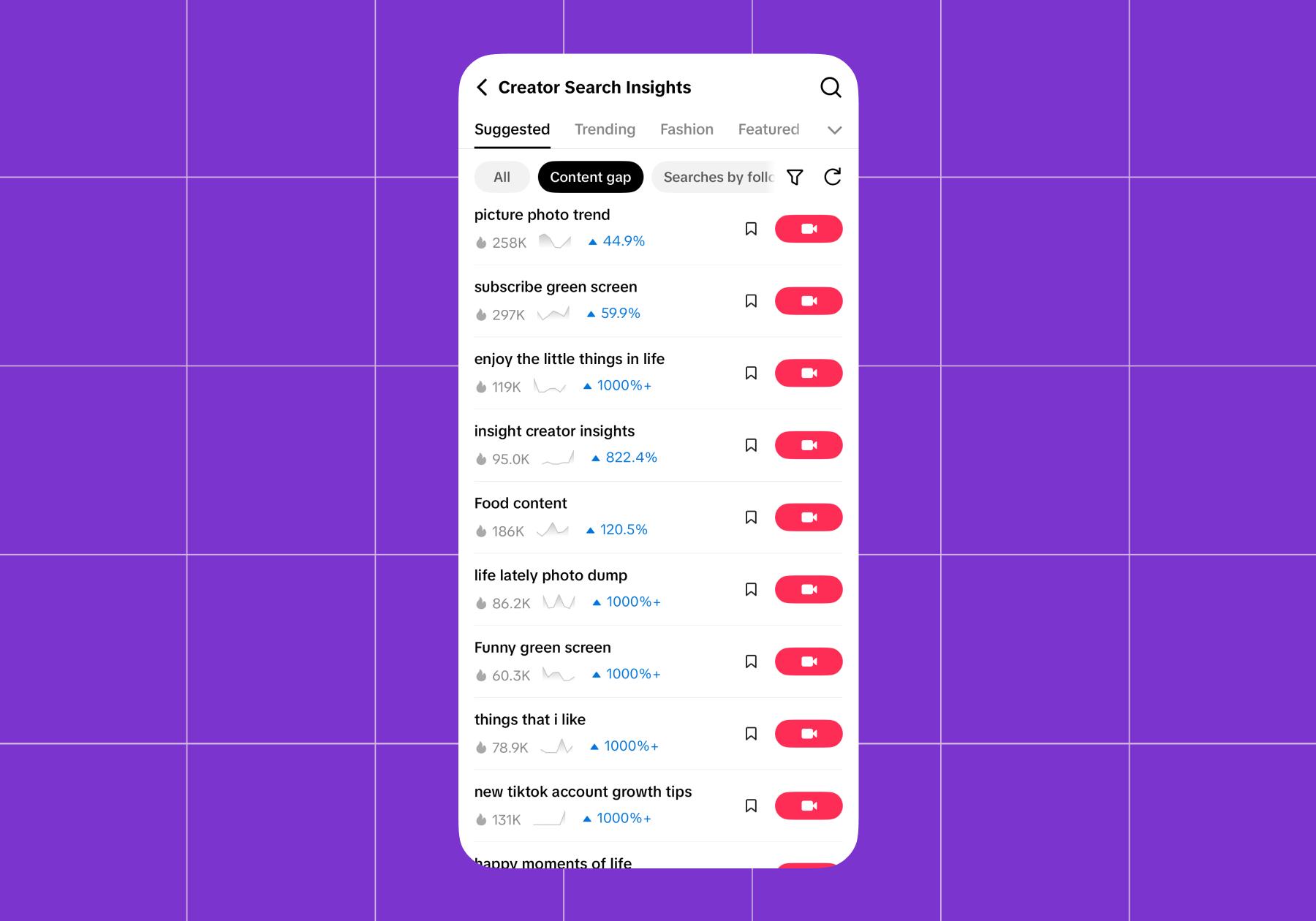
Content gap: Where the easy wins live
The Content gap filter surfaces search topics with high demand but low supply. These are topics that a lot of people search for, but there aren’t a lot of videos out there that match them.
Searches by followers
The searches by followers filter shows what YOUR specific followers are searching for on TikTok. It’s one of the best ways to get to know your audience; TikTok is literally telling you what they want to see. The only problem is that you need at least 1,000 followers to start seeing data here.
Okay, You Found a Trend — Now Actually Post It
Spotting a trend is the first step. Turning it into content is step two. Conveniently, you can create a post straight from a keyword inside the tool — no copy-pasting into your notes app and forgetting about it.
- Find a topic in the All, Content gap, or Searches by followers tab that speaks to you.
- Tap on the topic, then hit the Create button.
- Make content that directly addresses what people typed. Make sure to optimize your caption and hashtags so TikTok search can find it.
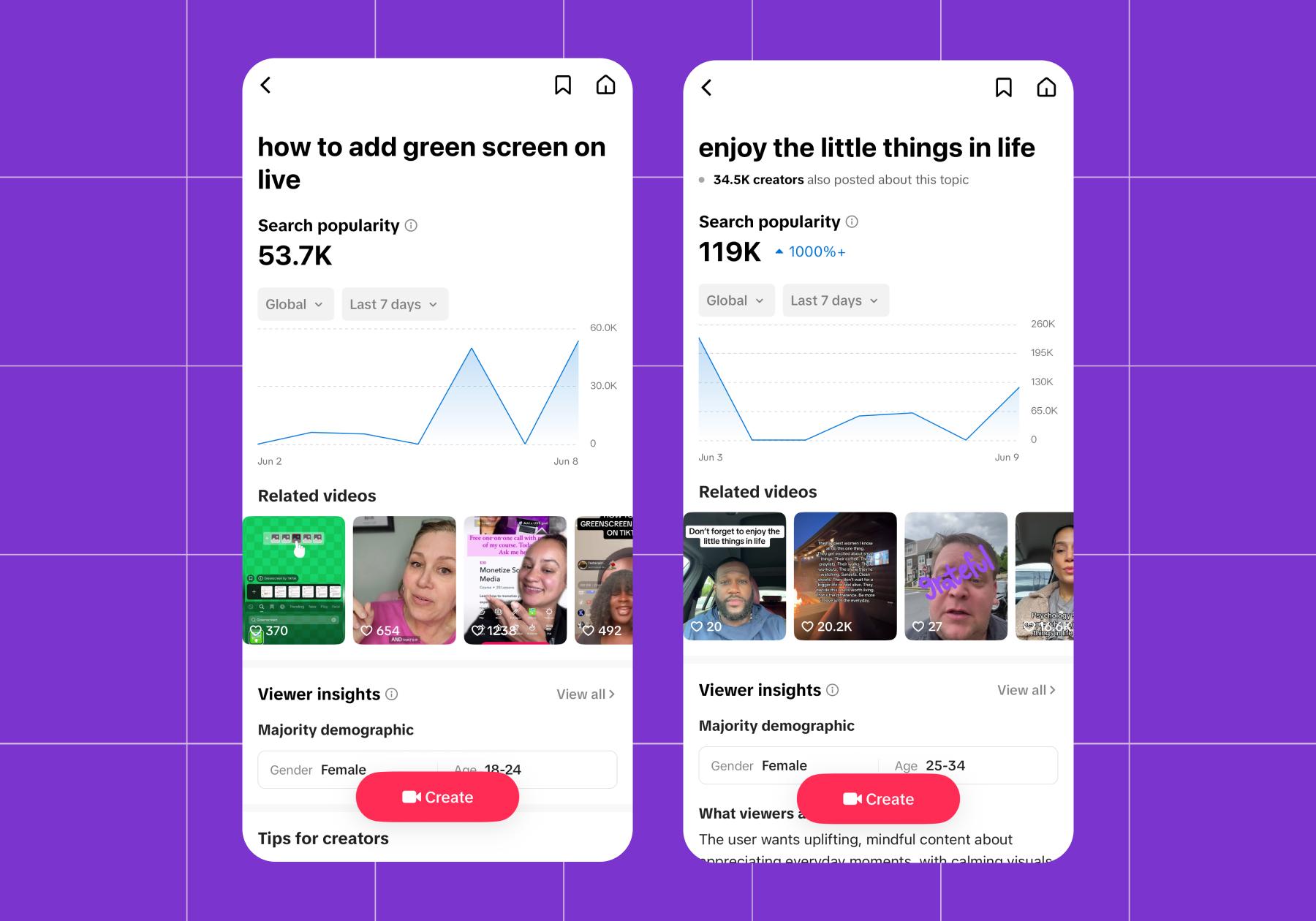
Example: “How to style wide-leg jeans” is trending. A fashion creator films a 60-second styling demo answering that exact question, drops the phrase in the caption, and rides the search wave.
Writing captions that TikTok search can actually find
TikTok’s search indexes more than you’d think: your caption, your on-screen text, and even your spoken audio. So if you want to win at TikTok SEO, weave your target keyword into all three. Say it out loud in the video, slap it in the on-screen text, and write it naturally into the caption. The algorithm’s listening (literally).
Use TikTok Search Data to Level Up Your Content Playbook

Creator Search Insights should be more than a one-off idea generator. Look for patterns in what your audience searches for, watch for seasonal or recurring trends, and use the data to shape your content distribution strategy — balancing trending topics with evergreen content that keeps getting found. TikTok’s algorithm rewards consistency, so a steady stream of search-aligned posts will pay off over time.
Double down on what your audience searches for
When you see your followers consistently searching for certain topics, that’s a clear signal you should lean into that. Don’t just make one video; build a whole series around it.
Experiment where content gaps are widest
Low-competition search queries are the safest place to take a swing. Because so few creators are covering them, you’re more likely to get discovered even if the video isn’t your most polished work.
So when you spot a wide content gap, treat it as a low-risk place to test fresh formats and ideas. Worst case, you learn something. Best case, you own a topic nobody else is touching.
Hold up, this helps you get paid, too?
Here’s a bonus that sweetens the whole thing: Creating content based on search insights can also help you earn through the TikTok Creator Rewards Program.
The Creator Rewards Program replaced the old Creator Fund and pays creators for high-quality, original content. To qualify, videos need to be original and at least one minute long.
Search-optimized, longer-form content that answers what people are actually looking for is the kind of video that boosts watch time and finish rate and racks up qualified views. In other words, Creator Search Insights data can help you cash in.
For more information on monetizing on TikTok, check out From Scroll to Bankroll: Here’s Every Way to Monetize on TikTok.
Don’t Just Post; Post With a Plan

Let’s wrap this up. Now you know that Creator Search Insights takes the guesswork out of content creation. It serves up trending topics and content gaps, and in turn hands you easy wins waiting to happen.
Lean on Creator Search Insights for inspiration, then when your posts blow up, sign up for Manychat. It’s the best way to make sure every comment and DM that comes through your notification tab gets acknowledged (without requiring you to lose your mind).
Learn more about how it works: Manychat x TikTok: The Future of Creator Conversations is Finally Here (Now Live in the U.S.)
Or, jump right in: Sign up for Manychat
Frequently asked questions
Open TikTok and search for “Creator Search Insights.”
Creator Search Insights shows you what people are searching for on TikTok so you can create content around those topics, while TikTok analytics shows you how your existing content has already performed. One looks forward, the other looks back.
Yes. Creating longer-form content based on trending search topics can help you earn through TikTok’s Creator Rewards Program, which pays creators for high-quality, original videos that are at least one minute long. Search-optimized content gets discovered, leading to more qualified views.
A content gap is a search topic with high demand (lots of people searching for it) but low supply (not many quality videos covering it), which means you have a much better chance of getting discovered if you create content for it.
Creator Search Insights is available to all accounts with Creator Tools access. The only follower requirement is that you need at least 1,000 followers to access data via the “Searches by followers” filter.



Originally published: Mar 29, 2025, Updated: Jun 24, 2026
More stories worth reading
More content that's too good to miss