Everyone loves a year in review. Apply the concept to TikTok, and suddenly you’re laugh-crying about the highs (that video you quote with your friends all the time), the lows (that day you spent eight hours scrolling), and the random songs you only know about 20 seconds of.
Here’s the problem: There isn’t really a wrapped for TikTok, at least not a personalized one. But don’t worry, we’ve got you covered.
TikTok Year in Review: Kind of a Wrapped, Kind of Not

TikTok releases a Year on TikTok recap every December, but it’s usually a platform-wide highlight reel of the year’s top trends, creators, sounds, and moments.
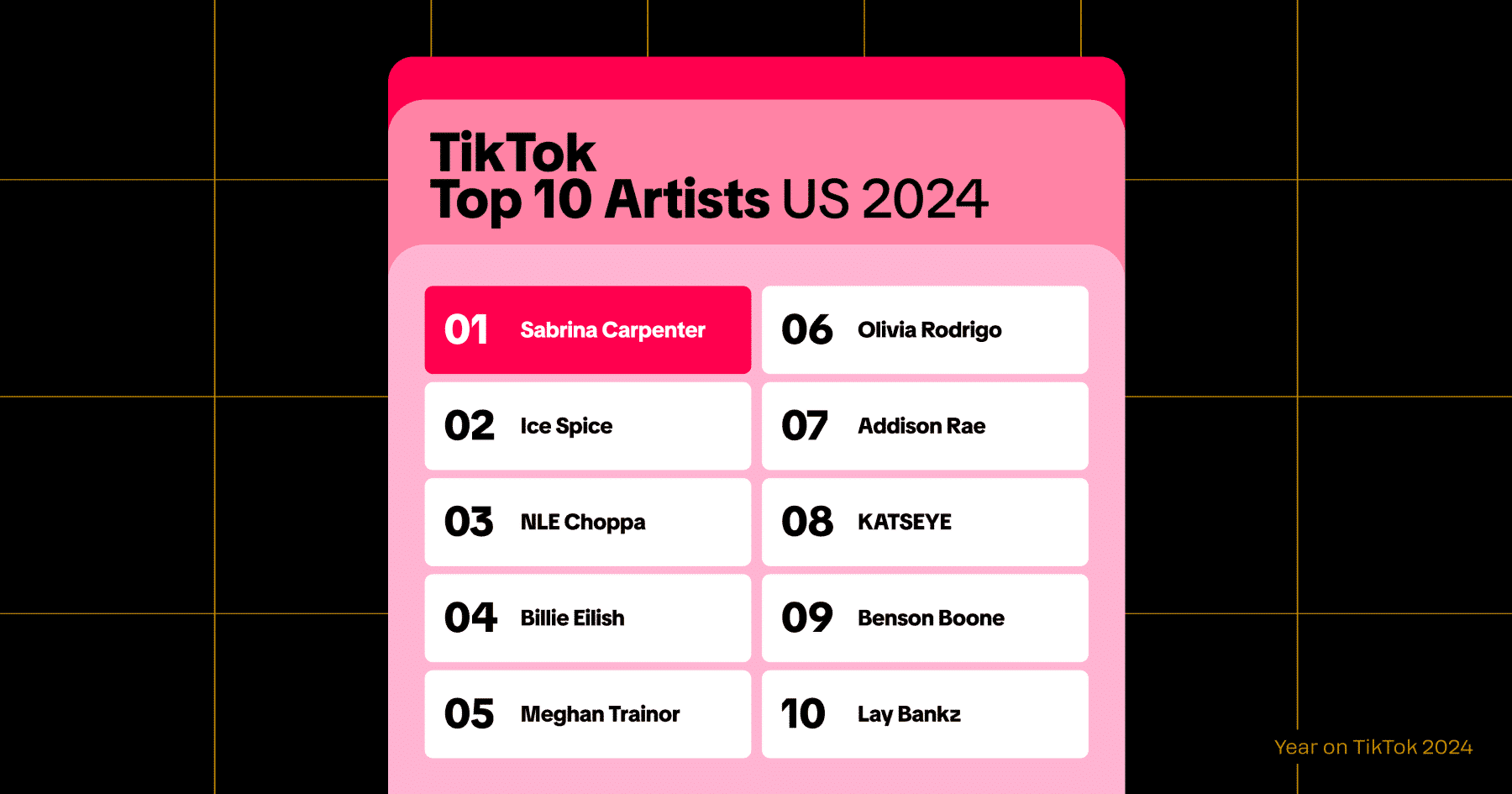
Meaning, there’s not really a TikTok Wrapped with individual stats, like your most-watched creators, total minutes viewed, etc. — at least not for every user or every region.
Some users report seeing a personal “Year in Review” banner in the app in past years, while others never received one. TikTok hasn’t confirmed whether a personalized recap will roll out globally each year, so consider it hit-or-miss.
If you want to check whether you’ve received one:
- Open the TikTok app in December.
- Look for a recap banner: Check the For You Page, your Profile, and Notifications.
- Search the #YearOnTikTok hashtag (TikTok often places the link there).
If nothing shows up, don’t panic. There’s a backup option, although it’s a DIY approach.
How to Make Your Own TikTok Wrapped

Buckle up, pal. It’s about to get (a little) technical.
To make your own TikTok recap, you need to download your TikTok data and use a third-party generator to turn your stats into a recap you can share.
It’s doable, but it takes some patience. It also requires giving a third party access to your data, so only use trusted tools and read their privacy policies carefully first.
1. Download your TikTok data (ASAP!)
If you want to make a TikTok wrapped to share on social, the first thing you should do is request your TikTok data.
TikTok doesn’t give you this information instantly. It can take several days for you to get your file, depending on account size and server load. Do this as soon as possible so you’re not scrambling on December 30th.
To download your TikTok data:
- Open the TikTok app. (Make sure you’re logged into the right account.)
- Go to your Profile.
- Open Settings and privacy: Use the hamburger menu in the top right corner to get there.
- Go to Account, then tap Download your data.
At this point, you’ll have the option to download everything all at once, or just your activity, messages, and posts. You can also choose the file format: .txt or .JSON.
Note: I recommend choosing .JSON. This format provides more information to work with. (Plus, it’s what you’ll need to use the TikTok wrapped generator mentioned in the next section.)
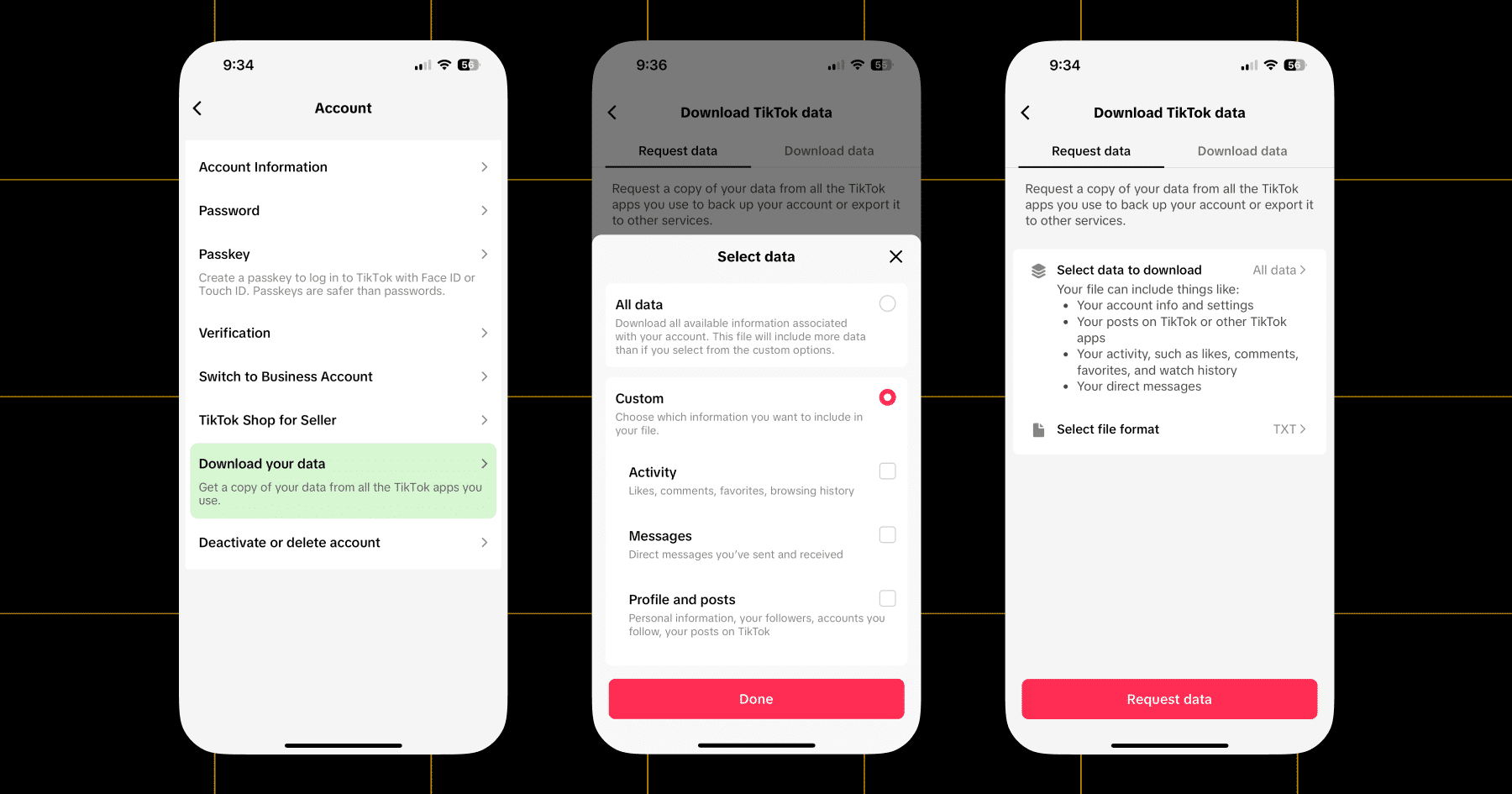
Select what you want, click Done, and then Request Data. Now we wait. 🕛
When your download is ready, you’ll get a notification. For me, this took about two days. Open TikTok, head back to this screen, and download the file to your phone or computer.
Note: The more active your account, the more stats you’ll have. If your TikTok activity is pretty low or your account is new, you won’t have much to work with. I had rookie numbers (oops 😅).
2. Use a third-party generator to create your wrapped
Once you’ve got your file, it’s time to turn it into something shareable. The best option I found for the job is a tool called Wrapped for TikTok.
Wrapped for TikTok allows you to upload your exported data and generate a cute little summary of your TikTok stats — including total videos watched, watch time, comments, and more.
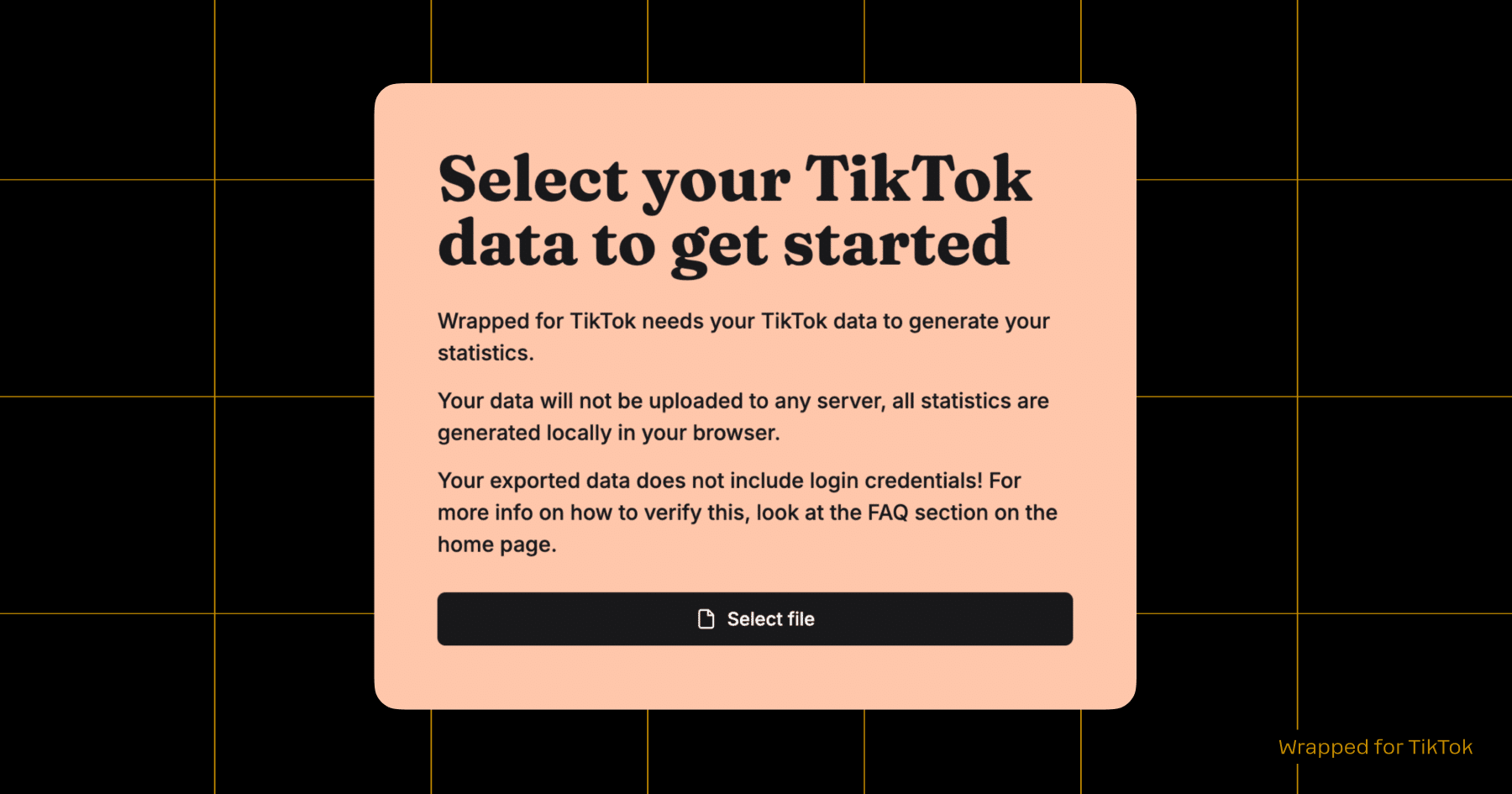
It’s free and easy to use, but more importantly, the site emphasizes privacy:
“Wrapped for TikTok is safe and privacy-centered. If you know how to read code, you can look at our full source code at github.com/vantezzen/wrapped. Your TikTok data is only used in your browser and never uploaded to any server. We will not store or process your data on our server in any way.”
I felt like that met my expectations, given that I generally go through life with an “accept all cookies” attitude. If you’re going to use Wrapped for TikTok, just head to the site and hit Start Now. Upload your TikTok data file and let the magic happen.
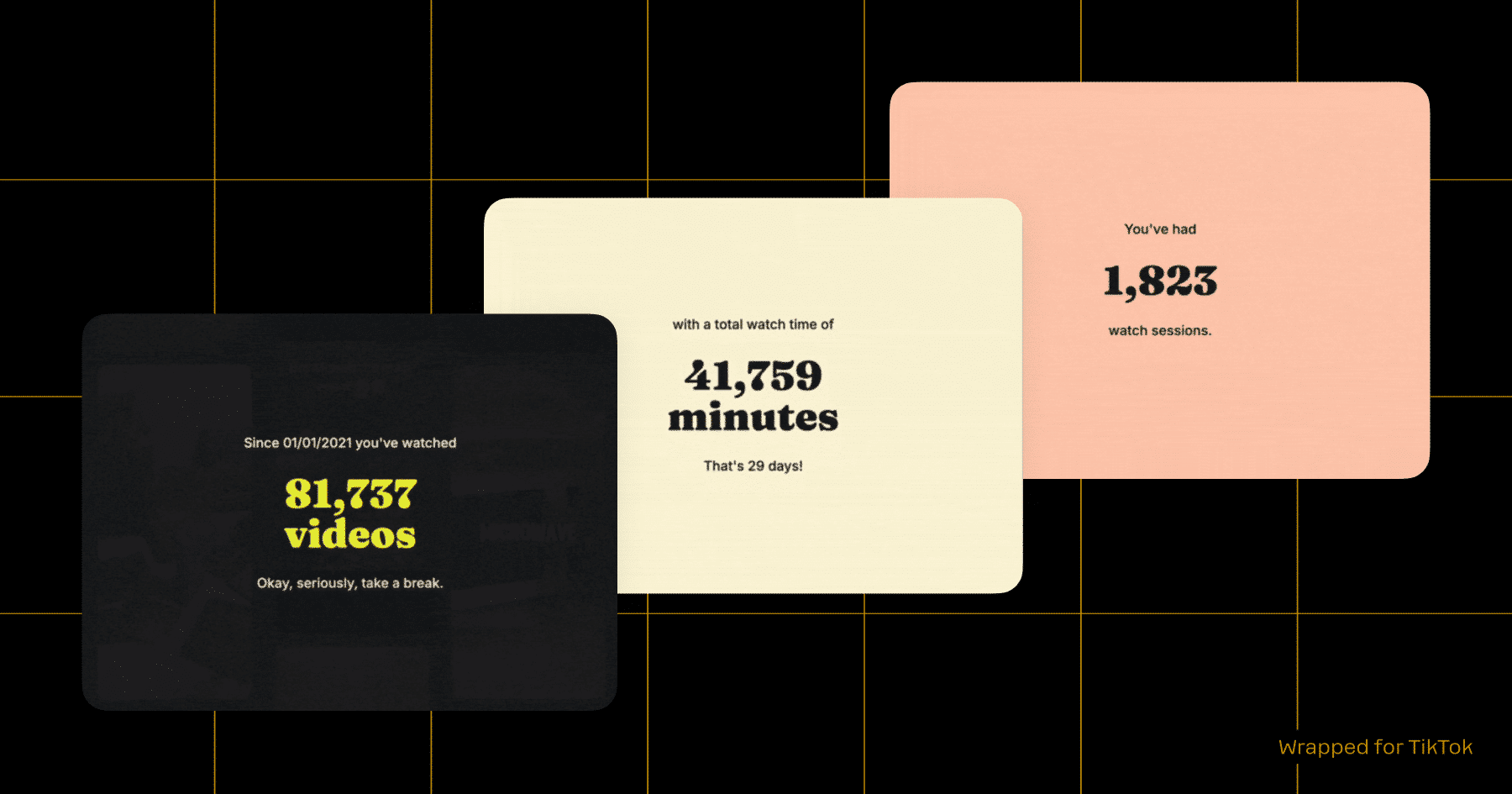
BTW, if you’d like to show your appreciation to the developer who created this tool, Bennett Hollstein, you can buy him a coffee.
3. Share it on socials
Time to let everyone know just how online you really are! You know what to do — grab your file from Wrapped for Spotify and turn it into a TikTok/Instagram post. Share it, tag your friends, and challenge your followers to make one too.
Congrats, You Made Your Own TikTok Wrapped

TikTok might not create a personalized year-in-review for you, but you still made it happen. Nice one! Hopefully, this means every single late-night doom-scroll session was worth it. Same time next year?
Psst! Did you know that Manychat is an official TikTok partner? Learn more: Turn TikTok Views Into Customers With Manychat.
✋ Frequently Asked Questions (FAQs)
1. Is downloading my TikTok data safe?
Yes, as long as you only download it directly from TikTok and upload it to tools you trust. Your data file includes things like watch history, comments, and messages, so always double-check a tool’s privacy policy. Wrapped for TikTok processes everything locally on your device, which is why it’s one of the safer options.
2. Will using a third-party tool get my account flagged?
Nope. You’re not connecting any external app to your TikTok account or violating the platform’s policies. You’re simply uploading a file (with data you already own) to another platform.
3. I didn’t get a TikTok Year in Review. Did I miss something?
Probably not. TikTok isn’t consistent about who gets a personalized recap (or whether one rolls out at all). Some years it appears for some users, some years it’s only platform-wide stats.
4. My TikTok isn’t huge. Will my wrapped even be interesting?
Even if your account is small, you’ll still get fun insights like total watch time, your most-liked genres, and when you scroll the most. And pro tip: Your followers care more about your storytelling than your stats.
5. Can I use my TikTok wrapped as content for my brand or clients?
Go for it! A recap is an easy way to showcase your personality and engagement style, or give clients a glimpse into your creative habits. Turn it into a carousel, a green-screen video, a stitch, or a “things I learned on TikTok this year” post.



Originally published: Dec 2, 2025, Updated: Dec 2, 2025
More stories worth reading
More content that's too good to miss