
Drowning in DMs you can't keep up with? Opening Instagram to 300 comments, all saying "link?!"
For creators, a full inbox is a great sign. But if managing it is starting to feel like a second job, the good news is you don't have to white-knuckle it forever. When done right, Instagram automation can help you save time and grow your audience — no sore thumbs or late nights staring at your phone screen required.
In this guide, we’ll break down the best Instagram automation use cases for creators. We'll cover the tools you need to get started, the best practices that set you up to win, and the exact ways to use automation to grow your engagement without upsetting your followers.
TL;DR
- Instagram automation handles the repetitive stuff (DM replies, comment responses, lead capture, and scheduling), so you can focus on content and community.
- Not all automation is safe: Stick to Meta-approved tools to avoid account bans, and never automate follows, likes, or unsolicited DMs.
What Instagram Automation Can Do for You

Instagram automation is a strategy creators and social media managers use to hand off simple, repetitive tasks — like replying to FAQs, capturing leads, and scheduling posts.
Instagram automation can be used for many things today, including:
- Scheduling (planning your content calendar)
- Analytics (tracking performance)
- Engagement (automating DMs and comments)
- Content creation (using AI to draft captions or design graphics)
Here's something worth knowing up front: automation isn't a replacement for you. Fully automating your Instagram presence would backfire; scrollers followers want authenticity and a sense of connection with the creators and brands they admire.
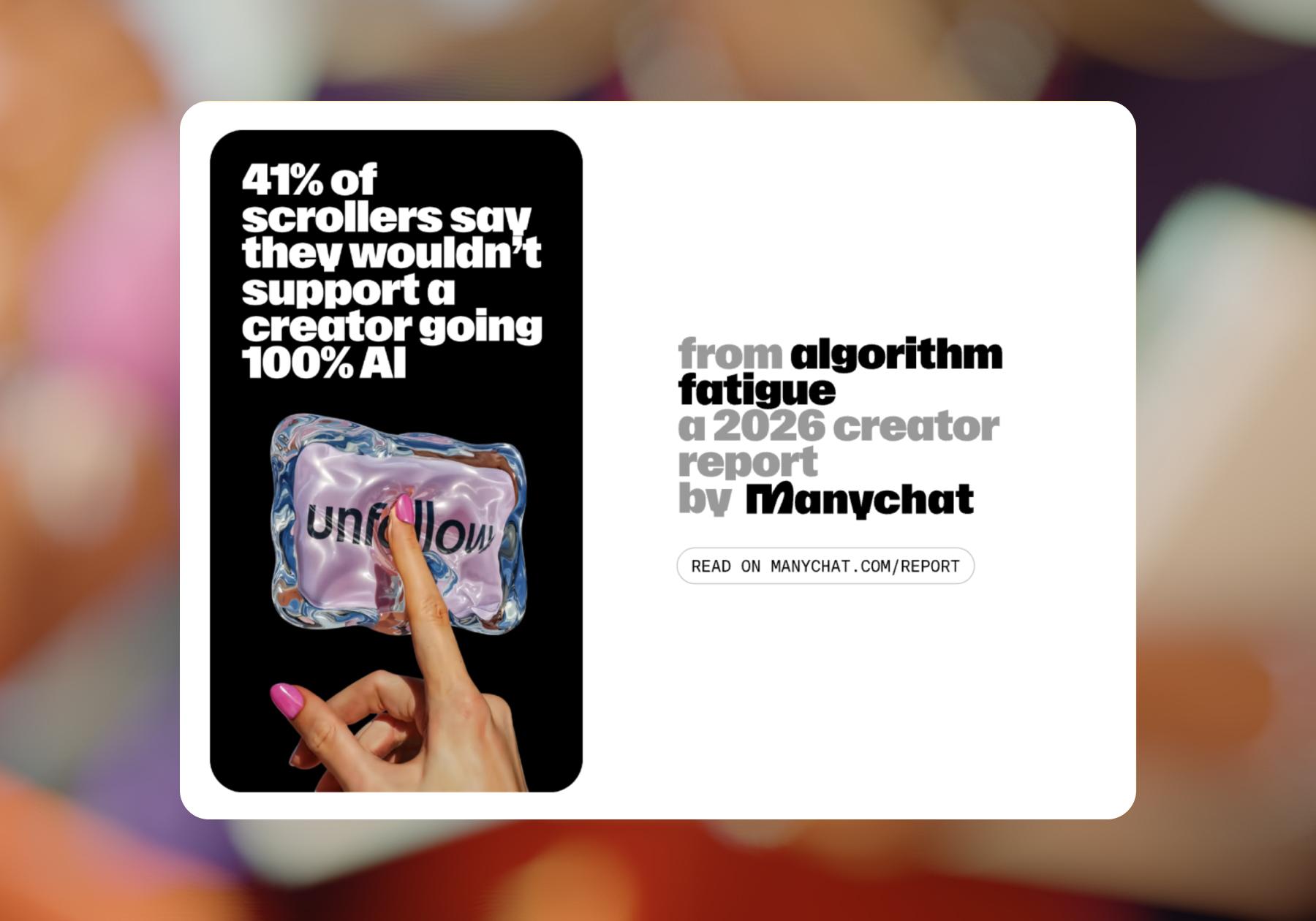
They might not mind a chatbot answering an FAQ, but they don't want every comment and reply to feel automated, so your strategy should be to automate the easy wins while personally stepping in for more complicated or nuanced situations.
What you should automate on Instagram
Through Meta's approved partners and the Instagram API, you can safely automate:
- Scheduling and publishing posts: Plan your calendar days or weeks ahead.
- Retrieving analytics and insights: Automatically pull performance data.
- Managing comments: Respond to, hide, or delete comments (and filter them by keyword).
- DM responses: Reply to messages through approved business tools like Manychat.
- Story reply automation: Acknowledge Story mentions and replies, and use them to start conversations.
These represent the easy wins mentioned above. Automating these tasks allows you to free up your time while still showing up on your own account.
What you shouldn’t automate on Instagram
Overreliance on automation can put you in bad standing with Instagram and get you shadowbanned or booted off the platform if you use it in violation of their terms of use.
You've likely seen what it looks like when automation gets abused: spammy comments, fake followers, etc. The Instagram API explicitly does NOT allow automation to:
- Follow or unfollow accounts
- Like or comment on content
- Send unsolicited direct messages
Get caught doing any of these, and the consequences escalate fast: shadowbans that tank your reach, temporary suspensions, or a permanent ban that means starting from scratch.
The Benefits of Instagram Automation for Creators

Automation at its best frees up your time and energy for the deep, creative work that makes people look forward to your content. Here's what properly implemented Instagram automation actually does for creators.
- Scale without burning out. Most creators and social media managers are teams of one doing the work of many. Automation cuts the tedious, repetitive tasks that drain you, and account moderation means you don't have to spend hours blocking and reporting spam bots and trolls. That's especially valuable when you're juggling multiple accounts or launching a brand partnership.
- Let leads roll in overnight. Tease a lead magnet, then send it to interested followers via an automated DM. Capture their email address before handing it over so you can turn them into an owned contact.
- Keep your posting cadence consistent. Planning and scheduling tools help you keep your grid's aesthetic cohesive and also serve as a content calendar.
- Brands take notice. Having an automation strategy in place that protects your brand voice and keeps your DMs active and answered makes you more appealing to work with to brands.
- The fun of social media comes back. Managing a social presence is a ton of work: strategy, creation, curation, community, moderation, design. Each is basically a full-time job, and it's easy for rising creators to hit a wall and lose their spark. A smart automation strategy lightens the load, so you can spend more time on the parts you actually enjoy.
The Risks of Instagram Automation (and How to Dodge Them)

Automation is powerful, but a few missteps can cost you your account (and your audience…yikes). Here's where things go wrong and how to avoid it.
- Using a non-approved tool: Shady tools that automate banned actions (or ask for your Instagram password) can get you suspended or banned, and can put your fans' privacy and security at risk, too. Only use Meta Business Partners, like Manychat, that connect via Instagram's official API.
- Over-automating: Automate everything, and you'll lose the authenticity that made people follow you in the first place. The fix is simpler than you'd think: keep automation for the repetitive stuff and show up personally where it counts.
- Ignoring rate limits: Blasting actions too fast can quietly tank your reach. Work with reputable tools that respect Instagram's limits; shortcuts here aren't worth the risk.
How to vet an automation tool before you trust it
Before you connect any tool to your account, run it through this quick checklist:
- Is it an official Meta Business Partner? (Green flag.)
- Does it ask for your Instagram password instead of connecting through the official API? (Red flag; walk away.)
- Does it promise to automate follows, likes, or mass DMs? (Red flag; those are banned actions.)
- Is its pricing transparent, with a real free or trial tier? (Green flag.)
If a tool has all of the green flags and none of the red flags, you're on safe ground.
Instagram Automation Tools Worth Knowing About
Instagram automation tools fall into a few clear buckets. No single tool does everything well, so most creators mix and match. Here's an honest look at what's out there.
Tool | Best for | Starting price | Key differentiator |
|---|---|---|---|
Manychat | DM + comment automation | Free (up to 25 contacts) | Meta Business Partner; comment-to-DM flows |
Buffer | Scheduling | Free / ~$6 per channel | Simple, clean publishing calendar |
Later | Visual scheduling | Free / ~$25/mo | Drag-and-drop grid planner |
Hootsuite | Multi-platform teams | ~$99/mo | Broad platform coverage |
Sprout Social | Analytics | ~$199/mo | Deep reporting for teams |
Canva | Content creation | Free / ~$15/mo | AI-assisted design |
Scheduling and publishing tools
Tools like Buffer, Later, and Hootsuite let you schedule your posts across platforms so you're not scrambling to publish in real time. Buffer keeps it simple, Later is best for visually planning your grid, and Hootsuite suits bigger teams managing lots of accounts.
Pricing ranges from free tiers up to around $99/month.
Content creation tools
On the creative side, Canva's AI features help you design fast, and ChatGPT can draft caption ideas you refine in your own voice. Keep it human — AI is a starting point, not the final word.
Engagement and DM automation tools
This is where Manychat shines: automating DM responses, comment-to-DM flows, and Story replies — the interactions that actually build relationships and drive sales. As a Meta Business Partner, Manychat uses Instagram's approved API, so you can automate without risking your account.
For DM automation tools, pricing typically ranges from free to $99/month, depending on the number of contacts and features. Manychat's free plan covers up to 25 active contacts so that you can test-drive comment-to-DM and Story reply flows before spending any money.
Learn more about Manychat for Instagram
Analytics
For performance tracking, tools like Sprout Social and Iconosquare go deep, while native Instagram Insights covers the basics for free.
Where to Start: Easy Wins with DM Automation

If you’re a creator starting from scratch with Instagram automation, you don’t need to build a crazy funnel on day one. Instead, start with the audience behavior you already have, then automate the next useful step. Using Manychat is a great way to do this, because you can sign up for free.
1. Turn comments into DMs with a freebie or useful link
Start here. It’s probably the clearest way to experience what Manychat can do.
Create a Reel or post that solves part of a problem, then offer something that helps people finish the job. For example, a fitness creator could share “3 mistakes that make meal prep harder” and offer a free meal plan. An affiliate creator could showcase a product and include the exact product link.
Make the CTA ridiculously clear: “Comment PLAN and I’ll DM it to you.” The keyword should be short, memorable, and related to what they want.
Then, in Manychat, create a Comment-to-DM automation for that post or Reel. When someone comments, automatically send them a DM acknowledging their request and providing the resource or a button to access it.
2. Turn interested viewers into followers
Once Comment-to-DM is working, add a simple growth step.
Your content strategy stays similar: create useful content with an incentive to comment. But make the resource valuable enough that someone discovering you for the first time thinks, “Yep, I want more from this person.” Educational guides, templates, checklists, recipes, product lists, and mini tutorials work well because they're natural extensions of the content.
Then add a Follower Check to your automation. If the person already follows you, continue normally. If they don't, prompt them to follow before moving them toward the resource.
Keep the message friendly rather than transactional: they’ve already raised their hand by commenting, so you’re nudging an interested viewer toward an ongoing relationship — not begging a random viewer for a follow.
3. Start building an email list from your DMs
Followers are valuable. Followers’ contact information is even more valuable.
Start with a resource people would happily exchange an email address for: a guide, template, mini-course, cheat sheet, webinar, quiz result, or other genuinely useful freebie.
Use the same content loop: teach something → create curiosity or demonstrate value → add a CTA to comment → continue the conversation in the DM.
Then add a Data Collection block to your Manychat automation and ask for their email. Once collected, you can store it and connect it with your email marketing/CRM setup. This is an important step because you're moving from a rented audience to an owned contact list.
Don't add six questions in a form just because you can. For your first automation, email alone is enough. Every additional hurdle gives someone another opportunity to leave.
4. Put your repetitive conversations on autopilot
Next, look at your inbox. What do people ask you again and again?
“How much is your course?” “Where's that recipe?” “What camera do you use?” “How can I work with you?” “Where do I start?”
Those questions tell you what to automate.
Start by choosing your three to five most common questions. Then use Manychat's always-on tools such as Default Reply, Conversation Starters, and Main Menu to help people find those answers without waiting for you.
Your content strategy helps here, too. Pay attention to questions appearing under posts and Reels; they're effectively free audience research. If one question keeps appearing, create content that answers it, and make sure your DM setup can answer it.
Think of these automations as your safety net: they're always running in the background, helping make sure common inbound questions and messages don't get missed.
Automations for Branded Content

Once you know how to turn comments and DMs into automated conversations, you can use the same strategy for brand partnerships. Instead of simply posting sponsored content and sending followers to a link in bio, build the next step of the campaign directly into the content.
Make sponsored product links easier to access
Partnering with a brand on a sponsored reel? Instead of sending viewers to the link in your profile, try a CTA like, “Comment GLOW, and I’ll send you the products I used.”
Then, use the Comment-to-DM automation we covered earlier to automatically send the product or campaign link to anyone who comments. It gives interested viewers a more direct path from your recommendation to the brand’s site.
Give followers an exclusive campaign offer
If a brand gives you a creator-specific discount code, make the offer your CTA: “Comment SAVE and I’ll DM you 20% off.”
Again, you can use Comment-to-DM to deliver the code and shopping link automatically. A creator-specific code also gives the brand another way to track purchases tied to your campaign.
Turn a giveaway into more than comments
For a sponsored giveaway, a comment can be the start of the campaign instead of the end. Ask followers to comment a keyword to enter, then use Comment-to-DM to confirm their entry and continue the conversation.
Want to take it further? Add the Data Collection block we covered earlier to collect an email address, or use the DM to offer a bonus, share more details, or direct entrants to the sponsoring brand.
Your Instagram Automation Journey Starts Today

You don’t need a complicated funnel or a huge audience to start getting value from Instagram automation.
Pick one of the simple automation use cases outlined above, connect it to content you’re already creating, and see what happens when interested viewers get the right response at exactly the right moment. Once you see comments turning into conversations, followers, leads, or clicks, you’ll know where to build next.
Frequently asked questions
Most Instagram DM automation tools cost between $0 and $99 per month, depending on the number of contacts and features you need. Scheduling tools run cheaper (often $0 to $30/month), and many platforms — including Manychat — offer free tiers to get you started.
Check out Chatbot Pricing: How to Pick the Right Plan Without Overpaying for more information.
Yes, as long as you use Meta-approved tools and avoid automating actions Instagram explicitly bans, like auto-following or auto-liking. Stick to official Meta Business Partners to automate engagement without risking your account.
Yes, but only with tools that are official Meta Business Partners and use Instagram's approved API for business messaging. Automating unsolicited DM blasts or using password-based tools is what gets accounts flagged and banned.
Scheduling tools handle when your content goes live, while DM automation handles what happens after someone engages with it — replying to messages, capturing leads, and driving sales conversations. Most creators use both.
Probably, because most humans can’t respond to comments and DMs instantly. The goal isn’t to hide that you’re automating; in fact, it’s probably better to come right out and say that you are. But you should personalize automated messages so they sound like you, and you should also jump in personally when it counts (like for relationship-building, responding to complaints, and fielding brand-deal opportunities).



Originally published: Sep 30, 2024, Updated: Aug 24, 2026
More stories worth reading
More content that's too good to miss