If you’re slinging wares online, Instagram is a great place to be in business. Shopify reports that 83% of Instagram users discover new products and services on the platform, and over 200 million people visit at least one business profile every single day.
Perhaps even more compelling: Around 44% of social media users use Instagram to shop on a weekly basis. With transactions happening left and right, it’s understandable to want to get in on the action. Ahead, we’ll walk you through how to do that, from setting up your account for success to developing a content strategy that converts.
1. Set Up Your Instagram Business Account
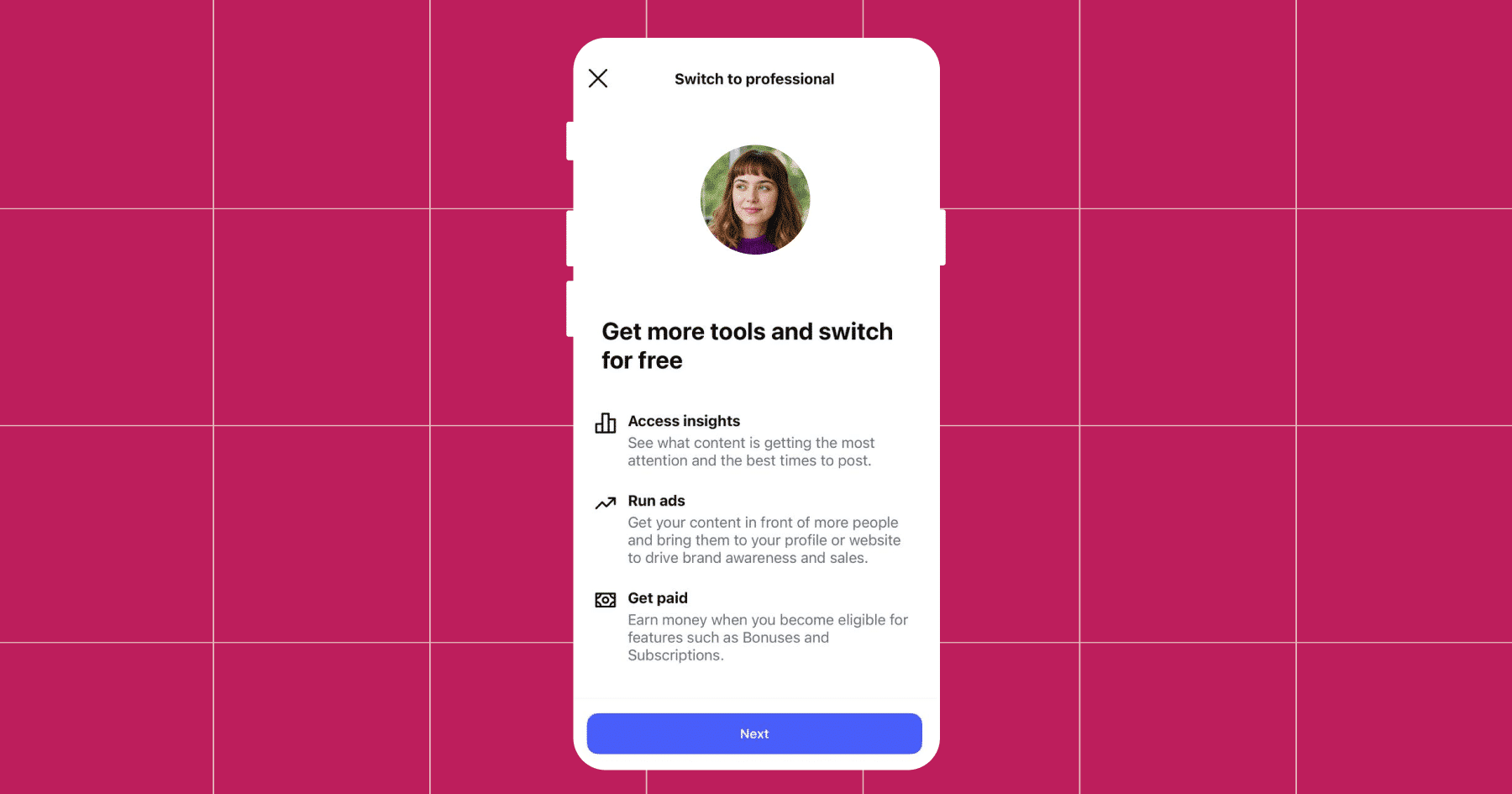
Unlike Personal or Creator profiles, a Business account gives you access to powerful tools designed to help you grow, engage, and sell. So, whether you’re a solo seller or a growing brand, setting up a Business account is the first step to turning Instagram into a full-fledged sales engine.
By doing this, you’ll gain access to:
- Instagram Insights: See who your followers are (age, gender, location), when they’re most active, and how your content is performing. These analytics help you optimize everything — from post timing to messaging.
- Contact buttons: Make it easy for customers to get in touch with you via phone, email, or directions with dedicated CTA buttons right on your profile.
- Ad tools: Promote posts and run Instagram ads directly from your account, including advanced targeting options for better ROI.
- Shopping features: Only Business and Creator accounts can set up Instagram Shops, tag products, and create shoppable posts and Stories.
- DM Automation access: Manychat requires a Business or Creator account to enable features like keyword triggers, automated replies, and Click-to-DM ads.’
Bookmark for later: Instagram Creator vs Business Account: Which is Best for You?
2. Post Content (And Keep it Fresh with Different Formats)
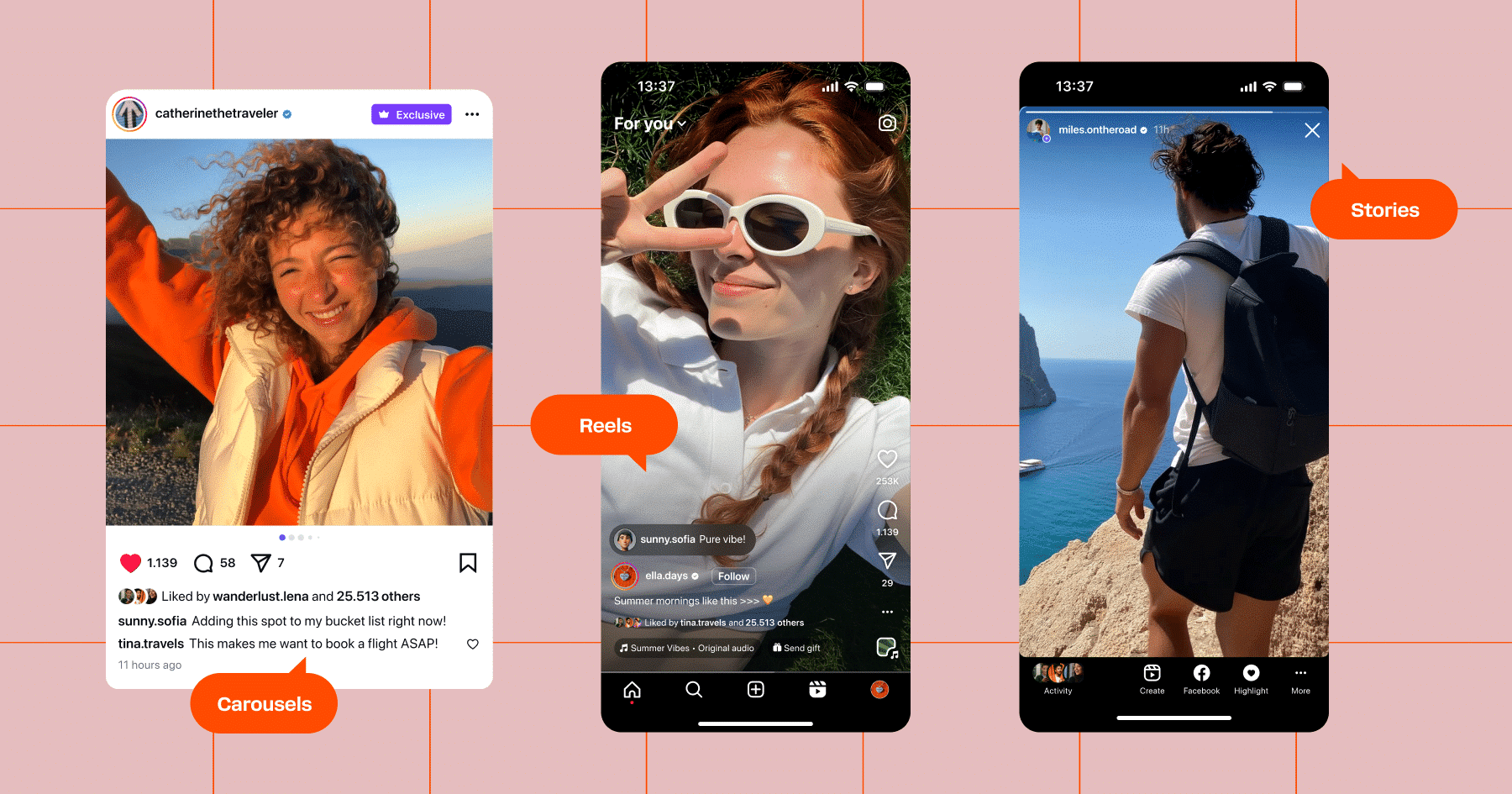
Instagram is a visual-first platform, but to build a high-performing content strategy, you need to leverage the platform’s full range of formats, as each offers a unique way to connect with potential customers and move them down the funnel.
Carousels
Instagram carousels, which allow users to swipe through multiple images or videos in a single post, are highly engaging. They boast an average engagement rate of 0.55%, outperforming single-image posts and Reels. Carousels are particularly effective for showcasing product collections, step-by-step tutorials, or before-and-after transformations.
Reels
Instagram Reels are short-form videos primed for discovery and virality. They have the highest average engagement rate (1.48%), significantly surpassing other formats. You can use Reels to highlight product features, share user-generated content, and participate in trending challenges.
Stories
Instagram Stories provide a platform for sharing time-sensitive content and engaging with your audience through polls, quizzes, and direct messages. With over 500 million people viewing Stories every day, this format presents a huge opportunity to stay top-of-mind with your audience. Stories are also the most frequently used content type by brands, accounting for over 71% of all content published on Instagram.
As for how to best use them, Stories are particularly effective for promoting limited-time offers, showcasing behind-the-scenes moments, teasing product launches, and building urgency.
💡Tip: Save Stories to your Highlights to extend their visibility beyond the standard 24-hour window.
Single image posts
While single-image posts have a slightly lower engagement rate (0.45%) compared to carousels and Reels, they remain a staple for sharing high-quality visuals. You can use them to feature individual products, share testimonials, or announce promotions.
Live videos
Instagram Live videos allow for real-time interaction with your audience. They have a 25% higher viewer retention rate compared to pre-recorded videos, making them suitable for product launches, Q&A sessions, feed takeovers, and live demonstrations.
3. Start Selling with Shoppable Posts & Stories
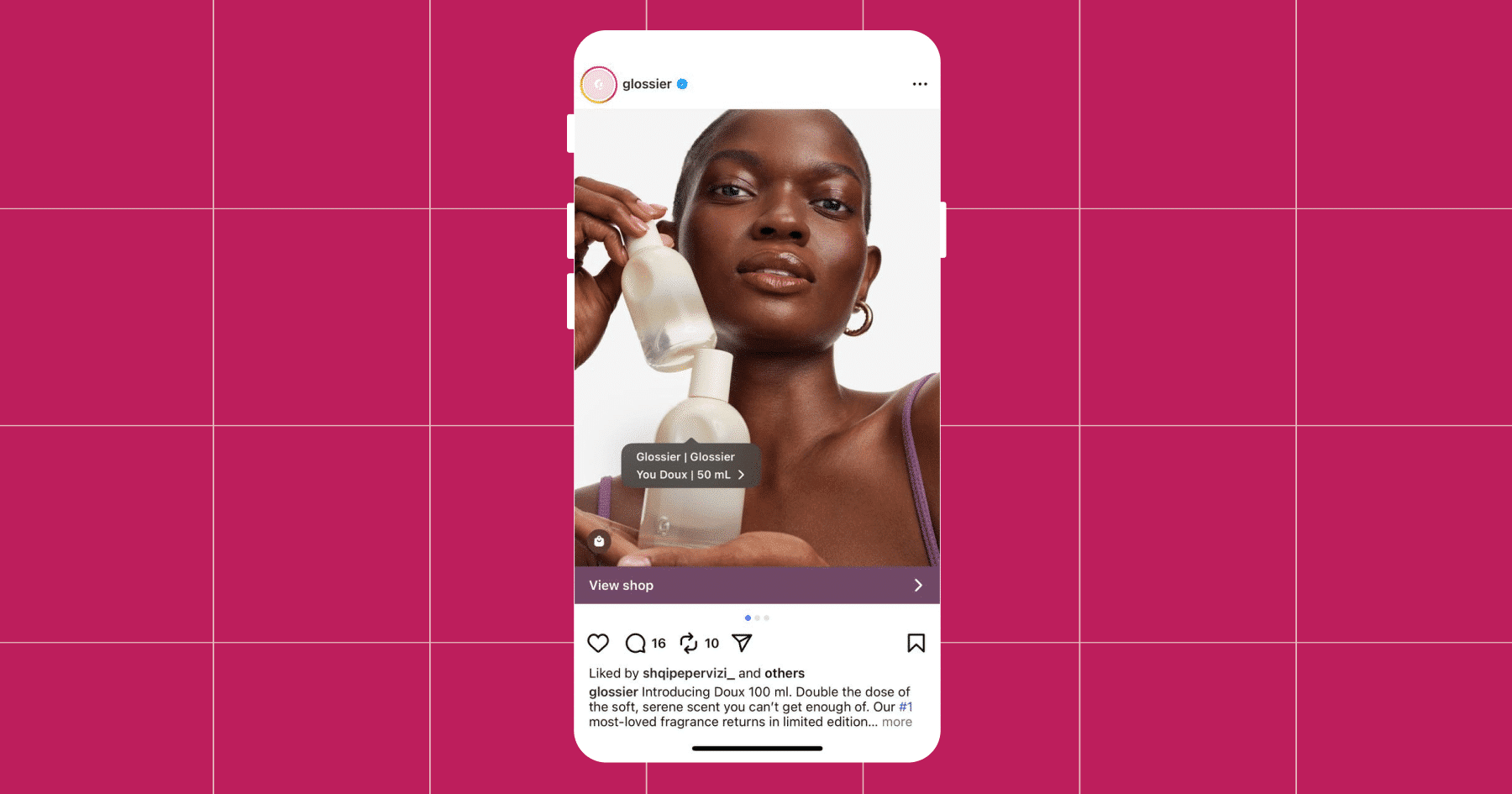
Instagram isn’t just a content-sharing platform — it’s a storefront. With native shopping features, you can turn your feed and Stories into sales channels, letting customers browse and buy without ever leaving the app. Here’s how.
Shoppable posts
Shoppable posts look just like regular feed posts, but they include product tags — small, tappable icons that reveal product names, prices, and direct purchase links. When a user taps a tagged item, they’re taken to your Instagram Shop or website checkout page.
💡Tip: Tag multiple products in a single image or carousel post to increase visibility and cross-sell opportunities.
Shoppable Stories
Shoppable Stories use the same product-tagging functionality, but within the 24-hour Story format. When a viewer taps a tagged item, they can see more details and complete their purchase, all within Instagram.
As a seller, you can also run Instagram Story Ads that include product tags and swipe-up links, helping you reach users who don’t already follow your account. And because Stories are highly visible and time-limited, they naturally create a sense of urgency that can drive quicker conversions.
4. Automate Chats, Accelerate Sales

Manually responding to every message your account receives is time-consuming and unsustainable as your business grows. Manychat makes it easy to create automated funnels that turn conversations into conversions. So, let’s take a look at some powerful ways to use DM automation in your e-commerce strategy.
Automate FAQs
A common use case for DM automation is to answer frequently asked questions like “What’s your return policy?” or “Do you ship internationally?” Doing this will save your team hours of work, and also ensure that potential buyers get the info they need right when they want it.
BTW, we have a video tutorial (a Minichat, if you will) for this
Build a contact list
Manychat’s DM automation lets you collect first-party data (like email addresses and phone numbers) directly through Instagram conversations. When a user shares their info in a chat flow, Manychat automatically stores that data in their contact profile inside your account.
You can also tag users based on behavior (like clicking a button or claiming a discount), segment them into audiences, and trigger follow-ups via email, SMS, or future DM campaigns. This means you’re not just having one-off conversations — you’re building a reusable, owned database you can re-engage across multiple channels, long after the initial DM.
💡Tip: Use entry points like Story mention replies or comment keywords to start the conversation, then ask for contact info naturally within the flow.
Click-to-DM ads
Click-to-DM ads are a powerful way to turn ad engagement into real-time conversations. Instead of sending users to a landing page, you send them directly into an Instagram DM, where an automated Manychat flow takes over.
Once the conversation starts, you can:
- Ask qualifying questions
- Recommend products based on their answers
- Offer limited-time discounts or free shipping
- Collect contact info for follow-up efforts
Because the experience is personalized and happens entirely within the Instagram app, these ads often convert better than traditional click-through campaigns, and they also cost less per acquisition (yay!).
💡Tip: Use Instagram’s built-in ad objective “Click to Message” and connect it to your Manychat flow for a seamless setup.
Run automated giveaways
Giveaways are a proven and effective way to increase engagement, expand your audience, and generate leads. You can use Manychat to automate the entire process of hosting a giveaway, from collecting entries to following up with winners.
When someone comments on your giveaway post, Manychat’s Comment Automation feature triggers a DM. From there, you can instantly deliver entry instructions, confirm participation, and even ask for an email or phone number to finalize the entry (another perfect opportunity to grow your contact list).
But wait, there’s more! You can continue the conversation with users by offering a discount code as a thank-you for entering, teasing future promotions, or sharing a link that encourages them to spread the word and invite friends, turning one entry into many.
Recover abandoned carts
It happens all the time: a shopper clicks on a product, adds it to their cart, and then, *poof,* they disappear.
With Manychat, you can automatically send follow-up messages to users who abandoned their carts, reminding them of the item they left behind and giving them a reason to return. That might be a limited-time discount, a “low stock” alert, or even a nudge that the product is back in stock. Just keep in mind that these follow-ups work best when sent within Instagram’s 24-hour messaging window, while the conversation is still fresh.
Step 5: Share Social Proof
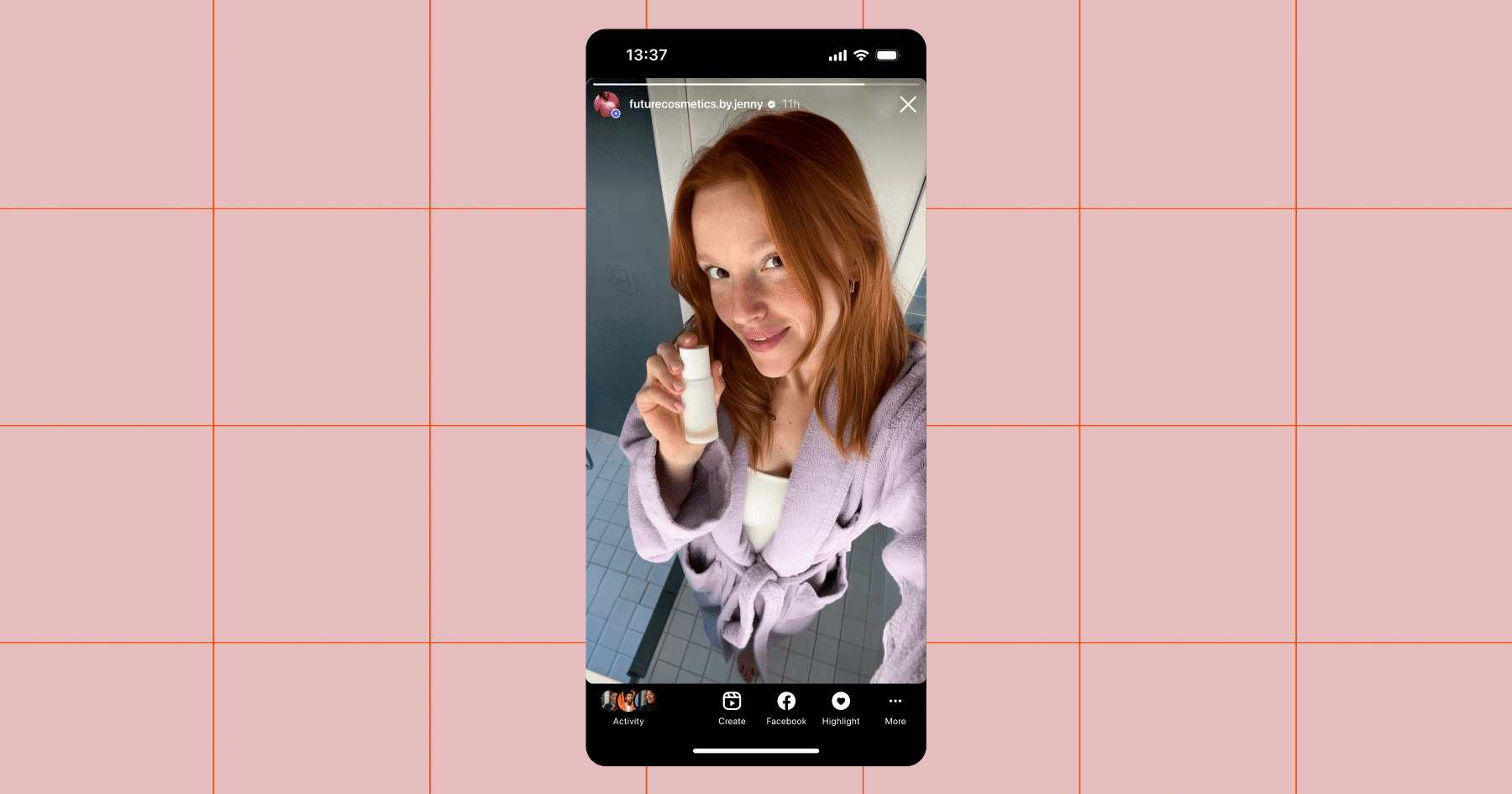
One of the fastest ways to build trust with your audience is by showing real people using and loving your products, whether through UGC or behind-the-scenes clips. We’ve covered a few ways to do this below.
Embed your Instagram feed on your website
Your Instagram feed is already full of great content. Why not bring it to your storefront experience? Embedding your Instagram posts on the home or product pages of your website creates a more dynamic shopping experience, and it also gives new visitors a sense of your brand’s aesthetic and vibe without ever leaving your site.
Feature user-generated content (UGC)
Social proof sells; 77% of shoppers always or regularly seek out photos and videos from other consumers before making a purchase. That’s the power of UGC, and Instagram is the perfect place to source and share it. You can reshare content from customers who tag your brand in Stories, feature it in your site gallery, or spotlight it in product pages.
Share BTS moments
Want to deepen your connection with followers? Pull back the curtain. Share a behind-the-scenes look at product development, team culture, packaging processes, or a day in the life at your warehouse. This type of content humanizes your brand and creates a sense of closeness that can turn casual followers into loyal customers.
Step 6: Run Seasonal Promotions

If you want to tap into your audience’s buying mindset, timing is everything. Seasonal promotions are a powerful way to spark engagement, drive urgency, and boost sales, especially when tied to specific events or moments your audience already cares about.
Leverage seasonal relevance
Holidays, cultural moments, and even fun “national days” (hello, National Margarita Day 🍋🟩) are golden opportunities to align your offers with what’s trending. Whether it’s Valentine’s Day, back-to-school season, or Cyber Monday, consumers are already primed to spend — all you need to do is give them a reason to choose your product.
Use these moments to:
- Launch themed product bundles or limited-edition items
- Offer exclusive discounts or free shipping promos
- Create urgency with countdown timers in Stories or Reels
Make it Instagram-exclusive
Instagram is the perfect place to run flash sales or “follower-only” discounts that reward your community. You can promote the deal across your profile, Stories, and even your DMs and use Manychat to instantly deliver discount codes or sale access to followers who comment, reply to a Story, or tap a CTA.
Turn Instagram Into Your Highest-Converting Channel

You don’t need a massive budget or a team of marketers to grow your e-commerce brand. You just need to know what you’re doing (and hopefully, now you do!).
By combining great storytelling, smart shopping features, and personalized DM automation, you can turn followers into repeat buyers and capture revenue that used to slip through the cracks.
Stop waiting. Get started with Manychat today.
Or, for more ideas on how to monetize your Instagram, check out: How to Make Money with Every Post with Sarah Gav.
✋ Frequently Asked Questions (FAQs)
1. Why aren’t my followers buying even though I’m posting great content?
You might be missing conversation triggers. Most sales happen in the DMs — not just the feed. Use Manychat to start convos when someone votes on a Story, comments a keyword, or taps a button. These little nudges turn passive followers into active shoppers.
2. I have a small audience. Can I still make money on Instagram?
Absolutely. Smaller creators often see higher engagement — which means stronger DMs, more replies, and better conversion rates. Tools like Manychat help you scale those connections without losing the personal feel.
3. I set up automation… now what?
After setting up your flows, check how people are moving through them. Are they dropping off? Not responding? That’s your cue to tweak messages, add personality, or simplify your CTA. Treat it like you would your content — test, adjust, repeat.
4. Why do people ghost my automated messages?
If you’re getting ghosted, your flow probably feels too scripted or robotic. Add little human touches — use their name, reference the product they clicked, or send a quick voice note.
5. Is DM automation just for answering questions?
Not even close. It can collect emails, send discount codes, recommend products, run giveaways, and even recover abandoned carts.
6. How do I know if my setup is actually helping me sell more?
Are more people starting conversations with you? Are you getting contact info you can reuse later (like emails or phone numbers)? Are people clicking product links inside your flows?
If you answered yes to any of these questions, you’re on the right track. If not, it’s time to simplify your flows or add stronger hooks up front.



Originally published: Jul 16, 2021, Updated: Oct 1, 2025
More stories worth reading
More content that's too good to miss