For years, the paid partnership label on Instagram had a bad rap. The rumor was that using it would limit your content’s reach.
That’s not true, though. And today, the reputation of paid partnerships is much better, partly because Instagram has solidified itself as a creator-forward platform.
If you're one of the many Instagram creators out there getting compensated for content, Instagram’s paid partnership label isn't optional — it's how you legally disclose that you’re being paid to post.
This guide covers exactly how the paid partnership feature works today: how to use it, the brand approval process, and what's changed about how Instagram treats labeled content in recent years.
What Instagram’s Paid Partnership Label Actually Discloses
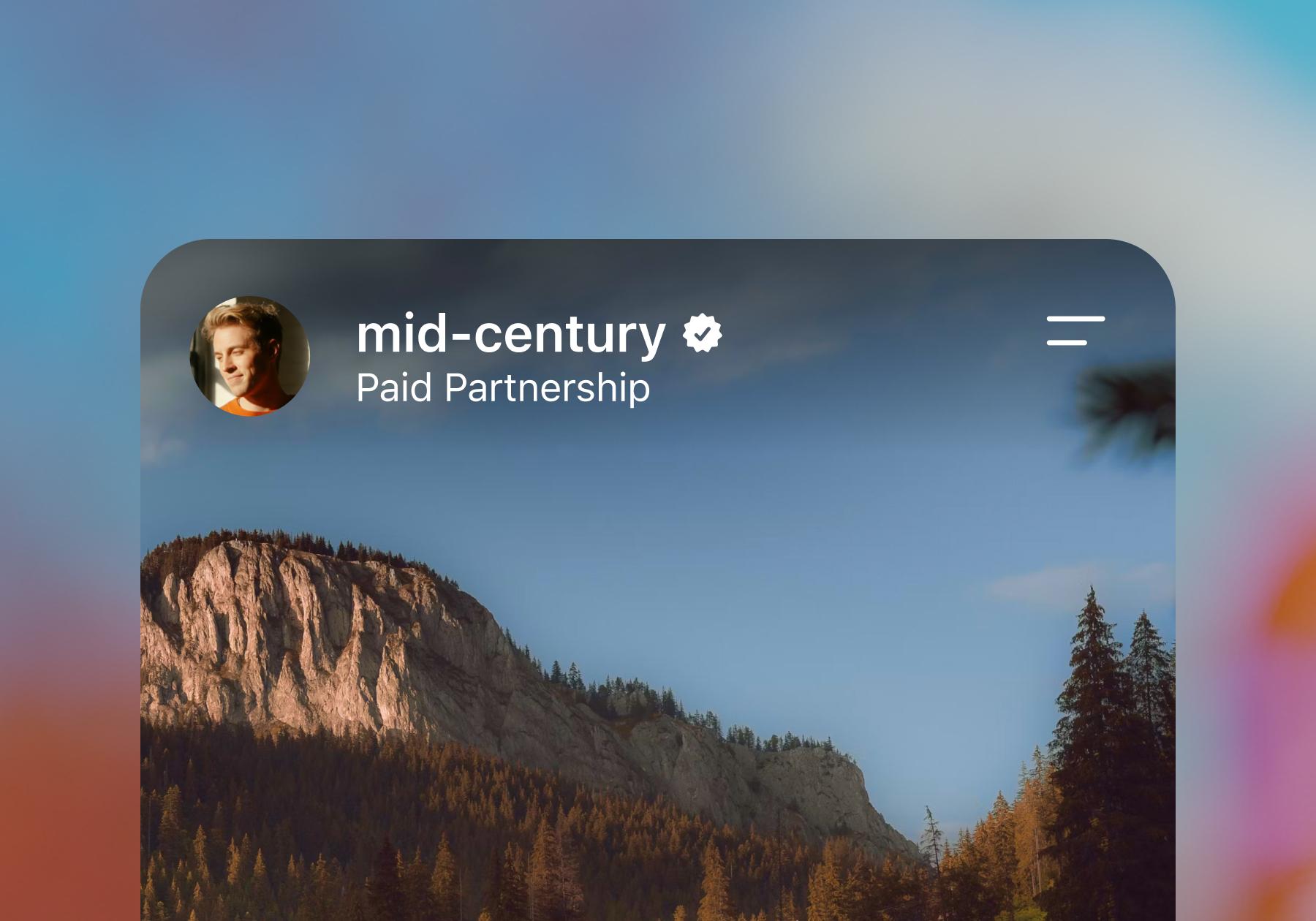
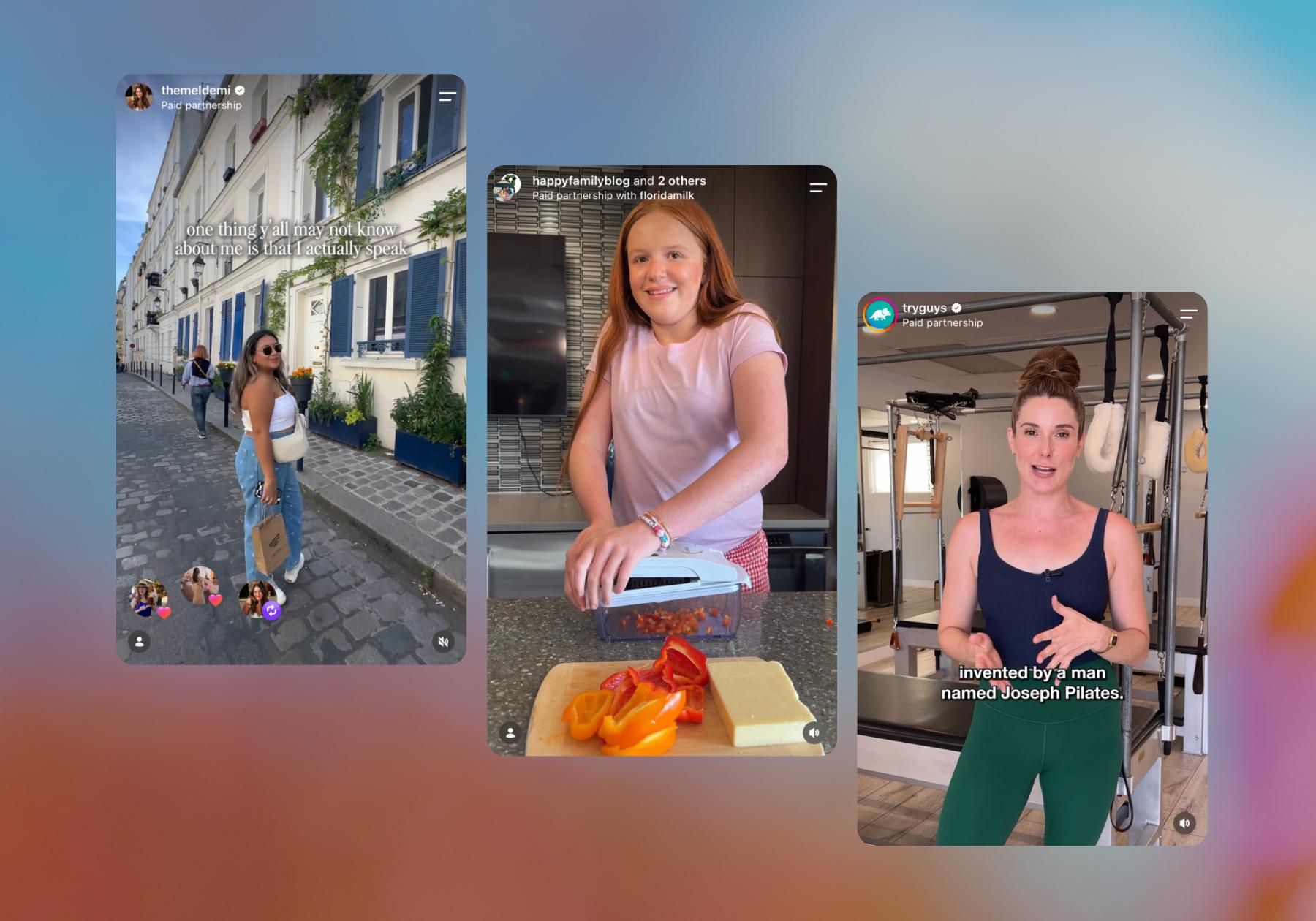
When a creator tags a business as a paid partner, Instagram displays "Paid partnership” beneath their username on the post (sometimes with the brand’s name as well). The label can be used on feed posts, Reels, Stories, and Instagram Live content.
The paid partnership label exists because of the Federal Trade Commission's (FTC) endorsement guidelines, which require creators to clearly disclose any "material connection" with a brand — not just cash payment.
Free product, an affiliate commission, a discount code, or even a family relationship with the brand owner all count. And burying the disclosure in a wall of hashtags, or only mentioning it verbally in a reel, won’t suffice. The FTC and Meta both expect the platform's built-in label, not just a "#ad" buried at the end of a caption, and the rules apply per post, not per relationship. So, every piece of sponsored content needs its own label, even if you've disclosed the partnership before.
Failing to use the label can lead to Instagram removing your content and/or flagging your account for missing or improperly applied labels.
For first-time offenders, Instagram reportedly lets some creators complete a training course to clear the strike rather than taking a permanent hit. But repeated or serious violations can make you ineligible to use branded content tools altogether — meaning you lose the ability to tag brands as paid partners or run Partnership Ads.
How to Use Instagram’s Paid Partnership Label

Note: You'll need a Professional Instagram account (Creator or Business) to access branded content tools.
- Open Instagram, go to your profile, then tap on Professional dashboard.
- Go to Settings, then find Branded content.
- Click Set up branded content tools.
- From here, you should see “You’re eligible for the paid partnership label.” Click Enable.
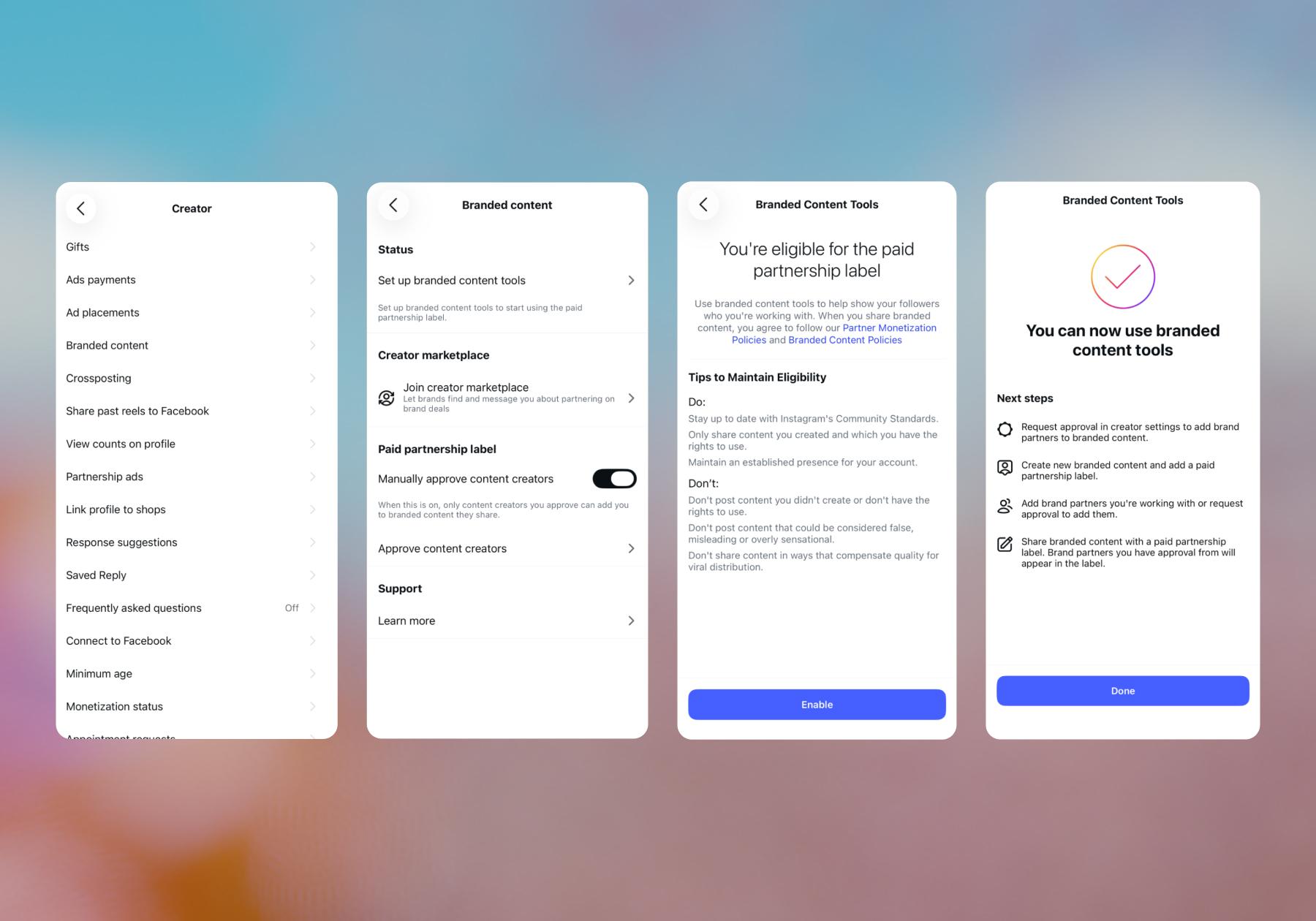
Once you’ve enabled branded content tools, you can use the paid partnership label. To do that:
- Open Instagram, go to your profile, then tap on Professional dashboard.
- Scroll down and tap on Branded content.
- Tap Request approval from brand partners.
- Search for the brand, then hit Request.
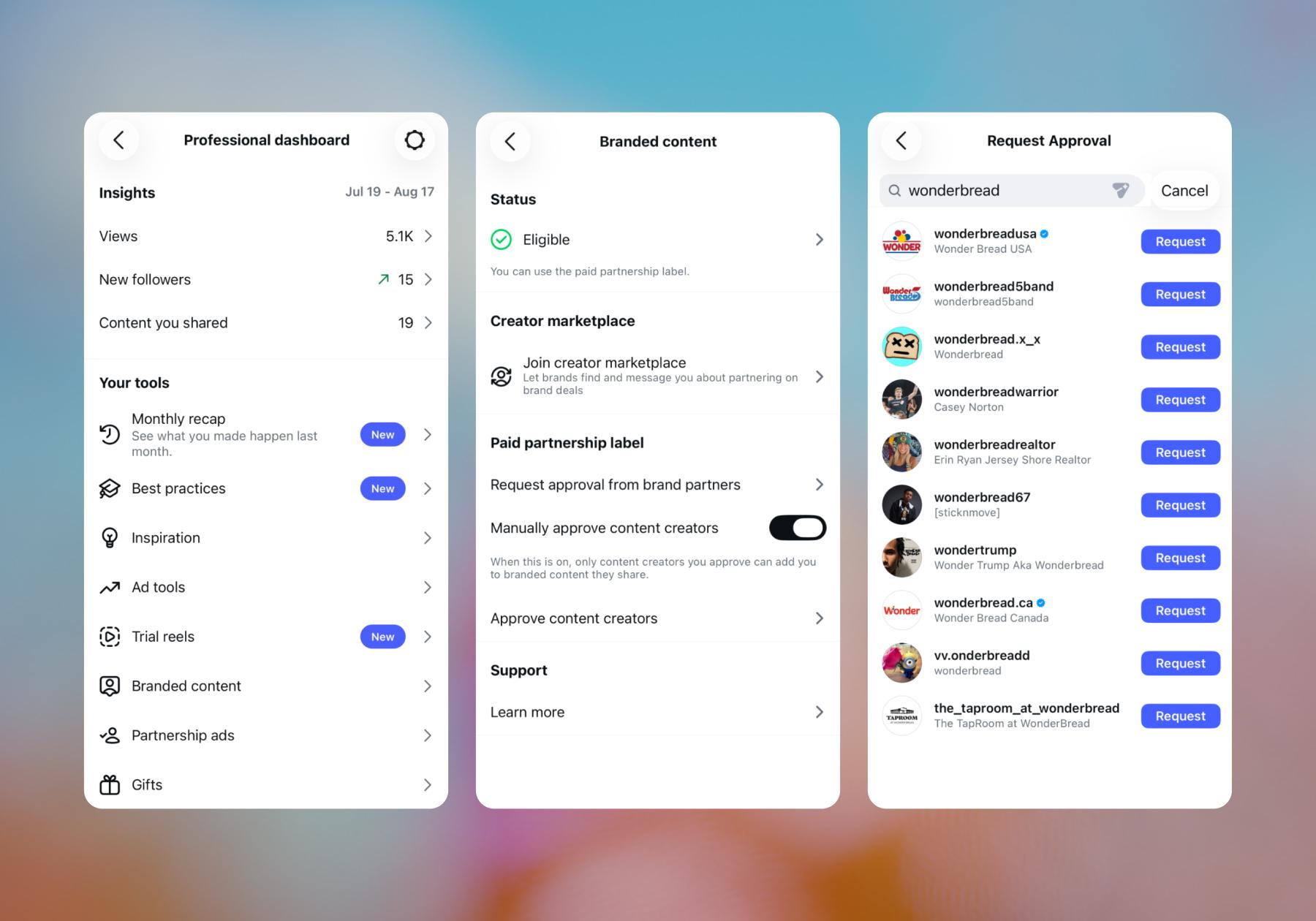
Once the brand approves, your post publishes with the "Paid partnership with [brand]" label attached, and the brand will get access to two weeks of post performance insights.
How brands manage branded content approvals
For brands, the approval process is now managed in Meta Business Suite rather than the Instagram app itself. Here’s what brands can do in Meta Business Suite:
- Require approvals or leave it open. Brands can require creators to be pre-approved before they can tag their business, or allow anyone to tag them and remove posts after the fact if needed.
- Whitelist ongoing partners. If a brand works with the same creators repeatedly, they can pre-approve them so their tagged content goes live immediately instead of waiting on manual review each time.
- Review insights. Approved branded content shows up in Meta Business Suite’s Insights, so brands can see how each partnership performed without asking the creator to send screenshots.
- Remove a tag you don't approve of. Brands can remove themselves from a post directly (via the post's menu) or through Business Suite's Branded Content tab, even after it's live.
New(ish): Partnership Ads Let Brands Boost Tagged Content

In 2023, Instagram introduced Partnership Ads. Essentially, once a creator tags a brand and turns on "Allow brand partner to boost," that brand can run the tagged post as a paid ad directly from its own ad account — while it still displays the creator's handle and identity.
There are two permission levels worth knowing:
- Content-level access: The creator tags the brand and flips on the boost toggle for that specific post. This is the default, one-post-at-a-time method.
- Account-level access: A brand can request broader permissions through Business Suite, letting them build ads using a creator's handle without needing a pre-existing tagged post for every campaign. Creators can also generate a standalone partnership ad code to hand off to a brand for this purpose.
Brands manage all of this from Ads Manager's Partnership Ads Hub, where they can add partners, track active permissions, and launch campaigns. The appeal for brands is performance: content that already carries a creator's face and voice tends to read as a recommendation rather than an ad, and early data suggests these ads can run at a lower cost per result than a standard ad built from the same creative.
Create, Post, Get Paid, Repeat
Getting the paid partnership label right protects you legally and keeps your account in good standing. If you're still working on pitching your first brand so you can get there, check out our guide How to Land Your First Brand Deal (And Keep ‘Em Coming).
BTW, once your paid partnerships start hitting the feed, the DMs and comments pick up fast. Manychat can automatically reply to the "where can I get this" and "what's the discount code" comments that will flood your notifications tab, so you're free to close your phone and go touch grass after the post is live.
Sound good to you? Sign up for Manychat and get started.
Frequently asked questions
Yes. The FTC's disclosure requirement covers any "material connection," including gifted product, discounts, or affiliate commissions — not just direct payment.
A collab post makes two accounts co-authors of the same content, and it's shared to both of their followers. The paid partnership label discloses that a business relationship exists. You can use either one independently, or both together on the same post if a brand is both a co-author and a paid partner.
No. Brands need explicit permission, either through content-level access (you toggle "allow brand partner to boost" on a specific post) or through account-level access granted in Meta Business Suite. Without one of those, they can't turn your organic content into a Partnership Ad.
Historically, yes. Reporting on Instagram's 2026 algorithm changes suggests labeled content is no longer subject to an automatic reach penalty and can even be favored when it meets certain transparency and engagement standards, though Meta hasn't confirmed the specifics. Regardless of reach impact, the label is a legal requirement, not an optional setting.
No. You can tag brands as paid partners and use branded content tools without ever using Creator Marketplace. The Marketplace is a discovery tool for finding brand deals in the first place — it doesn't replace the labeling or approval process.



Originally published: Nov 4, 2021, Updated: Aug 27, 2026
More stories worth reading
More content that's too good to miss