For years now, Manychat has integrated with Zapier to make it as easy as possible for users to connect their marketing channels and tools. Zapier connects to over 7,000 apps — odds are, the platforms you use are in that list.
If you’ve ever wondered what you can do through the Zapier-Manychat connection, read on.
How Zapier and Manychat Work Together 🤝

Zapier is the bridge between Manychat and thousands of other apps. While Manychat is built to start conversations in Instagram, WhatsApp, TikTok, and Messenger, Zapier makes sure the contents of those conversations aren’t confined to your inbox — they flow into the rest of your systems.
Think of it like a relay: Manychat picks up the lead at the starting line, Zapier grabs the baton, then it’s passed off to another tool (like your CRM, email marketing platform, or booking system).
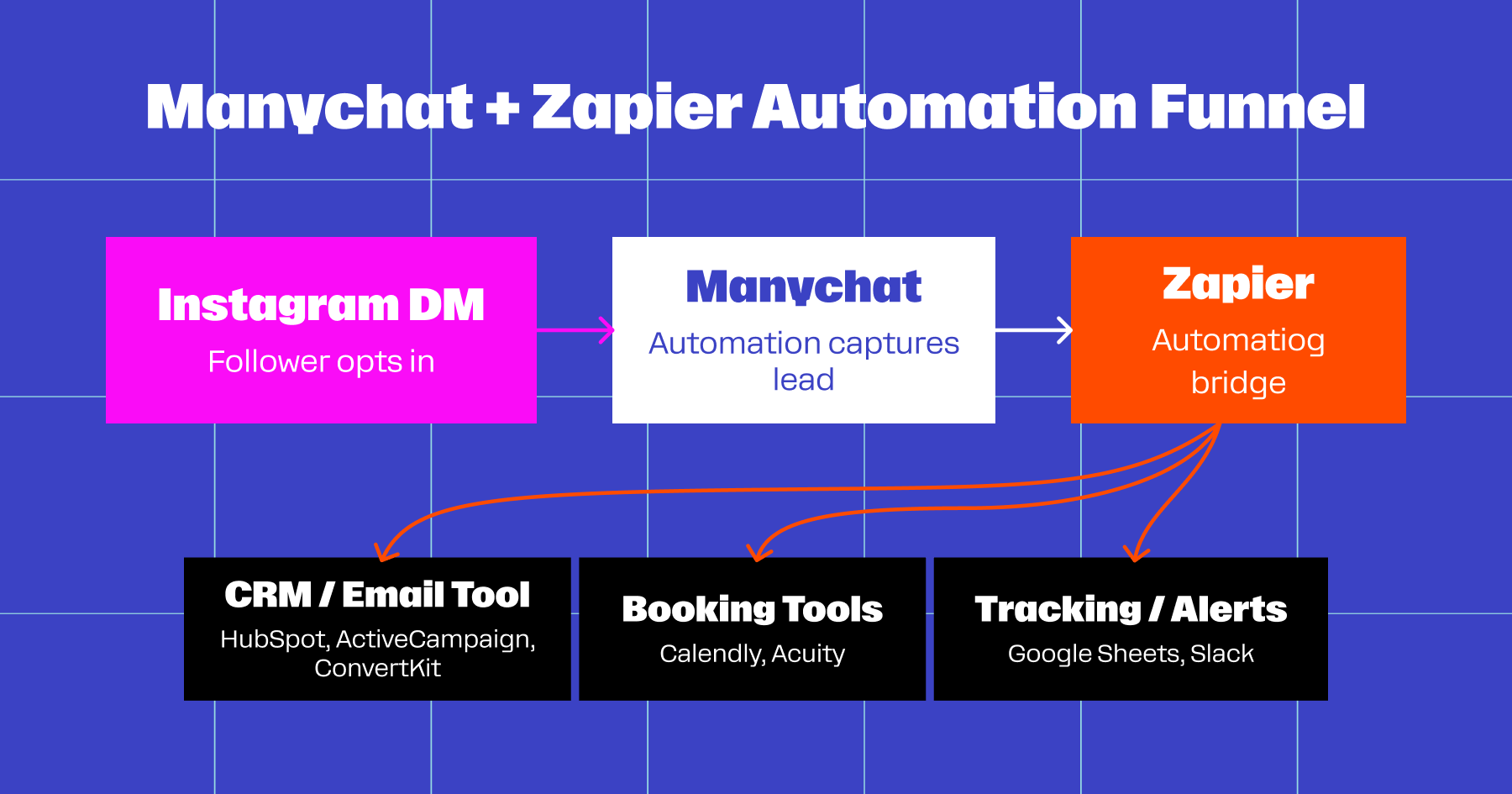
If you’re a creator or brand manager relying on a handful of tools, this pairing can be especially powerful. It means you don’t need to wait for a native Manychat integration to be built (although, trust us — we’re always working on it).
Instead, you can set up a Zap in minutes and create a seamless flow: Manychat → Zapier → Next step in your funnel.
Let’s talk about some of the most popular use cases for the Zapier-Manychat connection.
Manage Emails and Contact Information

When someone DMs you on Instagram, you want to be able to reach them again. And preferably, you’re not restricted to reaching out on IG.
Manychat can capture contacts from your most-used social channels and funnel them through Zapier to your CRM, text, or email marketing platform of choice. This is ideal because you can skip the manual exports while keeping your leads.
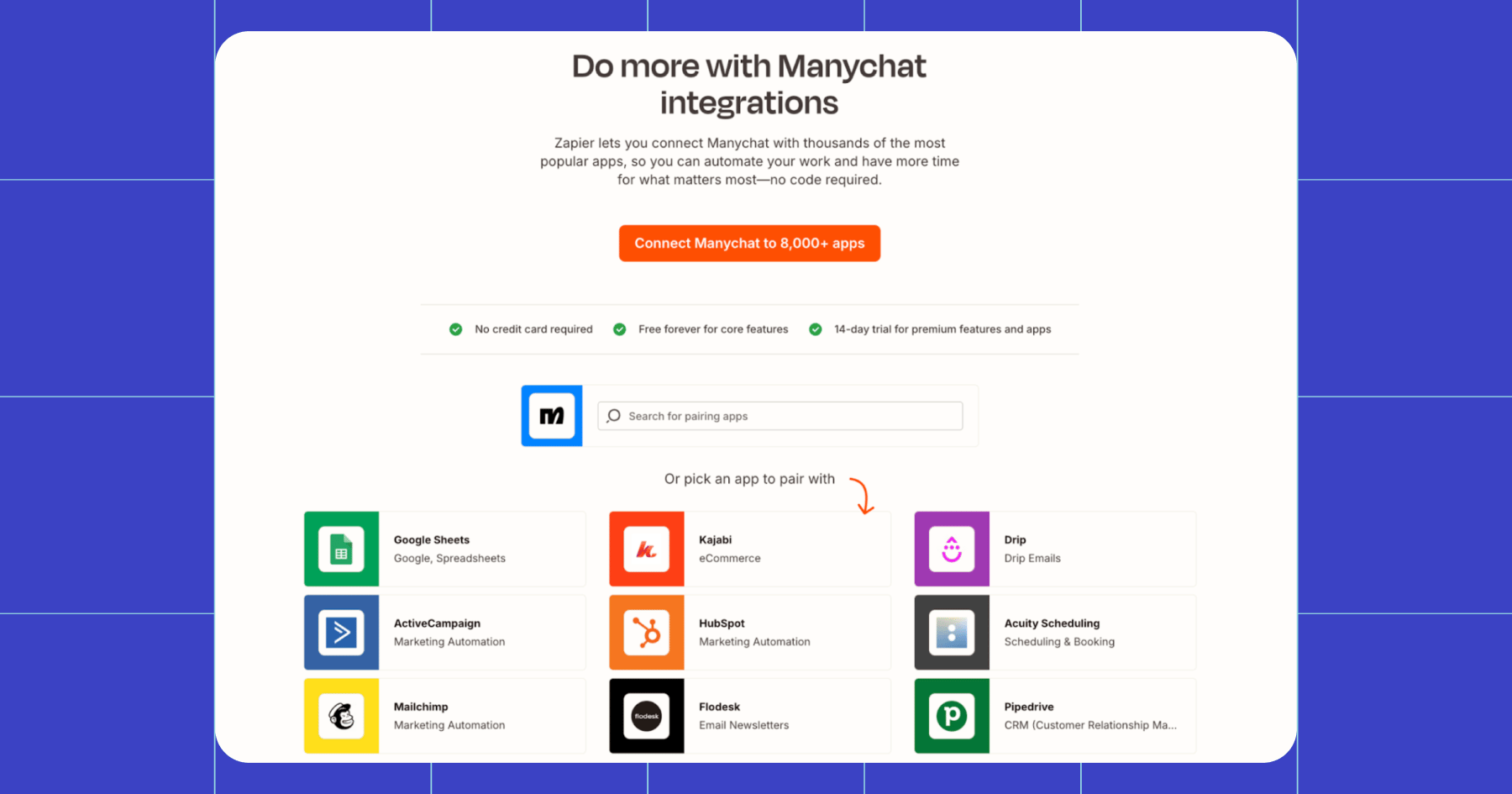
If you want to use Zapier and Manychat to send emails, you can do so by connecting to tools like Klaviyo, MailChimp, and Drip.
Let’s say your e-commerce brand is running Facebook and Instagram ads, driving people into Messenger to claim a discount code for a new product line.
Here’s how the flow could work.
- Ad clicks open a Messenger conversation.
- Manychat greets the user: “Hey! Want 15% off our new collection? Just drop your email below, and we’ll send it to you. ⬇️”
- The user enters their email, and Manychat stores it via a Data Collection block.
- From there, a Zapier workflow is triggered. Zapier pushes the user’s email, first name (if collected in Messenger), and the campaign tag (e.g., “FB Discount Campaign”) to Klaviyo.
- The contact is instantly added to Klaviyo’s audience with the campaign tag, and Klaviyo automation triggers a prebuilt email flow:
- Email #1 (Instant): Discount code delivery, i.e., “Here’s your 15% off code 😎”
- Email #2 (Day 2): A reminder about code expiring.
- Email #3 (Day 5): A cross-sell or follow-up message.
It’s an easy win: You don’t lose the lead, and the user gets their discount code immediately.
Automate Tracking and Alerts

Speaking of leads, if you don’t have a dedicated CRM, you can connect Manychat and Zapier to tools like Google Sheets and Slack to manually manage contact information.
Imagine you’re a fitness coach promoting a free week-long challenge on Instagram. To sign up, you ask followers to comment on the trigger keyword “challenge” on one of your posts.
- As soon as someone comments “challenge,” Manychat automatically sends them a DM and collects their name and email address via a conversational flow.
- Once the email address is captured, Zapier takes over. It instantly moves the contact details from Manychat into a connected Google Sheet. Each new participant appears as a fresh row, complete with any tags you’ve added (such as “free challenge”), so you know where they came from.
- The Google Sheet becomes a live participant list. You can see how many people have joined and sort entries by date.
- After the challenge is over, you can use the spreadsheet as a list of warm leads and mark which participants converted into paying clients.
💡Side note: Google Sheets integrates with Manychat directly, so you don’t need to go through Zapier to export your contact data.
Another example of how you can automate alerts via Manychat and Zapier: Slack. Manychat captures urgent requests, Zapier dispatches them, and Slack makes sure you or your team acts on them fast.
Example: A customer messages your skincare business on WhatsApp with an urgent request: “Can I adjust my facial appointment time for today?”
In Manychat, you’ve set up a flow that applies a tag (say, “appointment change request”) when a user sends a message that includes certain words or phrases like “appointment time.” Maybe your flow even includes a Data Collection block so you can store relevant details like the customer’s name and preferred new appointment time.
As soon as that “appointment change request” tag is applied, Zapier sends the details straight into your #support-alerts Slack channel. The message includes the customer’s name, WhatsApp handle, and their updated request.
Your team sees the notification without needing to check Manychat or Instagram. They can reply right away, confirm the change, and keep the schedule running smoothly. 😎
Book Customers

If you’re running a service-based business (stylist, trainer, handyman, etc.), you likely have people trying to book you in your DMs. Handling these requests manually might work for a while, but once your business grows, it’s best to start automating — back-and-forth messaging just slows everyone down and leads to missed bookings.
Imagine someone reaching out to you on Messenger with a keyword like “book” or “appointment.” You’ve set up Manychat to respond to these trigger keywords with a flow that helps them schedule their appointment.
- Manychat collects the key details: Name, email, requested service, and desired date.
- Zapier hands off the request to Calendly, Acuity, or a similar tool, which automatically creates an invite.
- The customer gets a confirmation email with the calendar invite, and you can view the appointment on your Calendly dashboard.
Bonus: Manychat can send the customer a friendly reminder via Messenger, where they first reached out: “Hey Sierra, your appointment is confirmed for tomorrow at 3 PM. See you then!”
Manychat + Zapier: An Automation Power Move

We’ve covered a few of the most useful applications for the Manychat-Zapier connection, but the truth is, there’s no limit to what you can automate and integrate.
Even so, you don’t need fancy workflows to benefit from this pairing. A few key integrations can give you time back in your day, prevent leads slipping through the cracks, and help you earn more revenue from the conversations you’re already having.
Next 👉Explore Manychat’s native integrations
✋ Frequently Asked Questions (FAQs)
1. How do I keep my Zapier tasks from blowing up my budget?
Most Zapier plans have a monthly task limit, and every action triggered from Manychat (like adding a new row in Google Sheets or sending data to Klaviyo) counts as a task. If your automation isn’t carefully scoped, you can burn through your limit in days. Learn how to batch actions or filter Zaps so they’re only triggered by qualified leads.
2. What data should I collect in Manychat to make my Zaps truly useful?
It’s tempting just to capture names and emails, but richer segmentation (like tags for “came from Instagram ad” or “interested in product X”) makes downstream automations far more powerful. Without thoughtful data collection at the start, your CRM or email flows will be less effective.
3. How do I avoid breaking my automations when I update flows in Manychat?
Small changes in a Manychat flow — like renaming a tag or data field — can silently break the Zap that depends on it. Establish a habit of documenting your flow–Zap dependencies and testing regularly so campaigns don’t collapse mid-launch.
4. What happens if a customer replies outside the automation?
If someone replies with a free-form message, your flow may not trigger as expected. Building a Main Menu or Default Reply in Manychat helps make sure no one in your DMs gets ignored or forgotten about.
5. How do I make sure my emails or bookings don’t get flagged as spam or duplicates?
Sending duplicate contacts to Klaviyo or multiple bookings to Calendly can frustrate customers and hurt your reputation. Setting up deduplication steps in Zapier (or using lookup tables in Sheets) is critical for keeping your automations clean.



Originally published: Sep 20, 2017, Updated: Dec 22, 2025
More stories worth reading
More content that's too good to miss