What’s up With WhatsApp Business? Key Features and Top Use Cases

Considering a WhatsApp Business account? Good choice — with 50% of users making purchase decisions directly through the app, it’s one of the most powerful sales channels out there. But before you hit download, let’s break down its key features, top use cases, and who gets the most value from it.
Why Use WhatsApp as a Marketing Channel?

When it comes to reaching customers where they already spend their time, WhatsApp is hard to beat. The app reached over 2.9 billion monthly active users in early 2025, solidifying its status as the most widely used messaging app globally.
As you can imagine, this widespread usage translates into serious business potential. In 2024, WhatsApp generated $1.7 billion in revenue, with nearly all of that coming from WhatsApp Business, the version of the app specifically designed for brands and entrepreneurs. And here’s a wild stat: more than 2.2 billion messages are exchanged every single day between businesses and customers on WhatsApp.
In other words, WhatsApp isn’t just for dropping memes into group chats anymore (although that will always be fun). It’s one of the most powerful marketing channels available to businesses today. So, let’s dig into what makes WhatsApp Business worth your attention.
WhatsApp Business, Explained

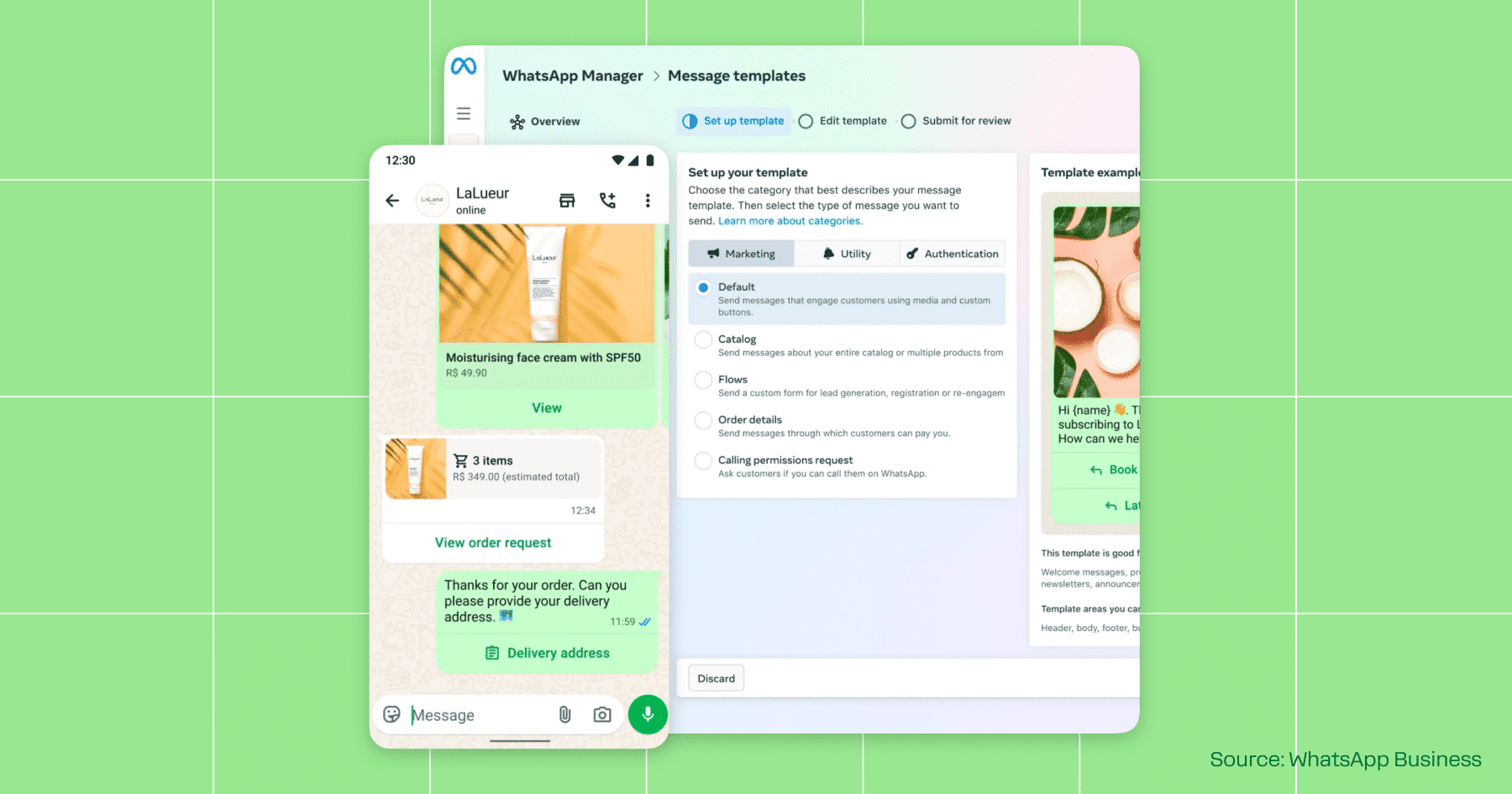
WhatsApp Business is a free app designed for small to mid-sized businesses that want to connect directly with customers. While the standard WhatsApp app is great for personal use, the business version comes with features that help you showcase products, manage conversations, and drive sales, including:
- Business Profiles: Create a virtual storefront with your logo, business description, hours of operation, and a link to your website.
- Automated Messages: You can use the app to set up custom welcome and away messages, ensuring that no one feels ignored.
- Quick Replies: Another option is to create shortcuts for your most frequently used responses. All you have to do is assign a shortcut keyword (like /thanks), so that when you type it, the full pre-written response (e.g., “Thanks for reaching out! We’ll get back to you shortly.”) will appear.
- Labels: Need help staying organized? Tag conversations (like “New Lead,” “Pending Order,” or “VIP”) so you never lose track of important chats.
- Catalogs and Carts: WhatsApp Business helps you promote your products or services through a digital catalog. You can share direct links and let customers build carts right in the chat.
- Broadcast Messages: Broadcasts are a one-to-many type of message. You can use them to announce promotions, restocks, or special offers to all your contacts at once.
In addition to these features, there’s another reason to use WhatsApp Business: It’s the only account type that works with Manychat.
Meta only allows automation through the official WhatsApp Business API or Cloud API, which is what powers Manychat’s integrations. Trying to connect a personal WhatsApp account won’t work (and could even get the number flagged), so if you want to turn WhatsApp into a reliable sales and support channel, the first step is upgrading to WhatsApp Business.
For more info on this, visit our Help Center: How to connect WhatsApp to Manychat: choosing the best method.
Who is WhatsApp Business best for, though?
If you’re a small business owner, WhatsApp Business was built with you in mind. Small and medium-sized enterprises (SMEs) account for approximately 80% of WhatsApp Business app users worldwide. The app’s low barrier to entry, combined with its customer-friendly features, makes it a great option for owners who want a direct line of communication to their customers.
Some of the top industries using WhatsApp Business include retail, restaurants, food delivery services, and e-commerce brands. In the U.S. alone, adoption among local retailers jumped 22% in 2024, with many businesses relying on the platform to confirm orders, share menus or catalogs, and provide real-time customer service.
Geography also plays a big role in WhatsApp Business adoption. In India, over 500 million people use WhatsApp, making it the top messaging platform by far. And across Latin America, it’s the default way people connect. So, if you’re operating in one of these regions, having a WhatsApp Business account is a really good idea.
And who is it not for?
If you’re not running a business or selling merch, you probably don’t need WhatsApp Business. That includes most creators and influencers — if your main goal is to build an audience and rack up views, platforms like Instagram, TikTok, and YouTube are much better suited for that. For everyday communication with friends and family, a personal WhatsApp account remains the preferred option.
Manychat + WhatsApp Business = 😍💰📈

If you’ve committed to WhatsApp Business, you might as well sign up for Manychat — it’s free.
When you connect Manychat with WhatsApp, you turn the world’s most popular messaging app into a sales powerhouse. For example, you can:
- Instantly manage incoming conversations: Automate replies to FAQs, share info, and keep chats warm until you or your team can jump in. No more losing leads.
- Qualify and prioritize leads: Ask user-intent questions, tag responses, and route the best prospects into your sales funnel.
- Re-engage customers with promotions: Send targeted broadcasts to your contact list to spread the word about upcoming sales, updates, or events.
- Provide proactive customer support: Deliver instant answers for common questions, and hand off more complex cases to Live Chat.
Go deeper
Want a deeper look at some of these use cases? Check out ➡️ Manychat Basics: 4 WhatsApp Use Cases Everyone Should Know
Or, jump right in:
Set Up WhatsApp Auto Replies FAST with Manychat 🔥 Step by Step Tutorial
✋Frequently Asked Questions (FAQs)
1. How does WhatsApp’s 24-hour rule affect my automations?
Meta only lets you send automated replies within 24 hours of a customer’s last message. After that, you can only send approved “template messages” (like order updates or promotions). Manychat handles these rules automatically, but knowing the 24-hour window is key to planning follow-ups that convert.
2. Do I need Meta verification to run WhatsApp automations at scale?
Yes. To fully unlock the WhatsApp API (which powers Manychat), you’ll need a verified Meta Business account. Without it, you’ll be stuck with lower message limits and risk interruptions if you try to scale.
3. What’s the difference between using the WhatsApp Business app vs. the API?
The app is fine if you’re just chatting manually. But for automation, you need API access. Manychat connects you directly, so you don’t have to worry about hitting app-only limitations.
4. How do message costs work on WhatsApp?
Unlike Instagram DMs (which are free), WhatsApp API messages are billed per conversation session, with rates that vary by country. This means your automation strategy should strike a balance between “always-on” support and targeted, high-ROI campaigns.
5. What metrics should I actually track on WhatsApp?
It’s not just about “open rates.” Look at:
- Response time (how fast customers get value),
- Qualification rate (how many chats turn into leads), and
- Conversion rate per conversation (how many chats end in sales).
These show if WhatsApp is actually driving business growth, not just message volume.